Video yükleniyor...

Video Yüklenemedi

Ana Sayfaya Dön

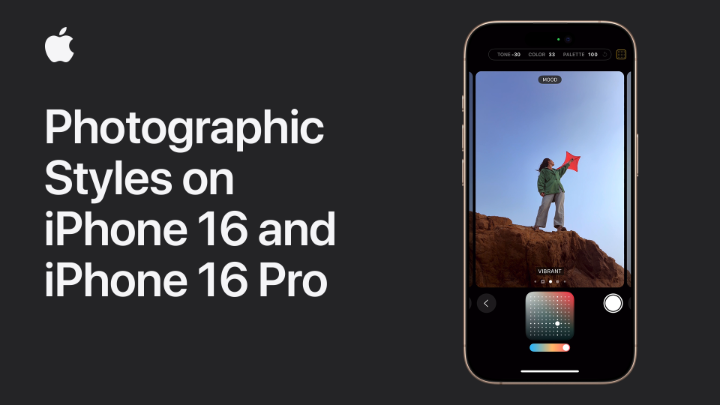
While creating the visuals for a wormhole, I accidentally discovered the method for making the visuals of the iPhone 16. Here’s how it’s done—sharing it with everyone! iPhone 16 Visual Tutorial 1. Download a 3D software (C4D or Blender both work) 2.Create a donut model. 3.Add a material and...

47,368 görüntüleme • 1 yıl önce •via X (Twitter)

11 Yorum

Jordan profil fotoğrafı
Jordan1 yıl önce

Awesome work, thanks!

CASETiFY profil fotoğrafı
CASETiFY1 yıl önce

Personalize your #iPhone16 with Strap & Charms, and MagSafe Compatible accessories! Endless combinations to match your style. Shop now. #CASETiFY

Tony Elmore profil fotoğrafı
Tony Elmore1 yıl önce

Sweet, thanks!

Damonxart profil fotoğrafı
Damonxart1 yıl önce

🙌

simpati adalah pisau profil fotoğrafı
simpati adalah pisau1 yıl önce

this should be viral, it’s so cool!

Damonxart profil fotoğrafı
Damonxart1 yıl önce

🙌

alex.xyz profil fotoğrafı
alex.xyz1 yıl önce

Nice man!

Kadri Shazan profil fotoğrafı
Kadri Shazan1 yıl önce

That's a surprisingly creative approach to visualizing new tech, thanks for sharing your unique process!

Damonxart profil fotoğrafı
Damonxart1 yıl önce

🙌

Design Degods 🌚📈 profil fotoğrafı
Design Degods 🌚📈1 yıl önce

Can be done in Photoshop with less steps tho but keep cooking

Karl Pines profil fotoğrafı
Karl Pines1 yıl önce

That's crazy!

Benzer Videolar

DreamCraft3D: Hierarchical 3D Generation with Bootstrapped Diffusion Prior paper page: present DreamCraft3D, a hierarchical 3D content generation method that produces high-fidelity and coherent 3D objects. We tackle the problem by leveraging a 2D reference image to guide the stages of geometry sculpting and texture boosting. A central focus of this work is to address the consistency issue that existing works encounter. To sculpt geometries that render coherently, we perform score distillation sampling via a view-dependent diffusion model. This 3D prior, alongside several training strategies, prioritizes the geometry consistency but compromises the texture fidelity. We further propose Bootstrapped Score Distillation to specifically boost the texture. We train a personalized diffusion model, Dreambooth, on the augmented renderings of the scene, imbuing it with 3D knowledge of the scene being optimized. The score distillation from this 3D-aware diffusion prior provides view-consistent guidance for the scene. Notably, through an alternating optimization of the diffusion prior and 3D scene representation, we achieve mutually reinforcing improvements: the optimized 3D scene aids in training the scene-specific diffusion model, which offers increasingly view-consistent guidance for 3D optimization. The optimization is thus bootstrapped and leads to substantial texture boosting. With tailored 3D priors throughout the hierarchical generation, DreamCraft3D generates coherent 3D objects with photorealistic renderings, advancing the state-of-the-art in 3D content generation.

AK

161,400 görüntüleme • 2 yıl önce

🎓 Learn how to create a Cherry Wood Material in a matter of seconds in my latest video series (AAA) Pro Tips! ____________________________________________________ In this video, the steps are as follows: 1. Create a slightly red-colored fill layer with high gloss to act as the woods base material. 2. Add a second fill layer with a black mask, and inside that mask add a stripes greyscale set to planar projection. These stripes will act as the wood rings and should be projected onto your mesh in a natural way. The stripes should also be set to max softness, and followed by a Directional Noise 3 with a blend mode set to Difference. 3. Add a levels to tweak the mask and add an anchor point to the mask as well. 4. Create another fill layer with a dark brown diffuse, and store the information from the anchor point into its mask. Apply a levels to increase its intensity, and then add a fill layer up top with the anchorpoint information applied again, but set its blending mode to Subtract. 5. Create an additional fill layer with a very dark diffuse channel. Add a mask to the fill layer and inside its mask add a fill layer containing the anchorpoint information, from the Wood Rings. This fill layer can now be used to add some dark contrast to the center of the wood rings 6. A warp filter should also be used to apply some subtle imperfections to the wood rings and grain. Now we are left with a very nice result of Cherry wood! ____________________________________________________ More AAA Game Dev Tips can be found on my YouTube channel here: Stay tuned for more weekly Tips. Let me know below what you would like to learn in future videos! 👇 Happy Texturing! 💚 #gameart #texturing

Cohen Brawley

25,145 görüntüleme • 2 yıl önce

[RLHF] by Hand ✍️ Yesterday, Jan Leike (Jan Leike) announced he is joining #Anthropic to lead their "super-alignment" mission. He is the co-inventor of Reinforcement Learning with Human Feedback (#RLHF). How does RLHF work? [1] Given ↳ Reward Model (RM) ↳ Large Language Model (LLM) ↳ Two (Prompt, Next) Pairs 🟪 TRAIN RM Goal: Learn to give higher rewards to winners [2] Preferences ↳ A human reviews the two pairs and picks a "winner" ↳ (doc is, him) Embeddings ↳ This prompt has never received human feedback directly ↳ [S] is the special start symbol [11] Transformer ↳ Attention (yellow) ↳ Feed Forward (4x2 weight and bias matrix) ↳ Output: 3 "transformed" feature vector, one per position ↳ More details in my previous post 8. Transformer [] [12] Output Probabilities ↳ Apply a linear layer to map each transformed feature vector to a probability distribution over the vocabulary. [13] Sample ↳ Apply the greedy method, which is to pick the word with the highest score ↳ For output 1 and 2, the model accurately predicts the next word ↳ For 3rd output position, the model's predicts "him" [14] Reward Model ↳ The new pair (CEO is, him) is fed to the reward model ↳ The process is same as [3]-[6] ↳ Output: Reward = 3 [15] Loss Gradient ↳ We set the loss as the negative of the reward. ↳ The loss gradient is simply a constant -1. ↳ Run backpropagation and gradient descent to update LLM's weights and biases (red border)

Tom Yeh

79,758 görüntüleme • 2 yıl önce

🎓Learn how to create a powerful Torn Fabric smart material in a matter of seconds in my latest video series (AAA) Pro Tips! This smart material can be used on virtually any 3D asset. ____________________________________________________ In this video, the steps are as follows: 1. Create a base fill layer containing no information. We will use this layer to call out the core effects. Add a black mask to this layer and inside that mask add a paint layer and draw a simple pill shape. 2. Next, add a blur directional and be sure the direction is the same direction that your fabric is flowing to. 3. Add a UV border generator set to subtract to mask out any uv seams followed by an anchorpoint. Additionally, add a messy Fibers 3 fill layer set to overlay. 4. Use a levels to adjust the mask along with a sharpen filter. A warp filter should also be added to introduce some randomness. Add an anchor point at the top of the mask as well. 5. Create another fill layer with its opacity channel set to black and apply a black mask to the fill layer. Inside its mask retrieve the anchorpoint information from the previous fill layer. 6. Create an additional fill layer with a bright diffuse color along with a black mask applied to it. Add the anchorpoint information from the previous mask into its mask as well and this should give us some white fibers on the edges. Now we have a torn fabric effect wherever we paint using the paint layer created inside the callout mask! ____________________________________________________ More AAA Game Dev Tips can be found on my YouTube channel here: Stay tuned for more weekly Tips! Happy Texturing!💚 #gamedev #gameart #tutorial #3dmodeling #hardsurface #texturing

Cohen Brawley

78,660 görüntüleme • 2 yıl önce