
Isla
@Isla2D • 38,566 subscribers
i created the iconic software Beta Blocker ♡ windows, iOS, android & mac
Shorts


Videos


Beta Blocker 4.0 is out on Windows and it’s the biggest update I’ve ever made. It can now block the whole person. Here’s everything that’s new and what’s changed. Buckle in because this update is insane 🐾 🧍 Whole Person Blocking Beta Blocker isn't only limited to boxes now. It now has the ability to trace each person’s outline and covers their exact shape in your chosen style, so it follows them as they move, and choose to block people only when something is showing, or everyone. and it's fully compatible with the rest of the apps features. 🔲 Finally, You Can Remove Borders You’ve been asking for this one for a very long time. Switch off Show a border in the Look page’s Border tab and your blocks have no outline at all. Rather keep one? Pick its style, colour and thickness instead. ⚡ Performance Upgrades New content gets blocked much faster, as fast as 9ms on a non-busy screen, the app opens twice as fast, coverage while scrolling went from 87% to 99.6%, and Export is about 2x faster. 🖥️ Brand New Interface A clean Windows 11 style sidebar with one page per job, Ctrl+K search for any setting, a new welcome for first time users and 18 languages. 🎨 12 New Styles, 100+ New Looks There's so much new content here it'd be hard to fit in this post, but there's hundreds of new variants to try out. Every style has 8 to 12 different looks, Custom takes GIFs and videos, and opacity is now truly see-through. 📈 Escalation A plan Beta Blocker can follow step by step while you’re protected. Each step can change what’s hidden, your look, screen effects, and more. Lot's of fun to be had here, especially when combined with custom packs. ✨ New Effects Page New Wallpaper option! You can now set up custom wallpapers within the app, Plus 36 ambient loops, 50 new voice lines and unlockable frames. 🏆 Ranks and XP 12 ranks from Curious to MASTER. Earn XP for protected time, streaks, locks and weekly challenges, and unlock exclusive styles, Spiral sets, themes, frames and wallpapers. Your time before 4.0 counts, ranks never drop. 🎬 Creator Studio This one is for the people who love to make content with Beta Blocker. There's an entire section of the app dedicated to you. Everything has been improved and much more has been added. 🔄 Reverse Upgrades Every Reverse style costs 10% to 63% of what it did in 3.67 with the exact same picture, so no more laggy blur. Six new full-screen looks. 🛍️ Workshop and Packs 2.0 Redesigned Workshop with theme try-on and one-click pack switching. Packs can now carry the new styles, wallpapers, ambient sound, voice lines and Escalation plans, and Pack Creator 2 is rebuilt with a live preview. 🐛 Bug Fixes & QoL Alot of the main issues with Beta Blocker have been fixed, PC's with two graphics cards are better supported. Releases are now digitally signed. Plus hundreds of smaller fixes. oh, plus the new whole person feature has been added to Android, so everyone can enjoy it! Enjoy 💕
Isla96,829 views • 4 days ago

Beta Blocker being on iOS is a game changer 🥰 (releasing a major update next week!!)
Isla473,258 views • 1 month ago

Partner Control is here on Beta Blocker iOS 🐈⬛ Here’s a tutorial on how to set it up safely! Have someone you trust set the rules 👠 Partner Control lets you voluntarily give a friend or partner permission to manage your Beta Blocker protection settings & keep you accountable! It’s completely optional, with Solo Lock options too 🖤
Isla219,298 views • 1 month ago

0:21
Sensitive content
This media may contain sensitive content.
Beta Blocker is absolute peak btw. You’ll never want to scroll without it once you’ve used it 🖤
Isla219,462 views • 2 months ago

Beta Blocker 3.6 is here and it introduces a BIG new feature. Here's everything that's new: 🖥️ UI Overhaul. The entire interface has been cleaned up to feel more premium, modern, and less boxed-in. 📐 Better Window Scaling. Wider windows now properly use the available space instead of stretching awkwardly or leaving everything floating in the center. 🎨 Live Preview. The Style tab now includes a real-time preview, so you can see exactly what your block will look like before you enable it. ⚙️ Cleaner Detection Settings. Detection settings have been reorganised and simplified so everything is easier to understand. 🧭 Reworked Help & Settings Layout. Important options are now easier to find with a cleaner settings and help structure. now for the big one… 🔄 REVERSE CENSOR REWORK This is the biggest part of the update. Reverse Censor has been completely rebuilt. Instead of blocking detected areas, it now applies your block across the screen while leaving detected parts visible. This also adds: ✨ New Reverse Censor settings tab 🌀 Blur or mosaic modes 🎚️ Strength controls 🖥️ Full monitor selection support ⚡ Live setting updates while blocking is active BUG FIXES & POLISH 🛠️ Fixed Reverse Censor sizing issues on second monitors, including Windows scaling modes like 125% 🖥️ Improved multi-monitor behaviour for effects and Popup Storm 🧹 Cleaned up the Help tab 🎯 Fixed Auto-Detect changing results after switching tabs 📷 Improved camera handling in virtual camera mode 🎮 Reduced cursor flicker while Beta Blocker is active for a smoother gaming experience 🖤 & lots more smaller QoL improvements throughout the app. sfw
Isla345,849 views • 5 months ago


0:20
Sensitive content
This media may contain sensitive content.


0:28
Sensitive content
This media may contain sensitive content.
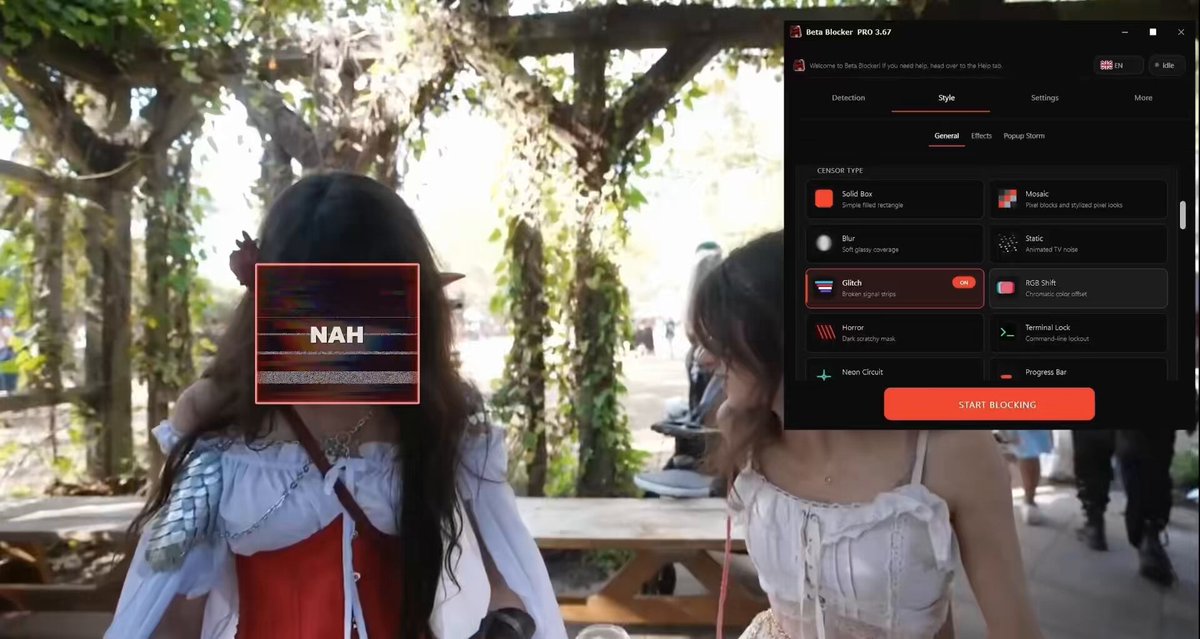
Beta Blocker just got a big update on Windows and Android. Buckle in 🐾 🎨 New Censor Styles Windows gets a full new lineup of effects: Static, Glitch, RGB Shift, Terminal and lot's more. Android gets also gets most of them too! 🎭 Preset Styles Windows now has themed preset styles, letting you swap between complete censor looks instantly instead of tuning every setting by hand. 🔄 Reverse Censor Reverse Censor is now available on Android, with a new Reverse Strength slider to choose your strength. There’s also a setup popup when enabling it, plus stronger One App coverage through Android Accessibility. On Windows, Reverse Censor is now more consistent across live mode, exports, recording, and virtual cam. 🎯 Per-Detection Overrides Windows now supports per-detection customization, so different detections can have their own style, text, and image instead of all sharing one global setup. 🧹 Fixes & Polish Fixed heavy cursor flickering during active blocking, improved performance for animated effects and larger boxes, and cleaned up several parts of the UI. This update also brings better language access, smoother scrolling, cleaner style controls, updated Android device targeting, support for the new Android settings in packs, cleaner overlay behaviour, and a smoother install/update experience. Oh, and the pack creator program was also updated to support all of the new features, and got a major cleanup, so this is essentially 3 programs getting major updates at the same time 🤗 Enjoy 💕
Isla81,471 views • 4 months ago

No more content to load