
CyberSudo
@Cyber_Sudo • 7,329 subscribers
I teach people how to perform Open-Source Intelligence (OSINT) to gather information in a simple, easy-to-follow, and structured way that anyone can understand.
Shorts


Videos

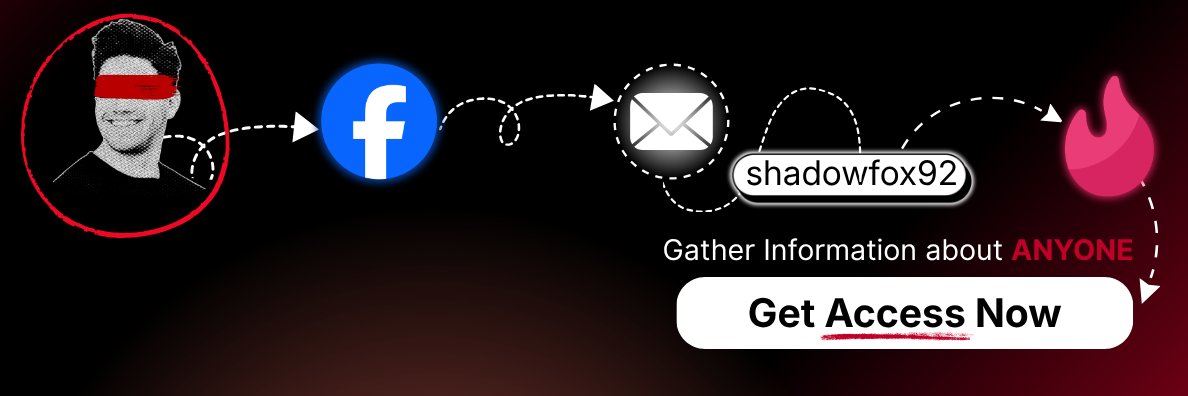
🔴 This AI OSINT Agent Can Find Information About Anyone I recently tried SargeBot, an AI OSINT agent by UserSearch. You feed it any piece of information you already have: → Name → Email → Phone number → Username → IP address …and many more. Then you give it an investigation objective and let the agent search for information and follow potential leads. You can choose between Claude, GPT, or Gemini to analyze the findings and write the investigation report. It can save time, but remember: AI-generated findings are leads, not proof. Always verify important findings with the original sources. 🔗 SargeBot: P.S. ♻️ Repost if you found this useful.
CyberSudo15,790 görüntüleme • 14 gün önce

Deleting yourself from the internet is possible, and here’s how: When I began learning OSINT, the first thing I did was search for my online presence 🔍. I was shocked by the amount of information I found. To reduce my digital footprint, I started by deleting unused accounts, photos, and posts. Some websites make it challenging to delete your account or remove personal information ⚠️ One of the best resources I found was JustDeleteMe, a directory of direct links to delete your account from various web services. Here’s how to use JustDeleteMe: 1. Visit JustDeleteMe 2. Type the name of the website from which you want to delete your account 3. Click on “view info” 4. Follow the instructions to remove your account 🗑️ I highly recommend conducting an OSINT investigation on yourself first. This helps you understand how people use the internet and what information might be interesting to an OSINT investigator 👀 Additionally, I recommend using Google Alerts to monitor any search results that might contain your or your client’s information. In a future post, I’ll share how to use Google Alerts to gather information about individuals or companies. ____________________________ P.S. ♻️ Repost if you found this helpful. If you liked this post and would like to learn more methods and techniques to discover information about people, check out my OSINT Mastery course
CyberSudo192,074 görüntüleme • 8 ay önce

🕵️ Reveal Who's Behind a Stripe Checkout! Many OSINT investigators aren't aware of this technique. Scam shops and pirated streaming sites often hide behind a clean Stripe form. But the checkout page usually still exposes a few merchant fields: - The real business URL - Support email - Support phone number You can often see them without completing a payment. The basic workflow: Open your browser inspector (right click, Inspect) and check the Sources tab. Search for: - business_url - support_email - support_phone business_url may point to another site run by the same operator. I've found secondary storefronts this way. support_email and support_phone are useful leads. Check the email against breach data and run the phone number through reverse lookup tools to connect the dots behind the shop. Credits to @RedSecurityfr I cover this in more detail in OSINT Mastery: 🔗 P.S. ♻️ Repost if this was useful.
CyberSudo30,974 görüntüleme • 1 ay önce

🔴 FREE Tool - Watch Over 145,000+ Live Cameras You don’t always need satellite imagery or paid feeds to monitor an area in real time. This is one of the first tools I check when I need a quick look at what’s happening on the ground. A lot of roads, highways, and city streets already have public traffic cameras. puts many of them in one place. It pulls from 145,000+ live traffic cameras, including official sources like Caltrans, TxDOT, FDOT, 511NY, and hundreds of other state and local feeds. What I use it for 👇 🚗 Checking highway and street cameras across the US 📍 Looking at conditions near an address or route 🕵️♂️ Seeing whether a road or location is active, blocked, or congested 📡 Getting a quick visual They can help confirm basic details like weather, traffic, road conditions, and visible landmarks from your desk. ⚠️ Important note: camera refresh rates vary, and coverage is uneven from state to state. Treat this as one source, not the final answer. 🔗 Tool link: __________ P.S. ♻️ Repost if you found this useful.
CyberSudo28,678 görüntüleme • 2 ay önce

✉️🔎 How I Reveal Who's Behind an Email without Any Paid Tools runs in your browser and lets you search an email address directly. - No sign up. - 3x free searches/day For quick checks during an investigation, that’s usually enough. I use it as a first pass before bringing out heavier tools. It gives me a quick sense of what’s tied to an email before I spend more time digging. If you’re new to email OSINT, it’s an easy way to test a lead without creating accounts across a bunch of different sites. Tool link: This is one of the simple checks I cover in my OSINT Mastery course. P.S. ♻️ Repost if you found this helpful.
CyberSudo16,243 görüntüleme • 1 ay önce

Here is how I find someone’s deleted Tweets on X/Twitter 🐦💻 I used to manually search for someone’s username across search engines 🔍, hoping to find a cached tweet 🗂️ Recently, a new website allows you to automatically search for cached tweets across multiple search engines and archival services ⚡🌐 The tool is called Deleted Tweet Finder V2.3 🛠️ You can access it here: 🌐 Here’s how to use it: 1. Visit the website 🖥️ 2. Enter the person’s X/Twitter URL or the URL of a tweet they made 🔗 3. Select the service ✅ 4. Click on “Go” ▶️ This will open a new tab with the service you selected and search for the profile or tweet 🗂️🔎 Note ⚠️: Since X acquired Twitter, it’s recommended to search for a tweet/profile using both the and domain names 🌐 Example: Username: cyber_sudo 🧑💻 First URL: Second URL: ____________________ P.S. ♻️ Repost if you found this helpful. If you liked this post, get weekly OSINT tips by joining the OSINT Observer Newsletter, with over 5,000 OSINT enthusiasts: Plus, there’s a welcome gift waiting for you!
CyberSudo50,820 görüntüleme • 8 ay önce

🔴 How I Track Public Cameras in Any Country Some investigators rely on CCTV webcam websites only. But these websites don't index everything. Usually, cameras end up exposed because someone: ⚠️ Left the default settings in place ⚠️ Misconfigured the device during setup ⚠️ Installed it, forgot about it, and never checked again For this I can use Shodan module in UserSearch. UserSearch allows you not only to find public cameras but to discover information about almost anything like: • People's names • Usernames • Emails • Phone numbers • Corporate records • Threat intel • Much more. The reason why I like to use UserSearch is because, I don't need to have a subscription on many websites. Plus, it allows me to only use my credits when I need them. 👇 Real-life example: I filtered a search to one country and found a live feed in under a minute. No password. No login page. Just a stream sitting open on the internet. ⚠️ Important note: this is not about watching people. It’s a reminder to check your own cameras. If you run CCTV or IoT devices, change the default password, update the firmware, and restrict remote access. 🔗 Tool: __________ P.S. ♻️ Repost this so more people check their cameras.
CyberSudo10,956 görüntüleme • 1 ay önce

Most investigators stop their research when they see a Cloudflare IP That’s a mistake! Cloudflare hides the origin server’s real IP address but it doesn’t always make it impossible to find. With the right techniques, you can often uncover the actual hosting infrastructure behind a protected website. Here are 3 methods I regularly use: 🧠 Criminal IP Search Engine: One of the fastest ways to investigate infrastructure behind a domain. 🔎 Reverse Favicon Search: Some websites reuse the same favicon across multiple services or subdomains. Searching by favicon hash can reveal infrastructure that isn’t behind Cloudflare. 📜 WHOIS History: Older WHOIS records sometimes expose previous hosting providers or IP addresses used before Cloudflare protection was enabled. Using Criminal IP, you can pivot from a domain and uncover: ✅Possible origin server IPs ✅Passive DNS history ✅ Abuse records ✅Malware associations ✅Scanner activity ✅Related infrastructure Example: I searched a Cloudflare-protected domain inside Criminal IP and it immediately revealed the underlying server IP where the website was actually hosted. Most people never go this far but this step often unlocks the biggest findings in a website investigation. Try out the search engine:
CyberSudo33,670 görüntüleme • 6 ay önce

Here is how I investigate a Google account without tools 🔍 Not everybody has the resources to set up Linux as a virtual machine. That’s why it’s always a good idea to have a list of websites that can do this for you 🌐 You’ll find a list of OSINT (Open‑Source Intelligence) resources at the link provided at the end of this post. The first thing you need is the person’s email address 📧 There are many ways to find someone’s email, which I’ll cover in future posts. Once you have their email, you can use an online version of a tool called Ghunt 🛠️ Ghunt is used to investigate Google accounts. Normally, you need Python to run it, but you can also use it online without setting it up on your machine. It can reveal the following about a Google account: ● Account profile picture ● Google reviews associated with the account ● Last profile edit ● Account type Use the following URL to visit the website: There are more methods to find information about an email address that I’ll cover in future posts 👀 __________ P.S. ♻️ Repost if you found this helpful. If you liked this post and would like to learn more methods and techniques to discover information about people, check out my OSINT Mastery course
CyberSudo36,201 görüntüleme • 8 ay önce

🔎 Map Locations Using Nearby WiFi Access Points Most people search for WiFi networks just to connect… When I'm doing recon, one of my favorite ways to map a target's environment is analyzing nearby WiFi access points. This is my favorite method to find geo-related clues when other data is limited 📍 With this approach, you can: 🗺️ Map locations based on WiFi signals 🔍 Pivot from SSIDs to possible users or places Real-life example 👇 I once investigated a username with almost no info… But found a screenshot showing a WiFi name in the background. By searching that SSID in 3WiFi's database, I was able to narrow down the exact neighborhood and continue the investigation 🚀 🔗 Website link: __________ P.S. ♻️ Repost if you found this helpful.
CyberSudo15,109 görüntüleme • 3 ay önce

🧠 OSINT Tool: Turn Threat Intelligence Into Instant Reports Most analysts monitor forums manually… but automation can surface leaks before you even start searching ⚡ When I’m doing OSINT or threat profiling, one of my favorite approaches is using platforms that visualize threat activity instead of just listing data 🌍 This tool shows a live global map of leaks and underground discussions in real time, which makes spotting patterns and hotspots much faster than scrolling forums manually 👀 It lets you: 📍 Track leak geography visually 🗂 Aggregate data from 300K+ forum logs 🤖 Generate AI-powered OSINT reports automatically For example, during a recon scenario, I needed to understand whether a target appeared in underground chatter. Instead of browsing multiple forums one by one, I used this platform and immediately saw posts linked to their domain, which gave me investigation leads within minutes. This is the kind of tool that saves hours and gives analysts a strategic advantage fast. Tool link: __________ P.S. ♻️ Repost if you found this helpful. If you liked this post and would like to learn more methods and techniques to discover information about people, check out my OSINT Mastery course
CyberSudo23,960 görüntüleme • 6 ay önce

You found an email, username, or phone number… Now what? Here’s what to do if you have an email, phone number, username, or website and don’t know where to start. As OSINT investigators, we sometimes forget which methodologies or tools we can use during an investigation. That’s why having your own notes or bookmarks for: • Email • Phone Number • Username • Website can be extremely useful. If you don’t have your own collection yet, you can use Pika’s OSINT Toolbox. It’s one of my favorite OSINT directories and contains a large collection of investigation resources. It includes tools for: 📧 Email, username, and phone number investigations 🌐 Domain and IP analysis 📍 Geolocation and mapping tools 💬 Telegram, Discord, and social media analysis 🕰️ Archived websites and historical data research This can help a lot in OSINT scenarios like: 🕵️ Finding alternative tools when one source fails 🔎 Discovering niche services for specific investigations ⚡ Speeding up recon without searching for tools individually I’ve also noticed that comparing multiple OSINT directories often helps uncover tools that rarely get mentioned publicly. 🔗 Tool link:
CyberSudo13,783 görüntüleme • 4 ay önce

📹 Here is How I Discover Surveillance Cameras in a City (OSINT) Most people assume surveillance cameras are only visible if you are physically there or if you have special access. But in OSINT, you can often identify where cameras are located just by using open sources. And that alone can give a lot of situational awareness. 🧠 Start with the city I choose the area I want to analyze. 🔍 Search mapped camera data Instead of looking for footage, I look for publicly indexed surveillance and traffic camera locations. 📊 Build an awareness map Even without viewing feeds, knowing where cameras are located helps understand which areas are more observable than others. 🎯 Real-life example I analyze a city and map out surveillance camera locations around major roads and central intersections. I notice that some key entry points are heavily covered, while other surrounding areas have limited visibility. That helps me understand where activity is more likely to be observed or recorded by the public or authorities. In OSINT, visibility is often as important as access. What’s your approach to mapping urban surveillance coverage? P.S. ♻️ Repost if you found this helpful.
CyberSudo12,788 görüntüleme • 4 ay önce

OSINT Tool: Investigate Unknown Phone Numbers 📱🔎 Phone numbers are powerful investigation pivots. With the right tools, a single number can reveal location clues, carrier info, and possible owner signals 🌐 One of the tools I like using when starting a phone investigation is a simple reverse phone lookup platform. Instead of manually searching everywhere, you can quickly check information linked to the number. With this tool you can often discover: 📞 Caller ID name (CNAM) 🌍 The country or calling area linked to the number 📡 Carrier or numbering plan information 🧩 Additional clues to continue your investigation The platform works by collecting public phone number data from multiple sources and compiling it into a simple lookup report for researchers. This kind of information is often the first pivot before searching social media, leaks, or messaging apps. One thing to remember though: caller information should always be treated as a clue, not a confirmed identity, because phone data can sometimes be inaccurate or spoofed. Still, tools like this are a great first step when investigating unknown calls. 🔗 Website link: In the next post, I’ll show you another method OSINT investigators use to uncover information from phone numbers. 📱🕵️♂️
CyberSudo13,768 görüntüleme • 5 ay önce

🔍 OSINT TOOL OF THE DAY Search Inside Messengers Ever wanted to uncover groups, channels, or hidden communities inside messaging apps? Waybien lets you search across major messengers & social platforms using keywords, then filter results with precision: 🌍 Geography 🗣 ️ Language 📌 Topic 👥 Member count Perfect for investigations, intel gathering, and mapping how conversations spread across regions. A clean, efficient, and underrated addition to any OSINT workflow 😄🧠 And in a future post, I’ll share a free tool that lets you map mobile network coverage and locate 2G–5G cell towers. 😉 You can check it out here ------------ P.S. ♻️ Repost if you found this helpful. If you would like to learn more about website OSINT and much more, check out the OSINT Mastery course at you’ll learn OSINT from scratch with a real-life investigation.
CyberSudo20,796 görüntüleme • 9 ay önce

OSINT Tool: Extract Sounds from Audio Files 🎵🔍 Most audio tools just let you play or cut files. Finding a specific sound inside a long recording can be tedious. AudioGhost AI changes that. It uses a memory-optimized SAM-Audio model to extract specific sounds from audio files using text queries. You can: 🎯 Search for particular sounds in any audio 🖥️ Use a modern, user-friendly interface 💾 Work efficiently even with large files This is perfect for investigations, research, or any project where audio analysis matters. 🔗 Website link: __________ P.S. ♻️ Repost if you found this helpful. If you liked this post and would like to learn more methods and techniques to discover information about people, check out my OSINT Mastery course
CyberSudo16,674 görüntüleme • 8 ay önce

🔎 OSINT Tool: Build Powerful Google Dorks in Seconds Google dorks are extremely powerful, but memorizing syntax every time gets old 😅 When I’m doing fast OSINT work, I rely on tools that speed things up without limiting control. One of my favorite tools to find exposed files, panels, and leaks is a dork builder that creates clean queries instantly ⚙️ You can generate dorks for: 📄 Sensitive documents 📂 Open directories 🔐 Login pages 🛠 Misconfigured servers Perfect for quick recon, company footprinting, and surface-level exposure checks Tool link: _____________________ P.S. ♻️ Repost if you found this helpful. If you liked this post and would like to learn more methods and techniques to discover information about people, check out my OSINT Mastery course
CyberSudo17,211 görüntüleme • 9 ay önce

Too Many OSINT Tools? One Platform Helps 🔎 Switching between OSINT tools can slow down investigations and break your workflow 🧠 BosINT brings many essential OSINT tools into a single web interface, making quick checks much easier. What you can do with it: • Email & breach lookups • Username search across platforms • IP and domain analysis • URL and HTTP header inspection • Image metadata extraction • Dark web search • Dorks generation 🧰 It’s especially useful for: • Fast initial profiling • Checking if emails appear in leaks • Finding reused usernames • Analyzing website infrastructure • Adding technical context to investigations 🔗 Website link: __________ P.S. ♻️ Repost if you found this helpful. If you liked this post and would like to learn more methods and techniques to discover information about people, check out my OSINT Mastery course
CyberSudo14,613 görüntüleme • 8 ay önce

OSINT tool of the day 🌐🕵️♂️ My favourite business-verification tool this week is OpenLEIS, a public database that shows what’s really behind a company 📂. It lets you search for LEI codes (Legal Entity Identifiers) LEI are unique IDs used in global financial transactions to confirm a company actually exists and who stands behind it 🧩. This makes it super useful in OSINT investigations Especially when you want verified business details instead of unreliable guesses 🔍. With OpenLEIS you can quickly check: 🛑 company name and legal address 🛑 active / inactive status 🛑 registration and update dates 🛑 links to parent or subsidiary companies Some practical ways it helps during investigations: 🛑 verifying companies offering investments or financial deals 🛑 analysing businesses that might be using shell structures 🛑 finding connections between companies in corruption or sanctions cases If you enjoy tools that reveal what’s hiding behind a business, you’ll like this one 🚀. You can access it here: __________ P.S. ♻️ Repost if you found this helpful. If you liked this post and would like to learn more methods and techniques to discover information about people, check out my OSINT Mastery course
CyberSudo11,697 görüntüleme • 10 ay önce

Tracing a Phone Number using UserSearch P.S. ♻️ Repost if you found this helpful.
CyberSudo10,286 görüntüleme • 8 ay önce