
Dogan Ural
@doganuraldesign • 211,594 subscribers
Building with @Bot / Official Creative Ambassador @SpaceXAI / Designer / Creative Director / Latent Space Explorer / Dad
Shorts


Videos

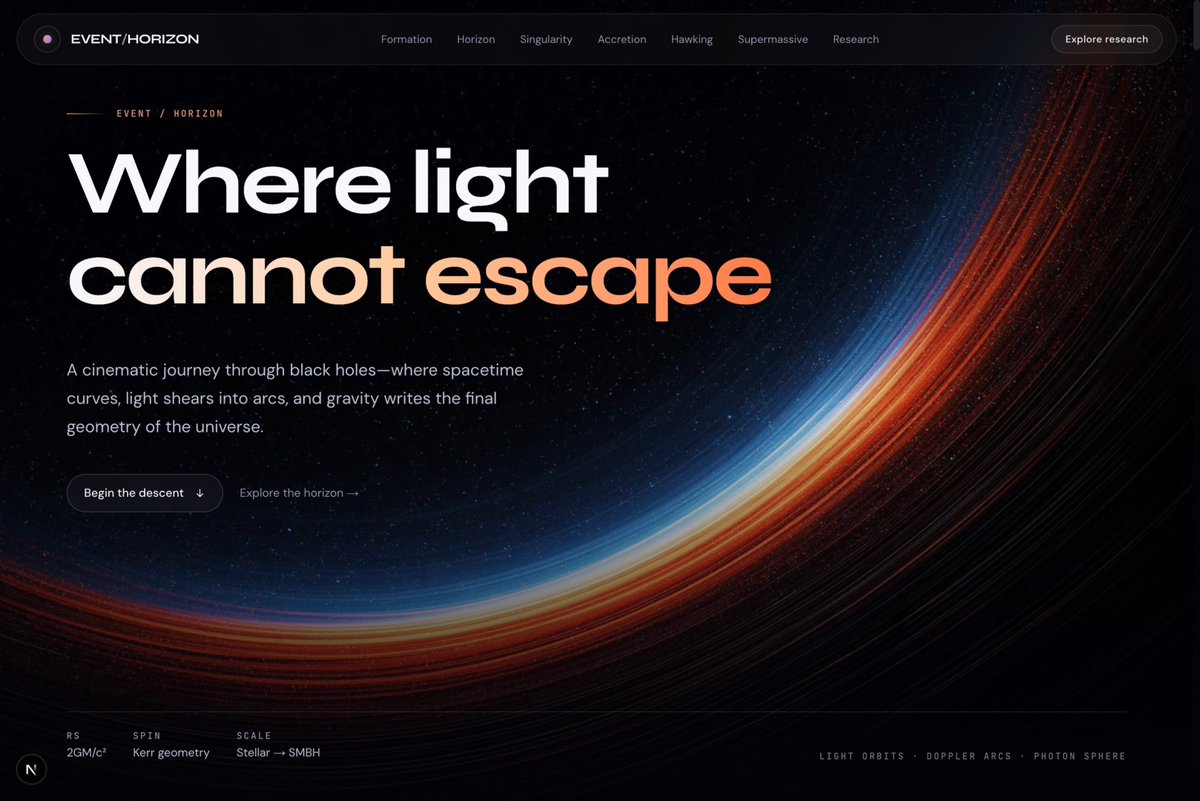
Grok 4.5 is pretty good at building websites. Just made a beautiful website about black holes. Check this out:
Dogan Ural387,546 Aufrufe • vor 3 Monaten


You are NOT ready for this Emojis: Before AI / After AI There is more:
Dogan Ural1,091,340 Aufrufe • vor 2 Jahren

Magnificent 128x zoom NanoLand: Day 05 What is real? 🔊 Sound on Prompts and settings are in the thread 👇
Dogan Ural738,490 Aufrufe • vor 2 Jahren


You can just create things. Midjourney Styles Book v3.0 is here! (The biggest update ever) 400 pro styles with profile codes, completely rebuilt PDF, copyable prompt templates for each style, one-page style index, free future updates for v7 and more. See what's inside ↓
Dogan Ural228,897 Aufrufe • vor 1 Jahr

I can’t stop playing with MiniMax Design (H3) This thing is literally crazy!! Midjourney Image to Hailuo Video
Dogan Ural252,201 Aufrufe • vor 2 Jahren

One minute. Pure beauty. Grok Imagine. Sit back, relax and enjoy.
Dogan Ural30,862 Aufrufe • vor 2 Monaten


Midjourney, ChatGPT, DALL-E, Stable Diffusion, Bing, Firefly, Claude, Runway, Pika, Bard, Meta AI, xAI... It's not possible to catch up with all of them. What if all the tools were in one place? Introducing: OneChat AI! A glimpse into the AI workflow of the future. 🔊 Sound on
Dogan Ural262,883 Aufrufe • vor 3 Jahren


How to Bring Emojis to Life with AI (Yes, you read that right) 1. Choose the Emoji Wisely Prefer detailed emojis 👨🎤 The Man Singer emoji is a good example of this. Face, hair, outfit, mic... The more detailed, the better. 2. Prepare Your Original Image We'll be doing multi-enhancements, so the initial image shouldn't be too large. (I'll explain more about this shortly) I started with a 512x512px image. The smaller the image you start with, the more detail-oriented the enhancer tends to be. I usually use Figma for design and animations. However, you can use any other tool like Canva or Photoshop. Or just download it from somewhere. 3. Upload Your Image Go to Magnific's website and simply drag and drop your image there. 4. Setup the Parameters This is the fun part. You can experiment here to find your own settings or follow the method I used. I start with high creativity and low resemblance values. Depending on how far you want to deviate from the original image, you can increase this contrast. First Enhancing Creativity: 6 / Resemblance: -3 All Parameters Optimized for: Standard Creativity: 6 HDR: 0 (not a fan) Resemblance: -3 Engine: Automatic 5. The Prompt 🪄 Since Magnific uses Stable Diffusion's technology, it uses the same syntax for prompts. But you don't need to write very detailed prompts. Just state what you want to see. The trick here is to use prompt weights. You need to specify the features you want to emphasize like this: Bowie, Portrait photo of a male singer with blue hair, (detailed eyes:1.2), (detailed hair:1.2), (detailed fabric:1.1), (detailed mic:1.1), (realistic skin:1.5), ultra-realistic, 8k You can change the weight values between 1.0 - 2.0 6. Hit that Rainbow Button After a short wait, you'll have a 1024x1024px image. If you like the result, download the image for further enhancements. 7. Reenhancing The system supports up to approximately 4400 x 4400 px. This means we can enhance it two more times. 1x → 512x512px 2x → 1024x1024px 4x → 2048x2048px 8x → 4096x4096px Now, upload the image you downloaded again. This time, we bring the values closer to each other. Second Enhancing Creativity: 4 / Resemblance: -2 Third Enhancing Creativity: 2 / Resemblance: -1 The other values can remain the same. 8. Share what you create! That's it. Now you know everything I know. If you have any questions, don't hesitate to ask. And please share your creations with us. Happy Sunday everyone!
Dogan Ural225,859 Aufrufe • vor 2 Jahren

