

Evernote
@evernote • 373,266 subscribers
💡 Ideas & feedback: https://t.co/KwO6I8lQOW 💚 Product: https://t.co/A0JNsoySz4 📚 Help: https://t.co/n8gSyRxQDx 📩 DMs not monitored
Shorts

Videos


✈️ We made a short video about using Evernote for travel. Rebecca shares how she uses templates, the Scan function on mobile, the AI Assistant, and more to keep everything in one place. If travel is one way you use Evernote, we’d love to hear how you set things up. And if you’d enjoy more videos like this, tell us what types of examples you want to see next. 💚
Evernote16,193 views • 1 month ago

⚡ AI Assistant in Edit Mode Instead of jumping back and forth between a chat and your work, collaborate with AI Assistant directly inside the note. Review suggestions and see exactly what changed. Then accept or reject edits individually or in bulk, or return to the conversation to take things in a different direction. 💡Edit Mode can also create and insert new editor elements, such as callout blocks and Mermaid diagrams, based on your conversation or selected content. Does this new feature make AI Assistant more useful for you? Let us know what would make it even better 👇
Evernote13,323 views • 1 month ago

📅 Create dynamic date mentions in your notes Type @ plus a date like "tomorrow" or "next Wednesday" to insert a date mention instantly. Relative dates update automatically as time passes, and you can click any date mention to change its format. 💡 Choose your default date format in Settings → Preferences → Notes → Date format.
Evernote14,121 views • 1 month ago

💚 Since v11 launched in January, we’ve shipped 115+ improvements across the Editor, AI, audio, and mobile. From Tabs and inline formatting tools to better audio transcription, AI Prompts, and AI Assistant on mobile, here’s a quick look at some of the highlights. Watch the recap video, read the blog, and explore the full list of improvements from January through June 2026. 📝 Blog: 🔎 Full list of improvements:
Evernote13,770 views • 1 month ago

Evernote v11 is here! 🚀 Now, everyone can try our latest features: 🧠 AI Assistant 🔍 Semantic Search 📝 AI Meeting Notes Plus, improvements to core workflows like navigation and editing. We're excited to kick off the new year with v11, which marks a new chapter for Evernote. Stay tuned for even more development and innovation ahead. 💚 Evernote v11 is currently rolling out to all users. To start using it now, download it directly at
Evernote34,104 views • 8 months ago
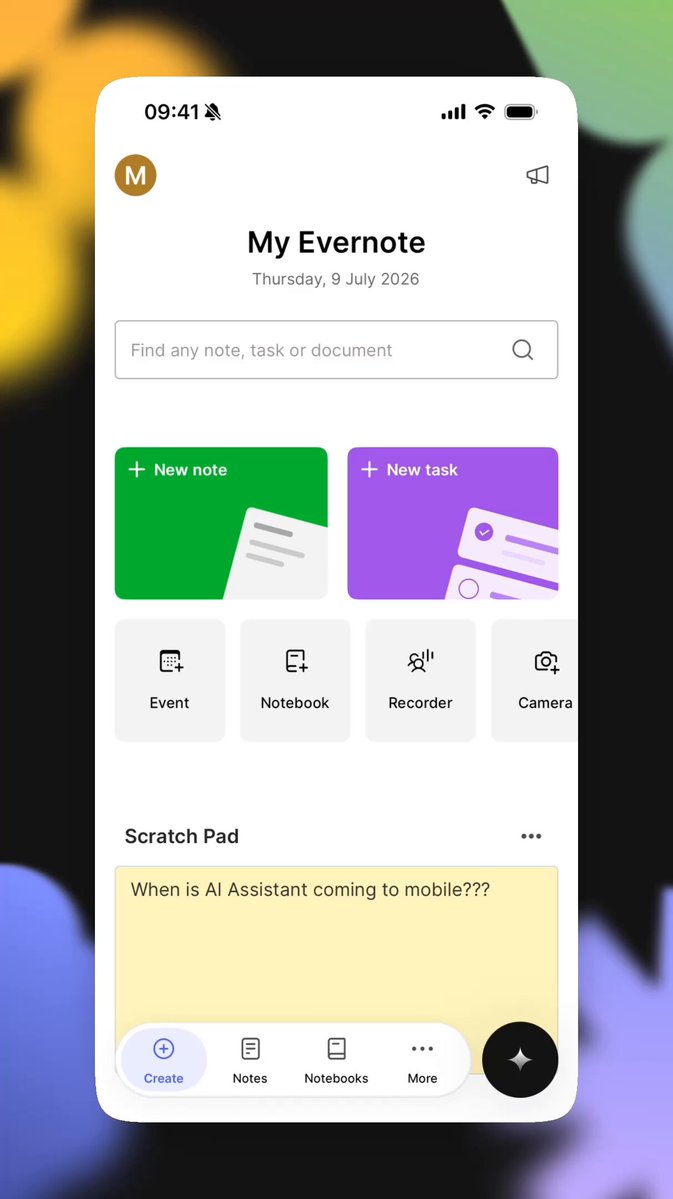
📱 AI Assistant, now on all your devices AI Assistant is now available on phones and tablets for all Evernote users. Wherever you are, you can organize notes, research ideas, create content, and interact with everything in your Evernote account through a simple chat. These two new features are also available on mobile with the AI Assistant: ⚡ AI Prompts let you save repeatable instructions to automate workflows, generate reports, review your work, and much more, using the content and context in your Evernote. 🧠 AI Memory lets AI Assistant remember your preferences across conversations. Just say “Remember to…” or “Store this in your memory for future conversations.” Update your Evernote app or download it now to get started! Available from version version 11.23.2.
Evernote11,315 views • 2 months ago


You’ve heard about Evernote v11, now see it in action. ⚡📹 Watch Product Lead Federico Simionato demo the new AI Assistant, Semantic Search, and AI Meeting Notes, and share the story of how Evernote got to v11. We’re excited to start this new chapter together. V11 is available for everyone—update your app or download it at 💚
Evernote21,549 views • 7 months ago

✅With the latest Evernote Tasks update, you can organize your to-dos in the way that works best for you! Federico Simionato shares a deep dive of the latest Evernote Tasks experience, which includes a full-screen view, additional tabs, new metadata fields, and more.
Evernote55,238 views • 2 years ago


Volume on 🔊 (can you tell we're excited for Voice-to-text?) Rolling out now on Mobile 10.94!
Evernote31,478 views • 2 years ago

Evernote Search just got a serious glow-up ✨ We made several visible improvements to the search modal, including: 👉 A centered search modal with scrollable suggestions 👉 Higher priority for results with title matches 👉 A new default section view for recent notes, grouped by when they were last updated We also made some behind-the-scenes performance boosts to speed up loading time and give you smarter, faster suggestions while typing. All these changes add up to a faster, smarter, more seamless search experience. Available in v10.143 and up on Desktop and Web. Happy searching! 💚
Evernote16,707 views • 1 year ago


🤩 Finding your most used note-taking tools on the go just got easier. You can now pin your favorite items directly in the Insert menu on Mobile. Here’s how to do it: Tap ➕ to open the Insert menu 🔎 Search for your favorite tool Hit the ⭐ Find them in the Favorites tab ⚡️
Evernote10,858 views • 9 months ago