
facelessjourney | YTA & SaaS
@ytajourney • 3,420 subscribers
Building AI tools & creating YouTube content on autopilot with AI. Documenting the journey
Videos

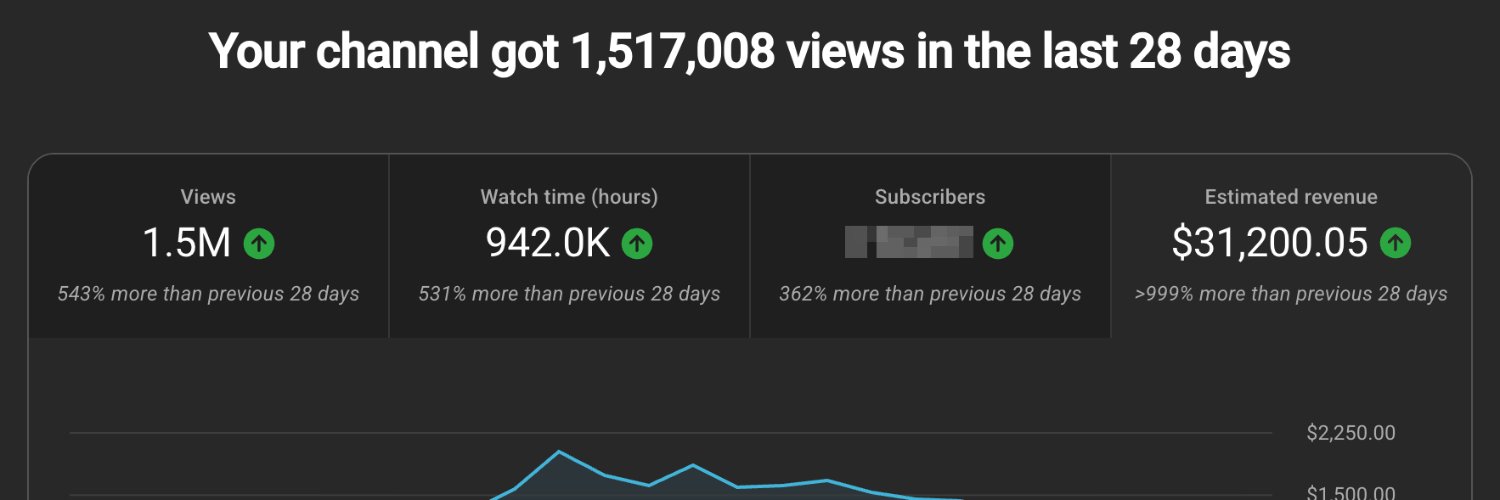
The disgustingly simple framework behind my best performing thumbnails (1.7M, 1M views) This is the exact method I used for thumbnails on my best performing videos I call it the "analyze-recreate" method: 1. Search YouTube for your video title 2. Find the top performing video 3. Copy their thumbnail image 4. Send it to Claude/GPT with this prompt (steal this): ---- You are a YouTube thumbnail visual analysis expert. Analyze only what is visible in the provided thumbnail. Do not infer identities, brands, context, or any off-frame elements. Output must be plaintext and under 1800 characters. Keep it concise and directly usable for recreating a similar image. Important: Do NOT reference, describe, paraphrase, or characterize any text, typography, logos, watermarks, UI, arrows, icons, or other graphic design overlays. Focus only on the underlying photographic/illustrative scene and its composition. Cover exactly these sections: 1. Overall Style: mood, tone, realism level, and artistic approach (photo, 3D, illustration, composite). 2. Color Palette: 2–3 dominant colors and where they appear (brief; no hex). 3. Composition: camera angle/shot type (close/medium/wide), depth (foreground/mid/background), focal point, balance, and approximate % of frame occupied by each main scene element. 4. Main Subjects: describe visible characters/objects only, pose/expression, size relative to frame, and key environment/background elements. 5. Lighting & Post: lighting type and direction, shadow softness, contrast, depth of field, and noticeable post-processing (very short). 6. AI Prompt Suggestion: a compact generation prompt describing the scene + composition + mood + rendering style; do not list colors; do not include any text/logo/overlay instructions. Write the analysis now: ---- Paste the output into an AI image generator (Nano Banana, etc.) Add your text/graphics manually - I use autotube's built-in thumbnail designer which makes this easy The key is: you're recreating the image from scratch, not stealing. You're analyzing what works and building your own version - while avoiding copyright issues It might take 5-10 generations to nail it. Different AI models handle different styles better, so experiment YouTube is a game of copy/paste, so stick to what has been proven to work by your competitors instead of reinventing the wheel Shout out to the channels BEFORE CITIES, Woke up History, Sleepless Homo, Ancestor Vault among others, who were a big inspiration for this channel The above method was the one I used most of the time for Sleepy Time History, but recently I switched to something crazier: fully AI driven thumbnail generation. AI creates 5 thumbnails based on a "thumbnail design language" based on your channel's 15 best thumbnails So far so good, but this is more experimental, and mostly to save time while I focus on new channels I built autotube to automate the entire YouTube workflow: thumbnails, scripts, rendering, everything. Works well for sleep channels and other ai image/video slideshows. We're gradually opening up access. Link in bio
facelessjourney | YTA & SaaS13,259 Aufrufe • vor 5 Monaten
Keine weiteren Inhalte verfügbar