🚀 Meet GLM-Image Edit — Z-AI's powerful image transformation... model. ✨ Key features: 📝 Edit images with natural language prompts 📸 Upload up to 4 reference images 🧠 Preserve key elements & identity 🎯 Apply precise, controllable modifications 🖼️ High-quality, faithful image reimagining Describe the change. GLM-Image Edit does the rest. 🔥show more

WaveSpeedAI
15,373 Aufrufe • vor 7 Monaten
What did you do to my friend !! 😡... This is the trending “Fight Prompt” going viral Prompt : Use the first uploaded image as the main reference for the school uniform, body proportions, pose, posture, background, camera angle, framing, and overall composition. Use the second uploaded image as the identity reference for the face and hairstyle. Create a realistic Korean influencer-style school uniform portrait where the person from the second image naturally appears wearing the school uniform from the first image, photographed in the same studio setting. Important: Keep the school uniform, blazer, shirt, tie, skirt or pants, and overall outfit design from the first image. Keep the body proportions, standing pose, hand placement, posture, camera angle, framing, and studio background from the first image. Replace the face with the person from the second image. Also preserve the hairstyle from the second image, including bangs, hairline, hair part, hair length, hair framing around the face, and overall hair silhouette. Do not use the hairstyle from the first image if it differs from the second image. Identity: The face from the second image must remain clearly recognizable. Preserve the second person’s face shape, eyes, nose, lips, skin tone, jawline, and overall facial impression. Do not turn the face into a generic attractive face. Do not beautify too heavily. Preserve the person’s recognizable identity, but do not copy the face too rigidly. Reinterpret it naturally so it looks like a realistic photo of the same person in this new school-uniform scene. Keep the same overall facial impression and identity while allowing natural refinement and seamless adaptation to the lighting, angle, and mood of the target image. Hair: Follow the hairstyle from the second image. Preserve the second person’s bangs, hairline, hair part, hair texture, hair length, and overall hairstyle impression. Only adapt the hair naturally so it fits the pose, lighting, and composition of the first image. Korean influencer mood: clean modern Korean influencer portrait polished but natural beauty soft photogenic expression subtle editorial mood stylish, slightly chic, youthful, and confident atmosphere refined but believable skin texture clear eyes with soft catchlights naturally pretty, not over-retouched avoid stiff ID-photo mood Lighting: soft Korean beauty lighting gentle facial brightness clean skin tone soft natural highlights on the face natural shadow transition subtle glow, but realistic skin texture avoid harsh flash avoid flat passport-photo lighting avoid dramatic studio glamour lighting Style: realistic photography clean studio portrait quality Korean influencer-style school portrait mood natural skin texture high detail seamless face and hair integration polished but believable Negative prompt: no identity loss no generic attractive face no over-beautified face no first-image hairstyle if different no awkward face blending no mismatched skin tone no mismatched hairline no distorted facial features no blurry eyes no deformed hands no extra fingers no change to the school uniform no change to the body pose no change to the background no cartoon style no anime style no text no watermarkshow more

Ai Arainz
104,348 Aufrufe • vor 3 Monaten
Dreamina Seedance 2.0 is Officially here! Dreamina Seedance 2.0,... ByteDance’s AI-powered creative platform, lets creators easily transform ideas into high-quality videos. You can now edit videos like images, using up to 4 reference modalities (video, image, audio, and text) with precise control over visual effects, camera movements, and more. Why is this revolutionary? - 🔥 One-Prompt Video Editing: Edit videos seamlessly as easily as editing images. - 🎬 Multimodal Creativity: Combine images, video, audio, and text—up to 12 files at once. - 🎥 Remake Viral Content: Create high quality, professional-level videos with intelligent AI. - 🔧 Full Creative Control: Keep consistency in shots, typography, camera flow, and more. This isn’t just another video editing tool, it’s a one-stop AI workspace for all your creative needs. Ready to level up your content? Explore Dreamina Seedance 2.0 and start creating today. 🔗 #dreamina #seedance2 #seedream5 #dreaminatutorial #ai #aitools #aidesign #ecommercedesign #digitalmarketing #startupbusinessshow more

GitHub Projects Community
18,440 Aufrufe • vor 5 Monaten
MiniMax H3 is really impressive for commercial creation. Creating... ads with AI is becoming a completely different experience. With multimodal references, you can combine images, videos, audio, and text to build more consistent and controllable visuals. Up to 12 references + native 2K generation makes H3 a powerful tool for bringing advertising ideas to life. prompt: - Create a premium 9:16 fashion-eyewear commercial. Match the reference video’s shot rhythm, edit speed, white-cyclorama look, and severe fashion attitude. Use a seamless minimal white studio with clean, bold, avant-garde art direction worthy of a global luxury campaign. - Use Image 1 for the key visual: two full-body female models, one Black and one white, preserving their elevated wardrobe, body language, studio lighting, runway presence, and cool attitude. Use Image 2 for facial details. Both models wear futuristic luxury eyewear based on Image 3: wraparound curved lenses, a sharp cat-eye/goggle hybrid silhouette, mirrored reflections, streamlined temples, and the finish of a premium fashion accessory. #hailuoai #hailuo #MiniMaxH3 #H3 Hailuo AI (MiniMax)show more

Leo Martin
39,714 Aufrufe • vor 1 Monat
✨ Grok's new Imagine video model also comes with... an Edit model We know edit models for images, you submit an image, write a prompt what to change, but this is the first time I've seen a proper edit model for video And it kinda works, not great yet though but it does something Here I had to remove the old name "Nomad List" in the video for my site First it said "Go nomad -> Nomad List", so I prompted it "remove the text Nomad List. do not change anything else", it didn't remove it but it replaced it with just "Go nomad" again, okay good enough Useful because otherwise I'd have to scour my backups for the original video in Final Cut Pro, and this is faster One thing you see is it changes the pattern on the door also, but that's okay for now if I fade it inshow more

@levelsio
73,183 Aufrufe • vor 7 Monaten
gemini omniflash is actually f*cking cracked. you can animate/edit... any video with a text prompt. character swaps, object transforms, full environment changes without regenerating/rotoscoping. everyone using AI to to animate and edit videos right now hits the same wall. the clip comes out 90% right and you regenerate from scratch hoping the 10% fixes itself. it never does. the fix is using your video as the input. omniflash edits what's already there instead of rolling the dice again. here's what's in the system: > the two-layer premiere trick: generate the same shot twice (one with background removed), stack them, cut at one frame, instant scene change > character swap with a single reference image (plus the one line you need or the model keeps the original's features) > object transforms that leave the rest of the frame untouched: stone into glowing sphere, candles into flowers > style transfer from an image reference instead of text, way more accurate > why stacking edits in one prompt breaks everything and the exact step order that doesn't > the audio limitation nobody mentions and how to work around it i packaged every prompt, the edit sequence, and the premiere layering setup. RT + reply "OMNI" and i'll send it over.show more
Sulfur
36,571 Aufrufe • vor 2 Monaten
Gemini Omni is changing video creation and most people... still don't know what it can actually do. Here are 7 things you can do with it right now: 1. Image to Video in multiple styles: Upload a photo. describe the style. Gemini Omni turns it into a video. cinematic, anime, realistic. 2. Reimagine camera angles: Take any image and visualize it from a completely different angle. no reshooting. just describe it. 3. Change backgrounds: Swap the background of any video through plain conversation. no green screen. no editing software. 4. Change hairstyle: Describe a new hairstyle. Gemini Omni applies it. characters stay consistent across every frame. 5. visualize with moodboards: feed it a moodboard, audio, and a brief. it builds the video around the full creative reference — not just a text prompt. 6. swap characters and objects mid-scene: replace people, props, and objects in an existing video. the scene stays consistent. the physics hold up. 7. edit physics: describe how you want things to move. Gemini Omni adjusts the physics of the scene through conversation.show more

Poonam Soni
11,682 Aufrufe • vor 1 Monat
Everyone's sleeping on image-to-3D AI models. They can make... your app look incredibly unique, with just a little effort. Here's how. This is my calorie tracker, built in a week with nothing but prompting. Just Claude Code + a couple APIs. The visuals are all AI-generated. I'll be sharing the full workflow + all the crazy technical stuff Claude and I did to make this work, so nobody has to struggle through it like me. Deep dive coming soon! Till then, this is the high-level idea: 1. Get a clean image of the food (or whatever your asset is) - In my app, the user describes foods via text, or attaches images (or both) - If text, an LLM extracts the food description and formats it into a specific prompt I tuned for this design, and we generate an image using Z-Image Turbo through fal - If image, we do the same thing but with FLUX.2 [dev] to edit the user image into our reference design - Originally, both used Google Nano Banana, but switching to open models cut costs and latency a ton 2. Gaussian splatting (2D image → 3D model) - I tried various 2D-to-3D options on fal and ended up with TripoSplat as my preferred balance of speed, cost, latency; this turns an image into a 3D model that looks super high quality (link below) - The app displays the 2D image while our backend generates the 3D splat - We "groom" the splat to reduce size and load time by culling low-opacity/scale points 3. Render efficiently on device Originally, it looked great but ran at 10 FPS. Getting to 120 FPS was a crazy journey. TL;DR: - SwiftUI had to go; it forced us to render each asset in independent MTKViews, which wasn't workable - Instead, we composite every dish into one full-bleed CAMetalLayer using MetalSplatter (link below) - We had to make some optimizations within MetalSplatter's code too, to reduce the overhead of sorting points per render Then I added some finishing touches like the subtle rotation and parallax as they move around. I think it turned out pretty cool :) Overall, this took some effort, but we still got it done in less than a day. Hopefully your agent can follow in the footsteps of mine and do it much faster. Keep an eye out for the bigger writeup, which'll give your agent everything it needs. If you have any questions, drop em below!show more

Anshu
19,931 Aufrufe • vor 2 Monaten
A New Era with V3🪄 V3's new engine introduces... significant advancements in output generation. Unlike V2, where the multi-model system processed prompts to produce a single output, V3 is designed to generate multiple outputs and logically link them together. This enhancement effectively removes limitations on output size, enabling more complex and expansive results. Key Features Seamless Multi-Output Generation: V3 has been trained to generate separate outputs and connect them logically. This advancement ensures that there are no longer any limitations on output size. Intelligent Image Creation: V3 improves image generation with better tools, allowing the AI to create as many images as needed and place them within the project’s context. It supports various formats like PNG, JPEG, SVG, and GLB. Web-Integrated Intelligence: V3 can now search the web for documentation and data, providing real-time context and up-to-date references. For example, if you run a restaurant and want to update your website, simply ask Alchemist AI to “generate this website in a more modern style,” and it will update all content accordingly. Improved Creativity and Output Quality: V3's creative capacity has significantly increased. Simple prompts now generate more complete and refined results, with the system efficiently combining multiple elements into cohesive outputs.show more

ALCHEMIST AI 🔮
48,748 Aufrufe • vor 1 Jahr
AI video generation is moving fast, but having true... control over the creative process is what really matters. Dreamina is the first US platform to launch Seedance 2.5, bringing the model to creators worldwide. We also offer the best pricing across the Seedance lineup, making pro AI video creation more accessible. With Dreamina’s comprehensive suite of capabilities, ranging from text-to-video and multi-image reference prompting to advanced Smart Edit tools and continuous 30-second to 3-minute long video generation, creators have an all-in-one platform for high-end visual storytelling, marketing assets, and dynamic content. Stay tuned, because an exclusive special promotion for Seedance 2.5 is coming up very soon. Can’t wait to see what people create with this. 🚀 #dreamina #dreaminapartner #seedance #dreaminaseedance25show more
KATE
91,404 Aufrufe • vor 26 Tagen
We recently introduced Gemini Omni Flash, our first model... in the new Omni family. With Omni, you can easily create and edit high-quality videos from text, image, video or audio references. We recently gave developers access to it, and since then, we’ve seen builders all over the world use Omni to create a range of personal and professional projects. Here are some of our favorite ways we’ve seen builders use Omni so far ↓ 📽️ Switch angles and perspectives You can change camera angles, switch environments, and apply cinematic zooms — all without losing the thread of your original scene. Builder Leon Lin took full advantage of this capability, capturing a woman standing in the middle of a city from about 20 different perspectives. You see her from different angles: up close and far away, head on and in profile, from above, and from below. Some shots zoom in, while others hold still. And the background shifts, too.show more

488,369 Aufrufe • vor 25 Tagen
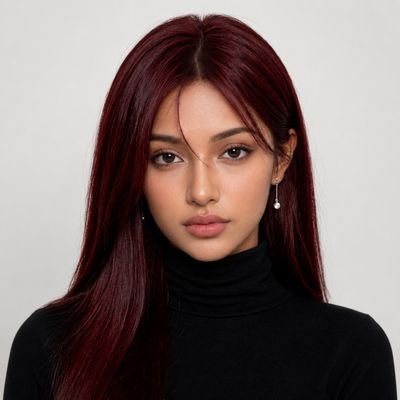
Luxury is in the details. 🖤✨ The iconic Miu... Miu sunglasses, where timeless elegance meets modern confidence. Created with GPT image 2 and Seedance 2.0 on Thank You AI PROMPT: A luxurious high-fashion studio commercial featuring the girl from the reference image modeling the exact black Miu Miu sunglasses from the product reference. Clean seamless white studio backdrop with cinematic lighting, soft spotlight, glossy floor reflections, and a premium editorial aesthetic. The model has deep burgundy hair, flawless natural makeup, and wears a fitted black turtleneck. Shot 1 (0–4s): Extreme close-up of the Miu Miu sunglasses resting on a glossy white surface. A slow cinematic slider movement reveals the gold Miu Miu logo on the temples. Dramatic reflections, shallow depth of field, and luxury product lighting. Shot 2 (4–9s): The model gracefully picks up the sunglasses and puts them on while looking directly into the camera. Slow motion with subtle hair movement from a gentle studio fan. Elegant, confident expression. Shot 3 (9–13s): Medium shot as she slowly turns her head from side profile to front, highlighting the iconic gold logo on the temples. Soft rim lighting accentuates the frame's shape with premium fashion editorial vibes. Shot 4 (13–15s): Tight beauty close-up. She lowers her chin slightly and gives a confident, sophisticated gaze toward the camera. The screen fades to white with the Miu Miu logo centered. Style: Luxury fashion campaign, cinematic studio lighting, Vogue editorial, premium product commercial, ultra-realistic, photorealistic, 8K, smooth camera movements, shallow depth of field, high-end color grading, soft highlights, elegant reflections. Audio: No voiceover. Only elegant modern luxury ambient music with subtle orchestral and electronic elements.show more
Natalia
12,986 Aufrufe • vor 1 Monat
Household chores created using a movement sheet as reference... to animate the entire scene using ChatGPT Image 2.0 and Seedance 2.0 on Yapper GPT Image 2 Prompt; [VISUAL STYLE] Monochrome grayscale composition featuring a highly detailed 3D-rendered female character. Designed like a professional instructional guide with a technical, diagram-inspired layout. Clean white background, soft studio lighting, and strong contrast to highlight posture, actions, and object interaction. [GRID LAYOUT] Structured 4×4 panel grid (16 frames total), evenly spaced with thin black divider lines. Each panel is identical in size and clearly numbered from 1 to 16, showing a continuous sequence of household activities. [CHARACTER] Use the provided reference image for the face and overall likeness. Same facial features, skin tone, and proportions Natural makeup, soft expression Consistent identity across all 16 panels Realistic proportions and clean hairstyle (loose or tied back) [WARDROBE] Modern, modest casual outfit: Fitted crop top (not revealing, clean neckline, practical for movement) High-waisted straight or slightly wide-leg jeans (full length, neat fit) Optional minimal sneakers or barefoot indoor styling Fabric should react naturally to movement (subtle folds and tension) [SCENE APPROACH] Minimal, clean environment per panel — only essential props related to the chore. No clutter, no complex backgrounds — focus stays on the subject and action. [PANEL STRUCTURE – EACH FRAME] Top-left: Step number + task title (e.g., “Step 4 – Vacuum Floor”) Center: Full-body pose performing the chore Bottom-left: 3–4 concise instruction lines Overlay: Motion arrows and directional guides showing action flow [CHORE SEQUENCE EXAMPLES] Make the Bed Tidy Up Room Dust Surfaces Vacuum Floor Sweep Floor Mop Floor Do Laundry Hang Clothes Fold Clothes Clean Kitchen Counter Wash Dishes Take Out Trash Water Plants Clean Bathroom Organize Shelves Final Room Reset [MOTION INDICATORS] Curved arrows → fluid actions (wiping, folding) Straight arrows → directional movement Circular arrows → repetitive motions (scrubbing, mopping) [RENDER QUALITY] High-detail sculpted 3D style with smooth grayscale shading, soft shadows, and clean linework. Polished, concept-art level finish with clarity in every pose and object interaction. [RESTRICTIONS] No color, no unnecessary background detail, no extra characters, no revealing clothing, no clutter — only the subject, props, and instructional elements.show more

Johnn
73,025 Aufrufe • vor 4 Monaten
Seedance 2.0 on FlovaAI =================== Prompt: [Reference Identity Lock]... Image 1 is ONLY the main female protagonist. Her face, hairstyle, body type, and outfit must match Image 1 exactly and stay consistent for the entire video. Image 2 is ONLY a uniform reference. All four opponents wear the school uniform shown in Image 2. Never swap, merge, duplicate, or blend identities. The protagonist's identity comes ONLY from Image 1. The four opponents have NO reference images. They are defined by the text descriptions below. The four opponents must not resemble the protagonist, and they must not resemble each other. All five characters must remain clearly distinct and recognizable until the end. [Priority Order] 1. Preserve the protagonist's identity from Image 1. 2. Keep the four opponents visually distinct from her and from each other. 3. Maintain one continuous shot with no cuts. 4. Keep the classroom layout spatially consistent. 5. Make the action fast but readable and physically connected. 6. Keep the tone as a Korean school action drama, stylish but grounded. Korean school action drama classroom fight scene — 15 seconds, ONE CONTINUOUS SHOT, NO CUTS. A single uninterrupted handheld shot. No cuts, no scene transitions, no montage. The camera should feel handheld, with micro-jitters, slight rolling shutter, and raw unstable realism. The camera must physically travel through the same classroom space. Every transition must be motivated by camera movement, not editing. Whip pans are allowed, but they must not hide a cut. Do not teleport the camera or characters. The classroom layout and character positions must remain spatially consistent. Audio: No music. Only realistic school and classroom ambient sounds: old fluorescent light hum, distant hallway noise, ceiling fan, shoes scraping the floor, desks dragging, chair legs screeching, cloth friction, dull body impacts, and breathing that gradually becomes heavier. Breathing continues throughout the scene and keeps building. Lighting: Late afternoon in a Korean high school classroom. Mixed cool fluorescent light and warm sunlight through the windows. Dust floating in the sunlight. Soft fan shadows moving across desks and school uniforms. Main character: The Korean female high school student from Image 1, age 17–18. Cold, emotionless, calm, and intimidating. She barely speaks and does not scream during the fight. She remains composed from beginning to end. Her movements are efficient, explosive, and precise. Even if her frame is not large, she dominates through speed, timing, and accuracy. Main outfit: Exactly the outfit shown in Image 1. Do not change its colors, design, or details. Her jacket or outer layer is either removed and hanging on a chair, or worn in a slightly messy way. The action must be non-sexualized and combat-focused. Fabric movement, dust, sweat, wrinkles, and impact response should feel realistic. Opponent rules: Four Korean female high school students, all wearing the Hanlim Multi Art School uniform shown in Image 2. They have no reference images. Define them strictly by these descriptions and keep each one consistent: Opponent A: short black bob with straight bangs, medium build, round face. Opponent B: long straight hair tied in a high ponytail, tall and lean, sharp jawline. Opponent C: shoulder-length hair with side-swept bangs, slim build, narrow face. Opponent D: long wavy hair worn loose, slightly stocky and broad-shouldered. A, B, C, and D must each keep clearly different faces, hairstyles, body shapes, and silhouettes. They must not resemble the protagonist, and they must not resemble each other. No face duplication, no face merging, no identity confusion. Environment: An empty classroom at Hanlim Multi Art School, a Korean performing arts high school in Seoul. Green chalkboard, chalk tray, worn wooden desks, plastic chairs, classroom clock, class schedule poster, discipline/life-guidance posters, cleaning tools, blinds or curtains, wall study materials, and a slightly scuffed floor. Desks and chairs should react naturally to impacts, sliding, shaking, and collapsing when hit. Camera framing rules: Even during kicks, framing should stay around chest-level or eye-level. No low-angle shots under the skirt. Do not focus on legs, thighs, underwear, or fetish-like details. All action framing must prioritize faces, upper-body motion, impact, and spatial choreography. Continuous action and camera choreography: From 0 to 15 seconds, the fight continues without any cuts. The action should be stylish but readable, and every movement must be physically connected. 0–3s: The camera starts behind the protagonist at a slightly low handheld angle, drifting left through the classroom aisle. Opponent A grabs the protagonist's shoulder roughly and says in Korean: "야, 너 지금 뭐 하자는 거야?" The protagonist silently turns and lands one hard straight punch to A's face. At impact, use a very brief 15% slow motion: cheek ripple, dust particles, deep thud. A falls sideways into a desk. The camera dips slightly from the shock, then whip-pans right without cutting. 3–6s: Opponent B charges in from the right. The protagonist steps forward instead of retreating. A short body shot to the stomach. Immediate uppercut to the chin. Without pausing, she drives forward into a flying knee to B's chest. B is thrown backward across or into a desk. The camera follows the forward motion low, then rebounds upward with the impact. 6–9s: Opponent D attacks with two fast punches. The protagonist deflects both strikes with her arms, then flows into a turning backfist to D's face. As D staggers, she continues the same rotation into a spinning back elbow that lands hard on D's jaw or temple. D crashes sideways into two or three desks. The camera arcs around her shoulder and jitters slightly at each impact. No cuts. 9–12s: Opponent C rushes in from the chalkboard side. The protagonist clearly grabs C's collar with her left hand. C's face must be fully visible from the front and clearly different from the protagonist. The protagonist lands one short, hard punch to C's face, then immediately throws a powerful high kick or flying high kick into C's chest. The force sends C backward into the green chalkboard. The protagonist remains in the foreground and never touches the board. The protagonist's face should be side-profile or partially obscured. C's face should be clearly visible from the front at the moment of impact. Their faces must never overlap in frame. Use a very brief 20% slow motion at the chalkboard impact: chalk dust bursts outward, and C slides down the board. The camera pushes up with the impact, then tilts down as C slides. 12–15s: Through the chalk dust, the camera hard-pans right. D makes one final charge. The protagonist sidesteps and lands a tight uppercut to D's chin, followed immediately by a cross. D crashes into a row of desks, causing a chain reaction of collapsing desks and chairs. The camera drifts forward slowly. The protagonist adjusts her loose tie or ribbon and brushes chalk dust off her shoulder. Her expression stays cold and serious. She walks past the camera and exits the frame. Dust floats in the sunlight. Natural ending. =================== Made with Flova #FlovaAI #FlovaCPPshow more

TSUBAKI
19,167 Aufrufe • vor 1 Monat
Would you underestimate her just because she wears a... school uniform? GPT Image 2 + Seedance 2.0 on Sjolt Try Canvas: prompt Character Identity Lock (Highest Priority): Use the exact same young East Asian woman from the provided reference character sheet. Preserve 100% identical facial features, face shape, eye shape, nose, lips, skin tone, hairstyle, hair color, proportions, and overall identity throughout the entire video. Do not redesign, reinterpret, or substitute the character. She must remain instantly recognizable as the same person from the reference image. She has shoulder-length wavy silver-gray hair with subtle blue undertones, bright expressive eyes, fair skin, and a confident slight smile that naturally transitions into a focused, determined combat expression. She wears the identical navy blue Korean high school uniform blazer over a gray sweater vest, white collared shirt, striped tie, and matching school skirt from the reference character sheet. Video Prompt: A cinematic, hyper-realistic action sequence inside a chaotic South Korean high school classroom. The classroom is filled with overturned desks, scattered chairs, flying notebooks, broken pencils, and papers drifting through the air. Bright natural daylight streams through large classroom windows, creating realistic highlights, soft shadows, and cinematic contrast. The young female student moves with incredible speed, confidence, and precision as she expertly defends herself against multiple aggressive male students wearing matching Korean school uniforms. Every movement is fluid, athletic, and grounded in realistic martial arts choreography. The camera remains highly dynamic, featuring cinematic handheld tracking shots, fast push-ins, orbit shots, dramatic slow-motion moments, whip pans, low-angle hero shots, and close-up impact shots. Capture rapid combinations of punches, clean high kicks, evasive footwork, parries, elbow strikes, blocks, and throws. Desks slide across the floor, chairs topple over, and dust particles catch the sunlight, emphasizing the intensity of the action. Maintain a high shutter-speed action-photography aesthetic with crisp motion detail, subtle motion blur only during extremely fast movements, physically accurate body mechanics, realistic cloth simulation, natural hair physics, authentic facial expressions, and believable impact reactions. Keep the camera frequently returning to sharp close-ups of her face to reinforce character continuity and emotional intensity. Her silver-gray hair flows naturally with every movement while her determined eyes remain locked on her opponents. Photorealistic cinematic quality, 4K HDR, ultra-detailed skin textures, realistic lighting, volumetric daylight, physically based rendering, shallow depth of field during close-ups, blockbuster Korean action film aesthetic, empowering heroine energy, consistent facial identity throughout every frame, no face drift, no character variation, no animation-style exaggeration.show more

Sharon Riley
26,184 Aufrufe • vor 1 Monat
✨ I open sourced my first Chrome extension 🚀... SuperLevels I vibe coded it to replace all my Chrome extensions that are increasingly being bought up by spyware and malware companies who sell your data or worse hack your accounts and steal your stuff/money/data, which I'd call one of the top security risks right now For example: Chrome extensions can read your cookies or localStorage data, including session tokens, then login to your web or email accounts and hack you, they can inject code into any site to pull data form any site you browse, then break into your crypto accounts, drain your wallets, and selling your browsing history to ad companies, but that'd actually be the most favorable thing to happen of all these! Chrome extensions are just very very very unsafe So I coded my own, that I can trust because I made it, and I can read the source code: my extension is called 🚀SuperLevels and has all the features that the Chrome extensions I used to use have but all built into one safe one The cool thing is it's 100% open source and free, and you can audit the code first with AI yourself before installing it, and then if you do install it, customize it to your liking again with AI It has these features that improve my daily workflow while browsing the web: 🚮 Tab Cleaner Automatically closes inactive tabs after a configurable timeout (default: 5 minutes). Set excluded hosts to keep important tabs alive. View and re-open recently closed tabs. 🍪 Cookie Editor Full cookie manager for the current site. View, edit, add, and delete cookies. Export cookies as JSON. Expand any cookie to see and modify all fields including domain, path, SameSite, secure, and httpOnly flags. 🔀 Redirect Tracer See every redirect hop your browser took to reach the current page. Shows status codes (301, 302, 307, etc.) with a visual chain. Copy the full redirect chain to clipboard. 🌙 Dark Mode Instant dark mode for any website using CSS filter inversion. Adjustable brightness. Toggle per-site or globally. Images and videos are automatically re-inverted so they look normal. 𝕏 X Dim Mode Custom dim theme for X/Twitter with 7 color palettes: Dim, Slate, Jade, Plum, Dusk, Ember, or a custom hue. Live preview in the popup. ⚡ JS Toggle Disable JavaScript per-site with one click. Useful for debugging, reading articles without popups, or testing progressive enhancement. Page reloads automatically. 🚫 GDPR Cookie Consent Dismisser Auto-hides and auto-clicks cookie consent banners. Supports OneTrust, CookieBot, Didomi, Quantcast, GDPR plugins, and dozens more frameworks. Toggle off if a site breaks. 🎨 Live CSS Editor Write custom CSS for any website, applied in real-time as you type. Saved per-domain. Supports tab key for indentation. 📺 YouTube Unhook Removes YouTube distractions: no homepage feed, no sidebar suggestions, no end screen overlays, no Shorts. Search still works — just no algorithmic recommendations. 🎵 Music Recognizer Shazam-like music identification for any tab. Captures 10 seconds of audio and identifies the song via ACRCloud (free signup, bring your own API key). Results link to YouTube. History of recognized songs. 🖼 Picture-in-Picture Pop the largest video on the current tab into a floating PiP window with one click. 🗺 Google Maps Links Re-adds clickable Maps links and map preview cards to Google Search results. 🖼 View Image Adds a "View Image" button back to Google Images, linking directly to the full-size original image. {} JSON Formatter Auto-detects pure JSON response pages and formats them with syntax highlighting, collapsible sections, and a dark theme. Copy or view raw with one click. Never triggers on regular HTML pages.show more

@levelsio
259,550 Aufrufe • vor 4 Monaten
Are you ready for your doctor's appointment?🩺🤭😏 Lady Gaga,... Kate Upton, My Model, Sadie Sink 🔥 👉🏻 Video prompt and bonus photos only for my subscribers!⚡ Nano Banana Pro via Hailuo AI & Kling 3.0 Turbo on Higgsfield AI Prompt photo: { "type": "image_prompt", "version": "1.0", "description": { "subject":{ "identity": "Use uploaded reference image, keep identity exact", "appearance": { "expression": "Playful confident expression with slightly open red lips, mischievous smile, direct eye contact toward camera", "hair": "Long hair, neatly tucked behind ears, glossy shine", "accessories": [ "Classic white nurse cap with red medical cross symbol", "Delicate gold necklace with small pendant", "Glamorous blue eyeshadow makeup" ], "details": [ "Natural facial proportions", "Glossy red lipstick", "Radiant highlighted skin", "Bright expressive eyes", "Fashion photography realism", "Minimal skin retouching", "Soft facial glow", "Authentic beauty portrait aesthetic" ] }, "body": { "type": "Slim feminine figure", "features": [ "Elegant posture", "Natural proportions", "Confident body language" ] } }, "clothing": { "outfit": { "type": "Medical-inspired costume", "color": "white with red accents", "design": [ "Short-sleeve white medical-style top", "Red medical cross patches", "Structured collar", "Professional costume styling", "Clean fitted appearance", "Short white skirt with glossy white high heels", ], "fit": "Fitted fashion costume aesthetic" } }, "props": { "main": [ "Blue medical examination glove", "Medical-themed accessories", "White nurse cap" ] }, "pose": { "stance": "Half-body portrait", "body_position": "Body angled slightly toward camera", "hands": "One hand pulling on a blue medical glove while the other hand is raised", "head_direction": "Head slightly tilted", "gaze": "Direct eye contact toward viewer", "details": [ "Playful confident energy", "Fashion editorial pose", "Natural hand positioning", "Expressive body language" ] }, "environment": { "location": "Indoor room setting", "background": [ "White paneled door", "Neutral indoor wall with a red neon written 'Keor Hospital'", "Simple clean interior", "Minimal distractions", "Casual indoor atmosphere" ], "atmosphere": "Playful costume photography with flash-camera aesthetic" }, "lighting": { "type": "Direct camera flash", "style": "Y2K digital camera photography", "effect": "Bright highlights, crisp shadows, glossy skin reflections, candid party-photo aesthetic" }, "mood": [ "Playful", "Confident", "Fun", "Bold", "Fashionable", "Y2K aesthetic" ], "technical": { "framing": "Medium close-up portrait", "camera_angle": "Eye-level perspective", "focal_length": "35mm", "style": "Photorealistic Y2K flash photography", "quality": [ "High-resolution realism", "Direct flash effect", "Detailed skin texture", "Sharp facial features", "Authentic candid photography", "Fashion editorial quality" ] } } }show more

KeorUnreal
36,433 Aufrufe • vor 2 Monaten
here's how you can scale to 10k/month on tiktok... shop with slideshows so most affiliates are stuck doing the same thing every day. film, edit, post, make like $60-80 in commissions. and the problem isn't effort, it's that your time is the bottleneck. you can't film 15 videos a day. so your output caps and your money caps with it. meanwhile there's a guy in canada who made $18k in his first two weeks. never filmed anything. never showed his face. never even held a product. canada doesn't even support tiktok shop, he's running us tiktok from there. all slideshows. and when i say slideshows i mean 4-7 images posted like a normal tiktok with a product link attached. that's it. someone buys off it, you get paid. making one takes maybe 5% of the skill of making a video. now here's the catch. tiktok gated the feature. most accounts can't attach products to photo posts, you'll get a "product links not available in photo mode" error. some accounts randomly have it. quick way to check: open tiktok studio on desktop (has to be desktop, mobile won't work), hit upload. if you see "videos or photos" you have access. click photos, upload your images, attach the link. if you only see video upload, you're not in yet. uk and europe are getting it randomly right now, us is only top gmv creators for the moment. check every day because tiktok doesn't tell you when you get it, the option just shows up. worst case you build the system now and execute day one when your account unlocks. because the people getting random access with no clue what they're doing are posting random images and making nothing. the format is easy, that doesn't mean it's mindless. the format itself is one thing repeated over and over: pain point first, product second. slide one hits an insecurity. back acne from the gym. car turning into an oven all summer. makeup that never sits right. the person scrolling sees it and goes "wait that's literally me." middle slides twist the knife a bit more. then "so i tried this thing everyone's using," show it working, before and after, and the last slide is just the offer. sale, free shipping, link below. done. that structure sells cold traffic. people who've never seen the product buy off one slideshow because you sold the problem, not the product. and here's the part most people don't clock when they're scrolling past these: none of it is real. the guy holding the ceiling fan doesn't own a ceiling fan. the back acne was generated onto the model. the smoothies were never made. it's all ai images. which kills every excuse at once. no face, no product in hand, no waiting on shipping, no country restrictions. the workflow is dumb simple. screenshot a slideshow style you like, drop it in chatgpt, say "make me 3x4 images in this style." then describe your pain point scene. couple walking to a car that's been baking in the sun, whatever it is. then grab the product image off the tiktok listing, feed it in, "now show them using this." repeat per slide. no fancy prompts, the reference images do all the work. two small things that matter more than they should. keep everything 3:4 or the mixed sizes make the whole post look off. and don't bake text into the images, add it inside tiktok. native text looks like a person posted it. baked text looks like an ad. people can feel the difference even if they can't explain it. if you want it to look even more real, take a photo of your actual kitchen or desk and only generate the product into it. real room, ai product. nobody can tell. for ideas, don't invent anything. steal structure, swap one variable. the number one post in the uk right now is a simpsons style slideshow about linen trousers. take that exact skeleton and run it with a sports set or summer shorts instead. same format, different product, suddenly it's unsaturated again. or take viral videos and turn them into slides. one guy took a viral video about a sink drainage thing, rebuilt it as images, and beat the original with 1.7m views. first week on the platform. the biggest edge though is going backwards. pull products that went viral 2-3 months ago, take the exact hooks that already converted millions of views, and rerun them as slideshows. nobody's done them in this format because the format barely exists. you're not testing ideas, you're re-releasing proven hits. then it just comes down to volume. no filming, no editing, no product costs means each post is basically free. so post 10-15 a day. most will flop, who cares. one will do 500k views in two days and when it does you remake it 50 times and drain it. every gated feature on tiktok runs the same cycle. early access prints, wide rollout saturates, then it's just another format everyone does. slideshows are still in the first part of that cycle.show more
Mufasa
13,066 Aufrufe • vor 19 Tagen
Enjoy these seedance 2.0 prompts! 🏴☠️ Raw iPhone footage... style, real mobile phone recording shot on iPhone 16 Pro, natural bright daylight over dangerous open waters, strong sun, deep blue sea, handheld with natural shake and micro movements, authentic phone camera look, no cinematic emulation, no film grain, no photorealism, looks exactly like a real influencer video posted on Instagram, natural vibrant colors. [IMAGE REFERENCES] No reference images provided. Generate a fully consistent female pirate influencer: late 20s, confident and elegant, tanned skin with a small scar on her cheek, long dark wavy hair with gold accessories, wearing a luxurious dark coat with gold details, jewelry made from treasure, visible weapons as accessories, strong pirate queen presence, speaks with authority and slight arrogance. [TIMELINE SECOND BY SECOND] 0-3s: [Handheld phone shot, natural shake] The influencer walks along a private wooden pier toward a luxurious villa on a hidden island surrounded by dangerous open waters. Right at the dock is a sleek black coated luxury ship with a large black pirate flag waving. She points at the ship and says with a smirk: "This is how we arrive out here." 3-6s: [Quick cut to main hall] She enters the grand hall. Framed high-quality wanted posters hang on the walls like art. A golden snail-shaped communication device sits on an elegant table next to barrels of premium aged rum. She gestures around: "Only the strongest crews get invited here. Look at the guest list." 6-9s: [Quick cut to map room] She walks into a private map room filled with navigation tools. Multiple strange compass-like devices that always point in one fixed direction are displayed like trophies. She picks one up and says: "With these, you can reach places most crews never find." 9-12s: [Quick cut to captain's quarters] She enters a luxurious captain's quarters with a massive bed, silk sheets, and a giant treasure chest used as a nightstand. She runs her hand over the chest and says: "This is where the captain actually sleeps. Not bad, right?" 12-15s: [Quick cut to terrace] She steps onto a large terrace overlooking the endless deep blue sea. A storm is forming in the distance. She looks at the camera with a confident smile: "Private island in dangerous waters. Only the worthy get to stay. Would you survive here?" [STYLE & QUALITY BOOSTERS] Real iPhone 16 Pro footage look, natural bright daylight over open dangerous waters and vibrant sea colors, authentic mobile camera movement and slight shake, natural vibrant colors, coherent physics, stable character, real phone video quality, no film look, no artifacts, looks like genuine Instagram Reel footage shot on location. Share yours!show more

TechHalla
17,153 Aufrufe • vor 1 Monat