正在加载视频...

视频加载失败

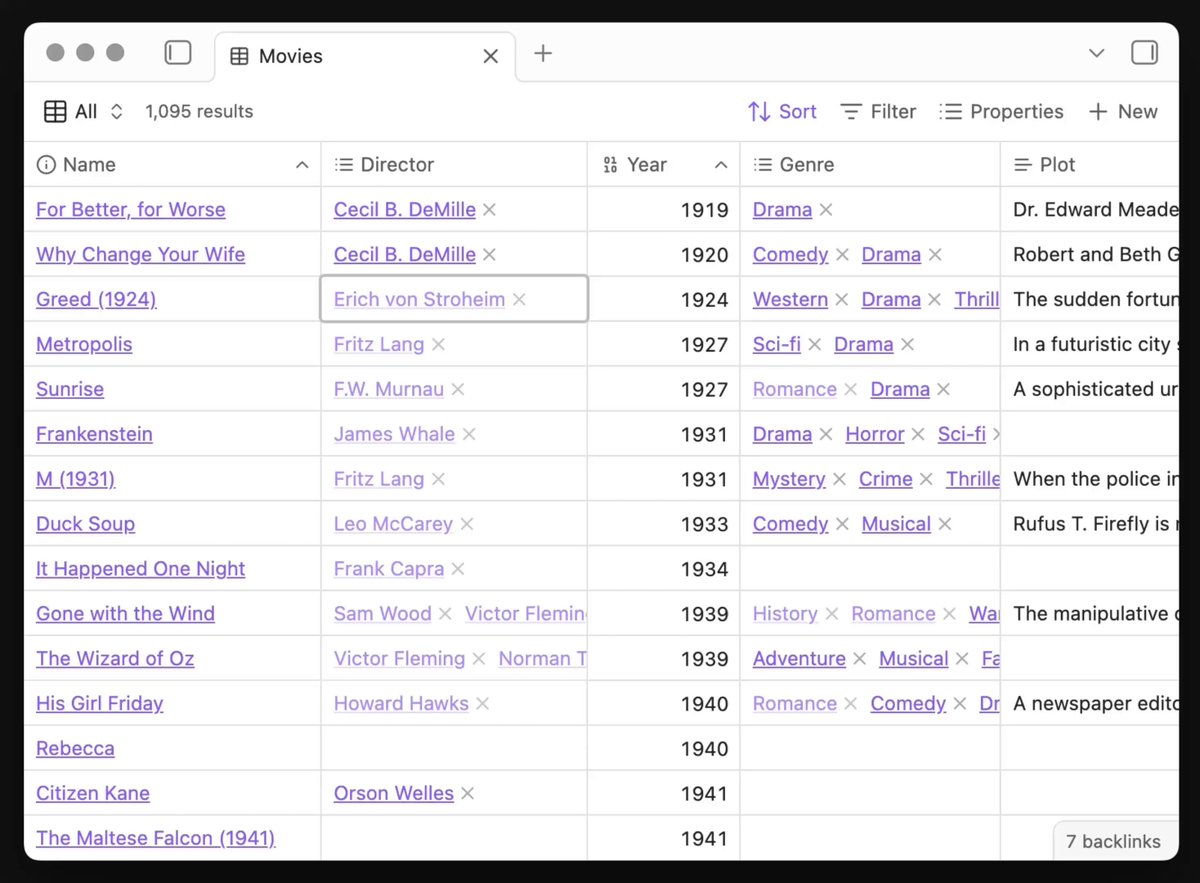
5 cool sites for web developers. - Learn coding by projects - Detect disposable emails API - Cool CSS snippets – TypeScript table component - Open source API client

19,206 次观看 • 7 个月前 •via X (Twitter)

0 条评论

暂无评论

原始帖子的评论将显示在这里

相关视频

how you can use openAI codex & gpt 5.5 completely FREE (the full guide) 100% legit. no subscription, zero API cost. up to 1M+ token/day. you need just an openAI account and here's how to set it up in 5mins. openAI has a program that gives eligible developers free API usage every day in exchange for sharing API data that helps improve future models. it's not a one-time credit, your allowance refreshes daily. depending on your usage tier, you can get access to hundreds of thousands, or even millions, of free tokens every single day on supported models. here's how to activate it: 1️⃣open your API dashboard: 2️⃣go to settings → data controls 3️⃣enable data sharing for your organization or project 4️⃣make sure your account has a positive API balance 5️⃣save the settings if your account is eligible, you'll see a message confirming access to complimentary daily usage. before you turn it on, know the tradeoff: • prompts and outputs from shared projects can be used to improve openai's models • don't use it for confidential information, client work, or sensitive data • eligibility depends on your account type and settings for everyone else, it's an incredible deal. use it to: • learn AI development • build side projects • experiment with codex • test agents and automations • prototype ideas without worrying about API costs most developers burn money testing ideas. this lets you experiment at scale while spending little to nothing.

m0h

68,972 次观看 • 1 个月前

React tip: "use client" misconceptions (2/5) 🚫 "You cannot nest Server Components inside Client Components because "use client" turns everything into Client Components." ✅ We can pass the rendered result of Server Components to Client Components as props. Simple example: (Server Component) (Client Component) (Server Component) is designed for the client. It needs to instantly open and close when clicked. is designed for the server. It uses packages that don't work in the browser and needs to fetch data close to where it's stored without exposing credentials. So, how can we nest a component that uses server APIs inside a component that uses client APIs... without using `import`? React props to the rescue! --- (0:00) 1-4: Reminder: Importing code forms a module dependency graph. Adding dependencies to a server or client bundle. (0:23) 5-6: Reminder: Using components eventually forms a rendered component tree. (0:37) 9: Oh no! We get an error when trying to `import` a client API (useState) into a server module. (0:44) 10: We know the trick by now: Add "use client" to mark `2.js` as a client entry point. This moves the module to the client bundle and allows us to use client APIs like `useState.` (0:51) 11: But we get a new error! "use client" moved all imported dependencies into the client bundle, including our ORM package, which doesn't work in the browser. (0:59) 13: Let's refactor without changing our rendered component hierarchy. First, we move the `Cart` import to the parent file that imports `Modal`. This moves `Cart` outside the "use client" boundary and consequently the client bundle. (1:11) 15: Then, we pass down the rendered result of `Cart` as a prop to `Modal`. This allows `Cart` to be entirely rendered on the server as a Server Component before being passed down. `Modal` has no knowledge of what the `cart` prop is. Its only responsibility is placing whatever it receives into the `{cart}` slot. (1:15) 16: Finally, it's common to use the special `children` prop for a component's primary content. The key insight is that we were able to use props to retain our desired component hierarchy even though we changed our module dependency graph.

Delba

43,989 次观看 • 2 年前

Use this prompt in OpenClaw to create your own AI agent command center that syncs up your life like Tony Stark's Jarvis in Iron Man. Adapt the specifics (agent names, data sources, branding) below to your own setup. Prompt: Build me a mission control dashboard for my OpenClaw AI agent system. Stack: Next.js 15 (App Router) + Convex (real-time backend) + Tailwind CSS v4 + Framer Motion + ShadCN UI + Lucide icons. TypeScript throughout. This is the command center where I monitor and control my autonomous AI agent(s) running on OpenClaw. The agent operates 24/7 on a Mac Mini, connected to Telegram/Discord, running cron jobs, spawning sub-agents, and reading/writing to a filesystem-based memory and state system. Dark mode only. Ultra-premium aesthetic, think Iron Man's JARVIS HUD meets a Bloomberg terminal. Subtle glass effects (backdrop-blur-xl, bg-white/[0.03]), no heavy gradients or glow. Rounded corners (16-20px on cards). Framer Motion for page transitions, stagger animations on card grids, spring physics on interactions. Mobile-first responsive. Never cookie-cutter. ## Architecture The dashboard reads live data from TWO sources: 1. **Convex**: real-time database for structured data (tasks, contacts, content drafts, calendar events, activity logs) 2. **Local API routes** (`/api/*`): read files from the agent's workspace filesystem at `~/.openclaw/workspace/` and return JSON. This is how live system state flows into the dashboard. ## Pages & Views (8 nav items, some with tab sub-views) ### 1. HOME (`/`) Dashboard overview. Grid of live status cards: - **System Health**: read from `/api/system-state` (parses `state/servers.json`). Show each service with UP/DOWN indicator, port, last check time. - **Agent Status**: read from `/api/agents` (parses `agents/registry.json` + agent workspace files). Show active agent count, healthy/unhealthy ratio, active sub-agent count from OpenClaw sessions API. - **Cron Health**: read from `/api/cron-health` (parses `state/crons.json`). Table of all scheduled jobs with name, schedule, last status (green/red dot), consecutive errors. - **Revenue Tracker**: read from `/api/revenue` (parses `state/revenue.json`). Current revenue, monthly burn, net. - **Content Pipeline**: read from `/api/content-pipeline` (parses `content/queue.md`). Kanban-style: Draft | Review | Approved | Published counts. - **Quick Stats**: total tasks, pending approvals, active sessions, uptime. All panels auto-refresh every 15 seconds. Live indicator dot + "AUTO 15S" badge in header. ### 2. OPS (`/ops`) with 3 tabs: Operations | Tasks | Calendar **Operations tab:** Full operational view. Server health table, branch status (from `state/branch-check.json`), observations feed (from `state/observations.md`), system priorities (from `shared-context/priorities.md`). **Tasks tab:** Strategic task suggestion system. API route `/api/suggested-tasks` reads/writes `state/suggested-tasks.json`. Cards grouped by category (Revenue, Product, Community, Content, Operations, Clients, Trading, Brand) with emoji headers. Each card shows title, reasoning, next action, priority badge, effort badge, approve/reject buttons. Filter bar by status and category. **Calendar tab:** Weekly calendar view from Convex `calendarEvents` table. Drag-to-create, color-coded by type, time slots. ### 3. AGENTS (`/agents`) with 2 tabs: Agents | Models **Agents tab:** Card grid of all registered agents from `/api/agents`. Each card shows name, role, model, level (L1-L4), status. Cards are CLICKABLE: expanding into a detail panel showing: - Agent personality (reads their SOUL .md) - Capabilities and rules (reads their RULES .md) - Sub-agents they can spawn - Recent outputs (reads from `shared-context/agent-outputs/`) **Models tab:** Model inventory table showing all available models, their routing (which tasks go to which model), costs, and failover chains. ### 4. CHAT (`/chat`): 2 tabs: Chat | Command **Chat tab:** Chat interface to communicate with the agent. Left sidebar shows session list (from `/api/chat-history` reading .jsonl transcript files). Main area shows messages with role-aligned bubbles (user right, assistant left), date separators, channel badges (telegram/discord/webchat). Input bar with send button + voice input (Web Speech API with SpeechRecognition). Messages sent via `/api/chat-send` which queues to a file the agent reads. **Command tab:** Quick command interface for common operations. ### 5. CONTENT (`/content`) Content pipeline management. Read from Convex `contentDrafts` table AND `/api/content-pipeline`. Show drafts in kanban columns. Each card shows title, platform target, draft text preview, status, created date. Edit/approve/reject actions. ### 6. COMMS (`/comms`) with 2 tabs: Comms | CRM **Comms tab:** Communication hub showing recent Discord digest, Telegram messages, notification history. **CRM tab:** Client pipeline kanban (Prospect → Contacted → Meeting → Proposal → Active). API route `/api/clients` reads markdown files from `clients/` directory. Each card shows client name, status, contacts, last interaction, next action. ### 7. KNOWLEDGE (`/knowledge`) with 2 tabs: Knowledge | Ecosystem **Knowledge tab:** Searchable knowledge base. Global search across all workspace files using `/api/knowledge` endpoint. **Ecosystem tab:** Product grid showing all products/apps in the ecosystem. Each card shows product name, status (Active/Development/Concept), health indicator, key metrics. Cards link to `/ecosystem/[slug]` detail pages with tabbed views (Overview, Brand, Community, Content, Legal, Product, Website, Actions). Detail pages read from `/api/ecosystem/[slug]` which parses workspace memory files. ### 8. CODE (`/code`) Code pipeline view. Shows repositories from `/api/repos` (scans ~/Desktop/Projects/ for git repos). Each repo card shows name, branch, last commit, dirty file count, language breakdown. Detail view at `/api/repos/detail` shows recent commits, file tree, open PRs. ## Navigation Top horizontal nav bar, NOT sidebar. All 8 items visible at all viewport widths. Use `flex` layout with `flex-1` items. Text size uses `clamp(0.45rem, 0.75vw, 0.6875rem)` for fluid scaling. Active item gets `text-primary bg-primary/[0.06]` static highlight (no sliding animation). Agent/app name visible at md+ breakpoints (`hidden md:inline`). Tab sub-views use a reusable `TabBar` component with pill/glass styling and Framer Motion `layoutId` transitions. Tab state stored in URL via `?tab=` search params. ## API Routes (all under `src/app/api/`) Each API route reads from the agent's workspace filesystem and returns JSON: - `/api/system-state` → reads `state/servers.json`, `state/branch-check.json` - `/api/agents` → reads `agents/registry.json`, agent SOUL .md files - `/api/agents/[id]` → reads specific agent's SOUL .md, RULES .md, outputs - `/api/cron-health` → reads `state/crons.json` - `/api/revenue` → reads `state/revenue.json` - `/api/content-pipeline` → parses `content/queue.md` (markdown with status markers) - `/api/suggested-tasks` → GET (read) / POST (approve/reject) on `state/suggested-tasks.json` - `/api/observations` → reads `state/observations.md` - `/api/priorities` → reads `shared-context/priorities.md` - `/api/chat-history` → reads .jsonl transcript files with pagination/search/channel filter - `/api/chat-send` → writes to queue file - `/api/clients` → reads markdown files from `clients/` directory - `/api/ecosystem/[slug]` → reads memory files for specific ecosystem - `/api/repos` → scans project directories for git repos - `/api/health` → returns status, uptime, memory usage, Convex connectivity All filesystem paths should be configurable via environment variable (default: `~/.openclaw/workspace/`). ## Convex Schema Define tables for: activities, calendarEvents, tasks, contacts, contentDrafts, ecosystemProducts. Include seed scripts (`convex/seed.ts`) to populate initial data. ## Key Design Rules - Mobile-first, test at 320px minimum - Font sizes 10-14px for body text, everything must fit naturally at small viewports - Cards use consistent border radius (16-20px) - Glass cards: `bg-white/[0.03] backdrop-blur-xl border border-white/[0.06]` - No heavy blur blobs or grain overlays - Stagger animations on card grids (0.05s delay per item) - Skeleton loading states for all async data - Custom scrollbar styling - Empty states with helpful messaging - All text must use Inter or system font stack - Never mix sharp and rounded corners in the same view - Premium = lighter feel, more whitespace, less visual noise ## File Structure ``` src/ app/ page.tsx, layout.tsx, providers.tsx agents/page.tsx calendar/page.tsx chat/page.tsx code/page.tsx comms/page.tsx content/page.tsx ecosystem/page.tsx, ecosystem/[slug]/page.tsx knowledge/page.tsx ops/page.tsx api/[...all routes above] components/ nav.tsx tab-bar.tsx dashboard-overview.tsx ops-view.tsx, suggested-tasks-view.tsx agents-view.tsx, models-view.tsx chat-center-view.tsx, voice-input.tsx content-view.tsx comms-view.tsx, crm-view.tsx knowledge-base.tsx, ecosystem-view.tsx code-pipeline.tsx activity-feed.tsx, calendar-view.tsx ui/ (ShadCN primitives) hooks/ lib/ convex/ schema.ts functions for each table seed.ts ``` Build the complete application. Every component, every API route, every Convex function. Production-quality code and premium design, not stubs. Dark mode only. Make it look incredibly beautiful and premium, no cookie cutter UI / AI slop.

klöss

201,167 次观看 • 5 个月前