Загрузка видео...

Не удалось загрузить видео

На главную

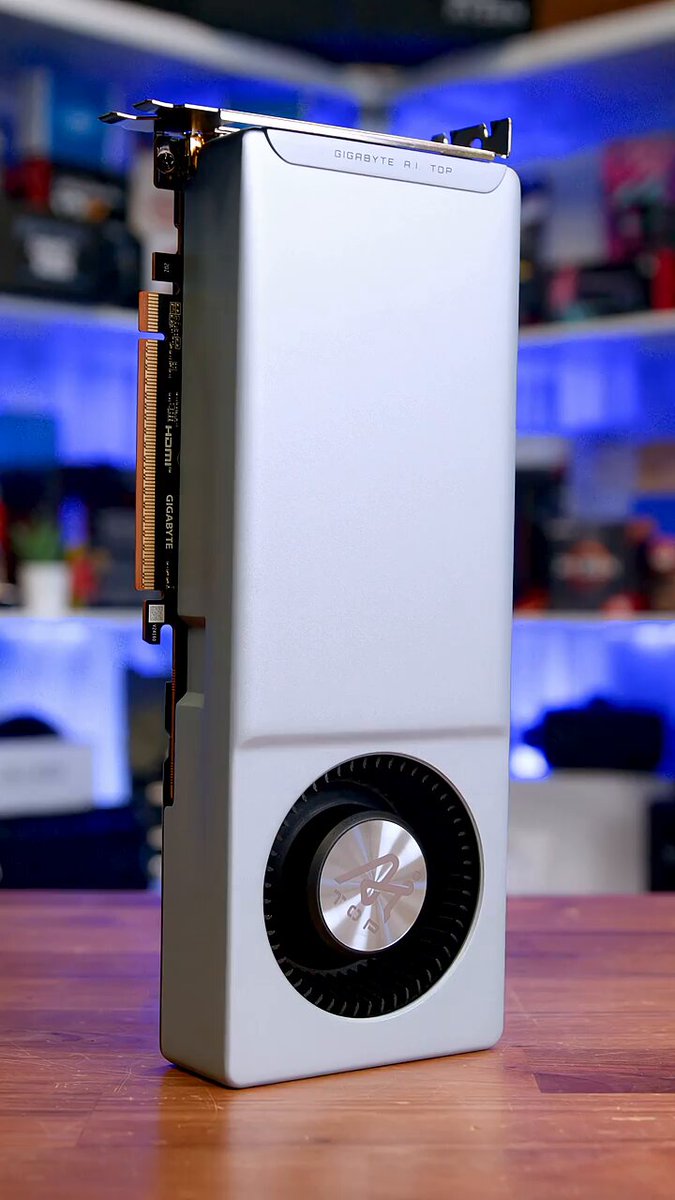
A $351 MINI PC IS RUNNING 26-BILLION-PARAMETER AI MODELS AT 20 TOKENS/SEC AND HERMES AGENT ON TOP OF IT This is the Minisforum UM790 Pro. AMD Ryzen 9 7940HS, Radeon 780M iGPU, 48GB DDR5. The BIOS reports the GPU has 4GB of VRAM Here's the part people get wrong....

35,742 просмотров • 2 месяцев назад •via X (Twitter)

Комментарии: 0

Нет доступных комментариев

Здесь появятся комментарии из оригинального поста

Похожие видео

a new 8GB VRAM GPU dense Local LLM leader was born yesterday runs on: RTX 4060 / RTX 3070 / RTX 2080. any 8GB card Qwen 3.5 9B (dense) was the go to for 6-8GB VRAM builds. Gemma 4 12B QAT (dense) just changed that. same llama.cpp + cuda 13.2. i7 12700H. 16GB RAM. same -ngl 99 flags. same 48k context. unsloth gemma-4-12b-it-Q4_K_M.gguf → 15 tok/sec @ 48k ctx unsloth gemma-4-12B-it-qat-UD-Q4_K_XL.gguf → 32 tok/sec @ 48k ctx → 26 tok/sec @ 64k ctx 64k context is a big deal. Hermes 3 agent requires 64k minimum to run. you're now getting full hermes compatible context on a budget consumer GPU at 26 tok/sec locally. 2.1x faster on identical hardware. and here's the part that breaks your brain: the QAT-UD-Q4_K_XL is actually SMALLER than the Q4_K_M "XL" why? QAT = Quantization Aware Training Google didn't train the model first and compress it later they trained it to be quantized from day one the weights already know how to survive low precision that's why you get more quality per byte llamacpp flags: -m gemma-4-12B-it-qat-UD-Q4_K_XL.gguf -cnv -ngl 99 -c 48000 -v fits in 8GB VRAM clean. no API. no cloud. no subscription. and this isn't even the MTP variant yet Gemma-4-E2B QAT runs on 3GB RAM, E4B on 5GB, 12B on 7GB, 26-A4B on 15GB and 31B on 18GB. I have benchmarked the 26b and 31b qat as well on a single RTX 4090, checkout the comments for details. If you have a 6GB or 8GB VRAM GPU, post your numbers. more benchmarks and configs coming soon

Alok

259,993 просмотров • 2 месяцев назад

i spent 3 hours finding the sweet spot for hermes 4.3 36B on a single RTX 3090. saving you the trouble, anon. the model is 21.8GB at Q4_K_M. that leaves 2.2GB free on 24GB VRAM. not much room for KV cache. here's what actually happened: 4K: 35.3 tok/s 8K: 35.2 tok/s 16K: 34.8 tok/s 32K: 34.6 tok/s 64K: 6.4 tok/s 128K: 1.9 tok/s flat from 4K to 32K. then it falls off a cliff at 64K. the trick is quantized KV cache. without it you OOM at 16K. with quantized KV cache you get 32K at full speed. all 64 layers on GPU. at 64K something weird happens. ngl 99 (all layers on GPU) = 3.96 tok/s. the KV cache silently spills to CPU. drop to ngl 55 and speed jumps to 6.37. drop to ngl 48 and it gets worse again (3.46). there's an offload sweet spot where you free just enough VRAM for the cache without losing too much compute to PCIe transfers. 128K works at ngl 32 but you're at 1.95 tok/s. half the model on CPU. usable for batch work, not for interactive. the sweet spot command: llama-server -m hermes-4.3-36b-Q4_K_M.gguf -ngl 99 -c 32768 --cache-type-k q4_0 --cache-type-v q4_0 32K context. 34.6 tok/s. all on GPU. this is where dense 36B lives on 24GB. for comparison, qwen 3.5 (35B MoE, 3B active) holds 112 tok/s from 4K all the way to 262K on the same GPU. no speed drop. same total params, completely different architecture. hybrid linear attention means flat context scaling. dense pays for every token in the KV cache. code and quality comparison coming next. fast vs slow generation side by side in the videos below.

Sudo su

52,268 просмотров • 5 месяцев назад

UC Berkeley just open-sourced FreeToken. (2–4x faster local LLM inference than Ollama) the results are wild: - Qwen3.6-35B on an 8GB GPU at 39.3 tokens/s - DeepSeek-V4-Flash 284B on a 32GB GPU at 22 tokens/s - GLM-5.2 753B on a 96GB GPU at 14.9 tokens/s a 35B model at 16-bit precision needs about 70GB just for its weights. even at 4 bits it is close to 18GB, and FreeToken serves it on an 8GB GPU. let me explain how: all three models mentioned above are Mixture-of-Experts, and that is what FreeToken takes advantage of. each layer holds hundreds of separate experts plus a small router that picks a few of them per token. Qwen3.6-35B activates roughly 3B of its 35B parameters per token. DeepSeek-V4-Flash picks 6 of 256 experts per layer, so 13B of its 284B run at a time. so compute was never the bottleneck. the weights a single step touches fit comfortably on a consumer GPU. every expert the router might pick still has to exist somewhere. they sit in system RAM, and the GPU keeps a cache of the ones the model has been using recently. so everything comes down to what happens when the router picks an expert that is not on the GPU. there are two ways to serve that miss: 1. copy it over PCIe and run it on the GPU 2. run it on the CPU, where it already lives both read from the same system memory, so they compete for one pool of bandwidth instead of adding to each other. existing engines pick one option and freeze it when the model loads. but routing changes on every token, so a fixed choice misses most of what the model asks for. FreeToken measures both bandwidths on your machine and splits each step's misses between the two paths in proportion. the GPU and CPU results then merge exactly, with no approximation. two machines with the same GPU can end up wanting opposite strategies, which I did not expect. a 5090 in a gaming desktop should push nearly everything over PCIe, while an 8GB laptop is better off computing most misses on the CPU. none of that is readable off a spec sheet, so the engine profiles it once per machine. the second half of the design is about agents. coding agents constantly rewrite their own history, and every edit normally forces thousands of tokens back through prefill. FreeToken saves its checkpoints at the exact boundaries agent frameworks cut on, so it only reprocesses the new part. its slowest first token stays under 44 seconds, while llama.cpp peaks at 232 and KTransformers at 946. it serves the OpenAI and Anthropic APIs under Apache 2.0, so Claude Code and Codex can point at it directly. releasing weights publicly decides who can download a model, not who can afford to run one. frontier open models keep shipping, and running them still assumes a rented cluster. meanwhile there are over a hundred million consumer machines with discrete GPUs sitting mostly idle. closing that gap was never a hardware problem, and work like this is what turns open weights into something you can actually use. paper: repo: almost every idea in this post, from why memory bandwidth decides the outcome to why moving weights costs more than computing on them, comes straight out of how a GPU is built. I wrote a detailed primer on that. the article is quoted below.

Akshay 🚀

294,838 просмотров • 2 дней назад

six months ago this wasn't happening on 8gb vram. running unsloth's Q4_K_XL quant of gemma 4 26b-a4b-it-qat, a sparse MoE model with only 4b active params on a single rtx 4060 laptop gpu, 8gb vram, 20+ tok/s decode. no cloud, no api, no offload hacks. just a gaming laptop on battery. what makes it fit: google's QAT (quantization aware training), plus MTP (multi token prediction) support in the latest llama.cpp builds. that combo is the single biggest unlock for local inference on low vram. rtx 3060, rtx 3070, gtx 1070, gtx 1080, rtx 4050, rtx 4060, rtx 5050, rtx 5060 — any 6-8gb consumer gpu, old or new — this model runs on it. world cup season, so i told it to build a soccer themed flappy bird clone. one shot, zero iteration, fully playable. six months ago an 8gb model could barely clone vanilla flappy bird. now it's shipping a themed game from a sparse MoE model running locally on a laptop battery. inference benchmarks: - decode throughput: 30 tok/s - context: 64k. this is the real unlock. 64k ctx is what makes a hermes agent loop viable locally on this model, not just single-turn chat. llama.cpp flags: -m gemma-4-26B-A4B-it-qat-UD-Q4_K_XL.gguf -c 64000 -cmoe --port 8080 game's deployed on my own site, built and shipped end to end with open source llm, zero closed source api dependency in the pipeline. link in the description. gguf weights on huggingface, link in the comments. pull it down, run it on whatever 8gb card is sitting in your rig. try the game and tell me your score and what you want in v2. local llms on consumer gpus stopped being a meme.

Alok

60,866 просмотров • 2 месяцев назад