正在加载视频...
视频加载失败
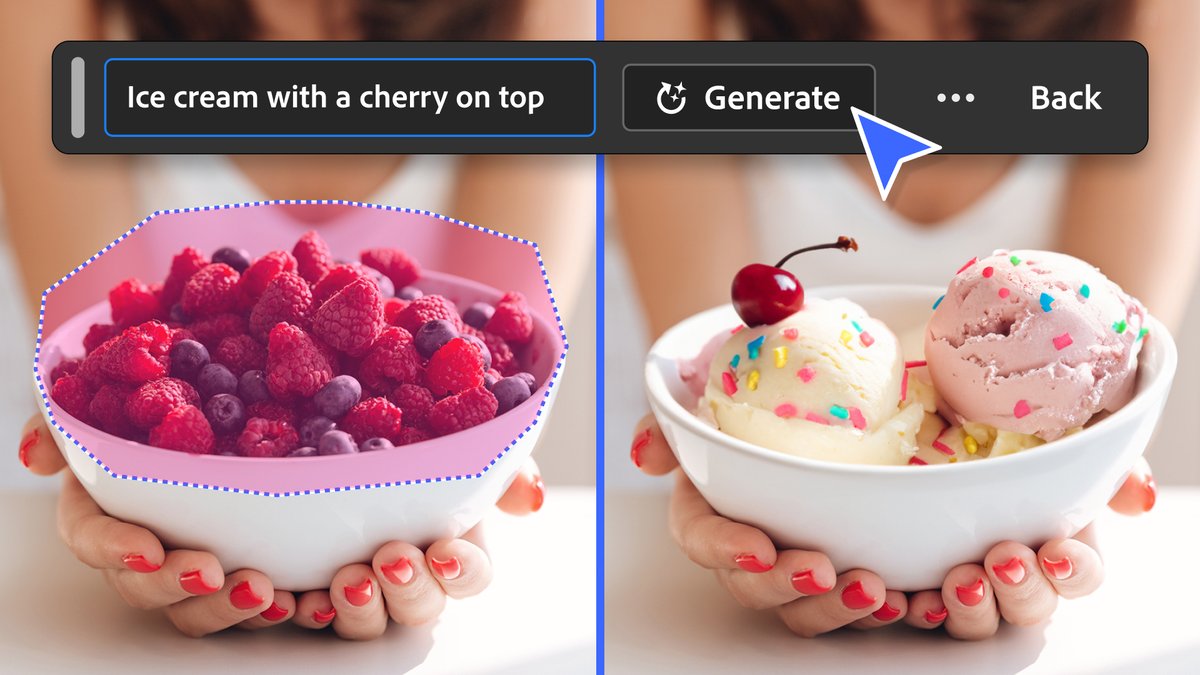
Adobe Premiere Pro (Beta) added a new Generative Remove feature. You can select and track an object directly on a 1080p timeline and remove it using AI.

45 条评论

O M G... this is about to save me so much time. I'm working in post right now removing/tracking artifacts in AE. Thanks for sharing! hopefully it works on my clips!

Take it to Beta! So far, it does pretty well on small objects that can get pick up the context of the scene.
hm bummer. seems no matter what clip or object it's unable to generate the removal. I suppose it could be offline right now.
Maybe. It just dropped yesterday I think. Not sure. Updated to latest Beta build?
indeed! prob just working out the kinks. I'll check again tomorrow :)
All good!

I don’t use premiere but I’m doing right now exactly what @bstuartTI just said. Roto -paint brushing & tracking. Post removal is so much fun… says no one! 😅
@bstuartTI So what you're telling me is that you don't dress up like this and/or show any remote of excitement when doing roto 🤣
@bstuartTI I mean.. I do! Obviously. But.. somedays the fashion doesn't make the function any more fun! 🤣
@bstuartTI 🤣🤣

If it’s good, this could be enough reason to renew my Premiere subscription
Kes says there's more coming 👀

Ugh so good. Hopefully it'll get better on movement. Resolve needs this.
Yeah. It does well with movement, not perfect on the finer details like hair.. but yeah. All edit apps need this.
Need more time to play with this dammit...

Fantastic, I already have a use case I'll test this on. Video models keep sticking NASA insignia/American flags on space suits in my space scenes, and they break the rules of the universe. Will work with this and report back.
Good test! I hope we get the option to custom gen-fill soon. For now, this sorta works like the healing/remove brush in PS. It'll be interesting to see what results you get.
Thanks for flagging this! ha.

We got plenty more to get out there. Keep testing and let us know the good, bad and ugly
Will do. One thing that came to mind is "how can Premiere save us time when working on 2k+ timeline?" I had to export the clips in 1080 and reimport. At first, I thought placing the clips in a 1080p nest would do the trick. Nope. Another request is custom gen-fill ofc. It's probably trickier but it looks like everything is pointing towards that! Great work. Excited for about this update.

Thats very nice mate, lovely result and always handy
Between this and the audio enhancements (and music removal).. I'm liking Beta a lot.
Yeah that's a great combination.

damn, about time.

Wow. this is useful! precise editing is cool!
Exactly. I could have used this. Great to have when you're married to a specific shot vs regenerating all over again.
wait, you changed your pfp again....lol😂

That's amazing
Watch me make this cup dissapear 🪄

That's great
Yeah. The fact that you can make objects just disappear smoothly is fun. I picture this effect catching like a wildfire on IG.

😄😄😄

Nice! How does it do on moving shots?
Not perfect, but not bad. Haven't done any serious pressure testing yet. Still cost credits.

Tracking and deleting objects on a 1080p timeline sounds insane ngl
We can spot heal our videos now
See the full "ad" 🫠

👀 egg pop is concerning. But does it work on the za moving object too??
Egg pop comes in differently flavors btw! And yes to moving object.
Oh siiiick. Can I get ramen flavor egg pls.

oh shiiit 🔥🔥
Try it 😉

about time

What am I missing. This will take me leww than the 7 seconds to do with manual masking.
Sure. There are complex rotoscoping cases where this can be useful - especially with multiple objects with camera motion.