Загрузка видео...

Не удалось загрузить видео

На главную

AI Guide Makes Product Launch Videos Easy for Beginners! Need your founder on camera for a launch video, but no time to shoot? Here's how this Pexo launch video was made. We gave Pexo one photo of Evan Liao and a short voice recording. Pexo learned his face, cloned...

153,866 просмотров • 6 дней назад •via X (Twitter)

Комментарии: 37

Фото профиля Pexo
Pexo6 дней назад

Want to demo your product? No screen recording. No After Effects. How the UI motion in our launch video was made 👇 We gave Pexo our website and the dashboard UI designs. It read the site, picked up the brand, and rebuilt the UI for us. Then you just tell it what flow to demo — drop a URL into the input, show it processing, and Pexo builds the whole sequence. No design handoff. No keyframing on our side. The website was the whole input.

Фото профиля Pexo
Pexo6 дней назад

How the timeline motion in our launch video was made. We wanted to show off that Pexo delivers a finished film — so we turned the video’s pieces (BGM, voiceover, captions...) into little animated elements sliding along a timeline. We just told Pexo the idea. It planned the element design and the whole motion package on its own.

Фото профиля Segun Bxx
Segun Bxx6 дней назад

@evanLiaoQ Maintaining visual consistency across every scene using just a single photo is incredible! Eliminating the need to book studios or do second takes makes founder-led launch videos so much more practical

Фото профиля Zentry
Zentry6 дней назад

@evanLiaoQ The timestamped lines lining up the captions automatically is the quiet win here. Most tools still leave you dragging text boxes around after the fact. If this holds up on longer scripts, a lot of founder videos stop being a production problem.

Фото профиля TravisnotScott
TravisnotScott6 дней назад

@evanLiaoQ This removes so much friction from founder-led launch videos. No studio, repeated takes, or complicated editing workflow—just provide the assets, explain the vision, and refine

Фото профиля 沐阳
沐阳6 дней назад

@evanLiaoQ 不断有新的想法冒出来

Фото профиля Pexo
Pexo6 дней назад

@evanLiaoQ 搞起!

Фото профиля Em Kei
Em Kei6 дней назад

@evanLiaoQ From 0-1 product Launch Video入门到精通 tutorial approach is smart, MYTalk app demo is clean. One photo + voice clone reading script with auto timestamps so captions/graphics line up - for beginners who don't want to learn AE this is it @Pexoai_offical

Фото профиля Vicky Silas
Vicky Silas6 дней назад

@evanLiaoQ The consistency is impressive. Using a single photo to maintain the same face across every scene removes one of the biggest challenges with AI-generated video.

Фото профиля Ajay Sharma
Ajay Sharma6 дней назад

@evanLiaoQ This makes launch videos feel way easier to produce. Love how simple the workflow is.

Фото профиля 老约翰塞维斯
老约翰塞维斯6 дней назад

@evanLiaoQ 这个可视化修改功能是真的强 不用费劲写一大段提示词 直接在画面圈选位置 选定视频片段批注修改,AI 就能看懂你的想法 像调整机模位置、挪动文案这种细碎需求 反复迭代也很顺畅 做产品演示视频效率直接拉满

Фото профиля 🅱️aller Prince
🅱️aller Prince6 дней назад

@evanLiaoQ Turning a website, script, and one photo into a finished video makes production feel dramatically more accessible.

Фото профиля droidHZ
droidHZ6 дней назад

@evanLiaoQ 看到好多人推荐,对于我们做网站的人来说,这个launch 视频效果确实挺好的

Фото профиля 张禹
张禹6 дней назад

@evanLiaoQ 这下再也不能说做产品做不起宣传视频了,省去外包省去摄影

Фото профиля Ethan Walker
Ethan Walker6 дней назад

@evanLiaoQ The combination of product assets, scripting, editing, and generation is powerful.

Фото профиля َ
َ6 дней назад

@evanLiaoQ This way of creating videos through dialogue is really convenient.

Фото профиля 孤山客
孤山客6 дней назад

@evanLiaoQ 一张照片加一段语音,就能做出人物全程一致、口型对齐、字幕自动卡点的发布片,这已经不是“AI 能出画面”那么简单。对早期团队来说,真正改变的是:创始人出镜不再依赖档期、棚拍和二次重录,修改一镜或一句直接对话完成。发布视频的生产链路被压短了。

Фото профиля ᴜᴄʜᴇ
ᴜᴄʜᴇ6 дней назад

@evanLiaoQ Yeah, that could save founders a ridiculous amount of time. One photo and a voice sample becoming a reusable on camera presence means script changes don't automatically mean another recording session.

Фото профиля Opti Max 💜🍀
Opti Max 💜🍀6 дней назад

@evanLiaoQ A single photo props up the entire film, with the face staying the same in every shot—this is even steadier than on-site filming.

Фото профиля Ⓜ️ega Ⓜ️ind🤯(❖,❖)
Ⓜ️ega Ⓜ️ind🤯(❖,❖)6 дней назад

@evanLiaoQ Skipping studio days makes creating Web3 promotional content incredibly fast while also having matching visuals and synced captions automatically is completely magical

Фото профиля Vicky Silas
Vicky Silas6 дней назад

@evanLiaoQ The timestamped lines are a smart touch. Having captions and graphics automatically sync with the voice makes the whole production process feel much more seamless.

Фото профиля Chelsea lovers
Chelsea lovers6 дней назад

@evanLiaoQ This process is pretty friendly for the Founder. With just one photo and a voice sample, you can create a full on-camera appearance—way more convenient than reshooting the whole thing every time the script changes.

Фото профиля 启明破晓
启明破晓6 дней назад

@evanLiaoQ 这个方向太对味了,做内容的人真缺这种工具

Фото профиля Em Kei
Em Kei6 дней назад

@evanLiaoQ We never booked studio or did second take - that's the selling point right there. Whenever something needs fixing a shot an audio line we just tell Pexo directly even adding captions is this simple - conversational refinement vs timeline hell

Фото профиля Rucha Patil
Rucha Patil6 дней назад

@evanLiaoQ one photo & a voice clip for a full launch video is kinda insane

Фото профиля Kshitij Mishra | AI & Tech
Kshitij Mishra | AI & Tech6 дней назад

@evanLiaoQ This makes launch videos feel ridiculously simple, especially for founders who hate being on camera.

Фото профиля Aimo
Aimo6 дней назад

@evanLiaoQ 这个流程对 Founder 还挺友好的。一张照片加一段声音样本就能做完整出镜,比每次脚本一改就重新拍一遍省事太多了

Фото профиля Louis fabulous ❤️🦅
Louis fabulous ❤️🦅6 дней назад

The biggest win here is how much of the production process disappears into the workflow. Being able to fix a scene or caption without restarting the whole shoot makes iteration way faster for small teams. That could make polished launch videos far more accessible to founders🔥🔥🔥

Фото профиля Ai With Piyas
Ai With Piyas6 дней назад

@evanLiaoQ One photo + a short voice clip turning into a consistent on-camera founder across every scene is genuinely impressive. The no-studio, no-reshoot workflow makes launch videos far more practical for busy teams.

Фото профиля Mark Jason
Mark Jason6 дней назад

@evanLiaoQ This is seriously impressive. Making launch videos this simple removes so much friction for founders and small teams. AI video is moving fast!

Фото профиля 无好即好
无好即好6 дней назад

@evanLiaoQ This is genuinely useful for founder videos. With one photo and a consented voice sample, you can bring the script, captions, and visuals together without setting up a shoot or doing endless retakes.

Фото профиля Tynoih.hl
Tynoih.hl6 дней назад

@evanLiaoQ the ui demo flow sounds like a good test of whether ai can understand how a product actually works and getting the creative idea across without touching keyframes is probably what makes this workflow interesting

Фото профиля Zorvia
Zorvia6 дней назад

@evanLiaoQ Huge win for creators

Фото профиля Aditi
Aditi6 дней назад

@evanLiaoQ holly crap😭 one photo + a voice recording and it handles the whole launch video?? this is actually wild

Фото профиля MR. SHAHBAZ
MR. SHAHBAZ6 дней назад

@evanLiaoQ This is what makes AI video creation feel truly accessible. One photo, one voice sample, and Pexo handles the rest. 🔥

Фото профиля AGU_CFC{Defi}🎖️
AGU_CFC{Defi}🎖️6 дней назад

@evanLiaoQ Most founders skip launch videos because shooting is a pain. With Pexo you just drop one photo and a short voice note — it handles the rest. Most teams skip founder videos because consistency is hard. With Pexo one photo keeps the look and voice the same in every scene.

Фото профиля AI_Explorer
AI_Explorer6 дней назад

@evanLiaoQ this is actually wild

Похожие видео

All the product details are already written out, but when it comes to promotion, are we still just dropping links and posting screenshots? I’m honestly terrible at video editing, so I decided to throw my website link into Pexo and see what would happen. This time, I used Pexo. Pexo is an AI video creation tool that lets you build videos just by chatting with it. You can explain what you want, describe how you want the visuals changed, and use plain English to guide the whole process. And for someone like me with basically zero video editing experience, that makes a huge difference. A little context first. I usually write code, not videos. I wanted to properly introduce my product on X, but quickly realized that writing the post wasn’t the hard part. The video was. I don’t know After Effects, and I definitely didn’t want to spend hours learning video editing just to make one product clip. So I gave Pexo the website URL and told it: “Make me a product intro for X that helps people understand what this is in 30 seconds.” Instead of immediately generating something random, Pexo first asked about the direction. Who is it for? How long should it be? Should it focus more on the product demo or the story? Do I want a voiceover? It felt more like discussing the video with someone who actually understands production. I answered everything in plain English, confirmed the direction, and let it work. What came back was a complete video with voiceover, subtitles, animations, and background music. No timeline. No dragging clips around. No figuring out which model to use. And I could keep chatting with it afterward. If the intro felt too long, I could ask it to make it shorter. If a voiceover line felt too wordy, I could simply ask it to rewrite it. I never had to touch a traditional editing timeline. There’s also a really useful feature called Mark to Fix. For example, at the end of my video, I wanted the “Sign Up Now” button moved slightly lower. I just circled the button on the video and wrote: “Move the button down a little and leave more space between it and the title above.” Then I submitted it, and Pexo revised that specific part. The final video below was created by simply giving Pexo my website and chatting through the process. If you’ve just built a product and need an intro video but don’t want to learn video editing first, this is definitely a workflow worth trying.

Tanvir

14,056 просмотров • 6 дней назад

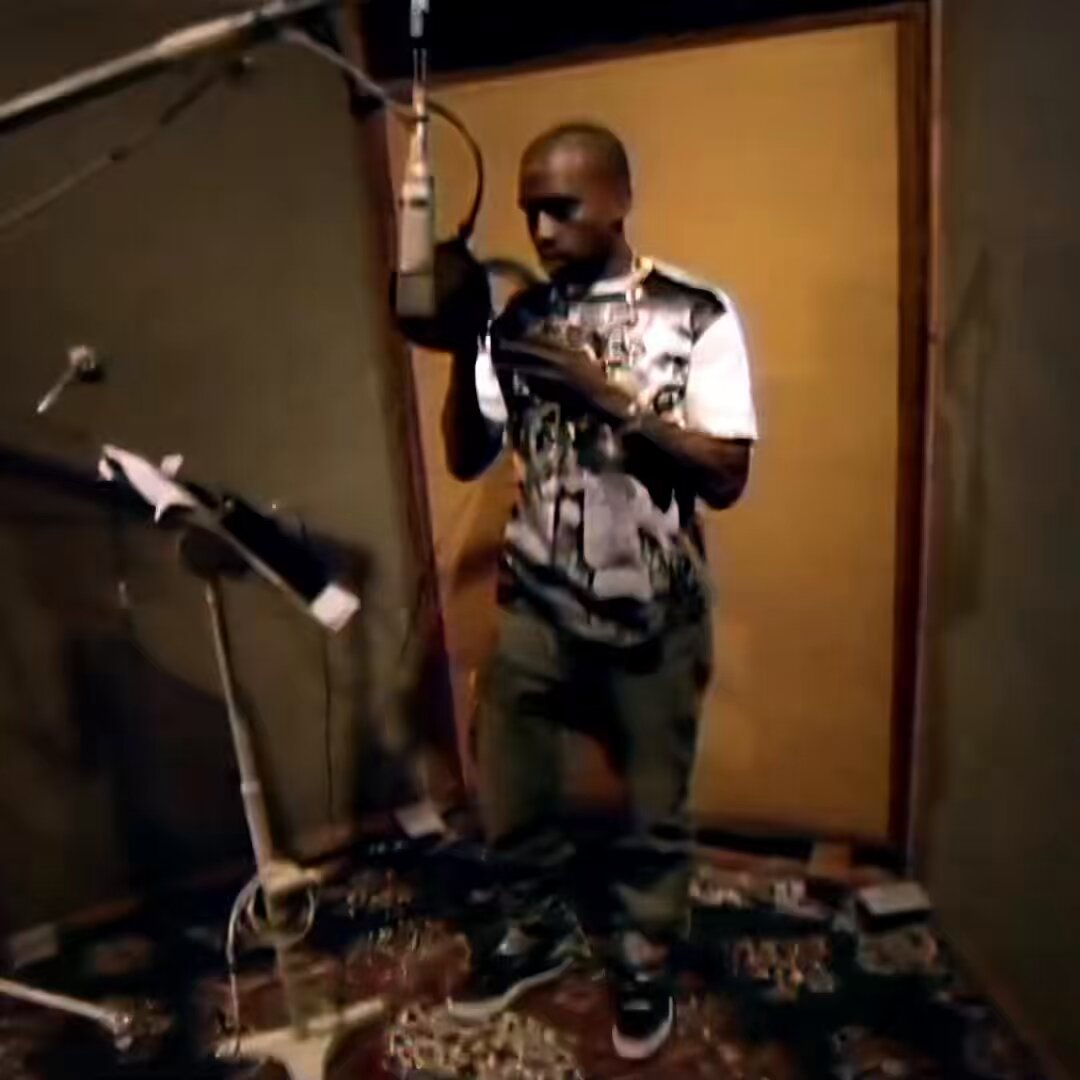
In 2007, Nike assembled Kanye West, Nas, Rakim, KRS-One & DJ Premier to create a hip hop anthem to celebrate the 25th anniversary of the Air Force 1 sneaker. “Rick Rubin did the original, and word on the street is they weren’t satisfied with the outcome, says DJ Premier. It was a whole different tempo, and a whole different approach. Rob Stone said they might actually want to remix it. Actually, KRS-One called me and said, ‘Yo, I need you to help fix this record.’ Then I saw the launch on MTV, and I figured that’s over with, when they launch the sneaker and everything. Then all of a sudden I got a call back again two or three weeks later saying, ‘Yo, they still want you to do something.’ So they sent me the parts, and everything was different. Kanye, Nas, and KRS did the joint to the Rick Rubin beat. Rakim wanted to make his own beat. So he made his own beat, but at the wrong tempo. So when I got it I had to tweak it to get him to that tempo, but still keep him in the same tone of voice. You can do that with technology. So I had to keep him in the same key. He was at a 100 rpm, but it was 107, so that’s a big step. So I stay tuned in the same zero note that he pulled, sped it up, and it matched. Then I just pieced the whole thing together. “For the video, Rakim came here, and we turned all the lights down, and just made it really dark. Since he’s the only one who came here, when you see the play back, it’s ill. We shot him just with the acapella so we can bring him back in. When I saw that, even though Rakim was last on the song, in the video, I thought he should go first. And that’s how we flipped it around. The video was dope, man.”

Sleeping On Gems

127,635 просмотров • 8 месяцев назад

I run a daily AI newsletter with real subscribers. For two years I never had a proper explainer video for it. Not because I didn't want one. Because a decent one usually meant paying an editor or losing a week to editing software. Here's what changed: 👇 I gave Pexo my newsletter link and a couple of screenshots. Told it I wanted a 20 to 30 second explainer, simple and trustworthy, for people into AI tools and news. It didn't just start generating. It researched my actual site first, the dark purple brand, the robot illustrations, the tone. Then it proposed a full structure before making anything: a chaotic burst of AI headlines to open, a calm cut into the wordmark, three quick proof beats, then a clean close on the subscribe screen. It also asked me to confirm the format before producing. Vertical for social. Text on screen instead of a voiceover. Small thing, but it meant nothing got wasted on a version I didn't need. Once I saw the first cut, the opening felt slow. I said the first beat should be 3 seconds instead of 5. It didn't just trim the clip. It retimed the music drop and every caption after it so the whole thing still felt intentional instead of chopped. Final video: 23 seconds. Opens on the noise every AI newsletter promises to cut through. Settles into calm. Three quick proof points. Ends on subscribe. If you run something with no launch video, a product, a newsletter, a service, you don't need to learn editing software first. Give Pexo your link, tell it who it's for, and push back until it's right.

Mushfiq Sajib

44,955 просмотров • 5 дней назад