Video wird geladen...

Video konnte nicht geladen werden

Zur Startseite

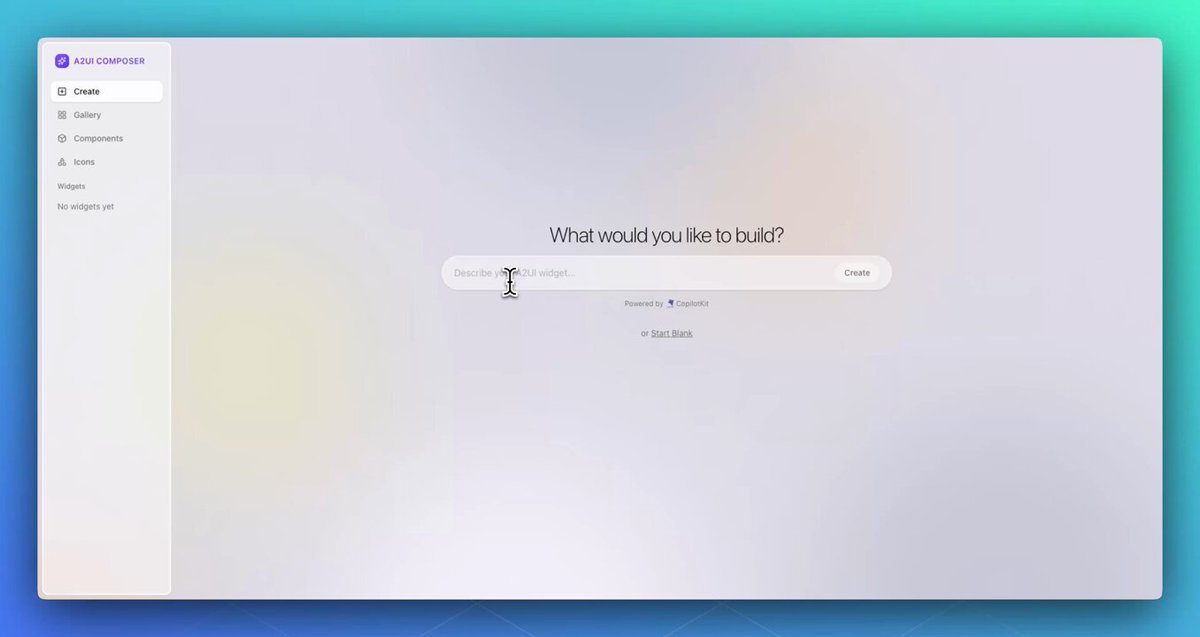
Anthropic's most viral feature is now open-source! Until now, Anthropic's Generative UI capabilities only existed inside its own products. CopilotKit🪁 just shipped Open Generative UI, an open-source implementation of Claude Artifacts that works in any app. The agent generates HTML/SVG at runtime, and CopilotKit streams it token-by-token into a...

85,740 Aufrufe • vor 2 Monaten •via X (Twitter)

0 Kommentare

Keine Kommentare verfügbar

Kommentare vom Original-Post werden hier angezeigt

Ähnliche Videos

Anthropic's in trouble, again! They spent years building what's now fully open-source. What made Claude feel different from a normal app is that the agent could act inside the interface instead of only talking in a chat box. For instance, Claude Artifacts let an agent render real UI, charts, dashboards, and interactive components that assemble live inside the response. Every major AI product tried to replicate it. But the problem was that unlike reasoning, planning, tool-calling, etc., none of it shipped natively with LangGraph, CrewAI, or Google ADK. So teams started building an owned version that required engineering the entire interface layer from scratch. Most teams, however, just settled for shipping the agent as a backend API in a chat box since rendering the UI is only one piece of it. To actually make it work, the interface layer also needed real-time streaming, state kept in sync between agent and UI, conversations that persist across sessions, and reconnection when a user refreshes mid-run. CopilotKit🪁 is now the only open-source framework that actually lets you build your own full-stack Claude-like apps. It decouples the agent from the interface, talking over AG-UI (an open protocol for agent-to-user communication). Being a standard protocol, the frontend never needs to know whether it is talking to a LangGraph or a CrewAI agent. You can change the backend anytime and the UI will never notice. In practice, CopilotKit's interface layer gives several pre-implemented React building blocks that wire the agent directly into the app, like: - generative UI, so the agent renders real components instead of text - chat windows, sidebars, and popups, or a fully headless setup - shared state, so the agent and app stay in sync - human-in-the-loop approvals, where the agent waits before acting - persistent threads that store the whole session, including the agent-user interactions and generated UI, not just text And because that full history is captured, those interactions can feed a self-learning layer that also improves the agent from real usage over time. The interface layer that Anthropic spent years engineering in-house is now literally available to any developer/team. CopilotKit is open-source with 30k+ GitHub stars, and AG-UI, the protocol underneath, is already supported across every major agent framework: LangGraph, CrewAI, Mastra, Google ADK, and more. CopilotKit GitHub repo → (don't forget to star it ⭐ ) If you want to go deeper, I found a detailed breakdown by Shubham Saboo recently on the three Generative UI patterns, with implementation. Read it below.

Avi Chawla

455,096 Aufrufe • vor 1 Monat

AG-UI makes building agentic applications dramatically easier. Here's how it works. This is a model for a simple chatbot: User → LLM → Response But interactive agents that render UI, pause for approvals, and ask users for input need a much more complex model. When building these agents, a response from the LLM will include a series of state changes as the agent runs: • Agent started a task • Agent called a tool • Agent updated its state • Agent streams these tokens • Agent is waiting on a human • Agent is resuming the task The Agent-User Interaction Protocol (AG-UI) treats the LLM response as a stream of events rather than a text endpoint. In practice, here is what you get as an agent runs: 1. Lifecycle events so your UI knows where the agent is. 2. Text messages that stream tokens. 3. Tool calls so your UI can prefill a form with any required arguments. 4. State updates that keep your UI in sync with the agent. 5. Special events for human approvals, rich media, and custom needs. All of these events travel over standard transports (SSE, WebSockets, or plain HTTP) as JSON. As a result, you can build a frontend that stays in sync with the agent's progress without having to invent a custom process to make this happen. For example, building a human-in-the-loop workflow becomes an off-the-shelf component you can integrate rather than build from scratch. CopilotKit🪁 is the creator of AG-UI, and you can use it when building frontend applications pretty much anywhere: • React • Angular • Vue • React Native • Slack • Teams • Discord • WhatsApp • Telegram Here is the link for you to check it out: Thanks to the CopilotKit team for partnering with me on this post.

Santiago

17,438 Aufrufe • vor 13 Tagen

i just built a 4-agent software team. everything runs from Telegram and gets managed on a kanban board. a project manager who plans the work, a backend developer, a frontend developer, and a tester. the PM reads a goal, breaks it into linked tasks, and assigns each to the right agent. the thing that makes them a team instead of four strangers is a shared kanban board. every task is a row that survives crashes, and when an agent finishes, it writes a summary of what it built and what the next agent needs to know. the next agent reads that summary before it starts. so the frontend developer never has to guess the API shape, and the tester knows exactly what to verify. the hardest part was not the coordination. it was building an agent that could actually act like a backend engineer. a backend engineer stands up a database, wires auth, manages storage, deploys functions, and keeps all of it consistent while the rest of the team builds on top. an agent doing this from scratch drowns. it burns its context window remembering which tables exist and which endpoint it created three steps ago, and the work degrades fast. so the backend agent needs a backend built for agents, not for humans clicking through a dashboard. that is where InsForge came in. it is an open-source, agent-native backend, and i added it to my backend developer agent as a skill. a skill is a step-by-step guide that teaches the agent how to do a specific kind of work. with InsForge installed, the agent stopped improvising infrastructure and followed a reliable path: create the project, define the database, set up auth, deploy functions. to test the whole team, i had them build a working Google Docs clone, AI features included. the backend agent spun up the full service on its own. database tables, user auth, document handling, and edge functions running real TypeScript, all in one dashboard. the frontend agent read that summary and built the UI on top of it, and the tester closed the loop. the result was a backend an agent could reason about end to end, instead of one it kept getting lost inside. if you are building an AI backend engineer, InsForge is worth a look, it's 100% open-source. InsForge GitHub: (don't forget to star 🌟) the full article on Hermes Kanban: Mission Control for your Agents is quoted below.

Akshay 🚀

118,124 Aufrufe • vor 1 Monat