Loading video...
Video Failed to Load
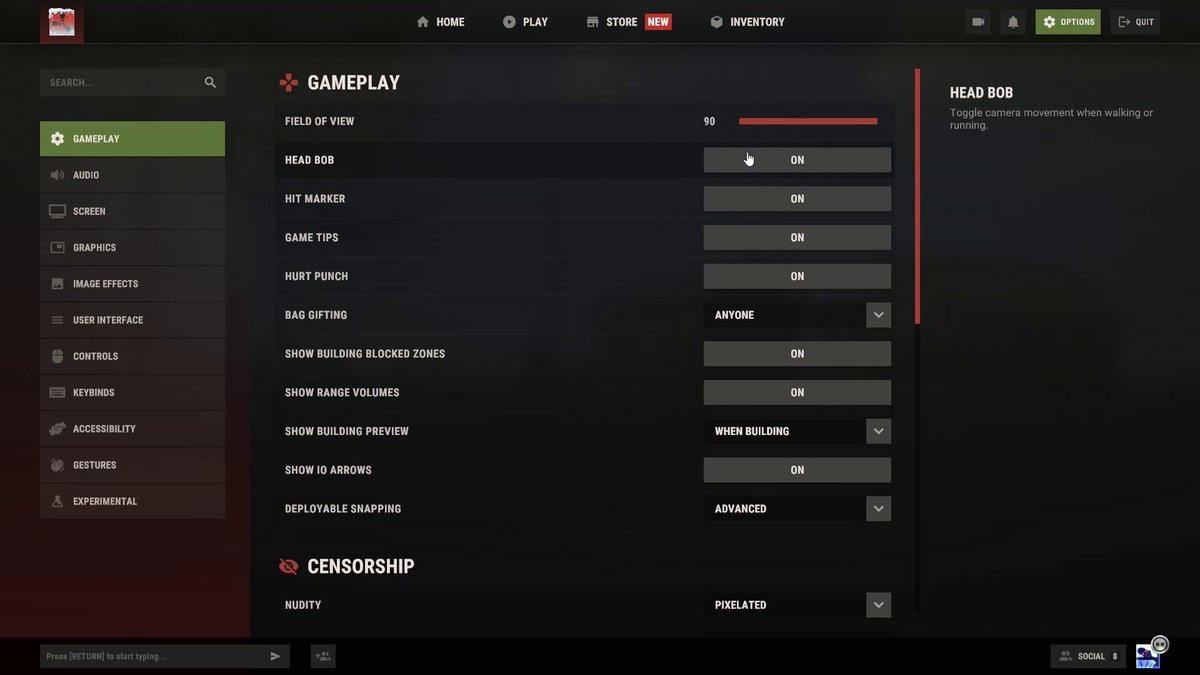
🚨 BEST RUST SETTINGS (2026) *UPDATED* 🚨 Link to pre optimized config:

58,794 views • 4 months ago •via X (Twitter)
35 Comments

I haven’t played rust in a hot minute and upgraded my rig to a 5080 / 9800x3d and a 1440p monitor. Can I run rust at 1440p and get 100+fps or is it just truly horribly optimized?

Oh absolutely. With those specs you should be seeing well over 200 FPS on a high-poo vanilla server
Nice has haven’t played since my rig was a 1060 6gb/9800k cpu 😂 I actually made it work, excited to see it on 1440p

@aidePCs My 2060 and Ryzen 5600 could reach 80fps or more at 1080p
@aidePCs I was hitting 60 1080p with my 1060 haha

Aide...I need the "Best LOOKING" settings. 🤣 When creating build videos FPS doesn't matter as much and I want the eye candy. p.s. thanks for all you do within this community.
Hahaha, just crank everything to max 🤣 Much love brother. ❤️
Got it!

Hey @aidePCs im a dumb monkey do i just copy and paste this into console?
If you're referring to the config file, do this: 1. Download it from the link 2. Go to where Rust is installed, normally here --> C:\Program Files (x86)\Steam\steamapps\common\Rust 3. Open the "cfg" folder 4. Drag and drop in the client.cfg file 5. Click "Replace files" 6. Restart Rust
Can I put ads fov commands in that same file so they are persistent?
I'm not exactly sure. I would try to test it, but Rust may just overwrite it. I suggest either binding it or putting it as a launch option
Gotcha brother, what do people do just have one button that has a million things bound to it
Yeah, essentially haha

@grok How good this are?

Hey man, love your work. Just curious if you’d ever be interested in a “bang for buck” kind of settings package for high end PCs. Like if I’m running an RTX 5070 and a 7800X3D for example, how high can I go on what settings without nuking my fps
You could probably get away with turning up a lot of settings. It really varies from PC to PC, so it’s something you should personally test to see how far you can push it, and for which settings specifically are worth it to you for good looking graphics

Is this for best performance or PvP/Visual settings so you can see players etc better?
Both
I'll give it a shot. Thanks bro

Are this configuration for equipment with low graphics cards? Would it also be necessary for a computer with a 5060ti16gb?
This configuration is for every PC for the very best performance and visual advantage in-game. Some settings may not be necessary to have on the lowest setting if you’re still looking to preserve some quality, but that is something you will need to test for your system considering every PC is different in that manner

0 max gibs does not work. go into console and set value: maxgibs -1
I'll do you one better: bind g "+map;effects.maxgibs -1"

If I turn off hitmarker will I still hear the sounds when I hit someone?
Yes

@rogameplays13 @LagerTW

Hey @aidePCs how much fps can i get with a ryzen 9 9950x3d and a 5090

cant wait for flickering shadows and disgusting game!!!

Thank You! Find us on [US] 5X /mymini/myheli/myattack server enjoying these new settings

Setting unlimited FPS is incorrect; you should adjust your monitor's refresh rate (Hz) for better graphics stability. You don't need more FPS than your monitor can handle.
Capping FPS in-game is incorrect. There is also a FPS cap bug where merely capping it, no matter the number, will cap it at 100 FPS every time. For the lowest latency, FPS should be uncapped. For more consistent 1% lows and smoother frames, FPS should be capped in NVIDIA Control Panel or with RivaTuner.

I play with Nvidia GeForce Now, Performance. Does it apply?
Yes!

Lol it's not