Загрузка видео...
Не удалось загрузить видео
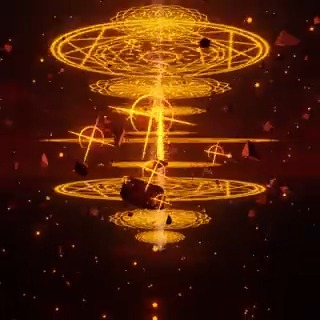
blenderでアニメ風の炎エフェクトの作り方、動画速いです #b3d #blender 通常版はyoutubeへ

148,119 просмотров • 2 лет назад •via X (Twitter)
Комментарии: 9

ゴロペコ2 лет назад
動画内で書いてなかったけどメッシュと揺らぎ用のエンプティはベース用のエンプティを作ってその中に入れると扱いやすくなります #b3d #blender

Dan (road to 1k)2 лет назад
Beautiful 😍

310=サイトォ1 год назад
この動画をみて、自分の作りたいものを表現する事が出来ました‼️ 知識、テクニックを共有して頂き有難う御座いました🙇
ゴロペコ1 год назад
お役に立てて何よりです!

Ahmad Wise2 лет назад
this is genius

Everything Main2 лет назад
hello, could I ask a question about this tutorial? I see you set up your emission color strength really high up in the video but when I do the same, my object starts to lose it's colors (turn white). Do you know how to fix this?
ゴロペコ2 лет назад
In the video, we use the "Glare Node (Bloom)" composite. If you don't need it to glow, set the "Strength" value of "Color" to 1. It should return to the original color.

Casual Garage Coder1 год назад
If you allow me, I'd like to transpose this in glsl/godot engine.
ゴロペコ1 год назад
That sounds great, try it!