Loading video...
Video Failed to Load
🚨 BREAKING: Microsoft is releasing Copilot for Microsoft 365: - Word - Powerpoint - Excel - Teams Here's the summary:

3,252,649 views • 3 years ago •via X (Twitter)
10 Comments

1. "Prepare me for my meeting" Plugging into your calendar and email, it can help you get ready for the day, generating bullets for you to focus on in your next meeting.
2. Generate documents based on existing documents In Word, you can type in a prompt like "Generate a product announcement" and link to an existing product spec elsewhere. The Copilot will read in that document, then generate the new product announcement with perfect context!
3. Create a Powerpoint, complete with styling and pictures Just type in whatever you'd like - the number of slides, the styling, the content - the new Copilot will create it for you.
4. Use natural language to analyze data No more typing in complicated formulas! Just ask the Copilot "What were the most profitable products this quarter?" and it will generate the answer for you in Excel.
5. Automatically capture meeting notes Copilot will sit on Teams and automatically capture transcripts, speaking and summary notes, along with action items and tasks.
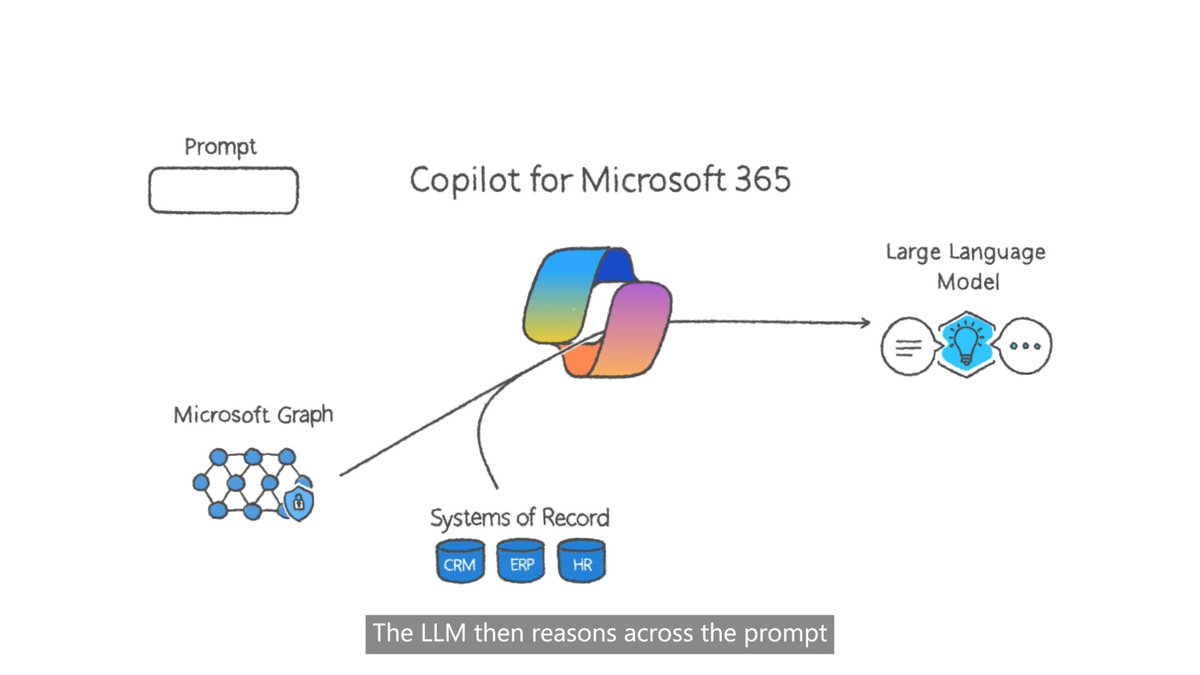
Microsoft makes this a no-brainer for the enterprise. Bringing in context from documents all over your business will solve a huge "last-mile" problem that ChatGPT users struggled with.
Plus, any prompt that works in Excel or Powerpoint or any app will work directly from Copilot. Copilot will be the new starting screen for any knowledge work.
This is the real beginning of AI at work. Will be writing about this more on my newsletter (come join 23K+ other readers!)

Way before Copilot:

I have no clue what the world is going to look like 5 years from now anymore.