Загрузка видео...

Не удалось загрузить видео

На главную

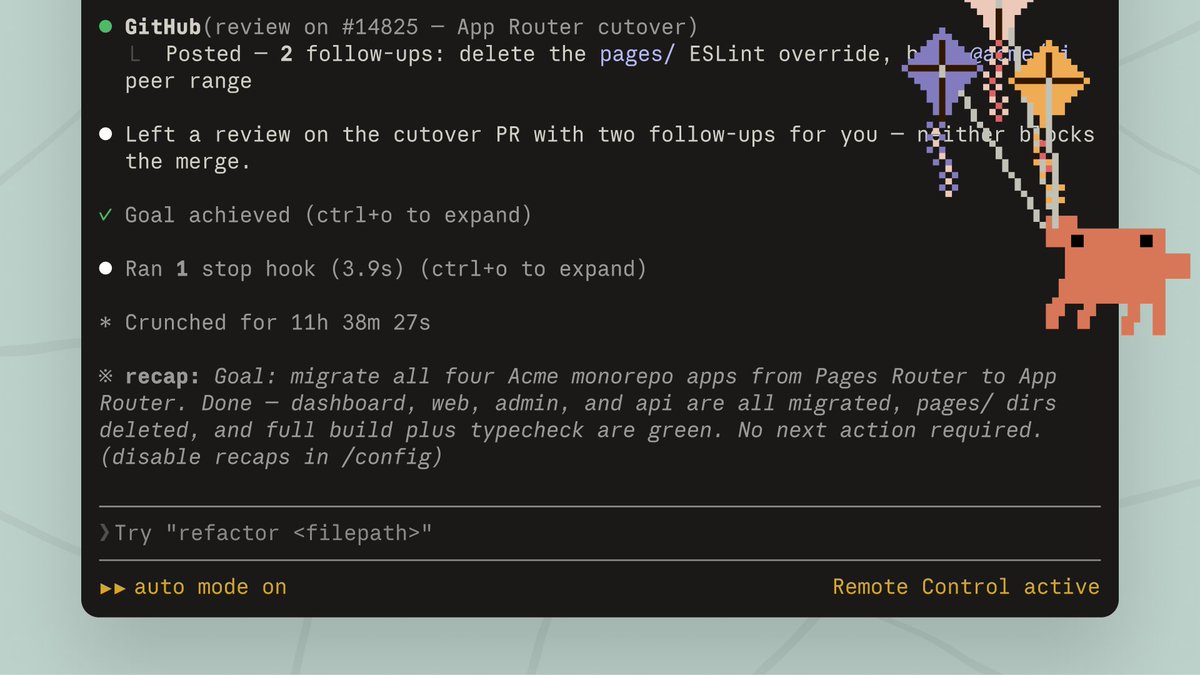
Claude Code: Auto mode Auto mode lets Claude safely complete long-running tasks without asking permission for every action. But how does it work? 4 key terms: • Classifier: a separate model that approves or denies each action based on your intent and scope • Filtering: the classifier only sees...

43,073 просмотров • 5 месяцев назад •via X (Twitter)

Комментарии: 0

Нет доступных комментариев

Здесь появятся комментарии из оригинального поста

Похожие видео

THIS MIGHT BE THE #1 OPEN-SOURCE REPO FOR CLAUDE CODE RIGHT NOW. IT GIVES CLAUDE A MEMORY AND SLASHES YOUR TOKEN COST ON EVERY QUESTION The repo is safishamsi/graphify, a free open-source skill that turns any codebase into a knowledge graph Claude Code can read instantly. Instead of grepping through your files every session, Claude gets a map of how everything connects The problem it fixes: Every time you ask Claude Code about a big repo, it does the same thing, greps through dozens of files like a brute-force Ctrl+F, blows through your context window, and sometimes still misses the answer hiding in a file nobody searched. Claude Code has no memory of how your project is structured. Every session starts from zero What it does: It maps your entire codebase into a knowledge graph, capturing not just which files exist, but which functions depend on which, which modules are central, and which files cluster around the same concern. Claude queries the map instead of scanning files How it works, three passes: 1. Code structure, free and local. Tree-sitter parses your files and pulls out classes, functions, imports and call graphs. No LLM, no tokens, just your actual code mapped deterministically 2. Audio and video, if you have them. Transcribed locally and folded into the graph 3. Docs, papers, images. Here an LLM does semantic analysis, figuring out what each document means and where it fits. Only the meaning gets sent up, never your raw source It saves you money: Normally a question about a big repo makes Claude spawn explore agents that scan file after file, eating your context window and your token budget before you get an answer. With the graph already built, Claude queries the map instead of re-reading the codebase every time. Same answer, a fraction of the tokens. The graph only gets built once, then a hook rebuilds it after each commit for free, so you never pay that scanning cost again. The bigger the repo, the bigger the gap The best parts: it's a skill, so once installed Claude knows when to use it without you memorizing commands. It works on non-code folders too, point it at docs or notes and it can spin up an Obsidian vault How to add it to your Claude: 1. Install Claude Code if you haven't: npm install -g Paul Jankura-ai/claude-code 2. Add the skill: claude skill add safishamsi/graphify 3. Open your project folder and run /graphify . to build the graph 4. Optional, make it automatic: graphify hook install so the graph rebuilds after every commit That's it. Ask Claude about your repo and it reads the map instead of burning tokens on a file hunt Bookmark this

Yarchi

56,568 просмотров • 5 месяцев назад

install these before your next long Claude Code session if your Opus 5.5 bill hurts and you don’t know where to start, copy this: claude-code-router: sits in front of Claude Code and sends each request to the cheapest model that can do it. Haiku does the grep, Opus only gets the hard part. 37k stars rtk: shrinks test, build and git output before the model sees it. one binary, up to 90% less bash output in your context. 83k stars claude-mem: remembers what happened in your past sessions and feeds back only the relevant part, so you stop paying to re-explain your project every morning. 100k stars context-mode: a huge tool output goes into a local database instead of your context window, and Claude pulls out only the lines it needs. 18k stars caveman: makes Claude answer in short telegraphic sentences. code stays identical, and output is the expensive side on Opus 5.5 ($20 per million). 51k stars token-optimizer: a local dashboard that shows where your tokens actually went, and keeps your work alive across compactions. 1.9k stars token-savior: replaces whole-file reads with symbol lookups, so Claude reads the function and not the 2,000 lines around it code-review-graph: maps your repo as a graph and gives Claude only the code connected to the change you’re reviewing jev-ultrafast: a browser agent where Jev picks every click, and a text model wakes up only when something has to be typed. 16,758 stars none of them makes Opus smarter. every one stops it from paying for work it never needed to do the full setup with scripts is in the article. do the measuring step first, so you know what you actually saved

rvaniaaa

24,787 просмотров • 26 дней назад

Here's what the Founder of Claude Code does before he starts ANY project: 1. Plans first, codes never, he goes back and forth with Claude on the plan until it's perfect. No code gets written yet 2. Creates a CLAUDE.md file (a simple doc that Claude reads every session so it knows your project, your rules, your style) 3. Gives Claude a way to verify its own work - For backend: write and run tests - For UI: take screenshots, check in browser Claude should never finish a task without proving it works 4. Sets up project-level permission rules in settings.json instead of skipping permissions entirely. Shared with the whole team 5. Five more preparation steps in VIDEO BELOW 6. Only then switches to auto-accept mode and lets Claude build The part most people miss: he doesn't treat Claude as a magic box that gets things right first try he treats it like a junior dev that needs clear instructions, feedback loops, and guardrails at scale he runs multiple sessions in parallel, uses Opus with thinking enabled because it makes fewer mistakes even though it's slower and relies on background agents that push code for later review his setup is surprisingly simple. no crazy custom tools. just slash commands, subagents, and a clean CLAUDE.md the difference isn't the tool. it's how you set it up before you start ❤️ P.S. for sure 99.5% of readers will scroll down this tweet, but I send it to 0.5% who loves to learn how to improve your workflow daily and control 99.5% in 2 years Hard skills literally mean nothing in our world The most important skills which you can have are: building architectures and orchestrations If you master it and use a creative approach, CONGRATS

Ronin

148,303 просмотров • 6 месяцев назад