Video wird geladen...

Video konnte nicht geladen werden

Zur Startseite

CODEX SKILL THAT FINDS COMPLEXITY HOTSPOTS IN YOUR CODEBASE! I made a Codex skill that analyzes your codebase and reports where performance can be improved safely. Scan your project while Codex checks loops, repeated lookups, render-heavy code, N+1 patterns, and places where complexity can potentially be reduced without breaking...

299,213 Aufrufe • vor 3 Monaten •via X (Twitter)

0 Kommentare

Keine Kommentare verfügbar

Kommentare vom Original-Post werden hier angezeigt

Ähnliche Videos

THIS MIGHT BE THE #1 OPEN-SOURCE REPO FOR CLAUDE CODE RIGHT NOW. IT GIVES CLAUDE A MEMORY AND SLASHES YOUR TOKEN COST ON EVERY QUESTION The repo is safishamsi/graphify, a free open-source skill that turns any codebase into a knowledge graph Claude Code can read instantly. Instead of grepping through your files every session, Claude gets a map of how everything connects The problem it fixes: Every time you ask Claude Code about a big repo, it does the same thing, greps through dozens of files like a brute-force Ctrl+F, blows through your context window, and sometimes still misses the answer hiding in a file nobody searched. Claude Code has no memory of how your project is structured. Every session starts from zero What it does: It maps your entire codebase into a knowledge graph, capturing not just which files exist, but which functions depend on which, which modules are central, and which files cluster around the same concern. Claude queries the map instead of scanning files How it works, three passes: 1. Code structure, free and local. Tree-sitter parses your files and pulls out classes, functions, imports and call graphs. No LLM, no tokens, just your actual code mapped deterministically 2. Audio and video, if you have them. Transcribed locally and folded into the graph 3. Docs, papers, images. Here an LLM does semantic analysis, figuring out what each document means and where it fits. Only the meaning gets sent up, never your raw source It saves you money: Normally a question about a big repo makes Claude spawn explore agents that scan file after file, eating your context window and your token budget before you get an answer. With the graph already built, Claude queries the map instead of re-reading the codebase every time. Same answer, a fraction of the tokens. The graph only gets built once, then a hook rebuilds it after each commit for free, so you never pay that scanning cost again. The bigger the repo, the bigger the gap The best parts: it's a skill, so once installed Claude knows when to use it without you memorizing commands. It works on non-code folders too, point it at docs or notes and it can spin up an Obsidian vault How to add it to your Claude: 1. Install Claude Code if you haven't: npm install -g Paul Jankura-ai/claude-code 2. Add the skill: claude skill add safishamsi/graphify 3. Open your project folder and run /graphify . to build the graph 4. Optional, make it automatic: graphify hook install so the graph rebuilds after every commit That's it. Ask Claude about your repo and it reads the map instead of burning tokens on a file hunt Bookmark this

Yarchi

56,177 Aufrufe • vor 3 Monaten

EVERYTHING YOU NEED TO KNOW ABOUT CHATGPT'S "LOVABLE KILLER" CODEX SITES (in 25 mins): TLDR; the coolest part is that apps you build can update themselves autonomously 1. Codex Sites is not Replit or Lovable or Bolt. Those are great for one-prompting a full app. Codex Sites is for building apps that the agent keeps improving without you touching them. 2. Your personal website can update its own stats. Your internal dashboard can refresh its own data. Your product can add features while you sleep. The app is alive. 3. Start by invoking at-sites. Use realistic sample data. Always say "save for review, do not deploy." This unlocks building a real product, not a homepage. 4. Add persistent storage so the app remembers everything between visits. Without this it resets every time. Ask Codex to show you the data model before it builds. 5. Create safe actions. These are the specific things the agent is allowed to do to your app: add data, update cards, move things, score things. You define the boundaries. The agent operates within them. 6. Build skills so any future Codex chat knows how to interact with your app. The skill is basically a manual for the agent. Without it, every new chat starts from zero. 7. Save gate like a video game. Codex doesn't auto-save. Create checkpoints before you deploy so you can roll back if something breaks. 8. Close the autonomous loop. This is the magic. Once memory, safe actions, and skills are set up, the agent can update your app from any chat, any context, without you switching tabs. 9. Use the plugins most people are sleeping on. Figma, Canva, HeyGen for avatar videos, Game Studio for interactive experiences, FAL for image generation, Hugging Face for open source models. Worth adding a few. 10. The big picture: we went from building apps to raising apps. You set up the structure, the guardrails, and the skills. The agent does the rest. That's autonomous product building and it's here right now. Tbh, Codex sites isn't perfect. Still a lot to be desired like domains, db, authentication etc. But it's a glimpse into this idea that apps can be updated/improved upon automonously. And Codex Sites is REALLY good if you live in Codex everyday. Which more and more of are. And that's really cool. Will be interesting to see how Lovable, Bolt, Replit etc react to this. full tutorial on The Startup Ideas Podcast (SIP) 🧃 where you get your pods watch share with a friend i'm rooting for you What do you think of Codex and Codex sites?

GREG ISENBERG

69,219 Aufrufe • vor 3 Monaten

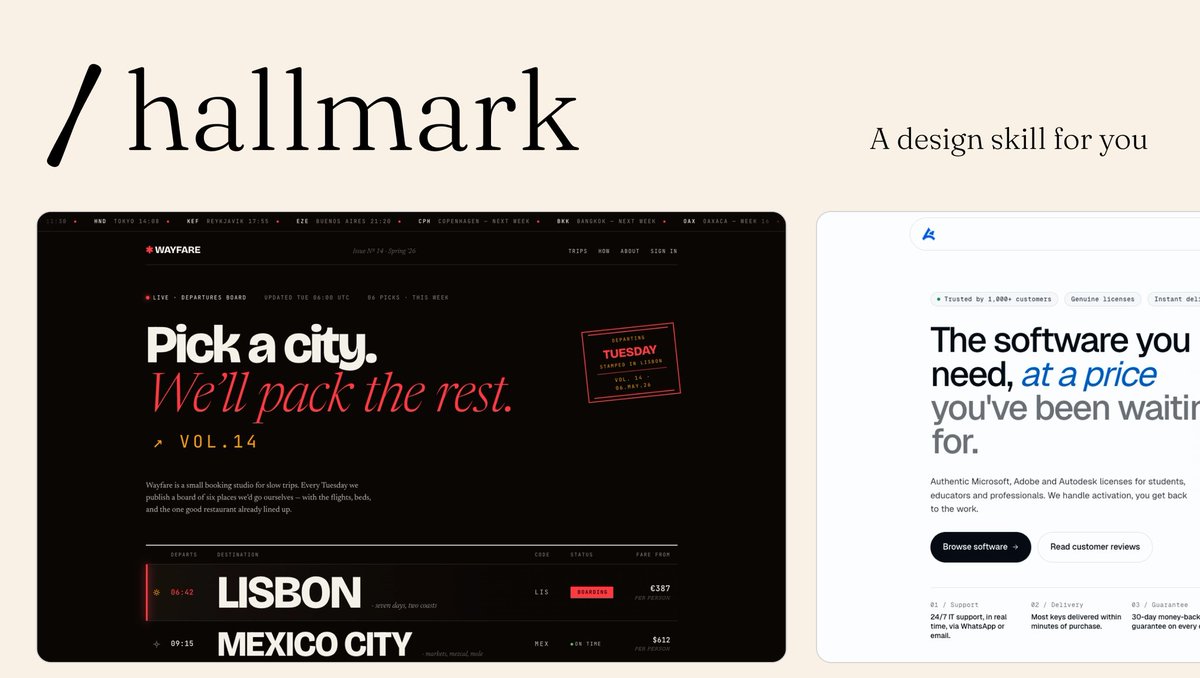
Introducing Impeccable 3.5, the best way to design in production: iterate on real UI with your AI agent, in the codebase you actually ship. Turns out many popular design skills, including Impeccable and Anthropic's frontend-design, weren't actually very good at...design (the workflow was valuable, but the output didn't magically make LLMs like GPT great designers). We measured it across thousands of generations: 74% of pages used the cream AI-default background, 76% reached for extreme letter-spacing, 90%+ failed the contrast floor. So we started fixing slop systematically, specific to each model. The skill now compiles rules for the exact defects each model makes, instead of shipping one generic file to everyone. The biggest jump is in GPT-5.5 and Codex. Also new: ◆ It now knows the difference between a new project and an existing one. Existing codebase, it reads your design system and preserves your identity. Greenfield, it seeds a fresh palette from 129 hand-curated anchors so every cold start doesn't drift to the same safe colors. ◆ Live Mode is now in beta, and works at two scales. Type a direction into the new Steer bar, or speak it, and the agent reads the whole page and edits it in place. Or pick a single element, steer it with a sub-command, live-edit any copy, and accept the variant straight back to source. Insert mode scaffolds brand-new elements between the ones already there. Recovery survives HMR, hidden heroes, and dev-tool overlays. ◆ A rebuilt anti-pattern detector. Torn off jsdom and onto a real CSS cascade resolver: roughly 20x faster, dependency-free, and now small enough to run inline inside the skill, not just the CLI and extension. 14 new rules, 41 total. ◆ The skill keeps itself current, checking once a day and offering to update. Plus /impeccable init and a bare /impeccable that reads your repo and tells you the next move. Free, open source. Claude Code, Codex, Cursor, and more.

Paul Bakaus

103,249 Aufrufe • vor 3 Monaten

Look ma new Codex Updates! 0.119.0 and 0.120.0 are here. And with it, a HUGE number of quality of life updates and bug fixes! > Hooks now render in a dedicated live area above the composer. They only persist when they have output, so your terminal stays clean. If you're running PreToolUse or PostToolUse hooks, this is a huge readability win. > Hooks are now available again on Windows > CTRL+O copies the last agent output. Small but clutch when you're pulling a code block into another file or chat. > New statusline option: context usage as a graphical bar instead of a percentage. Easier to glance at mid-session when you're trying to gauge how much runway you have left. > Zellij support is here with no scrollback bugs. If you've been stuck on tmux just because Codex was broken in Zellij, you're free now (shout out Felipe Coury 🦀) > Memory extensions just landed. The consolidation agent can now discover plugin folders under memories_extensions/ and read their instructions.md to learn how to interpret new memory sources. Drop a folder in, give it guidance, and the agent picks it up automatically during summarization. No core code changes needed. This is the first real extension point for Codex's memory system, and it opens the door for third-party memory plugins. > Did you know, you can /rename a thread? But what's really cool about that is, after you rename it, you can resume it with the same name, no more UUIDs. codex resume mynewapp or directly from the TUI: /resume mynewapp > Multi agents v2 got an update to tool descriptions More reliable multi agent environments and inter agent communication > You can now enable TUI notifications whether Codex is in focus or not. Modify this in your config: [tui] notification_condition = "always" > MAJOR overhaul to Codex MCP functionality: 1. Codex Tool Search now works with custom MCP servers, so tools can be searched and deferred instead of all being exposed up front. 2. Custom MCP servers can now trigger elicitations, meaning they can stop and ask for user approval or input mid-flow. 3. MCP tool results now preserve richer metadata, which improves app/UI handoff behavior. 4. Codex can now read MCP resources directly, letting apps return resource URIs that the client can actually open. 5. File params for Codex Apps are smoother: local file paths can be uploaded and remapped automatically. 6. Plugin cache refresh and fallback sync behavior are more reliable, especially for custom and curated plugins. > Composer and chat behavior smoother overall, resize bugs remain though. > Realtime v2 got several significant improvements as well. > You're still reading? What a legend. 🫶 npm i -g @openai/codex to update

am.will

742,455 Aufrufe • vor 5 Monaten

Send this to ANYONE on your team using AI agents with Claude/Codex skills: If I were you, I'd put your BEST AI skills in a GitHub repo, turn that repo into a PLUGIN, and have your team INSTALL it in Claude/Codex with auto update on. Why? 1. Everyone gets the same AI SOPs instead of 10 versions floating around Slack 2. When one person improves a skill, the whole team gets the better version. 3. New hires can start with your best workflows instead of a blank AI setup (this is a BIG deal). 4. If someone breaks a skill, you can roll it back with version control. 5. Personal skills can stay personal, while team skills become shared company infrastructure (and an asset!). 6. Your best AI processes stay with the company when someone leaves. 7. You can chain skills together for bigger workflows, like titles -> thumbnails -> descriptions -> YouTube publish. 8. You can track which skills are actually being used and delete the ones collecting dust. 9. You get less slop because the agent has real instructions, examples, taste, and process. 10. Your team moves from single-player AI to multiplayer AI. (thanks to AI with Remy | Learn AI for coming onto The Startup Ideas Podcast (SIP) 🧃) Watch full breakdown here (clearly explained): I don't know why I didn't do this before. The more I think about it, the more obvious it feels: your AI workflows should be version controlled company assets. It kinda feels like the difference between “we use AI” and “we actually operate with AI". Enjoy.

GREG ISENBERG

79,539 Aufrufe • vor 21 Tagen

I built a Claude skill that turns Claude Code into your personal coding tutor. The core insight: Claude Opus 4.5 is already the best tutor in the world. Anthropic cooked with this model! It has incredible emotional intelligence and deep coding knowledge. What this skill does is just provide a harness—a way for Claude to agentically build the right context about YOU so it can personalize the tutoring experience in exactly the right way. Here's what makes it work: Learner profile from day one. The first time you use it, Claude interviews you. It asks about your programming background, your goal (where do you want this to take you?), and who you are as a person. This gets saved and informs every single tutorial it ever writes for you. From the very first interaction, everything is 100% personalized. Tutorials that use YOUR code. When you ask to learn something, Claude doesn't give you generic examples from some blog post. It finds examples in the actual codebase you're working in. This makes concepts stick in a way abstract examples never do. Quiz mode with spaced repetition. You can run "/quiz-me" and Claude will test you on concepts you've learned. It tracks your understanding score for each tutorial. Then it uses spaced repetition to prioritize the next quiz—concepts you're shaky on come back in 2 days, concepts you've mastered fade to 55+ day intervals. It literally builds retention into the learning process. One central knowledge base across all your projects. Whether you're joining a new company and want to understand their codebase, learning from an open source project, or leveling up on your own vibe-coded project—all your tutorials live in one place (~/coding-tutor-tutorials/). So your personal coding-tutor accompanies you across all your coding adventures. The whole thing is a feedback loop: learn → quiz → retain → learn more → quiz → retain. Your tutorials evolve, your knowledge compounds, and Claude gets better at teaching YOU specifically over time. To install it in Claude Code: • Run /plugin to open the plugin manager • Add marketplace nityeshaga/claude-code-essentials • Enable coding-tutor plugin Here's the Github: And here's 20-mins of me walking you through how to use this plugin and how it works 👇🏽 Let me know if you use it to teach yourself something cool!

Nityesh

64,563 Aufrufe • vor 8 Monaten

BREAKING: GPT-5.6 Sol is out—AND Codex has been merged into ChatGPT Desktop as ChatGPT Codex. This combo model and desktop app harness are the gold-standard for knowledge work in AI. 5.6 is powerful, fast, half the price of Fable, and my default for almost everything. We’ve been testing it internally Every 🪨 for about a month across coding, writing, design, and knowledge work. Here’s our day-zero vibe check: - An A-tier coder—but it’s not Fable. Sol scored 56/100 on our Senior Engineer benchmark compared to a 91 for Fable. I think the 56/100 undersells it, it's an excellent implementor, and very smart. But Fable just writes conceptually cleaner code and works better at the top end of task complexity. PRO-TIP: Use GPT-5.6 as Fable's subagent for the most goated combo in AI coding. - The best writer of the frontier models. It’s clearer and more concise than Fable or Opus 4.8, without the overexplaining or weird private language. It can one-shot marketing emails, help you workshop taglines, and explain complex concepts clearly. It's also super fast, which makes it easy to collaborate with. - Design is better, but not top-tier. It has noticeably more taste than 5.5, but Fable and Opus 4.8 are still playing at a different level. See examples in the video and vibe check below. - The real leap is knowledge work. Sol is the first model I’ve trusted to run whole loops of knowledge work—not just help with individual tasks. I use it to process email, surface decisions from meetings and Slack, find job candidates, scan Facebook Marketplace for furniture, and log my meals. It has shifted my job from doing the work to tending the system that does it. - The merged app is fine. I was extremely worried about this because I love the Codex app. OpenAI was caught in an interesting position: How to make an agent orchestration app for regular ChatGPT consumers, coders, and businesses all in one app. They now split the interface between ChatGPT Work and ChatGPT Codex. They're basically the same except Work hides code. And "Chat" has been demoted to 2nd tier status for quick questions in either one. It's not a big leap, but it's not a huge setback either. And it remains my favorite of the desktop agent orchestration apps. Verdict: If I really had to put my finger on it, I'd say Fable has way more big model smell. But that means it's a skill in itself to get value out of it—99% of people are still not there yet. GPT-5.6 is almost as powerful, but is easy to use, fast, and relatively cheap. It should give you an early sense of where model work is going. Full Every 🪨 Vibe Check:

Dan Shipper

146,074 Aufrufe • vor 2 Monaten

Introducing /visual-plan - a skill to generate rich, visual plans for Claude Code and Codex. Plan mode in Claude Code is incredible. But I always find my eyes glazing over when it gives me this huge markdown essay in my terminal. I found I can make much better visual plans with reusable components. So I made a skill called `/visual-plan`. It generates plans as MDX with visual, interactive components. Diagrams, interactive API specs, schema design changes, annotated code, and even pan and zoomable wireframes. So for any UI work, you can look at a wireframe first, comment on it, iterate, and then have the agent work. I’ve found this to be a much more intuitive interface for reasoning about what the agent is doing. It’s somewhat inspired by that popular post about how HTML is better than Markdown. But HTML can be slow and verbose to write. And it doesn’t look good checked into a repo. This has really made me feel like humans and engineering are entering a new abstraction phase, where we reason about things at the plan level. As long as the plan is good, agents are getting more and more reliable at executing on it. Almost to the degree that we trust the C compiler to compile to assembly reliably. Plans are the new intermediate representation. I also made a skill for the reverse of this, called `/visual-recap`. After the agent works, it gives you a recap of everything it did. Same idea: wireframes, interactive API specs and diffs, schemas, annotated code, etc. So now when you’re reviewing what the agent did for you, or looking at a pull request of somebody else’s code, you can see a visual recap instead of just reading a wall of text. It’s all free and open source. You can find it on my GitHub. Will link to it in the reply because we all know how dumb these algorithms are with links.

Steve (Builder.io)

126,125 Aufrufe • vor 2 Monaten

Episode 213: Agent Markets Your agents can now hold and trade bitcoin. But how can they earn bitcoin? We introduce the five markets of the OpenAgents Marketplace, launching one per week starting March 11th: 1. COMPUTE - Sell your spare compute for bitcoin. A reboot of our most popular product launch (GPUtopia in 2023), now optimized for agents. Launches March 11. 2. DATA - Sell your spare data. For example those Claude Code or Codex conversations sitting on your computer are highly valuable. Redact the sensitive info, anonymize any of it you want, and sell the rest. Agents as data brokers: what else will they want to buy or sell? Launches March 18. 3. LABOR - Sell autonomous labor. Your Claude Code or Codex sits idle overnight. Turn that downtime into uptime by letting your agents accept and execute coding or other tasks for bitcoin while you sleep. Launches March 25. 4. LIQUIDITY - Provide liquidity for yield. Automate the management of Lightning channels or other Bitcoin-native financial instruments. Let your agent put your idle capital to work earning returns. Launches April 1. 5. RISK - Underwrite verification and performance bonds. The biggest barrier to agent adoption is trust. We built an Economy Kernel based on the recent "Some Simple Economics of AGI" paper where agents stake collateral to verify work and guarantee outcomes. Launches April 8. "Your entry point to all of these markets is going to be Autopilot. We're really focusing on Autopilot as a desktop app. So along with the launch of our compute market, we're going to launch version 0.1 of Autopilot, your personal agent. Think OpenClaw but with a built-in bitcoin wallet, built-in Nostr keypair, and a more curated set of integrations where we can better reason about the security of them." "Because all this is on open networks and open protocols, if you're a Nostr or Bitcoin developer, you'll be able to plug into this same liquidity pool we are building." After 200+ episodes chronicling 2+ years of development, we are excited to finally launch the open marketplace for agents. We are excited for you to participate. And we will measure our success by how much Bitcoin you get paid!

OpenAgents

183,426 Aufrufe • vor 6 Monaten

Few people care more about software performance than Casey Muratori. Give him a few minutes of your attention with this episode, and he'll convince you to learn to read Assembly (no, really, I finally started to read it, it's really not that scary, esp with an AI that can help explain the sequences). Timestamps: 00:00 Intro 05:17 Games at Microsoft 12:52 Building games 16:00 Why performance matters 27:12 Why you should learn to read assembly 30:36 Designing for optimization 42:51 How to get better at writing performant software 49:04 Understanding how the CPU works 55:53 Building games then and now 1:05:56 How game engines changed building games 1:10:48 Why new games compete with old games 1:13:25 GTA 6: why is it taking so long? 1:16:59 Casey's critique of clean code 1:21:48 Casey's take on TDD 1:24:30 What is good code? 1:27:32 What makes a good software engineer? 1:33:56 Why Casey doesn't code with AI 1:39:01 AI's impact on the game industry 1:44:43 AI and burnout 1:50:21 Why you should read papers Brought to you by: • Antithesis – verify your system’s correctness without human review or traditional integration tests – and avoid bugs or outages • Sentry – application monitoring software considered “not bad” by millions of developers • turbopuffer – a vector and full-text search engine built on object storage. It’s fast, cheap, and extremely scalable Three interesting things we talked about: 1. Is performance starting to matter to businesses? Enterprise software buyers care mainly about cost, compliance, and capabilities – but not performance. Even so, there are some products gaining major popularity and market share due to their performance, such as File Pilot (next-gen file explorer) and the Blick video editor. Is the tide turning? 2. Profiler-driven performance optimization is the wrong way to optimize The standard way of optimizing is to profile the application, tweak hotspots, then check if the stats have improved. But this only finds a local minimum; Casey says every engineer he’s worked with who was a great “optimizer” began by establishing what the hardware could theoretically do, and then did not stop until they’d closed the gap to that performance level. 3. Take a grain of salt with conventional wisdom that premature optimization is the “root of all evil” Many devs use it as an excuse to delay performance optimization, but Casey says that not optimizing in time could mean that only performance hotspots can be fixed later, and not the architectural issues that create poor performance. Architect your system to be performant, or you’ll have trouble solving problems without a rewrite!

Gergely Orosz

97,777 Aufrufe • vor 14 Tagen