Загрузка видео...

Не удалось загрузить видео

На главную

CODEX SKILL THAT FINDS COMPLEXITY HOTSPOTS IN YOUR CODEBASE! I made a Codex skill that analyzes your codebase and reports where performance can be improved safely. Scan your project while Codex checks loops, repeated lookups, render-heavy code, N+1 patterns, and places where complexity can potentially be reduced without breaking...

298,732 просмотров • 2 месяцев назад •via X (Twitter)

Комментарии: 0

Нет доступных комментариев

Здесь появятся комментарии из оригинального поста

Похожие видео

THIS MIGHT BE THE #1 OPEN-SOURCE REPO FOR CLAUDE CODE RIGHT NOW. IT GIVES CLAUDE A MEMORY AND SLASHES YOUR TOKEN COST ON EVERY QUESTION The repo is safishamsi/graphify, a free open-source skill that turns any codebase into a knowledge graph Claude Code can read instantly. Instead of grepping through your files every session, Claude gets a map of how everything connects The problem it fixes: Every time you ask Claude Code about a big repo, it does the same thing, greps through dozens of files like a brute-force Ctrl+F, blows through your context window, and sometimes still misses the answer hiding in a file nobody searched. Claude Code has no memory of how your project is structured. Every session starts from zero What it does: It maps your entire codebase into a knowledge graph, capturing not just which files exist, but which functions depend on which, which modules are central, and which files cluster around the same concern. Claude queries the map instead of scanning files How it works, three passes: 1. Code structure, free and local. Tree-sitter parses your files and pulls out classes, functions, imports and call graphs. No LLM, no tokens, just your actual code mapped deterministically 2. Audio and video, if you have them. Transcribed locally and folded into the graph 3. Docs, papers, images. Here an LLM does semantic analysis, figuring out what each document means and where it fits. Only the meaning gets sent up, never your raw source It saves you money: Normally a question about a big repo makes Claude spawn explore agents that scan file after file, eating your context window and your token budget before you get an answer. With the graph already built, Claude queries the map instead of re-reading the codebase every time. Same answer, a fraction of the tokens. The graph only gets built once, then a hook rebuilds it after each commit for free, so you never pay that scanning cost again. The bigger the repo, the bigger the gap The best parts: it's a skill, so once installed Claude knows when to use it without you memorizing commands. It works on non-code folders too, point it at docs or notes and it can spin up an Obsidian vault How to add it to your Claude: 1. Install Claude Code if you haven't: npm install -g Paul Jankura-ai/claude-code 2. Add the skill: claude skill add safishamsi/graphify 3. Open your project folder and run /graphify . to build the graph 4. Optional, make it automatic: graphify hook install so the graph rebuilds after every commit That's it. Ask Claude about your repo and it reads the map instead of burning tokens on a file hunt Bookmark this

Yarchi

55,345 просмотров • 1 месяц назад

EVERYTHING YOU NEED TO KNOW ABOUT CHATGPT'S "LOVABLE KILLER" CODEX SITES (in 25 mins): TLDR; the coolest part is that apps you build can update themselves autonomously 1. Codex Sites is not Replit or Lovable or Bolt. Those are great for one-prompting a full app. Codex Sites is for building apps that the agent keeps improving without you touching them. 2. Your personal website can update its own stats. Your internal dashboard can refresh its own data. Your product can add features while you sleep. The app is alive. 3. Start by invoking at-sites. Use realistic sample data. Always say "save for review, do not deploy." This unlocks building a real product, not a homepage. 4. Add persistent storage so the app remembers everything between visits. Without this it resets every time. Ask Codex to show you the data model before it builds. 5. Create safe actions. These are the specific things the agent is allowed to do to your app: add data, update cards, move things, score things. You define the boundaries. The agent operates within them. 6. Build skills so any future Codex chat knows how to interact with your app. The skill is basically a manual for the agent. Without it, every new chat starts from zero. 7. Save gate like a video game. Codex doesn't auto-save. Create checkpoints before you deploy so you can roll back if something breaks. 8. Close the autonomous loop. This is the magic. Once memory, safe actions, and skills are set up, the agent can update your app from any chat, any context, without you switching tabs. 9. Use the plugins most people are sleeping on. Figma, Canva, HeyGen for avatar videos, Game Studio for interactive experiences, FAL for image generation, Hugging Face for open source models. Worth adding a few. 10. The big picture: we went from building apps to raising apps. You set up the structure, the guardrails, and the skills. The agent does the rest. That's autonomous product building and it's here right now. Tbh, Codex sites isn't perfect. Still a lot to be desired like domains, db, authentication etc. But it's a glimpse into this idea that apps can be updated/improved upon automonously. And Codex Sites is REALLY good if you live in Codex everyday. Which more and more of are. And that's really cool. Will be interesting to see how Lovable, Bolt, Replit etc react to this. full tutorial on The Startup Ideas Podcast (SIP) 🧃 where you get your pods watch share with a friend i'm rooting for you What do you think of Codex and Codex sites?

GREG ISENBERG

68,477 просмотров • 1 месяц назад

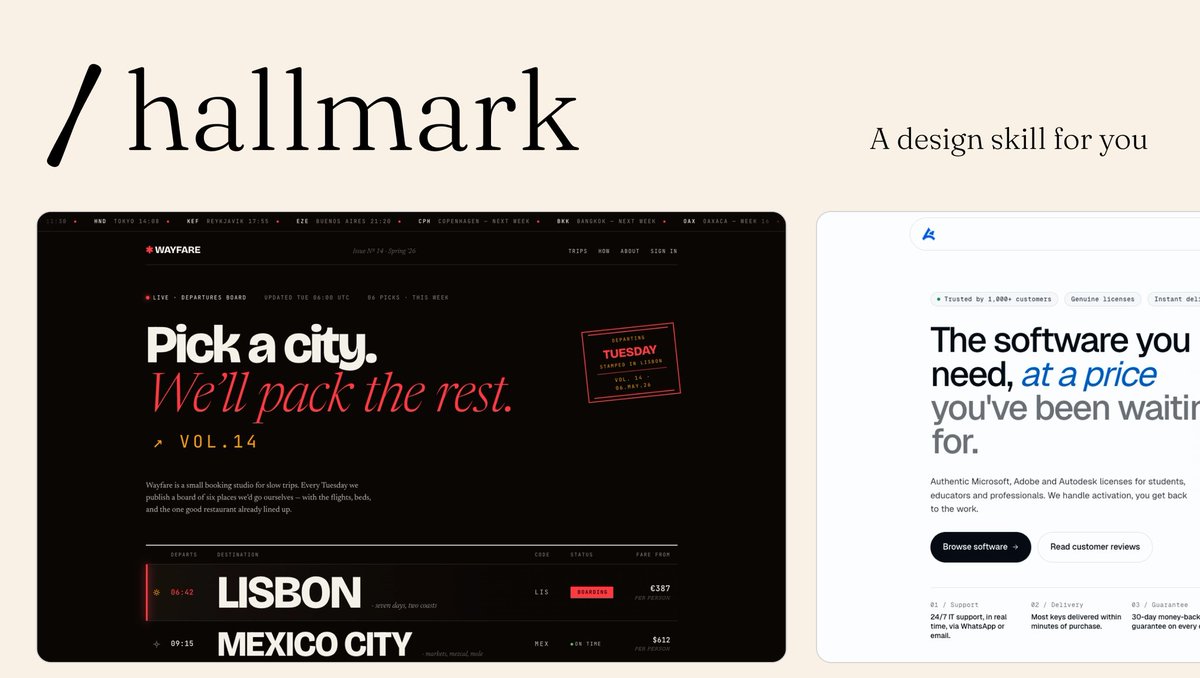
Introducing Impeccable 3.5, the best way to design in production: iterate on real UI with your AI agent, in the codebase you actually ship. Turns out many popular design skills, including Impeccable and Anthropic's frontend-design, weren't actually very good at...design (the workflow was valuable, but the output didn't magically make LLMs like GPT great designers). We measured it across thousands of generations: 74% of pages used the cream AI-default background, 76% reached for extreme letter-spacing, 90%+ failed the contrast floor. So we started fixing slop systematically, specific to each model. The skill now compiles rules for the exact defects each model makes, instead of shipping one generic file to everyone. The biggest jump is in GPT-5.5 and Codex. Also new: ◆ It now knows the difference between a new project and an existing one. Existing codebase, it reads your design system and preserves your identity. Greenfield, it seeds a fresh palette from 129 hand-curated anchors so every cold start doesn't drift to the same safe colors. ◆ Live Mode is now in beta, and works at two scales. Type a direction into the new Steer bar, or speak it, and the agent reads the whole page and edits it in place. Or pick a single element, steer it with a sub-command, live-edit any copy, and accept the variant straight back to source. Insert mode scaffolds brand-new elements between the ones already there. Recovery survives HMR, hidden heroes, and dev-tool overlays. ◆ A rebuilt anti-pattern detector. Torn off jsdom and onto a real CSS cascade resolver: roughly 20x faster, dependency-free, and now small enough to run inline inside the skill, not just the CLI and extension. 14 new rules, 41 total. ◆ The skill keeps itself current, checking once a day and offering to update. Plus /impeccable init and a bare /impeccable that reads your repo and tells you the next move. Free, open source. Claude Code, Codex, Cursor, and more.

Paul Bakaus

102,226 просмотров • 1 месяц назад

Look ma new Codex Updates! 0.119.0 and 0.120.0 are here. And with it, a HUGE number of quality of life updates and bug fixes! > Hooks now render in a dedicated live area above the composer. They only persist when they have output, so your terminal stays clean. If you're running PreToolUse or PostToolUse hooks, this is a huge readability win. > Hooks are now available again on Windows > CTRL+O copies the last agent output. Small but clutch when you're pulling a code block into another file or chat. > New statusline option: context usage as a graphical bar instead of a percentage. Easier to glance at mid-session when you're trying to gauge how much runway you have left. > Zellij support is here with no scrollback bugs. If you've been stuck on tmux just because Codex was broken in Zellij, you're free now (shout out Felipe Coury 🦀) > Memory extensions just landed. The consolidation agent can now discover plugin folders under memories_extensions/ and read their instructions.md to learn how to interpret new memory sources. Drop a folder in, give it guidance, and the agent picks it up automatically during summarization. No core code changes needed. This is the first real extension point for Codex's memory system, and it opens the door for third-party memory plugins. > Did you know, you can /rename a thread? But what's really cool about that is, after you rename it, you can resume it with the same name, no more UUIDs. codex resume mynewapp or directly from the TUI: /resume mynewapp > Multi agents v2 got an update to tool descriptions More reliable multi agent environments and inter agent communication > You can now enable TUI notifications whether Codex is in focus or not. Modify this in your config: [tui] notification_condition = "always" > MAJOR overhaul to Codex MCP functionality: 1. Codex Tool Search now works with custom MCP servers, so tools can be searched and deferred instead of all being exposed up front. 2. Custom MCP servers can now trigger elicitations, meaning they can stop and ask for user approval or input mid-flow. 3. MCP tool results now preserve richer metadata, which improves app/UI handoff behavior. 4. Codex can now read MCP resources directly, letting apps return resource URIs that the client can actually open. 5. File params for Codex Apps are smoother: local file paths can be uploaded and remapped automatically. 6. Plugin cache refresh and fallback sync behavior are more reliable, especially for custom and curated plugins. > Composer and chat behavior smoother overall, resize bugs remain though. > Realtime v2 got several significant improvements as well. > You're still reading? What a legend. 🫶 npm i -g @openai/codex to update

am.will

742,199 просмотров • 3 месяцев назад

I built a Claude skill that turns Claude Code into your personal coding tutor. The core insight: Claude Opus 4.5 is already the best tutor in the world. Anthropic cooked with this model! It has incredible emotional intelligence and deep coding knowledge. What this skill does is just provide a harness—a way for Claude to agentically build the right context about YOU so it can personalize the tutoring experience in exactly the right way. Here's what makes it work: Learner profile from day one. The first time you use it, Claude interviews you. It asks about your programming background, your goal (where do you want this to take you?), and who you are as a person. This gets saved and informs every single tutorial it ever writes for you. From the very first interaction, everything is 100% personalized. Tutorials that use YOUR code. When you ask to learn something, Claude doesn't give you generic examples from some blog post. It finds examples in the actual codebase you're working in. This makes concepts stick in a way abstract examples never do. Quiz mode with spaced repetition. You can run "/quiz-me" and Claude will test you on concepts you've learned. It tracks your understanding score for each tutorial. Then it uses spaced repetition to prioritize the next quiz—concepts you're shaky on come back in 2 days, concepts you've mastered fade to 55+ day intervals. It literally builds retention into the learning process. One central knowledge base across all your projects. Whether you're joining a new company and want to understand their codebase, learning from an open source project, or leveling up on your own vibe-coded project—all your tutorials live in one place (~/coding-tutor-tutorials/). So your personal coding-tutor accompanies you across all your coding adventures. The whole thing is a feedback loop: learn → quiz → retain → learn more → quiz → retain. Your tutorials evolve, your knowledge compounds, and Claude gets better at teaching YOU specifically over time. To install it in Claude Code: • Run /plugin to open the plugin manager • Add marketplace nityeshaga/claude-code-essentials • Enable coding-tutor plugin Here's the Github: And here's 20-mins of me walking you through how to use this plugin and how it works 👇🏽 Let me know if you use it to teach yourself something cool!

Nityesh

64,540 просмотров • 7 месяцев назад

BREAKING: GPT-5.6 Sol is out—AND Codex has been merged into ChatGPT Desktop as ChatGPT Codex. This combo model and desktop app harness are the gold-standard for knowledge work in AI. 5.6 is powerful, fast, half the price of Fable, and my default for almost everything. We’ve been testing it internally Every 📧 for about a month across coding, writing, design, and knowledge work. Here’s our day-zero vibe check: - An A-tier coder—but it’s not Fable. Sol scored 56/100 on our Senior Engineer benchmark compared to a 91 for Fable. I think the 56/100 undersells it, it's an excellent implementor, and very smart. But Fable just writes conceptually cleaner code and works better at the top end of task complexity. PRO-TIP: Use GPT-5.6 as Fable's subagent for the most goated combo in AI coding. - The best writer of the frontier models. It’s clearer and more concise than Fable or Opus 4.8, without the overexplaining or weird private language. It can one-shot marketing emails, help you workshop taglines, and explain complex concepts clearly. It's also super fast, which makes it easy to collaborate with. - Design is better, but not top-tier. It has noticeably more taste than 5.5, but Fable and Opus 4.8 are still playing at a different level. See examples in the video and vibe check below. - The real leap is knowledge work. Sol is the first model I’ve trusted to run whole loops of knowledge work—not just help with individual tasks. I use it to process email, surface decisions from meetings and Slack, find job candidates, scan Facebook Marketplace for furniture, and log my meals. It has shifted my job from doing the work to tending the system that does it. - The merged app is fine. I was extremely worried about this because I love the Codex app. OpenAI was caught in an interesting position: How to make an agent orchestration app for regular ChatGPT consumers, coders, and businesses all in one app. They now split the interface between ChatGPT Work and ChatGPT Codex. They're basically the same except Work hides code. And "Chat" has been demoted to 2nd tier status for quick questions in either one. It's not a big leap, but it's not a huge setback either. And it remains my favorite of the desktop agent orchestration apps. Verdict: If I really had to put my finger on it, I'd say Fable has way more big model smell. But that means it's a skill in itself to get value out of it—99% of people are still not there yet. GPT-5.6 is almost as powerful, but is easy to use, fast, and relatively cheap. It should give you an early sense of where model work is going. Full Every 📧 Vibe Check:

Dan Shipper 📧

144,815 просмотров • 17 дней назад

Introducing /visual-plan - a skill to generate rich, visual plans for Claude Code and Codex. Plan mode in Claude Code is incredible. But I always find my eyes glazing over when it gives me this huge markdown essay in my terminal. I found I can make much better visual plans with reusable components. So I made a skill called `/visual-plan`. It generates plans as MDX with visual, interactive components. Diagrams, interactive API specs, schema design changes, annotated code, and even pan and zoomable wireframes. So for any UI work, you can look at a wireframe first, comment on it, iterate, and then have the agent work. I’ve found this to be a much more intuitive interface for reasoning about what the agent is doing. It’s somewhat inspired by that popular post about how HTML is better than Markdown. But HTML can be slow and verbose to write. And it doesn’t look good checked into a repo. This has really made me feel like humans and engineering are entering a new abstraction phase, where we reason about things at the plan level. As long as the plan is good, agents are getting more and more reliable at executing on it. Almost to the degree that we trust the C compiler to compile to assembly reliably. Plans are the new intermediate representation. I also made a skill for the reverse of this, called `/visual-recap`. After the agent works, it gives you a recap of everything it did. Same idea: wireframes, interactive API specs and diffs, schemas, annotated code, etc. So now when you’re reviewing what the agent did for you, or looking at a pull request of somebody else’s code, you can see a visual recap instead of just reading a wall of text. It’s all free and open source. You can find it on my GitHub. Will link to it in the reply because we all know how dumb these algorithms are with links.

Steve (Builder.io)

124,151 просмотров • 1 месяц назад

Episode 213: Agent Markets Your agents can now hold and trade bitcoin. But how can they earn bitcoin? We introduce the five markets of the OpenAgents Marketplace, launching one per week starting March 11th: 1. COMPUTE - Sell your spare compute for bitcoin. A reboot of our most popular product launch (GPUtopia in 2023), now optimized for agents. Launches March 11. 2. DATA - Sell your spare data. For example those Claude Code or Codex conversations sitting on your computer are highly valuable. Redact the sensitive info, anonymize any of it you want, and sell the rest. Agents as data brokers: what else will they want to buy or sell? Launches March 18. 3. LABOR - Sell autonomous labor. Your Claude Code or Codex sits idle overnight. Turn that downtime into uptime by letting your agents accept and execute coding or other tasks for bitcoin while you sleep. Launches March 25. 4. LIQUIDITY - Provide liquidity for yield. Automate the management of Lightning channels or other Bitcoin-native financial instruments. Let your agent put your idle capital to work earning returns. Launches April 1. 5. RISK - Underwrite verification and performance bonds. The biggest barrier to agent adoption is trust. We built an Economy Kernel based on the recent "Some Simple Economics of AGI" paper where agents stake collateral to verify work and guarantee outcomes. Launches April 8. "Your entry point to all of these markets is going to be Autopilot. We're really focusing on Autopilot as a desktop app. So along with the launch of our compute market, we're going to launch version 0.1 of Autopilot, your personal agent. Think OpenClaw but with a built-in bitcoin wallet, built-in Nostr keypair, and a more curated set of integrations where we can better reason about the security of them." "Because all this is on open networks and open protocols, if you're a Nostr or Bitcoin developer, you'll be able to plug into this same liquidity pool we are building." After 200+ episodes chronicling 2+ years of development, we are excited to finally launch the open marketplace for agents. We are excited for you to participate. And we will measure our success by how much Bitcoin you get paid!

OpenAgents

183,426 просмотров • 4 месяцев назад

I have been testing DeepSeek-V4-Pro with the Pi coding agent. I am mindblown by how well it works out of the box. A few notes: I spent a few hours building an LLM wiki with an agent powered entirely by DeepSeek-V4-Pro on Fireworks AI inference. This is the first time I feel like there is an open-weight model that can reason at the level of Claude and Codex. And it does this in a cost-effective way with support for 1M context length. To be clear, I am using DeepSeek-V4-Pro inside of Pi without any special configuration. It works out of the box. It's exciting that there is a model that can just be plugged into a basic harness like Pi, and it just works. I've never seen that before. Most models require lots of configuration and setup. DeepSeek's DeepSeek-V4-Pro is clearly good at agentic coding (probably the best from the open-weight models), but the model is also great on knowledge-intensive tasks where reasoning matters. The agent pulled agentic engineering best practices from different company docs (Anthropic, OpenAI, Google, Stripe, Meta, Modal, DeepSeek, Mistral, Cohere), searched and digested Reddit and HN threads, summarized arxiv papers, and surfaced trending GitHub repos. Then it distilled everything into actionable tips across categories. I love the Wiki it built. The quality is really good. Here is a snapshot of what the wiki looks like: DeepSeek-V4-Pro handled the task without breaking stride. Multi-step research queries, code generation for scaffolding, context-heavy reasoning across disparate sources. For coding specifically, this is the first open-weight model that genuinely feels like a Codex or Claude Code experience. It compares in capability and actual multi-turn agentic work. What made the loop feel so responsive was Fireworks' inference speed (the fastest in the market) and the fact that they actually validate models at the systems level before shipping. No corrupted reasoning traces. Just fast, reliable iteration. The hybrid CSA and HCA attention design cuts KV cache to just 10% and inference FLOPs by nearly 4x at 1M-token context. This is what makes the agent loop actually fast and cheap enough to run in practice. For devs who've been watching open-weight models close the gap but haven't found one that actually delivers in practice, this is the closest I've seen. Try it here:

elvis

59,803 просмотров • 2 месяцев назад

I met the guy behind Paperclip. he won't show his face, but he just built one of the FASTEST growing open-source projects in AI. how to use Paperclip to hire AI agents to ACTUALLY run a startup with 0 employees: 1. with paperclip, you hire a team of AI agents like CEO, engineer, QA, video editor, content strategist and manage them from one dashboard. it works with Claude Code, Codex, OpenCode, or any model on OpenRouter. you're not locked into one provider. 2. your AI agents wake up capable but with zero memory. they don't know who they are, where they are, or what they're supposed to be doing. kinda like that movie memento from back in the day you need to leave them Polaroids like heartbeat checklists, persona prompts, written context. that's how you keep them on track. 3. when an agent makes a mistake, you don't rewrite everything. you add one rule to their persona prompt. "always define a success condition for every task." "always pass work to QA before closing." you're training them like you'd train a junior hire. one correction at a time. 4. skills extend what your agents can do. want a video editor who can produce animated content? install the Remotion skill. want security reviews? there's a skill for that. 5. the biggest lever for quality is encoding your own taste. AI can do everything except know your values. design sensibility, brand voice, success criteria but you have to write it down. 6. don't one-shot your startup. agentic design patterns matter. the simplest one: after the engineer builds something, QA reviews it. structure prevents compounding errors. one-shotting an entire app is fun for 30 minutes, then it falls apart. 7. Paperclip tracks every token spent and every task completed. you can use your existing subscriptions (Claude, Codex) so spend shows as $0, or hook into API credits for real dollar tracking. 8. importable companies are coming. Gary Tan's G-Stack, a full game studio, 300+ agent repos... you can "acqui-hire" a proven agent team into your Paperclip instance instead of building from scratch. the future is downloading a tested org that actually works. 9. routines let you automate recurring work. "every day at 10am, read what was merged into the main branch and write a Discord update celebrating community contributors." it runs, you review, you improve. every task is traceable. 10. maximizer mode is next. you tell the CEO "build this game" and it does whatever it takes and hires who it needs, keeps pressing until it's done. no token anxiety. just outcomes. use Idea Browser for startup ideas/trends to get started thank you for dotta 📎 for doing this podcast and breaking down exactly how people can hire ai agent teams with paperclip you won't find an episode like this anywhere else episode is live on The Startup Ideas Podcast (SIP) 🧃 on your fav platforms (follow for more) is this not the greatest time in history to be building? im rooting for you now go watch my frien

GREG ISENBERG

460,697 просмотров • 4 месяцев назад

Skills are the quickest way to 10x the quality and consistency of what you get from Claude Code. And you don't need to be a developer to use them. Anthropic just published how they use hundreds of skills internally every day. Most skill tutorials are made for developers — if you're in marketing, sales, content ops, or GTM, you probably watched those and moved on. But skills are just as important for non-developers. A skill is just a reusable prompt with clear instructions for a specific task. Instead of prompting Claude the same way over and over, you build it once and invoke it every time. I have a skill for writing on LinkedIn. A different one for YouTube outlines. Another for X. Each platform has different rules, different voice, different structure — so each one gets its own skill. If you're doing something repeatedly, it's time to make a skill. The biggest mistake most people make: building skills as a single .md file. A single file dumps everything into context whether Claude needs it or not. Wastes tokens. Gets worse results. Skills should be folders. Here's the structure that works: skill.md — the orchestrator. Tells Claude which files to read and when. It doesn't contain rules itself — it's the playbook. instructions/ — separate files for voice, structure, scope. Claude only loads the one it needs for the current step. examples/ — good AND bad. Good examples show what success looks like. Bad examples show patterns to avoid — AI writing tells, weak hooks, generic CTAs. Most people skip bad examples. Don't. eval/ — a checklist that scores every output before you see it. "Does it have a clear hook?" "Is it free of AI buzzwords?" Pass or fail on each item. templates/ — output formatting so you get consistent structure every time. The three types of skills that matter most for non-developers: 1. Business automation. Writing a newsletter. Checking reports and drafting follow-ups. Running programmatic ad campaigns. Any workflow you repeat — build a skill for it. 2. Content templates. Landing page copy, meta ads, email sequences, SEO briefs. Each one has specific requirements. Each one gets its own skill. 3. Thinking partners. This is the one people miss. Skills don't have to produce output. They can help you think — an advisory board that reviews your work from your ICP's perspective, a coach that pressure-tests your strategy, an ideation partner that researches competitors before suggesting your next move. If you already have skills as .md files, here's the exact prompt to restructure them in the Anthropic approved format: "I want to restructure my Claude Code skill file. Right now my skill is a single .md file and I want to break it into a folder system following Anthropic's best practices. Read my current skill file, then restructure it into a folder with: a skill.md orchestrator, an instructions/ folder with separate files for each concern (voice, structure, scope), an examples/ folder with good and bad examples, an eval/ folder with a quality checklist, and a templates/ folder for output formatting. Keep all my existing rules and intent — just reorganize them into the modular structure." Paste that into Claude Code pointed at the folder where your skill lives. It handles the rest. A few caveats: 1. Don't add too many skills. Every skill adds context Claude has to process. 50 skills loaded means everything slows down. Start with 3-5 covering your most repeated workflows. 2. Vet skills before downloading. If you grab a skill from the internet, read what's inside first. Skills can include shell commands and scripts. Check what you're running. 3. Share what works. Build a skill that performs well, put it in a shared GitHub repo. Your marketing org gets shared skills for copywriting, SEO, ad copy — new hires invoke the skill instead of learning every playbook from scratch. Onboarding time drops dramatically. 4. Keep your skills updated. When you see output you love, add it as a good example. When you see a pattern you hate, add it as a bad example. The skill gets sharper every time. I made a full video walking through all of this — including a live build of two skills from scratch (no terminal, no code), the exact prompt I use to restructure old skills, and 5 pro tips from Anthropic's internal playbook. Share this with your non-developer friends that want to do more with AI; or bookmark it to come back to at a later time.

JJ Englert

29,322 просмотров • 3 месяцев назад

How to set up Claude Cowork so it actually works like an AI chief of staff (not just another chatbot): 1. Most people open Cowork, type a message, and get generic output. It's not a Claude problem. It's a setup problem. Cowork needs context before it can help you. Who you are. How you work. What you're building. Your team. Your priorities. Give it that, and every session feels like picking up a conversation with an executive assistant. 2. The setup has three layers: a) Global instructions (who you are, how you work, what Claude should never do). b) Connectors (Slack, Gmail, Google Calendar, Notion) c) And a folder structure on your computer that acts as Claude's long-term memory. That combination is what takes it from generic to personalized. 3. Skills are the real leverage. A skill is a markdown file that tells Claude exactly how to do one thing well. Write my newsletter. Coach me on a decision. Review a case study. Each skill lives in its own folder with context, examples, and a definition of what success looks like. 4. We built a CEO coach skill in the video below. Gave it business context, leadership style, company goals. Then tested it with a real decision: should we increase our newsletter from once to twice a week? It came back with trade-offs, second-order consequences, and risk assessment. 5. Then we built a multi-agent advisory board. Five subagents, each with a defined persona: a) the operator b) the skeptic c) the customer advocate d) the finance partner e) the legal/risk advisor. You feed it a decision. Each agent evaluates independently. The main agent synthesizes the feedback. It's like having a board meeting on demand. 6. Third skill: a thought leadership content pipeline. Topic scoring, idea capture, distribution cadence, tone calibration. All built from your actual expertise and audience. Designed so an executive can go from idea to published post without starting from scratch every time. 7. The workspace map is what ties it all together. It's a top-level file that shows Claude how to navigate your entire setup. Which folders exist, what skills live where, how to invoke them. Without it, Claude has to search for everything. With it, Claude goes straight to what it needs. 8. Everything you build is portable. The folder structure works in Cowork, Claude Code, and Codex. Push it to a private GitHub repo and you can access it from your phone through Claude Code, or use Claude Dispatch. 9. The pattern is repeatable. Pick a task you do often. Create a folder. Build a skill. Add examples of what success looks like, and what a bad output looks like. Test it. Workshop it. Move on to the next one. Each skill is like onboarding a new employee who never forgets and never needs to be re-trained. The people who invest in this setup now are the ones who will have a 10x advantage when these tools get even better. And they're getting better fast. I sat down with Alex Lieberman on Human In The Loop and we built all three of these live from scratch. Full breakdown in the video below.. I tried to explain this as clear as possible for my non-developer crowd. Send it to someone who should be using Cowork but isn't yet. Or bookmark it to level up when you're ready. Watch 👇🏼

JJ Englert

568,065 просмотров • 4 месяцев назад

Andrej Karpathy said: "There's room for an incredible new product in the second brain space" This might be it. (bookmark it) Everyone is suddenly building a second brain. Karpathy's LLM wiki pattern went viral, and half of X is now hand-wiring Obsidian to Claude Code so an agent maintains their notes for them. The idea is beautiful: stop making your AI re-read raw notes on every question. Let it build a wiki that compounds. As Karpathy put it, "LLMs don't get bored, they don't forget to update a cross-reference (backlinks), and can touch 15 files in one pass." But if you start doing it manually, it becomes a project in itself. You wire up the vault, the agents, the schedules, the integrations, and then you babysit all of it. So I sat down with Arjun, who actually built the open source version of this, and we broke down what it looks like when the whole thing already works out of the box. It just crossed 15K stars on GitHub. Think Claude's desktop app, open source, with two things layered on top: → A work brain: background agents index your emails, meetings, and notes into a living knowledge graph that updates itself as you work. → Work surfaces: chat is not the best interface for real work, so you get an email client, a meeting note taker, a browser, and a code mode where you and the AI actually collaborate. The part that got me: a customer email comes in asking for a product change, a background agent triages it, spins up Claude Code in its own worktree, and the feature is written before you are back at your desk. Bring your existing Obsidian vault, connect Slack, X, and Fireflies, and let it run your day. Here's the full breakdown of what we covered in this session: Enjoy! 00:00 Intro 01:08 What is Roboat (an open source AI co-worker) 02:42 The second brain (a knowledge graph of your work) 04:01 Bringing your existing Obsidian vault in 04:46 Work surfaces 05:29 Meetings and automatic note taking 06:53 Connecting Slack, X and other sources 07:55 Background agents that run your day 09:24 Code mode (Claude Code and Codex) 10:18 Demo: from an email to written code 14:28 Guardrails: approvals and agent workspaces 17:15 Scheduling agents on a cron 18:52 The browser work surface (browser use) 20:42 Wrapping up: automating your whole day 22:44 Outro Checkout Rowboat's GitHub repo: (don't forget to star 🌟) My co-founder recently wrote a great article on the same idea, and I highly recommend reading it as well. The article is quoted below. Here's my session with Arjun:

Akshay 🚀

45,815 просмотров • 18 дней назад