Loading video...

Video Failed to Load

Go Home

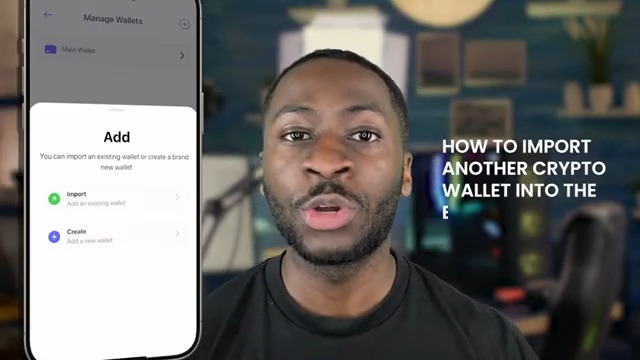
Creating a new EOA wallet on Creso ๐Ÿ“ˆ Creso ensures simplicity throughout the process of creating an EOA Wallet. Watch the tutorial attached to this post which follows the easy steps below and see exactly how it will work when the app is launched! 1. Open the Creso app...

26,369 views โ€ข 2 years ago โ€ขvia X (Twitter)

8 Comments

Stu's profile picture
Stu2 years ago

I'm ready to pioneer game changing tech with Creso! ๐Ÿ”ฅ

Ben โš™๏ธ's profile picture
Ben โš™๏ธ2 years ago

Bullishh

Loris van Dam's profile picture
Loris van Dam2 years ago

Nice!

urma's profile picture
urma2 years ago

Jesus its so slow

gurpreet singh's profile picture
gurpreet singh2 years ago

They playing, all a scam

AJ's profile picture
AJ2 years ago

๐Ÿš€๐Ÿš€๐Ÿš€

Alex Skolds's profile picture
Alex Skolds2 years ago

Looks amazing, seems like this could be a game changer as long as the team remains transparent with the community

Mayhemmma's profile picture
Mayhemmma2 years ago

๐Ÿ†๐Ÿ†

Related Videos

๐ŸŒŸSimple guide on Miden Testnet Tasks ๐Ÿ’ฐCost : $0 ๐Ÿ’ตFunding : $25M Miden is a Layer 2 blockchain that helps make transactions faster, more private, and more secure Miden has raised $25M in a seed round led by a16 along with other top investors The Miden Playground Testnet has 11 tutorials This guide covers Tutorial 1 Tutorial 1: Create & Fund Your Miden Wallet ๐Ÿ”— โœ…Install the extension โœ…Create a new wallet and save your details safely ๐Ÿ”— โœ…Copy your Miden wallet address โœ…Paste it into the faucet โœ…Click Request Faucet โœ…You will receive free MDN test tokens ๐Ÿ”— โœ…Click Select Wallet (top-right corner) โœ…Connect your Miden Wallet โœ…Click Start Tutorial under Create and Fund Wallet โœ…Click Create New Account โœ…You can rename it or keep the default name โ€œWallet Aโ€ โœ…Click Create Account โœ…Scroll down and click Next Step โœ…Click MDN Faucet โœ…Select Create New Transaction โœ…Choose New Mint Transaction โœ…Select your created wallet A โœ…Enter the amount of MDN you want โœ…Click Preview, then Submit โœ…Wait until the transaction shows Success - On the sidebar, go to Notes - Click on the note address - Select Consume note with A - Click Submit - After the transaction succeeds, click Next Step - Click Next tutorial โœ…Done Tutorial - 1 is completed Will share tutorial - 2 guide on next post ๐Ÿคlike ๐Ÿ”retweet

CCT

37,684 views โ€ข 4 months ago

How to Earn 5 Binance Alpha Points (FREE) Promotion Period: 14 May 2026 (00:00 UTC) โ†’ 27 May 2026 (23:59 UTC) Task Requirement Complete one swap of $50+ in a single transaction using the Binance Wallet Extension to earn 5 Binance Alpha Points. โ€”โ€”โ€”โ€”โ€”โ€”โ€”โ€”โ€”โ€”โ€”โ€”โ€”โ€” Step-by-Step Guide Step 1 โ€” Install Binance Wallet Extension If you have a PC/Laptop, use Google Chrome (recommended). If youโ€™re using a phone, install an extension browser like Kiwi, Mises, or Yandex. Download the extension here: โ€”โ€”โ€”โ€”โ€”โ€”โ€”โ€”โ€”โ€”โ€”โ€”โ€”โ€” Step 2 โ€” Set Up the Wallet 1. Open the Binance Wallet extension. 2. Create and set up your wallet. 3. A QR code will appear. 4. Scan the QR code using Binance Web3 Wallet in the Binance app. 5. Confirm and create your wallet password. Your wallet is now connected. โ€”โ€”โ€”โ€”โ€”โ€”โ€”โ€”โ€”โ€”โ€”โ€”โ€”โ€” Step 3 โ€” Deposit Funds Deposit $50+ USDT on BNB Chain into your Binance Web3 wallet. โ€”โ€”โ€”โ€”โ€”โ€”โ€”โ€”โ€”โ€”โ€”โ€”โ€”โ€” Step 4 โ€” Complete the Swap Use the wallet to swap $50+ in one transaction and buy any Alpha token. After completing the swap, you will receive 5 Binance Alpha Points on the next day Thatโ€™s it ๐ŸŽ‰ Follow the steps carefully and donโ€™t miss the deadline!

Alpha Malik

15,920 views โ€ข 1 month ago