Загрузка видео...

Не удалось загрузить видео

На главную

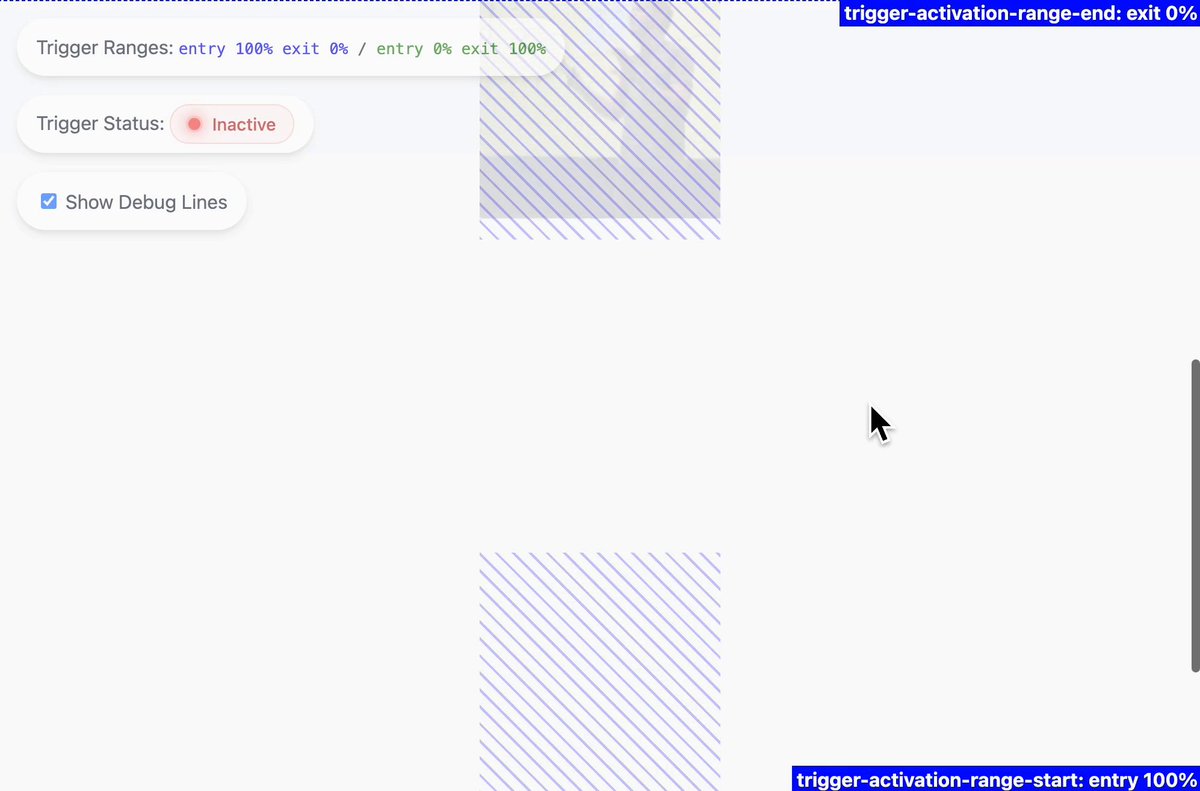
#CSS feature faceoff: scroll triggered stuck nav (left) vs scroll driven animation nav (right) which do you prefer? try it (use Canary for the scroll-state() support)

12,330 просмотров • 1 год назад •via X (Twitter)

Комментарии: 11

Фото профиля Brandon McConnell
Brandon McConnell1 год назад

Left, personally I still wish there was an easier way to do something like :stuck but I understand the reasoning behind not doing it In my own codebase, I actually support :stuck in tailwind via a custom `stuck` variant that uses JS IntersectionObserver API behind the scenes 😁

Фото профиля Adam Argyle
Adam Argyle1 год назад

scroll-state(stuck: top) is pretty easy But yeah, not a one liner

Фото профиля CodeRabbit
CodeRabbit1 год назад

AI-first pull request reviewer with context-aware feedback, line-by-line code suggestions, and real-time chat.

Фото профиля John Riordan
John Riordan1 год назад

Like all of the other replies this example is designed for trigger. Driven animations I'd argue are for cases where every individual intermediate frame is equally "correct"/desired. I feel like a lot of the driven examples Ive seen are actually subtly trying to be triggered

Фото профиля Adam Argyle
Adam Argyle1 год назад

Agree! but I also see the inverse, a page covered in triggered animations that woulda been better linked

Фото профиля Ryan Leichty
Ryan Leichty1 год назад

The in-between state of the scroll driven animation isn’t very pleasant. I would only want background or no background with a transition between states

Фото профиля @css@tech.lgbt 🏳️‍🌈🏳️‍⚧️☭🌍🌹🕊️🌈🖖
@[email protected] 🏳️‍🌈🏳️‍⚧️☭🌍🌹🕊️🌈🖖1 год назад

Couldn't you set the right one to trigger after 1px though?

Фото профиля Adam Argyle
Adam Argyle1 год назад

Yep, but sorta.. it could easily make it visible, but it can't simply trigger an interruptible opacity transition. to trigger a transition, you gotta do some tricky work, as it's unnatural to how scroll driven animations work

Фото профиля Daniel Vaughn
Daniel Vaughn1 год назад

I prefer right, it feels more obvious what is going on. Left feels too abrupt

Фото профиля Martin Bean
Martin Bean1 год назад

Neither. I absolutely hate web pages where things like headers change opacity, or shrink/grow as soon as I start scrolling.

Фото профиля Fabrizio Calderan
Fabrizio Calderan1 год назад

I prefer the left one, but I would also change the colors of the login button when the header is white

Похожие видео

CSS Tip! 📜 You can use scroll-driven animations to progressively enhance collapsing a floating call to action 🤏 .cta { animation: shrink; animation-timeline: scroll(); animation-range: 0 100px; } @​keyframes shrink { to { width: 48px; } } That's the gist of it. Use the body scroll position with animation-timeline: scroll(). Define the animation-range as when you have scrolled 100px. There's a little more though 🤓 That would "scrub" the width animation. Ideally, you want to trigger that animation. You could animate a custom property with steps() timing and use that to define the width ✨ @​property --scrub { syntax: ' '; inherits: true; initial-value: 0; } body { animation: scrub both steps(1, end); animation-timeline: scroll(); animation-range: 0 100px; } Then transition the --scrub property on the CTA and use it for the width 🤙 .cta { transition: --scrub 0.2s; width: calc(48px + (120px * (1 - (var(--scrub) / 100)))); } Other animations are a matter of preference and timing. For example, you could then make the hand wave, scale down the size, and then slide a gradient across 😉 They have the same structure and technique as the original concept. Waving the hand? 👋 Run it twice, offset the transform-origin. .hand { animation: wave both linear 2; animation-timeline: scroll(); animation-range: 30vh 50vh; transform-origin: 65% 75%; } @​keyframes wave { 50% { rotate: 20deg; } } How's it progressively enhanced? Wrap everything in a @​supports query and a @​media query. If there isn't support, users still get a good experience. It's a floating action button that's circular and already collapsed 🤙 @​supports(animation-timeline: scroll()) { @​media(prefers-reduced-motion: no-preference) {...} } Definitely have a play with the code. Amazing what we're going to be able to do with CSS alone! 🔥 CodePen.IO link below! 👇

jhey ʕ•ᴥ•ʔ

177,781 просмотров • 2 лет назад