Загрузка видео...
Не удалось загрузить видео
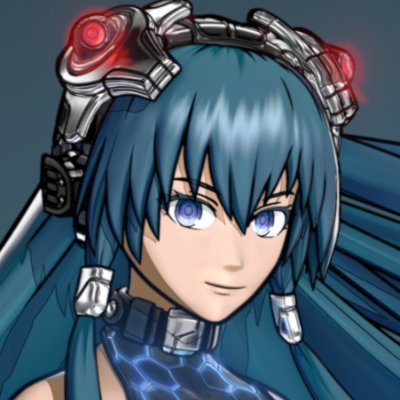
Everyone using Blender should learn #geometrynodes. It would take ages to what I do here in a few seconds by other methods. And I'm getting to leverage the Laces generator by @BeltMakerTool. I like my UV projection setup because I can adjust and block in fast #b3d
45,957 просмотров • 2 лет назад •via X (Twitter)
Комментарии: 10

@BeltMakerTool I kind of started using them. It's still a bit confusing for me but I can see how good they can be.

@BeltMakerTool Wowowow... Wait a minute! How did you do that? This looks amazing! Is there a tutorial or several that you'd recommend? This would be very useful to me for my current project. 👀 I only started learning Geometry Nodes for real last week (to make a simple scatter modifier) 😅.

@BeltMakerTool I have several videos talking about geonodes so far. The Laces generator isn't by me so I don't cover that. But this video shows how to do the basic UV wrap setup:

@AenderLara @BeltMakerTool It's crazy that geonodes is basically just a graphical interface for the Python that Blender already exposed programmatically, and how much it's getting used. But it goes to show that everyone can program, they just need the right medium.

@BeltMakerTool This is really cool! Guess it might work for skin decals like scars and tattoos as well? My back seam is either side of the UV map, but I have full back tattoos to fit. Currently using shrinkwrap mesh; join and rebake, or ms paint to paste the image into the texture map 🙈
@BeltMakerTool Its literally the same projection method textures use, just with a mesh instead. So yes, it will. But can have all the exact same distortion and stretch issues regular textures can. Its as good as the UVs!

@BeltMakerTool Where should I start? Any recommendations?

@BeltMakerTool I genuinely can't be bothered. It's like learning a new programming language, it would take me far too long to get it.

@BeltMakerTool Will you be making tutorials? This is magic
@EY0XIN @BeltMakerTool Already am! The UV wrapping is explained as part of this tutorial (and I'll be talking about how to add more features to it soon.)




![Jinggg switched to Phantom because it was revealed to him in a dream "In my dream, I was playing VALORANT and I was using Phantom, and I was destroying everyone. So then I told myself, maybe I'm just a Phantom player. Then I tried it in scrims, and I was killing everyone [...]"](https://image.24vids.com/tw-1934778559303757875/ext_tw_video_thumb/1934763002365902848/pu/img/--1LY2QIldd44eIH.jpg)


