ๆญฃๅœจๅŠ ่ฝฝ่ง†้ข‘...

่ง†้ข‘ๅŠ ่ฝฝๅคฑ่ดฅ

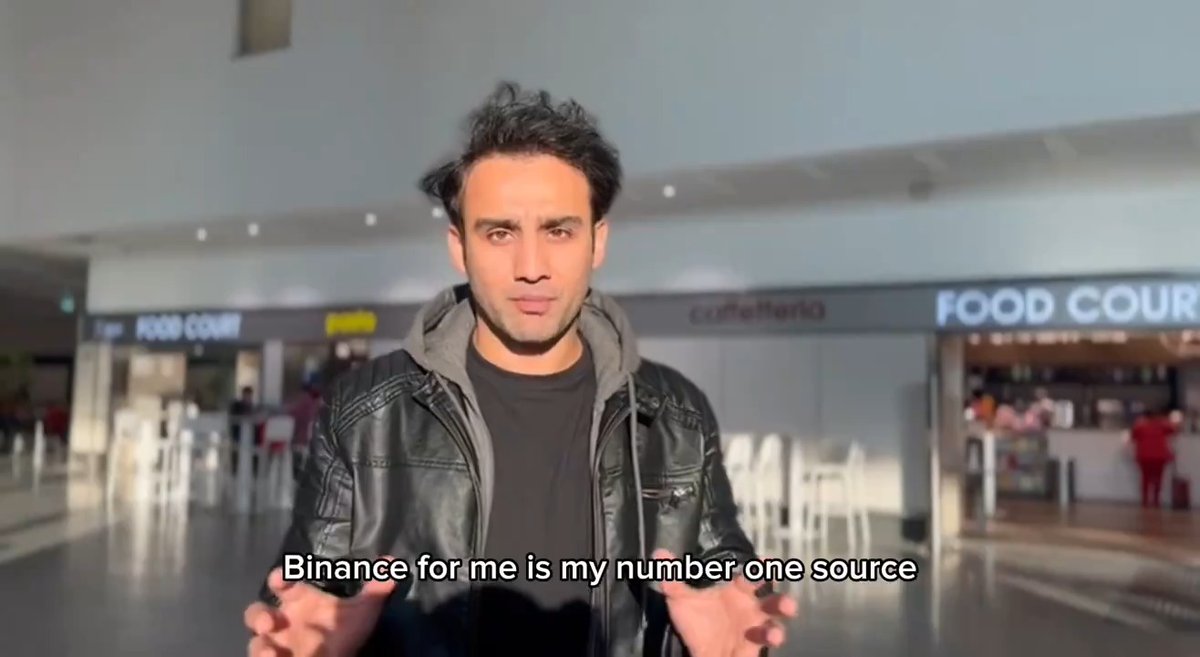
Free 5$ to 10$ opportunity form Binance ๐Ÿคž๐Ÿป Check your Binance Account Just opened the Binance app and this tiny banner popped up. How to join โคต๏ธ 1.Go To Binance Home Page 2.Check Servay & Sumbit Details ( check video ) 3. Done Wait for the reward distribution Seeing...

33,704 ๆฌก่ง‚็œ‹ โ€ข 2 ๅคฉๅ‰ โ€ขvia X (Twitter)

27 ๆก่ฏ„่ฎบ

Kamrul ็š„ๅคดๅƒ
Kamrul2 ๅคฉๅ‰

@binance Done , thanks for sharing

Crypto Kopakupi (Team) ็š„ๅคดๅƒ
Crypto Kopakupi (Team)2 ๅคฉๅ‰

@binance Now wait for reward ๐ŸŽ‰

Mahmudul โœ–๏ธ ็š„ๅคดๅƒ
Mahmudul โœ–๏ธ2 ๅคฉๅ‰

@binance Done ๐Ÿ‘โ˜บ๏ธ Waiting for reward

๐™๐™–๐™ฃ๐™ซ๐™ž๐™ง ๐˜ผ๐™๐™ข๐™ข๐™š๐™™ ็š„ๅคดๅƒ
๐™๐™–๐™ฃ๐™ซ๐™ž๐™ง ๐˜ผ๐™๐™ข๐™ข๐™š๐™™2 ๅคฉๅ‰

@binance Done โœ…

zarah ็š„ๅคดๅƒ
zarah2 ๅคฉๅ‰

@binance Tasks not showing

Arishfa ็š„ๅคดๅƒ
Arishfa2 ๅคฉๅ‰

@binance Done .but account not eligible ๐Ÿฅฒ

DR.NILOY๐Ÿฆ‹ ็š„ๅคดๅƒ
DR.NILOY๐Ÿฆ‹2 ๅคฉๅ‰

@binance All redy done

CyptoNerd โŒ˜๐Ÿ› ๏ธ base.eth Kaisar (โ–,โ–) (ร˜,G) ็š„ๅคดๅƒ
CyptoNerd โŒ˜๐Ÿ› ๏ธ base.eth Kaisar (โ–,โ–) (ร˜,G)2 ๅคฉๅ‰

@binance Done ๐Ÿ‘€

Adnan Habib ็š„ๅคดๅƒ
Adnan Habib2 ๅคฉๅ‰

@binance ๐Ÿซก

AGUSTAS ๐Ÿฆ‹๐Ÿ„ ็š„ๅคดๅƒ
AGUSTAS ๐Ÿฆ‹๐Ÿ„1 ๅคฉๅ‰

@binance 2 done ๐Ÿ‘€ Now waiting for the reward distribution ๐Ÿคž๐Ÿป

๐‘ป๐’๐’˜๐’‰๐’Š๐’… ๐‘ฐ๐’”๐’๐’‚๐’Ž InterLinkTraineeAmbassador ็š„ๅคดๅƒ
๐‘ป๐’๐’˜๐’‰๐’Š๐’… ๐‘ฐ๐’”๐’๐’‚๐’Ž InterLinkTraineeAmbassador2 ๅคฉๅ‰

@binance Done

Fluxo ๐Ÿ‰ ็š„ๅคดๅƒ
Fluxo ๐Ÿ‰2 ๅคฉๅ‰

@binance Already done it

Crypto Kopakupi (Team) ็š„ๅคดๅƒ
Crypto Kopakupi (Team)2 ๅคฉๅ‰

@binance Congratulations now wait for reward ๐ŸŽ‰

SotenIrine ็š„ๅคดๅƒ
SotenIrine2 ๅคฉๅ‰

@binance Checking

E M oN ็š„ๅคดๅƒ
E M oN2 ๅคฉๅ‰

@binance Already don.e

Yoel Guzman ๐Ÿ‡ง๐Ÿ‡ด ็š„ๅคดๅƒ
Yoel Guzman ๐Ÿ‡ง๐Ÿ‡ด2 ๅคฉๅ‰

@binance No me aparece

Crypto Kopakupi (Team) ็š„ๅคดๅƒ
Crypto Kopakupi (Team)2 ๅคฉๅ‰

@binance Check the banner carefully, if you eligible you can see the banner in your binance dashboard

LM10 ็š„ๅคดๅƒ
LM102 ๅคฉๅ‰

@binance Yes, I got it! Just completed the survey. Now waiting for the reward ๐Ÿ‘€๐Ÿ”ฅ

Md EYASIN ็š„ๅคดๅƒ
Md EYASIN2 ๅคฉๅ‰

@binance Done

Lisa Flori ็š„ๅคดๅƒ
Lisa Flori2 ๅคฉๅ‰

@binance Done

Merlyn๐ŸŽ€ ็š„ๅคดๅƒ
Merlyn๐ŸŽ€1 ๅคฉๅ‰

@binance Thanks for the update man

Crypto Kopakupi (Team) ็š„ๅคดๅƒ
Crypto Kopakupi (Team)1 ๅคฉๅ‰

@binance โค๏ธ

Md Eyasin ฯ€ยฒ $DROPEE ๐ŸŒถ๏ธ | ETHGas โ›ฝSweep๐Ÿฆˆ ็š„ๅคดๅƒ
Md Eyasin ฯ€ยฒ $DROPEE ๐ŸŒถ๏ธ | ETHGas โ›ฝSweep๐Ÿฆˆ2 ๅคฉๅ‰

@binance Done already

Vybzl_001 ็š„ๅคดๅƒ
Vybzl_0011 ๅคฉๅ‰

@binance Is this open for everyone one coz am not seeing anything like that on my binance acc ๐Ÿ˜ญ

Crypto Kopakupi (Team) ็š„ๅคดๅƒ
Crypto Kopakupi (Team)1 ๅคฉๅ‰

@binance It's not open for everyone and also Fcfs campaign

dizella.base.eth ็š„ๅคดๅƒ
dizella.base.eth2 ๅคฉๅ‰

@binance link survey?

Crypto Kopakupi (Team) ็š„ๅคดๅƒ
Crypto Kopakupi (Team)2 ๅคฉๅ‰

@binance Check Binance account dashboard if you see like this banners then you eligible I already showed everything in video check

็›ธๅ…ณ่ง†้ข‘

How to Earn 5 Binance Alpha Points (FREE) Promotion Period: 14 May 2026 (00:00 UTC) โ†’ 27 May 2026 (23:59 UTC) Task Requirement Complete one swap of $50+ in a single transaction using the Binance Wallet Extension to earn 5 Binance Alpha Points. โ€”โ€”โ€”โ€”โ€”โ€”โ€”โ€”โ€”โ€”โ€”โ€”โ€”โ€” Step-by-Step Guide Step 1 โ€” Install Binance Wallet Extension If you have a PC/Laptop, use Google Chrome (recommended). If youโ€™re using a phone, install an extension browser like Kiwi, Mises, or Yandex. Download the extension here: โ€”โ€”โ€”โ€”โ€”โ€”โ€”โ€”โ€”โ€”โ€”โ€”โ€”โ€” Step 2 โ€” Set Up the Wallet 1. Open the Binance Wallet extension. 2. Create and set up your wallet. 3. A QR code will appear. 4. Scan the QR code using Binance Web3 Wallet in the Binance app. 5. Confirm and create your wallet password. Your wallet is now connected. โ€”โ€”โ€”โ€”โ€”โ€”โ€”โ€”โ€”โ€”โ€”โ€”โ€”โ€” Step 3 โ€” Deposit Funds Deposit $50+ USDT on BNB Chain into your Binance Web3 wallet. โ€”โ€”โ€”โ€”โ€”โ€”โ€”โ€”โ€”โ€”โ€”โ€”โ€”โ€” Step 4 โ€” Complete the Swap Use the wallet to swap $50+ in one transaction and buy any Alpha token. After completing the swap, you will receive 5 Binance Alpha Points on the next day Thatโ€™s it ๐ŸŽ‰ Follow the steps carefully and donโ€™t miss the deadline!

Alpha Malik

16,108 ๆฌก่ง‚็œ‹ โ€ข 4 ไธชๆœˆๅ‰

Hereโ€™s how to transfer USDT on TRON without keeping TRX around for gas. The surprising part? You can now pay the TRON network fee in USDT instead of TRX. A lot of people still havenโ€™t tried this flow, so the video above puts it into practice and shows exactly how the process works. JustLend DAO recently highlighted the update: โ€œLess to think about when moving assets on TRON.โ€ Through Binance Wallet, users can transfer USDT and other TRC-20 tokens on TRON while paying the network fee in USDT, powered by #GasFree. And thereโ€™s currently a limited-time opportunity to use it with 0 gas fees: Sep 23 โ†’ Dec 22, 2026 Limited spots are available for 0-fee transfers. Once the free spots are used, the discounted transfer fee becomes 1 USDT per transaction for the rest of the campaign. Hereโ€™s exactly how to use it: โ–ธ 1. Download Binance Open the tweet and click the link: Download the Binance app depending on your device, then log in to your account. โ–ธ 2. Open Binance Wallet Open Binance Wallet and make sure you have USDT available. โ–ธ 3. Start the transfer Go to: Assets โ†’ Send Then choose whether to send to a Binance account or a wallet address. โ–ธ 4. Select the token Choose USDT or another supported TRC-20 token. Enter the recipientโ€™s wallet address and double-check it before continuing. โ–ธ 5. Choose the network fee payer This is the key step. When signing the transaction, select: Network Fee Payer โ†’ Pay the network fee in USDT This is what allows the network fee to be handled in USDT instead of TRX, powered by GasFree. โ–ธ 6. Confirm Review the transaction details and confirm the transaction. Thatโ€™s the entire process. The result? No need to keep TRX on hand specifically for gas when using this supported Binance Wallet flow. For anyone regularly moving USDT on TRON, this removes one more thing to think about: having a separate TRX balance just to cover network fees. And remember, the 0-fee spots are limited. The campaign runs from September 23 to December 22, 2026. Once the free spots are exhausted, the discounted fee becomes 1 USDT per transaction for the rest of the campaign. Have you tried paying your TRON network fee in USDT through Binance Wallet yet? If you havenโ€™t, the video above shows the exact flow from opening Binance Wallet to confirming the transfer. H.E. Justin Sun ๐Ÿ‘จโ€๐Ÿš€ ๐ŸŒž JUST DAO #TRONEcostar

Essays Hub

26,801 ๆฌก่ง‚็œ‹ โ€ข 3 ๅคฉๅ‰

You have enough USDT in your Binance Web3 Wallet to complete a transfer. But you cannot send it because you have no TRX to cover the network fee. That is the problem Binance Walletโ€™s latest TRC-20 fee payment update addresses. Stablecoin fee payment is now LIVE for TRC-20 transfers inside Binance Wallet. When sending TRC-20 USDT, you can select USDT as your network fee payment currency instead of needing to hold additional TRX for gas. I just tried it, and hereโ€™s how to use it. 1. Open your Binance Web3 Wallet Access your Binance Wallet and select the wallet you want to send from. 2. Go to Assets Click on Assets to view your available tokens. 3. Select Send USDT Choose Send, then select your destination. You can send to a Binance account or an on-chain wallet address, depending on where you want the USDT to go. 4. Enter your transfer details Select USDT, enter the recipientโ€™s address, input the amount you want to send, and click Continue. This is the normal transfer process. 5. Choose your Network Fee Payer This is where the new option comes in. On the confirmation screen, look for โ€œNetwork Fee Paid By.โ€ Click on it to view the available fee payment options. Choose USDT as your network fee payer, then click Confirm. Review the transaction details and complete the transfer. Thatโ€™s it. The important part is that you have selected USDT to cover the network fee instead of needing to hold TRX separately for gas. The process is: Assets โ†’ Send USDT โ†’ Enter address and amount โ†’ Continue โ†’ Network Fee Paid By โ†’ USDT โ†’ Confirm Why does this matter? Because sending USDT on TRON should not require users to prepare a second token just to pay the network fee. For example, someone receiving a payment in TRC-20 USDT may already have enough USDT in their wallet to send funds to another person. Previously, if they had no TRX available for the network fee, they would need to obtain TRX before completing the transfer. Now, with USDT available as a fee payment option, that extra step can be avoided. The same applies to everyday fund transfers. Whether you are moving USDT between wallets, sending funds to another person, or making a transfer from your Binance Web3 Wallet, you can select USDT as the network fee payer when the option is available. No need to exchange, deposit, and manage an additional token before making the transfer. It is a small change to the interface, but it removes a practical friction point from the user experience. And this is where the collaboration between GasFree and Binance Wallet becomes interesting. By bringing a more convenient network fee payment experience into everyday TRC-20 transfers, the TRON ecosystem and Binance Wallet are making it easier for users to interact with the network. The goal is simple: Make stablecoin transfers easier to use, without requiring users to think about gas every time. If you regularly send TRC-20 USDT through Binance Wallet, this is worth trying. Open your wallet, follow the steps above, and check the Network Fee Paid By option before confirming your transfer. USDT for the transfer. USDT for the network fee. A simpler way to move stablecoins on TRON. Binance H.E. Justin Sun ๐Ÿ‘จโ€๐Ÿš€ ๐ŸŒž #TRONEcoStar JUST DAO

Essays Hub

15,427 ๆฌก่ง‚็œ‹ โ€ข 19 ๅคฉๅ‰