Video wird geladen...
Video konnte nicht geladen werden
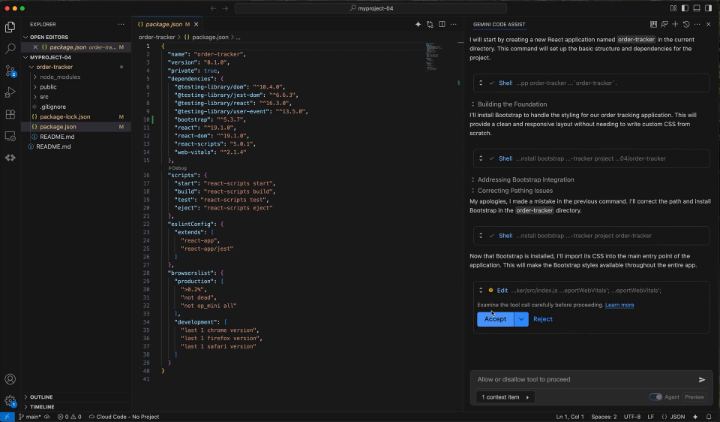
Get tailored help for what's on your screen using the Gemini app for macOS. 💻 Simply press both Command ⌘ keys at the same time to seamlessly attach your active window to the chat, without needing to take manual screenshots or switch tabs.

14,590,686 Aufrufe • vor 3 Monaten •via X (Twitter)
32 Kommentare

dis no worky? you must provide pro users or just me gemini spark early access to make up for dis

will it work with windows as well

What about Windows users?😂😂😂

Can you also give option to train Gemini voice with own voice, so when kids talk to it, they feel like talking to parents.

Und wo bleibt die Native App für Windows und Linux

Screen context is a real UX win. The checklist before teams normalize it: excluded apps, redacted fields, capture logs, user approval, and retention policy. "Just attach this window" gets spicy when the window is payroll.

We're moving from "tell the AI what's on your screen" to "the AI already knows." That sounds small. It's actually a huge shift in how humans interact with computers. 🤯

この特典取られたぞー

Add it to windows

Double pressing ⌘ is the new God Mode unlocked 💻⚡ Work efficiency just went 📈📈

Another shortcut to save three seconds? Groundbreaking.

Directly copied from ChatGPT ? 🙏

My Mac 26.5.1 says this Mac App is Not Supported and cannot be opened!! I tried 2 downloads...No Go!

I love Gemini app

Pressing both Command keys to hand me the active window is convenient. I immediately want a list of things I am not allowed to see.

antigravity plagiarized Codex, and now the Gemini Mac app is copying Codex too? And the copying is done poorly—only screenshots, no accessible text, so I was happy for nothing 🙄 You also really dislike gems, even refusing to let us use them in the Mac app. Theworst AIdesktop app

so its basically windows+shift+s but built into the app

windows!!!!!

哇哦🎊

Is Jules going to be given a desktop? Or layered into Agy?

Thinking mode in Mac app ?

Feels small, but eliminating the screenshot-upload cycle saves way more time than people think😭.

Attaching active windows directly to chat reduces context switching and speeds up troubleshooting and collaboration.
can you allow multiple screenshots by repeatedly pressing both cmds? :-( manual screenshots and switching ends up still needing to happen for when you need to capture more than one screen

mac app looking useful af

Conflict with another Gemini app that as far as I remember Gemini elaborate shortcuts

M series chip required or no??

Windows???

Bjnn. O. . Bl. . .

How do we turn this off? Hitting both Command keys even accidentally produces this prompt every single time. I don't want the feature and I don't want the prompt. How do we disable Gemini listening for these key presses? There's no option in settings.

Was anyone able to get this working? It doesn't work on my Mac app yet. Version 1.80.15.516

Copied from Codex appshot Wow