Sensitive content

This media may contain sensitive content.

Загрузка видео...

Не удалось загрузить видео

На главную

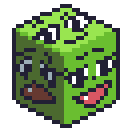
I wanted to make something based on this amazing sequence by HuwonXL (COMMS CLOSED) ! It started with just making the fat face and kinda spiraled into this lol (I actually had 95% of this done back in September and forgot to post 😅) Krystal model by WARFAREMACHINE
81,049 просмотров • 6 месяцев назад •via X (Twitter)

Комментарии: 0

Нет доступных комментариев

Здесь появятся комментарии из оригинального поста

Похожие видео

Being able to move fluidly between Figma Make and the canvas is a pretty big deal Recent example 👇 1️⃣ Started exploring a minified recording toolbar directly on the canvas 2️⃣ Once I had some rough shapes I moved it into Make, imported my style guide, and started bringing it to life with expandable controls, hover states, and tooltips for keyboard shortcuts 3️⃣ A few prompts later, I had something interesting… but the layout wasn’t quite right. 4️⃣ So I jumped back into the canvas and made ~8 quick variations with a bigger video container. 5️⃣ Once I got somewhere interesting I brought that back into Make. All I had to do was copy and paste the frames for my default and hover state of the component and it pretty much nailed the core layout 6️⃣ Then I layered on the timer and made it interactive. But once I got it back into Make I thought "hmm... what if the toolbar layout was based on which quadrant of the screen the component was in 🤔" I was able to one shot this interaction and after playing with it a bunch I kinda love it? 7️⃣ Sent it to the team in Inflight so everyone could play with the prototype. 8️⃣ Brought the up to date UI back into the canvas to polish some of the tooltip details Before this, it always felt like I had to choose between two very different workflows. Now I can bounce between them seamlessly and it’s genuinely changing how I explore ideas.

Ridd 🤿

27,665 просмотров • 8 месяцев назад