Загрузка видео...

Не удалось загрузить видео

На главную

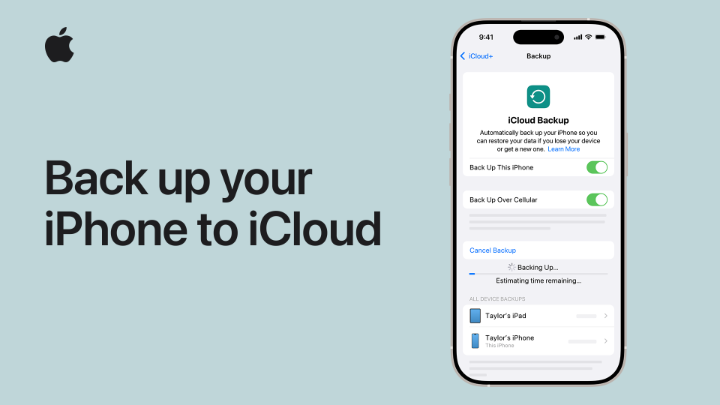
iCloud Backup automatically backs up your data when your iPhone is locked, plugged in, and connected to Wi-Fi. To learn more about iCloud Backup, watch the video. 👇

41,814 просмотров • 2 лет назад •via X (Twitter)

Комментарии: 10

Фото профиля Big D
Big D2 лет назад

Worst customer service ever

Фото профиля PTID1977
PTID19772 лет назад

Can you explain why my HomePod mini is up to date but it’s also telling me to update it ? Issue since ios18 installed.

Фото профиля Aline Alinee Bwindja
Aline Alinee Bwindja2 лет назад

your 5 GB have become insufficient and the 50GB at $0.99 per month is very expensive for us Africans and Asians, yes we are at war without mercy

Фото профиля LG King-Bee🐝
LG King-Bee🐝2 лет назад

I want to know why I'm unable to subscribe to apple music. Every card I input doesn't get verified.

Фото профиля Thaboe Ronson
Thaboe Ronson2 лет назад

I need help, what is this nonsense I can't have music to listen offline just because I upgraded my phone 🥺🥺I thought by transferring my data to the new phone everything will be transferred??? @AppleMusic @Apple @AppleSupport

Фото профиля Andre Rivera
Andre Rivera2 лет назад

Your call center has been down all day. Fix that.

Фото профиля Flip
Flip2 лет назад

I wonder if you could assist. My screen smashed on my phone, now I have another phone and want to transfer my contacts etc over. I cannot do this because every angle I take, I am asked by ITUNES or Apple sign in. I sign, in but I am immediately sent a 2factor authentication PT1

Фото профиля Flip
Flip2 лет назад

PT2 screen (can hear it on my broken phone), for me to confirm the code they send to me via BROKEN OLD PHONE, what can I do plz? thank you

Фото профиля Alejandra Tijerina
Alejandra Tijerina2 лет назад

Your distributor @TechPeopleMex is a total fraud, you should be ashamed working with them, that makes apple look sooo bad in Mexico

Фото профиля Kuwar Prateek Singh
Kuwar Prateek Singh2 лет назад

iCloud is a brilliant feature...

Похожие видео

😡😡😡 This might be the WORST iPhone setting you never knew was turned on 😡😡😡 If your iPhone randomly uses cellular data even though you're connected to Wi-Fi... this hidden setting could be the reason. 👀 It's called Wi-Fi Assist, and while it's designed to keep your connection stable, it isn't ideal for everyone. Save this video before it costs you extra data or battery life. 🔥 --- ⚙️ Step-by-Step (Turn it OFF) 1️⃣ Open Settings ⚙️ 2️⃣ Tap Cellular 📶 3️⃣ Scroll all the way to the bottom ⬇️ 4️⃣ Find Wi-Fi Assist 📡 5️⃣ Toggle it OFF ❌ Done! ✅ --- 🤯 What Wi-Fi Assist does When your Wi-Fi connection becomes weak or unreliable... 👉 Your iPhone can automatically switch to cellular data to help keep apps and websites working smoothly. Most people don't even realize it's happening. --- ⚠️ Why you might want it OFF ❌ Can use more cellular data than expected 📱 ❌ May contribute to faster battery drain, especially in areas with weak cellular coverage 🔋 ❌ Could lead to extra carrier charges if you have a limited data plan 💸 --- 🚀 Who should definitely turn it off? ✅ Anyone with limited mobile data ✅ Frequent travelers ✈️ ✅ People with spotty cellular service 📶 ✅ Anyone trying to maximize battery life 🔋 --- 💡 When should you leave it ON? If you have: ♾️ Unlimited data 📶 Strong cellular coverage ⚡ And you prefer uninterrupted browsing when Wi-Fi gets weak... You may find Wi-Fi Assist useful. --- 💥 Save this before you forget it. Share it with someone who's always asking, "Where did all my data go?" 😂📱 Follow for more hidden iPhone settings, Apple tips, and tech hacks! 🔥 #iPhonetricks #iphonetips #iphones #iphone #appletips

Joe George

13,400 просмотров • 4 месяцев назад