Загрузка видео...

Не удалось загрузить видео

На главную

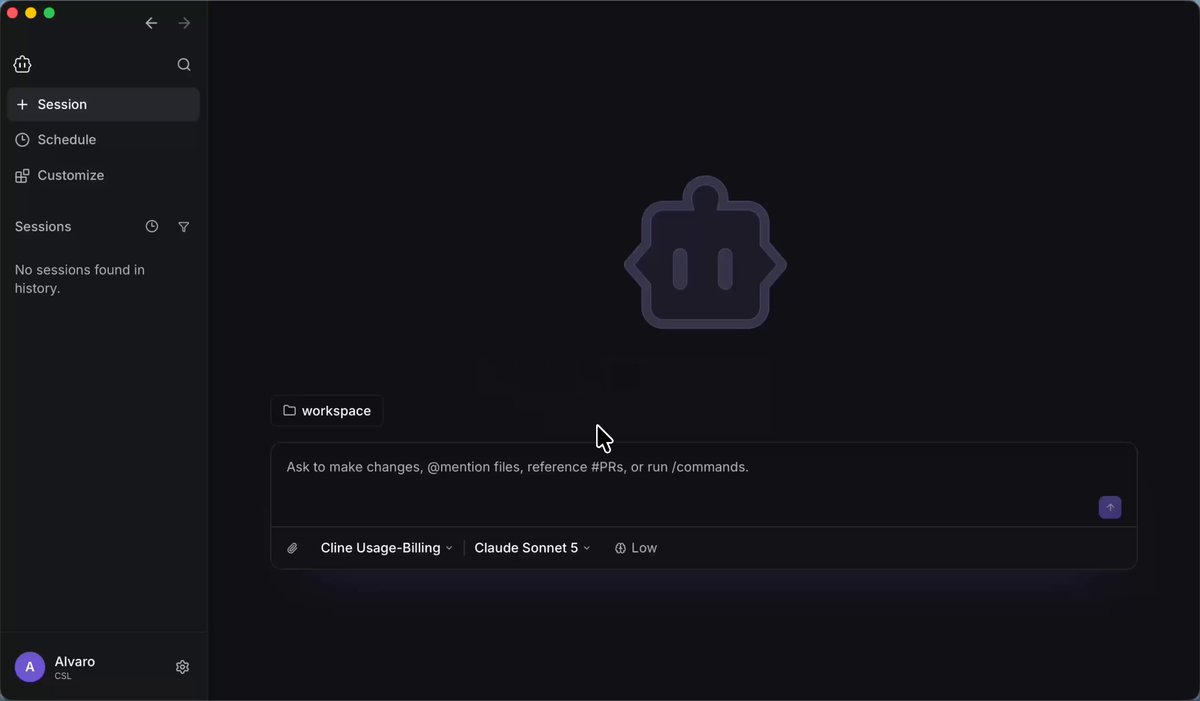
Introducing: OpenGranola 🔥 I built an open source meeting copilot for macOS. It transcribes both sides of your call on-device, searches your own notes in real time, and hands you talking points right when the conversation needs them. No audio leaves your Mac. Point it at a folder of...

292,712 просмотров • 3 месяцев назад •via X (Twitter)

Комментарии: 0

Нет доступных комментариев

Здесь появятся комментарии из оригинального поста

Похожие видео

🚨 One photo of your face. That's all someone needs to become you on a live video call. In real time. Right now. The tool is free and open source. It's called Deep-Live-Cam. One image. One click. You become anyone on a live webcam feed. No training. No datasets. No waiting. Instant. Your face. Your expressions. Your mouth movements. All stolen from a single photo. Here's what this thing does: → Upload one photo of any face → Turn on your webcam → You are now that person. Live. In real time. → It matches your pose, your expressions, even your lighting → Mouth masking so the swapped face moves its lips when you talk → Multi-face mapping. Swap different faces on different people in the same call. → Virtual camera output. Plug it into Zoom, Google Meet, Teams. Nobody knows. → Works on NVIDIA, AMD, Intel, and Apple Silicon Here's the part that should terrify you: Your boss could be on a Zoom call with someone wearing your face right now. A scammer could call your parents looking exactly like you. A stranger could take your LinkedIn photo and become you in a video meeting. IShowSpeed's reaction when he saw it: "What the F**! This shit is crazy!" SomeOrdinaryGamers: "That's fucking freaky dude... that's so wild." This was the #1 trending repo on GitHub the day it launched. 1,600 stars in 24 hours. 80K+ stars today. No one is ready for what this means. And it's already out there. 100% Open Source.

Nav Toor

302,407 просмотров • 3 месяцев назад

This app uses AirDrop to send files from your Android phone to your Macbook! Yes, it actually uses AirDrop. That means you don't have to install ANYTHING on your Mac to send files from your Android phone! Here's a video of a Galaxy Z Flip 5 AirDropping a file to a Macbook running macOS Ventura 13.5.1. (Thanks to u/FragmentedChicken for testing this app for me and sharing the video!) A few months ago, Twitter user @Linus13499209 brought an app called WarpShare to my attention. WarpShare is an app made by the developers of MoKee, an AOSP-based custom ROM that was popular in China. Since MoKee wasn't as popular outside of China, it seems the existence of their WarpShare app slipped under the radar. I was skeptical about whether it would work at all. Grishka, the developer of NearDrop, an open source port of Google's Nearby Share to macOS, told me that they were under the assumption that AirDrop requires the use of AWDL (Apple Wireless Direct Link, Apple's proprietary WiFi-based protocol) to communicate both ways. However, it seems that AWDL is only required for your Android phone to be discoverable by your Mac (ie. to send files from your Mac to your Android phone) but not the other way around. Because of this, though, WarpShare only supports sending files from Android to Mac but not vice versa. Your Mac also needs to have AirDrop discoverability set to "everyone" for this to work, as "contacts-only" requires Apple-signed certificates. Plus, it also doesn't support sending files from Android to iPhones or iPads, even when "everyone" mode is enabled. Still, if you find other Android --> Mac file sharing options to be lackluster, give WarpShare a try! The fact that it works at all is incredible, which is why I'm sharing this news here. If you want to download WarpShare on your Android device, you'll need to compile the app from its source code. If you're a Patron/X subscriber, however, I will share my compiled APK with you. WarpShare source code:

Mishaal Rahman

1,290,199 просмотров • 2 лет назад