Video wird geladen...

Video konnte nicht geladen werden

Zur Startseite

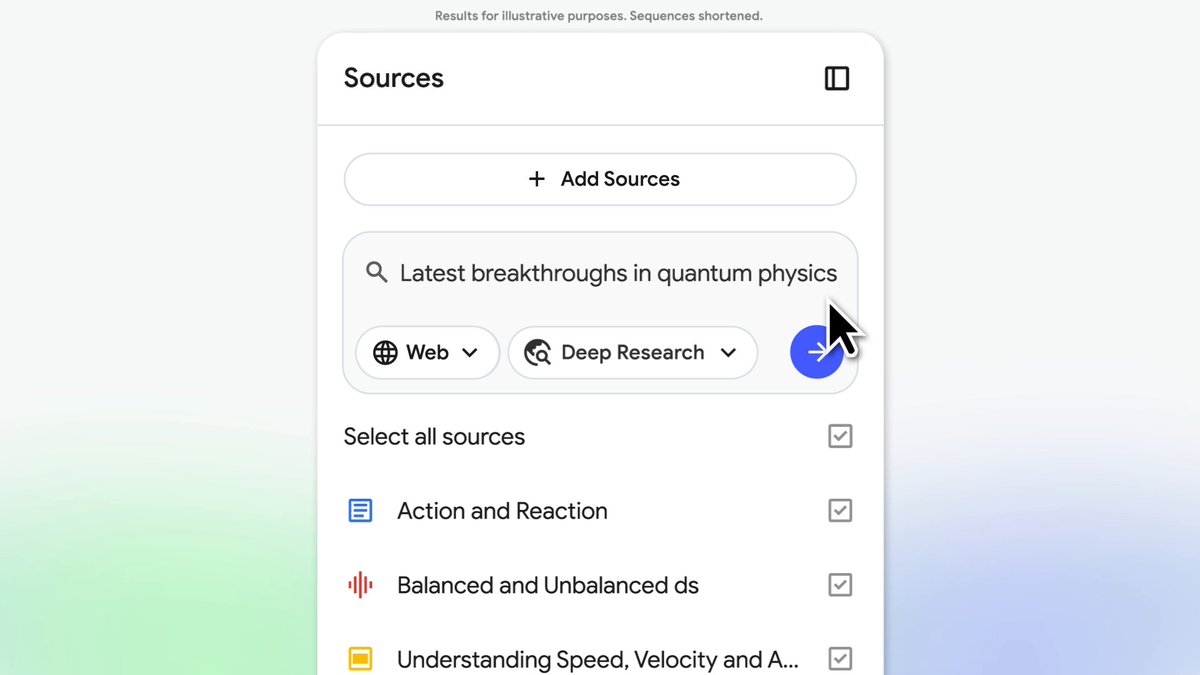
Introducing "Save to Notebook" Now you can save agent outputs directly into SciSpace Notebook — all content and citations automatically transferred. No more copy-pasting, just seamless research workflows. Collect, refine, and get publish-ready in no time.

18,174 Aufrufe • vor 5 Monaten •via X (Twitter)

0 Kommentare

Keine Kommentare verfügbar

Kommentare vom Original-Post werden hier angezeigt

Ähnliche Videos

We’re entering the 10x speed of research publication workflow with AI. SciSpace (SciSpace), the first AI Agent built exclusively for the scientific community, is releasing so many inredibly useful features. 🎯 This is the AI Agent that can use 150+ tools, 59 databases, and 280M+ papers A few weeks back they launched BioMed Agent - It can design entire molecular biology workflows and even create publication-ready illustrations in a single prompt. This is its new domain-specialized AI co-scientist that sits on top of the existing SciSpace Agent and automates full biomedical workflows, from raw data and papers to analysis, decisions, and the final production-grade illustrations. You just need to give it 1 prompt. And today the added the following - Library Search, so it can search and analyze the PDFs already sitting in My Library, letting people ask questions across their own paper pile while keeping it private. - Now connects directly to Zotero, so the Agent can pull and work with the papers you already saved there without manual uploads. - For bigger prompts, it auto-triggers a Report Writing Sub-Agent that turns the chat into a structured research-style report, which is way cleaner for literature reviews and long summaries. - And when you get something worth keeping, Save to Notebook lets you store the output as .md notes with citations in My notebooks, so the work becomes reusable research notes instead of disappearing into chat. Behind the scenes, it indexes the PDF text, pulls a few relevant chunks for the question, then writes an answer grounded on those chunks.

Rohan Paul

11,574 Aufrufe • vor 5 Monaten

Claude Code cannot read 300 files at once. So someone built a system that lets it control NotebookLM from the terminal instead. The results are wild. Here is the full workflow nobody is talking about: The Setup → Claude Code connects to NotebookLM via a command line interface → Claude searches YouTube, finds relevant videos, uploads them as sources automatically → NotebookLM processes up to 300 sources simultaneously and returns cited, grounded answers → Everything syncs back into your Obsidian vault with passage-level citations you can click to verify Why This Changes Research Forever → No more 20 browser tabs you never close → No more copy-pasting outputs into random notes → No more hallucinated answers with no sources to back them up → 60% of citations verified as strong matches in accuracy audits - answers are grounded in real data What Claude Can Do From the Terminal → Search YouTube for relevant videos on any topic and rank by relevance → Create a new NotebookLM notebook and add 20 sources in parallel automatically → Ask questions and export cited answers directly into Obsidian with wikilinks → Set custom personas per notebook - concise, no filler, no preamble → Generate audio overviews and save them as MP3 files into your vault → Build mind maps, flashcard decks, and research dashboards from your sources → Search arXiv for academic papers and feed them directly into NotebookLM → Upload competitor blog posts, podcast episodes, PDFs, and your own vault notes The Obsidian Output → Every answer arrives with clickable citations that link to the exact passage in the source video or article → Graph view shows connections between all 20 sources and the topics they share → Q&A log tracks every question asked and the grounded response received → Source dashboard shows citation frequency, topics extracted, and which questions each source answered Use Cases Worth Building Today → Academic research with arXiv papers, full citation traceability → Competitor analysis from their YouTube channels and blog posts → Company knowledge base for onboarding, new employees ask NotebookLM instead of interrupting teammates → Podcast research, feed 4-hour Lex Fridman episodes and ask what's new in AI this week → Personal second brain, 300 daily notes uploaded and queryable in one notebook Before this system existed you needed 20 tabs, hours of manual reading, and no guarantee the answers were real. Now you type one prompt in the terminal and Claude does all of it for you. The research stack of 2026 is not a browser. It is a terminal connected to everything

Dami-Defi

252,693 Aufrufe • vor 1 Monat