Sensitive content

This media may contain sensitive content.

Video wird geladen...

Video konnte nicht geladen werden

Zur Startseite

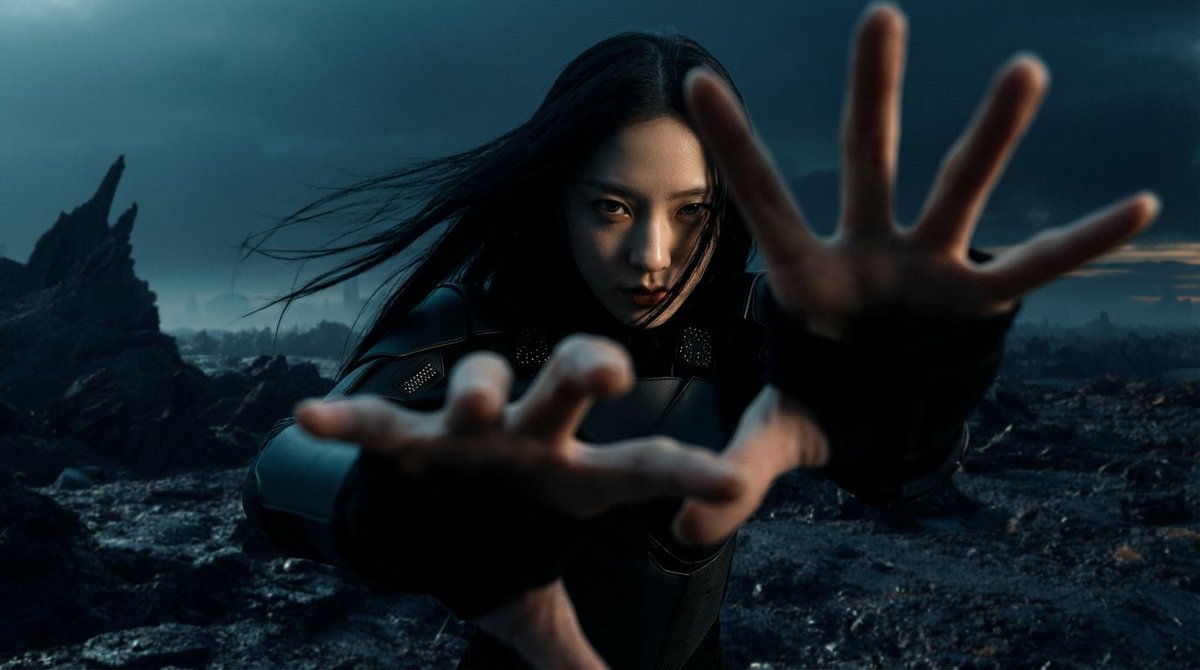
✨NEW video drop!✨ 𝐃 𝕖 𝕤 𝕚 𝐫 𝕖 Generated using @Grok Imagine, edited with Davinci Resolve, original lyrics, music made with Suno. #PMV #AIart #AIporn #BDSM #Shibari #darkarts #eroticart by 𝙀𝙍𝙊𝙏𝙄𝘾 💋𝘼𝙍𝙏𝙎

13,369 Aufrufe • vor 3 Monaten •via X (Twitter)

0 Kommentare

Keine Kommentare verfügbar

Kommentare vom Original-Post werden hier angezeigt

Ähnliche Videos

I challenged myself to create a commercial type video based on my country of birth. I am proud of the final product and wish to share it with you all, specially with the fantastic AI community here in X that has given me so much support. Maybe this way you can see a little bit of my surroundings and habitat and know a little bit more about me. This video was created 100% with artificial intelligence. A process that, in a traditional production, would have taken months of work and a full professional team, costing tens of thousands of dollars. I made it alone, in two weeks, without leaving my office. By combining creativity, patience, and a series of cutting-edge tools, I generated between 500–700 images, 200–250 videos, and 20 songs. All of it was curated, edited, and finally unified into one piece. Tools used: 🎨 Midjourney / Nano Banana – image and visual concept generation. 🎥Grok / Veo / Midjourney – video and scene creation. 💻 Photoshop – keyframe retouching and enhancement. 🧠 ChatGPT / Gemini / Grok – scriptwriting, narrative design, and conceptual direction. 🎧 ElevenLabs / Suno AI – original music composition. 🎞️ CapCut / After Effects – final editing and color grading. It was an arduous but deeply rewarding process, a demonstration of what a single creator can achieve when artistic vision meets advanced technology. An experiment… but also proof that the future of creation is already here. #ecuador #AIart #aivideos

Toshi

18,356 Aufrufe • vor 11 Monaten

Seedance 2.0 is allowing us to enter a new era of music video creation. Here is how I created HONEY. It was a quick test to see how well this workflow holds up. 🐝 1 - Write your song and generate the music with Suno 5.5. 2 - Use an image generator of your choice. For HONEY I combined both Grok Imagine for aesthetics and Nano Banana Pro for refined editing. 3 - In Capcut I import my audio and just save out a blank video video containing the audio. This step is important because this video file containing audio will now be used with Seedance 2.0 as a video reference with Omni. This allows the AI to apply automatic and realistic lipsync and movement to the music, it's extremely powerful! 4 - Once I have a both my image and video with audio as reference, I use Seedance 2.0 Omni and upload my starting image and then the video reference with the audio. 5 - From here I'm simply prompting like normal, specifying what's happening in my scene with detailed instructions, mentioning multi shots and camera angle changes and then specifying that the person is singing along to the song. I type out the lyrics that are present to have better lipsync accuracy. 6 - Once I have generated a video and like the result, I do video to video, so i upload that video that just got generated and type "The scene continues" and prompt new actions to take place. This allows you to expand on a narrative. These new shots can be used as B-ROLL and since I uploaded my video as reference I have full consistency of everything it saw in the video. This is also extremely powerful. 7 - This is actually the most difficult part. Edit in Capcut. This is where you need to understand pacing and shot selection from all the scenes you generated to bring it all together. You must be strategic with the editing. Goodluck! I'll probably record a video tutorial at some point as it's easier to see what is being done.

Travis Davids

19,236 Aufrufe • vor 5 Monaten

✨ I made a 100% AI video of a single night in 🇩🇪 Berlin's underground techno scene Doing an AI shoot is very much like a real life shoot, you have to prepare locations, settings, outfits and models, you can do the same: 1) First I generated photos with the [ 🇩🇪 Berlin nightlife ] photo pack on they're all non-existing AI people except me and my gf 2) Then I put the pics I liked in Kling AI to make them into 10 second videos (with Professional Mode), soon I'll have API access and it'll be one-click inside Photo AI to turn a photo into a 10-sec video, it then takes about 5 minutes to make a video. It's not always great, especially dancing is hard to get right! 3) Then I wanted to have a German narrator talking about Berlin's techno nights in a poetic way like a documentary, so I asked ChatGPT 4o: "write in the style of a cult German novelist about the Berlin techno scene" I then copied that text into Eleven Labs and selected a German AI voice 4) I then collected all the videos, the music and the audio narrator and edited them together in Final Cut Pro adding music from HÖR and adding audio effects 5) Then I added English captions with CapCut Time to make it: 3 hours for 1 minute of video I hope you like it! My dream is to have this entire pipeline in Photo AI at some point. Connecting to Kling AI's video API is the first step to that. Imagine just writing a prompt and you end up with a video like this without all the work Credits: Music: Asquith - Let Me (Rave Mix) [ASQ004] Barbax - Si Vis Pacem Para Bellum (Original Mix) Mixed by Ellen Allien @ HÖR Video: 100% AI characters and video by Photo AI Edited by me Narrator voice: 100% written by ChatGPT 4o 100% narrated by Eleven Labs AI voice

@levelsio

676,094 Aufrufe • vor 2 Jahren

No studio. No mic. No camera. No host. No guest. And yet — I had my podcast in under 5 hours 🎙️ For a while now, I’ve been exploring ways to convert my English videos into Hindi. Thought about re-recording, dubbing, even using an AI avatar — but all of it felt expensive and effort-heavy So I tried this instead: Step 1: NotebookLM has this feature called “audio overview”. It takes any written text and turns it into a podcast-styled voiceover. I simply dropped my Youtube video URL — and within 10 minutes, there was a clean, translated Hindi podcast with dual-voice narration that actually sounds like two people chatting Step 2: Spent 3 hours stitching everything together: a) Recorded a short intro using Tella b) Generated AI visuals of my podcast co-hosts (Pixelcut + ChatGPT) c) Edited & sequenced everything using DaVinci Resolve — manual cuts, trims, timing etc. Step 3: The usual upload drill — thumbnail + title + description + tags etc. Took me another 1.5 hours And in under 5 hours, I had my own PODCAST EPISODE 👏👏👏 I’ll get faster (and better) with time but imagine the possibilities. Now, I can easily convert my earlier videos — not just in Hindi, but even Tamil, Marathi & other regional languages Likewise, if you want to learn about an industry. Just grab 6–7 relevant video URLs or a couple of research reports, drop them into NotebookLM — and boom, you’ve got yourself a podcast in less than 10 minutes. Turn your commute into a mini MBA 👨‍🎓 It’s early days — but this feels like a whole new format PS: I do wish I had that deep RJ-style voice like my co-hosts 😄 .

Shankar Nath

15,005 Aufrufe • vor 1 Jahr

Turn the volume up and let the colors take over. A little chaos, a lot of energy, and a soundtrack made for endless summer days. 💖⚡ Made on FlovaAI using Sonu and Seedance 2.0 #Flovaai #Flovacpp PROMPT: Generate a continuous 1-minute high-budget K-pop-inspired music video synchronized to the lyrics below. The video should feel like a real summer comeback with constant momentum, vibrant colors, cinematic visuals, and powerful synchronized choreography. Every beat should introduce dynamic dance movements, new camera angles, formation changes, or visual effects. The pacing should be fast, energetic, stylish, and addictive with no slow walking sequences or static shots. Every frame should feel alive. Character (Must Remain Identical Throughout) Caden, 22-year-old male, 6'0" (183 cm), lean athletic build, fair skin, expressive brown eyes, clean-shaven, short brown hair styled in a voluminous side-swept quiff, youthful, confident, playful, charismatic smile. Outfit (Never Changes) Burgundy varsity jacket with white sleeves and striped ribbed cuffs and waistband Oversized untucked white button-up shirt Slim black necktie Washed charcoal oversized wide-leg jeans Burgundy Converse-style high-top sneakers with white toe cap and white laces Matte black over-ear headphones resting around his neck Thin silver chain necklace Silver rings 0:00–0:15 | Intro Lyrics Sunlight dripping on a cherry sky, Bubble dreams and we're feeling fly. One more spark, let the colors drop, Heartbeat fizz, never wanna stop. Scene The music video opens with an explosive introduction inside a vibrant pastel "Soda City." Caden immediately takes center stage with eight synchronized backup dancers dressed in coordinated colorful streetwear. They perform sharp, energetic choreography with fast footwork, synchronized arm movements, expressive facial performance, and constantly changing dance formations. The camera rapidly alternates between dramatic close-ups, sweeping crane shots, whip pans, rotating 360-degree movements, crash zooms, low-angle hero shots, aerial drone reveals, and smooth gimbal tracking. Giant floating bubbles, oversized cherries, colorful fountains, confetti cannons, pastel cafés, glowing signs, and sparkling sunlight fill the environment. Every lyric is matched with dynamic choreography, playful expressions, colorful particle effects, and high-energy movement. 0:15–0:30 | Pre-Chorus Lyrics Blue, pink, green, paint the air, Every little moment tastes unfair. Spin it up, let the whole world glow, Catch the rush and just let it flow. Scene The choreography becomes even more intricate as Caden and the dancers move through a colorful city plaza filled with neon cafés, giant soda bottles, bubble fountains, amusement rides, roller skaters, dancing crowds, colorful murals, and glowing street decorations. Every few beats the dancers transition into new formations. Colored powder bursts, sparkling particles, bubbles, ribbons, and confetti explode in perfect synchronization with the music. Camera movement remains constant with overhead drone shots, dynamic steadicam tracking, dolly movements, whip transitions, rotating camera moves, and stylish close-ups that emphasize dance performance and fashion. 0:30–0:45 | Chorus Lyrics Pop-pop, light it up, Sugar stars in a paper cup. Fizz-fizz, feel the beat, Dancing down every neon street. Pop-pop, don't let go, We're the colors everybody knows. Scene The chorus explodes into a massive K-pop performance sequence. Giant LED displays, colorful lasers, fireworks, sparkling stars, floating balloons, glowing bubbles, confetti storms, and synchronized lighting effects transform the city into a festival. Caden leads powerful choreography with continuous formation changes while dancers interact with colorful props and playful stage elements. Camera work becomes even faster with handheld performance shots, sweeping orbits, overhead reveals, dramatic push-ins, stylish slow-motion accents on key dance moves, and wide cinematic shots showcasing the full choreography. Every beat feels designed for dance performance with no pauses in energy. 0:45–1:00 | Outro Lyrics One more smile, one more flash, Living like a summer splash. When the music never stops, We're forever in the pop. Scene The final section becomes the biggest celebration yet. Caden and the dancers perform the signature chorus choreography in the middle of a glowing festival square surrounded by cheering crowds, giant fountains, colorful lights, fireworks, bubbles, confetti, oversized balloons, amusement rides, and vibrant summer decorations. The choreography reaches its peak with synchronized jumps, spins, partner interactions, and dynamic ending formations. The camera alternates between intimate close-ups, dramatic low-angle shots, aerial drone views, and wide cinematic reveals before ending on a powerful hero pose as confetti rains from the sky and the entire city glows beneath colorful lights. Overall Visual Direction High-budget K-pop summer comeback music video, luxury fashion campaign aesthetics, synchronized choreography, professional backup dancers, energetic dance performance, expressive facial acting, polished styling, colorful festival atmosphere, bold pastel palette, cherry red, bubblegum pink, lemon yellow, mint green, electric blue, glossy commercial lighting, cinematic anamorphic lenses, fast-paced editing, dynamic camera movement, whip pans, crash zooms, crane shots, aerial drone shots, smooth gimbal tracking, rotating camera movements, seamless transitions, sparkling particle effects, colorful bubbles, confetti, fireworks, vibrant cityscapes, amusement park atmosphere, stylish street fashion, premium commercial quality, addictive choreography, playful youthful energy, polished K-pop comeback aesthetic, constant movement, no static shots, no walking sequences, every second filled with choreography, camera motion, colorful spectacle, and infectious pop energy. 🔥 Final Line (Very Important) Prioritize synchronized choreography, expressive dance performance, dynamic camera movement, fast-paced editing, and continuous visual excitement over cinematic slow moments. Every beat should feel performance-driven, colorful, energetic, and designed like a high-budget K-pop music video with nonstop momentum from beginning to end.

Caden Flux

108,506 Aufrufe • vor 2 Monaten

Here's my first series of Anime created by Generative AI. Vidu 2.0 is a groundbreaking advancement for storytelling in the Anime style. #vidu @Viduforhuman Hi everyone 😊 😉 Here's my first AI-created Anime series. The name of my anime is Kuro & Yuki. I won't spoil the story for you, but it begins with these two boys locked up in what appears to be a highly secure institute/prison. Yuki has reached the age where he has awakened his power. While wandering the corridors of the institute, he meets Kuro, a boy with autism. It's a fleeting encounter as they end up being separated. As the story unfolds, you'll understand who they really are and why they are locked up. I don't plan on making episode 2 yet, even though I've grown attached to my characters' story. I'll continue the story only if a lot of people are interested and want to know what happens next. Otherwise, I'll explore other universes and styles of Anime 😉 Tools: - Epidemic Sound (For sound effects) - Vidu AI (to transform frames into animation) - ElevenLabs (for certain expressions) When I say Vidu 2.0 is a game-changer, I mean it. I had already made my animation with the previous version of Vidu, but when they gave me access to the beta, I urgently changed my plans and recreated all the animations. Let me tell you, it's a whole new level. My first animation was ultra frustrating to bring my ideas to life! Really! And since Vidu couldn't handle many image styles, I clearly couldn't bring my ideas to life. But with Vidu 2.0, I enjoy it much more! For the first time, I really get to bring my ideas to life! Until now, I always had to make compromises. Of course, Vidu is still not perfect, and there are still many obstacles, but it is a truly magnificent advancement! (and it surpasses all the Anime-style AIs I've tested recently) Moreover, Vidu 2.0 is fantastic for special effects, but also for embedding elements into the video (like a hand that appears and interacts with the character, or another character; and the best part is that they perfectly match the style of the original images!) * The animations/images and voices are AI-generated * The SoundDesign is traditional and done by me * The story was entirely written by me (I don't use AI to create my stories, it's important to me to write them myself) The voices were generated thanks to Nijivoice (for secondary characters) and Hailuo Audio (for main characters). I thank Yachimat (yachimat - AI Short Anime) for introducing me to Nijivoice, it's very generous of him! During the beta, we didn't consume credits, otherwise, this animation would have cost me around 20,000 credits, ha ha. Vidu 2.0, with its superb stability and fidelity to the style of images, offers brand new horizons for storytelling! One problem with Vidu 2.0 is that for now, you have to manually extend videos (by exporting the last frame). As you can see, this allowed me to create long scenes with different actions, and everything fits together perfectly! There are still many obstacles to storytelling, such as character consistency (I use the image to video function; I produce my images with Nijijourney) and it's always laborious to have a consistent character! The same goes for backgrounds. Here are the points I've identified that would facilitate storytelling: For Vidu: - Function to extend videos (you can already do this manually by exporting the last frame) - Function to invent the beginning or end of a video using a single frame (you can already do this manually by putting a completely white or completely black image as the first or last frame; this technique also allows you to have very dynamic results with Vidu 2.0! ) - It's difficult to obtain facial expressions for certain image styles (the same image style that the previous version couldn't handle at all). - More dynamism There's always room for improvement, but Vidu 2.0 has truly opened up exciting new possibilities for creative storytelling. ai aiart aianimation aianime ainews anime animenews aitools aitool

Naegiko

67,209 Aufrufe • vor 1 Jahr

🎥Pixverseで名作映画を再創造しよう #pixverse #tutorial #filmmaking PixVerseCreators PixVerse もし、タイタニックが沈まず、空へ飛び立っていたら——。✨ 名作『タイタニック』を、私のオリジナルキャラクターであり魔法使いの「Luminas」とともに新解釈しました。 今回の制作ワークフローはこちらです。 STEP 1|IDEA 「もしLuminasの魔法によって、沈むはずだった船が空へ飛び立ったら?」 というアイデアを自ら発案。 STEP 2|STORYBOARD GPT Image 2で絵コンテを作成し、 物語の流れと各シーンの構図を設計。 STEP 3|AGENT PixVerse Agentと対話しながら、 ストーリー構成、演出、カメラワーク、編集方針を整理。 STEP 4|VIDEO Seedance 2.5で映像化。 Cinematic Multi-Shotを使い、船、氷山、魔法、飛翔、空の世界へと展開。 STEP 5|REFINE 生成結果を確認しながら、 Agentと相談してカメラワークや編集を調整。 Skillには「Cinematic Story」を使用。 象徴的なシーンをそのまま再現するのではなく、 誰もが知る悲劇の“運命そのもの”を再解釈しました。 海から、空へ。 悲劇から、希望へ。 終わりから、新しい始まりへ。 🎬 Video:Seedance 2.5 🎨 Storyboard:GPT Image 2 🎥 Camera:Cinematic Multi-Shot ✨ Skill:Cinematic Story 🤖 Workflow:PixVerse Agent エージェントへの指示文はリプ欄 The instructions I gave to the PixVerse Agent are in the replies below. 👇 ⟡.· ⎯⎯⎯⎯⎯⎯⎯⎯⎯⎯⎯⎯ ⟡.· What if the Titanic never sank — but took flight instead? ✨ I reimagined the classic story through Luminas, my original magical character. Here is the step-by-step workflow behind the project: STEP 1 | IDEA I developed the original concept: “What if Luminas’ magic changed the fate of the Titanic and sent the ship soaring into the sky?” STEP 2 | STORYBOARD I created the storyboard with GPT Image 2 to design the story flow, composition, and key scenes. STEP 3 | AGENT I worked through an iterative dialogue with PixVerse Agent to refine the story structure, direction, camera work, and editing approach. STEP 4 | VIDEO I generated the video with Seedance 2.5, using Cinematic Multi-Shot to build the sequence from iceberg encounter, to magic, transformation, flight, and the new world above the clouds. STEP 5 | REFINE I reviewed the generated results and continued refining the camera work and editing together with the Agent. I used the “Cinematic Story” skill for the final direction. Rather than simply recreating an iconic scene, I wanted to reinterpret the fate of a story everyone knows. From ocean to sky. From tragedy to hope. From an ending to a new beginning.

エル(Eru)

121,633 Aufrufe • vor 1 Monat

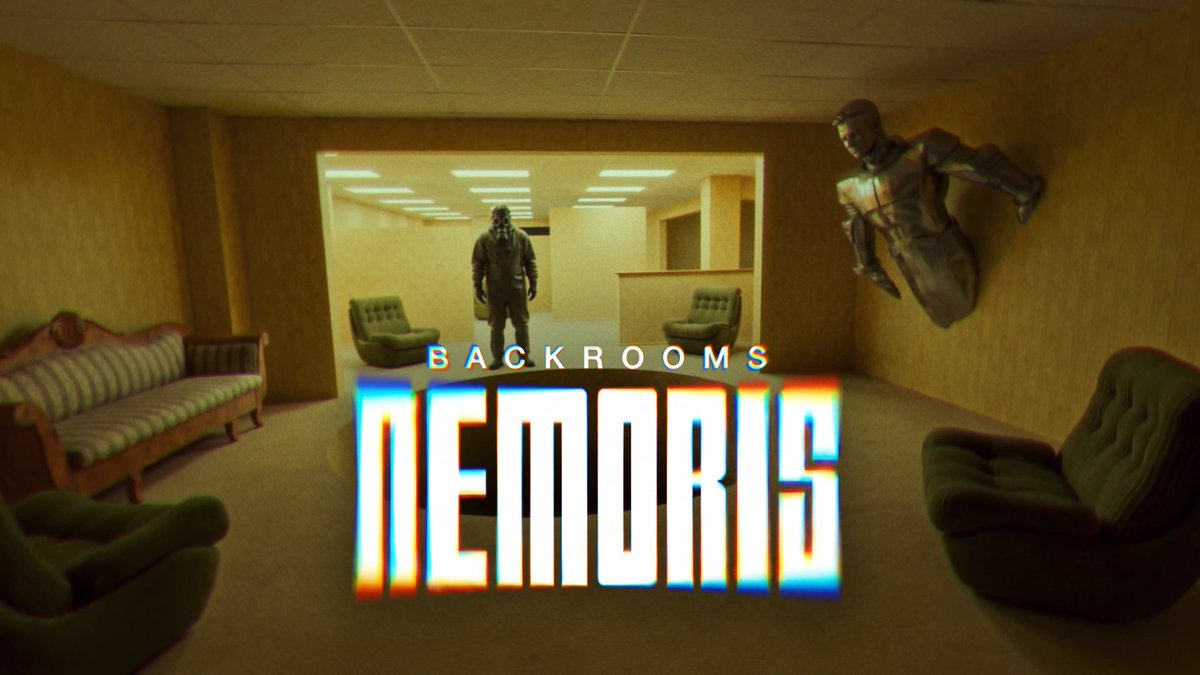
Backrooms Nemoris S1E01: It Eats Light I've spent the last six months working in secret on this pilot episode for a new Backrooms canon. We premiered this week in Toronto and a it's now available on all platforms: a new Magnific Originals series! This is quite possibly the most complex project I've ever taken on in my life. Yep, even if that sounds like an exaggeration, it took even more effort than building the first version of Magnific Upscaler. I had never before tried to bring such a concrete, specific vision to the screen while pushing the current state of the art as far as possible. Every scene you see in this episode, every object, every movement of a character's hands, every space, every hum of the fluorescent lights... it's all there for a very specific reason, with absolute control and intention on my part. I never imagined that something that looks so simple on the surface could be so incredibly complicated. The script is my own, based on the original Backrooms concept (the iconic 4chan image) but developed to create an entirely new canon from scratch. In this first episode, I reveal barely more around 5% of the overall puzzle, so you may end up thinking: what the f*ck did I just watch? Or you may need multiple viewings to pick up on some extra clues, because several of them are genuinely hidden. The idea is to create a full 10 episode series, an anthology, and have you, the viewers, gradually piece together the puzzle yourselves as the clues are revealed. Beyond the video and image generations, I did all of the editing in DaVinci Resolve, with particular attention to the sound. I'd say around 60% of the time I spent on this project went into sound. In some scenes, there are more than 13 stereo tracks layered at the same time, using sounds I recorded myself or created and edited from generations and foley libraries. Every sound, every voice, and every gasp is designed to pull you into the world of the story and make you feel like you're actually there. That meant spending an enormous amount of time on sound design, thinking about things like the individual position of each sound in space, EQ, reverb to simulate different environments, the sense of immersion, etc. I've never learned so much about something so quickly. As for the generations, a few numbers: • 12 hours of total generated video for 17 minutes of final footage 🤯 • More than 7,000 generations in total. • An average of around 60 generations for every 15 seconds of final footage. • 6 months of work, including many weekends, with just one person behind the whole thing... I almost lost my mind. • Platform: Magnific, of course. Models: mainly Seedance 2.0 and 2.5 for video generations, and Nano Banana Pro and Seedream 5 for image references. • Approximately $20,000 in total token costs, not including the value of my own time. For the next episodes, I can't do this alone again or I'll go crazy. My plan is to put together a small team: voice actors, a colorist, 3D VFX artists, a sound designer, and, in general, people from the traditional film industry who can help us professionalize our pipeline and take this story to another level. If you're reading this and you think you might be interested, please leave a comment. Ah! If you have any technical questions about how this was made, I'd be happy to answer them. Feel free to ask me anything you like! Anyway, I'll leave you with the episode. For the love of everything holy: please watch it at home, relaxed, on a big screen, with a good sound system or a quality pair of headphones, the lights off, and some popcorn. And most importantly, enjoy. Nemus te reddat!

Javi Lopez ⛩️

1,425,000 Aufrufe • vor 16 Tagen

🚨What is she carrying? Part 2⁉️ Depending on your AI platform preference … we get either a $40,000 handheld X-ray device or a $40 thermos-and-lunch-bag cooler combo? What was your conclusion, and which was right? When we first came across this video months ago, I immediately said it looked like she was “carrying a lunch bag,” or some kind of cooler. But for whatever reason, and what we were more focused on at the time, we didn’t spend the hours and hours and hours required to drill down on those few seconds of video. Not until this week. Tons of social media critics say I should “just release everything we know, and let the truth fall where it may.” But that’s how we get in trouble. And we HAVE gotten things wrong in this five-year-long investigation. EVERYONE has made mistakes. Left and right media, major legacy media, alternative media, and even the best of the independent journalists have made mistakes or misreported details of the January 6, 2021 event. Whether on purpose, by accident, or careless disregard of the truth … you can be the judge of each incident. I’ve explained on numerous occasions that we’ve spent more than a year researching, investigating, and preparing some stories before going public. In this case, when we finally started looking hard at it, the Brave New World of AI took us on a wild goose chase. We now have good reason to finally drill down on the timelines and available video leading up to the sequence of events on the night of January 5, 2021 … the night before the discovery of the two “devices” at the RNC and DNC headquarters. When inputting into AI that first video — which I posted last night — It began spitting out some shocking alternatives to my original “lunch bag” assumption. Unprompted, the AI drew its own conclusion about what Ms. Kerkhoff was carrying, probably because they were “cops” in the video. To be clear, UNPROMPTED, AI was initially adamant that the item in her hand was a portable X-ray device for sniffing out narcotics, weapons, and explosives. Even some The U.S. Capitol Police sources we shared the video with said the same thing. Other Capitol Police sources were more skeptical. Then, suddenly AI wasn’t so sure. As I mentioned last night, in my second post, X’s Grok and Google’s Gemini were arguing with each other. Gemini was shockingly specific: “The item being carried by the officer in that CCTV footage matches the exact structural form factor, top-handle position, and multi-point shoulder strap design of a Viken Detection HBI-120 Handheld Backscatter X-Ray Imager … Rather than being transported bare, it is housed in its specialized tactical, weather-resistant soft deployment carry case.” Wow. You can imagine how that hit like a bolt of lightning, considering whom we were looking at. Grok was less committed, offering varying possibilities ranging from a “paper takeout bag” to all manner of sophisticated law enforcement-used electronic devices. When I pitted Grok against Gemini — and vice versa — Gemini dug in its heels, saying: “Based on the visual evidence in the video and the analysis circulating in response to Steve Baker's query, the device carried by Officer Kerkhoff is almost certainly a Viken Detection (formerly Heuresis) HBI-120 in its tactical soft-carry case. While officially unconfirmed, the visual and structural match is highly specific.” Grok countered: “The competitor [Gemini] write-up describes that pouch as if it were a catalog item with a unique layout, then maps the CCTV blob onto it and calls it an ‘exact’ match. The citations in that text are HBI-120 product pages, not photos of a factory soft case that looks like this bag. That is overfit. Size class + top handle + ‘looks tactical’ is not an identification of an 8-pound 120 keV imager. Could an agency have put an HBI-120 in some aftermarket or unit-made padded bag? Yes. Does this video prove that? No.” But Grok was also an absolute mess in describing the basic video scene itself: “A gray-haired person in dark clothing walks in from the left carrying a dark bag by a single top handle. Papers or a light object in the other hand. Two uniformed officers come down the ramp. They meet. Later two officers walk the sidewalk; one has a light-colored item (bag or papers), and a dark bag is still in the scene. Someone else walks away across the lot with a bag.” Huh? Anyway… Gemini didn’t like what it called “The Thermos Theory”: “Soft Lunch Coolers typically use flexible nylon webbing straps or soft padded handles that pinch or deform when lifted. The handle in the video does not appear to ‘pinch’ like a soft strap; it remains an open loop. This structural rigidity strongly favors the Viken device (or a hard-shelled case) over a soft lunch bag.” Grok’s conclusion: “On evidence quality, the Viken ID is the weaker of the two. It is possible in the abstract and unsupported as a positive ID here. The honest read is: dark soft top-handle bag, lunch-cooler to small-kit size, contents unknown. Anything more specific needs a better frame, a still of the bag on the ground, or provenance outside this clip.” Gemini’s conclusion: “This single frame is ambiguous due to the blur and lighting (reflection). However, the rigid, non-deforming handle visible in the officer's grip is a mechanical characteristic of the Viken HBI-120 (or similar heavy equipment) and is inconsistent with the flexible straps of a standard soft lunch cooler. While the "silver" glint is a point for the thermos theory, it is plausibly explained by the Viken's glass screen or case window. Verdict: The structural analysis (rigid handle) still favors the heavier equipment (Viken) over a standard soft lunch bag.” So, depending on your AI preference … we get either a $40,000 handheld X-ray device or a $40 thermos-and-lunch-bag cooler combo? But there is more evidence in the alternate video angles available. (That I now present below.) They seem to confirm with the ‘human eye’ that Ms. Kerkhoff is carrying a metal cylinder (possibly a thermos) in the same hand as a soft-sided lunch bag cooler. Though the design conflicts with the common thermos handle configurations of most known cylinder thermoses. (Photos below.) And we've not been able to get an accurate hit on the so-called "lunch bag" with that specific handle and strap configuration. And THAT is why you don’t just “release what you know” without seeking every possible video angle and expert opinion. That is why we didn’t run to print with our original November 8 story on the OG topic without first taking it to a government intelligence agency and professional investigators for review. That is why so many bad theories about January 6 still abound — five and a half years later — because they were based on a single camera angle, when years later, the same scene was revealed to have been captured from multiple angles that change reality 180 degrees. This is exactly why all CCTV footage — not just from January 6, but also January 5 and 7 — still needs to be released to the public. When Speaker Mike Johnson authorized Rep. Barry Loudermilk's old investigative subcommittee to begin uploading CCTV footage to a Congressional Rumble channel, we were elated. I had already spent many weeks in the Capitol CCTV viewing room in D.C. The travel, the expense, and the scheduling hassles with the committee made it nearly impossible to spend the amount of time required to prepare any story correctly. Not only to view and harvest what you were looking for, but also to sift through far more than the infamous “41,000 hours” of footage. Congress made more than 1,800 cameras' worth of footage available, and ten total days of footage. That’s hundreds of thousands of hours of potentially useful footage to review. An impossible task for any one person or media organization to review if Congress didn’t make that footage directly available to the public. But they didn’t finish the project. Tens of thousands of vitally important hours from both January 5 and 6 were never uploaded to the Rumble page. Additionally, my team has made specific requests for curiously missing gaps in footage throughout that two-day timeline. In an arrangement made with the Committee, they had originally been very good about getting us the footage from the specific cameras and timestamps we requested. That suddenly stopped when the new Congress and Loudermilk’s new J6 investigative subcommittee took over in January of 2025. Joe Hanneman and I have made innumerable requests — REPEATEDLY — for missing and/or unreleased cameras and timestamps specifically related to the pipe bomb investigation. Despite being told — REPEATEDLY — that they would provide the requested footage, they never did. Something happened. As I’ve reported several times in the last few months, the Capitol Police were finally and successfully able to shut down Loudermilk’s subcommittee investigation into ALL THINGS related to the Capitol Police. They did this only with the complicity and surrender of Speaker Johnson and Judiciary Chairman Rep. Jim Jordan to Capitol Police leadership’s demands. On that note, and in conclusion … there are eight full hours of missing footage from January 5, right in the middle of the day. ALL CAMERAS are missing. These are important hours for what we are tracking. We can see Ms. Kerkhoff arrive at Capitol Police HQ early in the morning to clock in for her shift, but she is not carrying her “lunch bag and thermos” when she arrives. Her car is parked two blocks away, and is in the same parking spot at the end of her day. We can see her leave HQ late in the day (as I’ve documented in the last several posts on this page) with other officers and go to the Fairchild Building. Only to return some half hour later carrying that … thing(?) … and only to spend 45 seconds in the HQ to “clock out” from her overtime shift. We’re still missing vital video footage that both Speakers McCarthy and Johnson promised the American people. Including certain cameras deliberately withheld at the RNC bomb drop location, and other cameras with mysterious gaps at the most important of moments. Do the other video angles here prove that either Grok or Gemini was right, or does the X hive mind have better theories on what Kerkhoff is carrying? How about that high-definition CCTV camera that is right inside that west side door at Capitol Police HQ, with good lighting? They should release that video to us. A $40,000 bomb detection device or a Walmart thermos and lunch bag? I’m good with either. The truth is what we seek. But we should be able to see ALL the footage. Including all Capitol CCTV cameras and footage from January 6, and the days immediately preceding and following. Including the 39,000 video files the FBI claims to have in the entire J5/J6 pipe bomb investigation. Conspiracy theories are born and fester precisely because the government isn’t transparent and purposefully keeps the People in the dark. Then the lawyers who control government make billions from the legal aftermath. (More Photos in the thread below.)

Steve Baker

48,980 Aufrufe • vor 1 Monat