Загрузка видео...
Не удалось загрузить видео
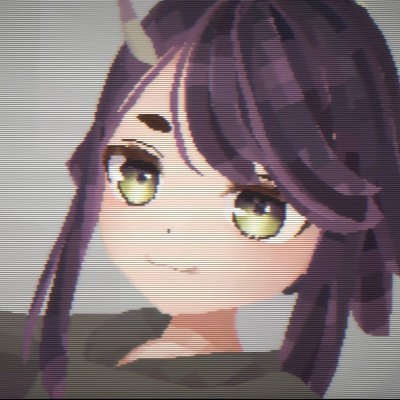
Normal editing
26,770 просмотров • 5 месяцев назад •via X (Twitter)
Комментарии: 7

Just a quick heads-up: the normals in this video have already been edited. If you’re trying this yourself and it doesn't look quite the same, don't worry—that’s normal! I used the 'Point to Target' method to align the facial normals so they point directly forward. I skipped this part in the video because it’s a bit tedious to show, but it's essential for that clean toon look. You can also achieve similar results using a Data Transfer modifier or other normal editing tools to get your base alignment. The key is getting those smooth transitions before you start the rest of the setup!

Honestly this is a huge step that most people ignore. Glad to see people out here actually care about this!

Sheep?! Baaah
Baaah!

hellooooooo, sorry but i have a question, how do you model the buttocks? It's just that I'm learning 3D modeling and that part is super complicated for me. Do you first make the models in sculpt mode and then do a retopology, or do you do everything from edit mode?
Hello! I usually start by box modeling the base mesh in Edit Mode, and then switch to Sculpt Mode to refine the forms and details. My workflow is a constant back-and-forth between the two. Even after retopology, I might go back to sculpting. But at that stage, I avoid changing the polycount; I mainly use tools like Grab, Elastic Deform, and Smooth for fine-tuning. Another great way is using the Multires modifier—you can adjust the high-res details and then 'Apply Base' once you're satisfied. Ultimately, the most important thing is Artistic Anatomy. Whether you're making a human or a fantasy creature, understanding the underlying structure is key to making it look right!
entiendo, forma de trabajar flexible y libre, muchas gracias❤️


