Video wird geladen...

Video konnte nicht geladen werden

Zur Startseite

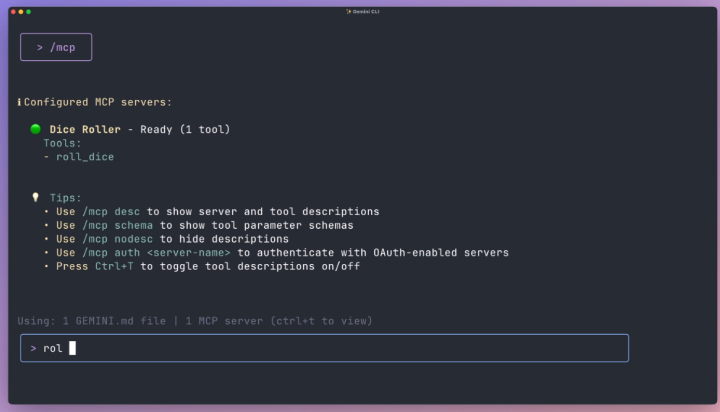
Now you can supercharge your terminal with MCP servers (open-source). MCP CLI lets you interact with local and remote MCP servers, built with a rich UI, and full LLM provider integration. You can run tools, manage conversations, or automate workflows directly from your terminal. Key features: - Multiple interaction...

39,981 Aufrufe • vor 1 Jahr •via X (Twitter)

10 Kommentare

Profilbild von Avi Chawla
Avi Chawlavor 1 Jahr

GitHub Repo → Get a free visual guidebook to learn MCPs from scratch (with 11 projects):

Profilbild von Avi Chawla
Avi Chawlavor 1 Jahr

If you found it insightful, reshare it with your network. Find me → @_avichawla Every day, I share tutorials and insights on DS, ML, LLMs, and RAGs.

Profilbild von Akshay 🚀
Akshay 🚀vor 1 Jahr

Connect you CLI to any MCP server! Thanks for sharing Avi! 🙌

Profilbild von Avi Chawla
Avi Chawlavor 1 Jahr

🤝

Profilbild von TheAICoder
TheAICodervor 1 Jahr

Terminal LLM integration is definitely the way to go for dev workflows. The "rich UI" part in a CLI is intriguing, gotta see how that feels.

Profilbild von Kelechi RecordBreaker
Kelechi RecordBreakervor 1 Jahr

Concurrent execution in the terminal? Brilliant. This will save me hours on workflow automation. Love how it handles LLM switching too.

Profilbild von Robert Youssef
Robert Youssefvor 1 Jahr

sounds like a neat tool for terminal enthusiasts. but let’s be real, how often do these features actually deliver? concurrency is nice, but don’t get too cozy. stick to simple, reliable tasks first.

Profilbild von Chris Felix
Chris Felixvor 1 Jahr

How different is it from Gemini CLI?

Profilbild von Mialo Tech | AI Innovation
Mialo Tech | AI Innovationvor 1 Jahr

Seamless CLI interactions for multi-provider LLM ops, exactly the modular approach teams need to manage data heavy pipelines.

Profilbild von Webtalkbot
Webtalkbotvor 1 Jahr

Only tools are supported? What about tokens counting?

Ähnliche Videos

New course: MCP: Build Rich-Context AI Apps with Anthropic. Learn to build AI apps that access tools, data, and prompts using the Model Context Protocol in this short course, created in partnership with Anthropic Anthropic and taught by Elie Schoppik Elie Schoppik, its Head of Technical Education. Connecting AI applications to external systems that bring rich context to LLM-based applications has often meant writing custom integrations for each use case. MCP is an open protocol that standardizes how LLMs access tools, data, and prompts from external sources, and simplifies how you provide context to your LLM-based applications. For example, you can provide context via third-party tools that let your LLM make API calls to search the web, access data from local docs, retrieve code from a GitHub repo, and so on. MCP, developed by Anthropic, is based on a client-server architecture that defines the communication details between an MCP client, hosted inside the AI application, and an MCP server that exposes tools, resources, and prompt templates. The server can be a subprocess launched by the client that runs locally or an independent process running remotely. In this hands-on course, you'll learn the core architecture behind MCP. You’ll create an MCP-compatible chatbot, build and deploy an MCP server, and connect the chatbot to your MCP server and other open-source servers. Here’s what you’ll do: - Understand why MCP makes AI development less fragmented and standardizes connections between AI applications and external data sources - Learn the core components of the client-server architecture of MCP and the underlying communication mechanism - Build a chatbot with custom tools for searching academic papers, and transform it into an MCP-compatible application - Build a local MCP server that exposes tools, resources, and prompt templates using FastMCP, and test it using MCP Inspector - Create an MCP client inside your chatbot to dynamically connect to your server - Connect your chatbot to reference servers built by Anthropic’s MCP team, such as filesystem, which implements filesystem operations, and fetch, which extracts contents from the web as markdown - Configure Claude Desktop to connect to your server and others, and explore how it abstracts away the low-level logic of MCP clients - Deploy your MCP server remotely and test it with the Inspector or other MCP-compatible applications - Learn about the roadmap for future MCP development, such as multi-agent architecture, MCP registry API, server discovery, authorization, and authentication MCP is an exciting and important technology that lets you build rich-context AI applications that connect to a growing ecosystem of MCP servers, with minimal integration work. Please sign up here!

Andrew Ng

142,010 Aufrufe • vor 1 Jahr