Loading video...

Video Failed to Load

Go Home

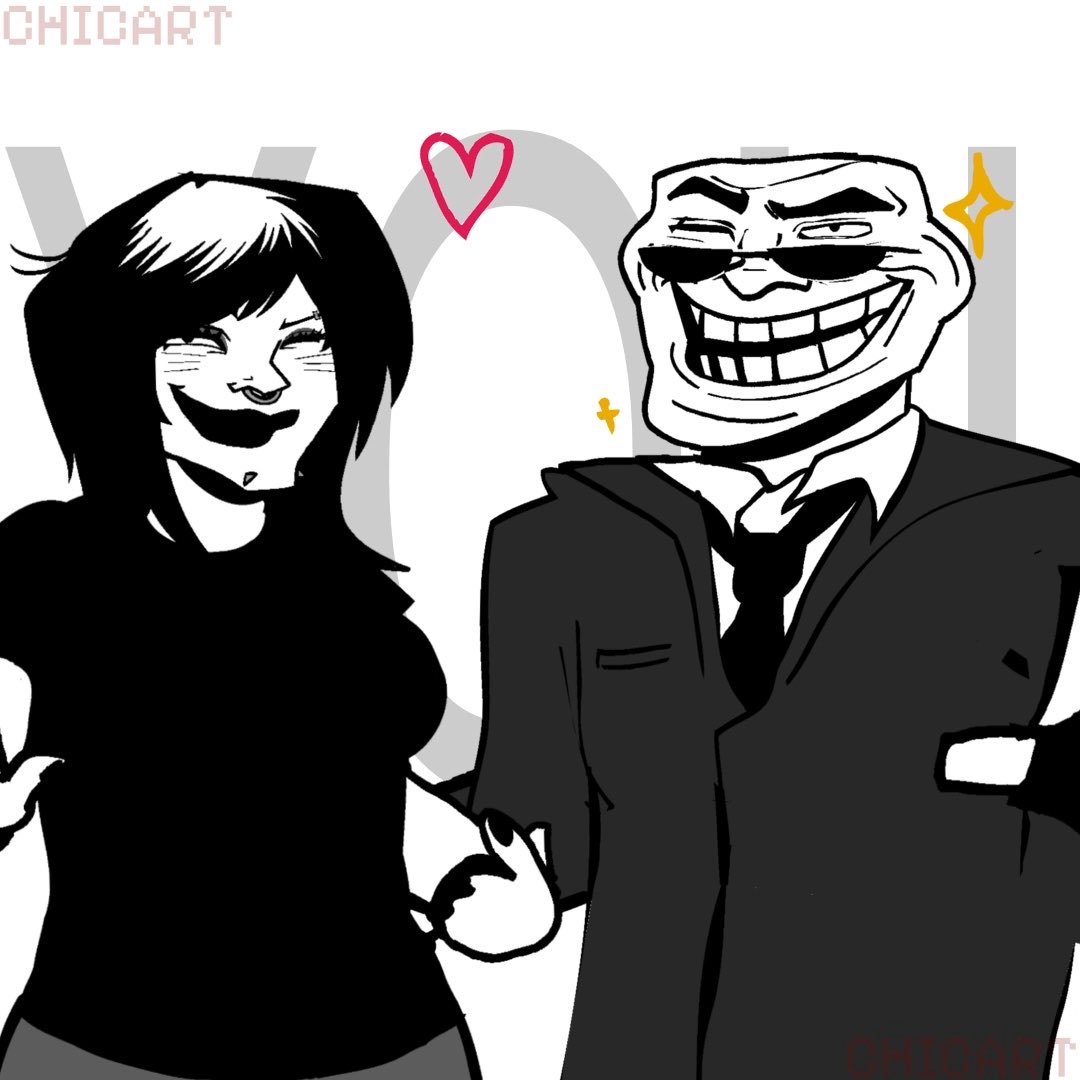
Outdated animation meme with outdated Vtuber using Nizima ACTION!! 🤩 full process+review video link beloww #Vtuber #vtuberen #animation #animationmeme

12,421 views • 3 months ago •via X (Twitter)

0 Comments

No comments available

Comments from the original post will appear here

Related Videos

🎬 SYNTHTOPIA: HOLLYWOOD ANIMATION CHALLENGE ⚡️ 🎥 The Helix lights up, cameras roll… and the stars of SYNTHTOPIA take center stage. This week, the #CroFam enters the red-carpet dimension — where creators become directors, and NFTs become icons. 🌟 ⚡️ THE CHALLENGE: Create a short animation video inspired by the SYNTHTOPIA universe — with the flair, drama, and cinematic chaos of Hollywood gone Synth. Think movie trailers, action sequences, or absurd red-carpet moments between Helix creatures. ✨ Surreal. Stylish. Or just hilariously over the top. 🎞️ HOW TO ENTER: 1️⃣ Animate your SYNTHTOPIA NFT(s) using any tool — AI, 3D, motion graphics, Veo, Runway, Pika, After Effects, Grok… whatever fits your vision. 2️⃣ Add a soundtrack or cinematic sound design (bonus points for originality). 3️⃣ Post it on X (Twitter) with hashtags and as a comment on this post: #Synthtopia #CroFam 4️⃣ Tag SYNTHTOPIA × Crypto.com NFT × 🏆 REWARDS 🎖️ 1× SYNTHTOPIA: INTO THE BIOSPHERE NFT Featured on official Synthtopia channels & cinematic drops Top entries may also appear in Soundwave Vol. II visuals 🎁 TO ENTER GIVEAWAY: 1️⃣ Follow SYNTHTOPIA × Crypto.com NFT × 2️⃣ RT 🔁 | Like ❤️ | Tag 3 friends 👥 3️⃣ Comment your animation 🎥 💬 For guidance, feedback, or to share progress — join our Discord: 👉 Exclusively on Crypto.com NFT × 🎞️ The lights are on. The Helix is watching. It’s your time to shine — welcome to the SYNTHVERSE ⚡️ #Synthtopia #BIOSPHERE #CroFam #CryptoCom

SYNTHTOPIA

26,534 views • 8 months ago

Made this exploded object structure animation using Nano Banana Pro + first & last frame — all done inside one single website. From image generation to video motion, the whole process was surprisingly smooth. Motion Prompt: The pizza slice rotates slowly in place, then smoothly separates into vertical layers. Each ingredient lifts upward in sequence while maintaining natural proportions and alignment. Motion is steady and realistic, with gentle floating and no extra visual effects. Image 1 :- A high-quality, professional food photograph of a single slice of Domino’s-style pepperoni pizza. Golden melted cheese with visible stretch, glossy pepperoni slices on top, thick crust with baked texture. Shot against a clean white background with soft shadows, studio food photography, sharp focus, ultra-realistic textures, 8K resolution. Image 2 :- Create a hyper-realistic exploded vertical infographic composition of a Domino’s pizza slice. At the top, slightly curled pepperoni slices with oil sheen. Below, a thick layer of melted mozzarella cheese stretching naturally. Underneath, a smooth red tomato sauce layer with visible herbs. Below that, a baked pizza dough base showing airy crumb texture and crust edge. Pure white background, soft studio lighting, subtle shadows beneath each floating layer, ultra-sharp focus, clean infographic text labels with thin pointer lines, premium fast-food commercial aesthetic, DSLR macro food photography, 8K quality.

AGAFE

112,286 views • 6 months ago

Boom! Grok Tasks Make It One Of The Most POWERFUL Real-Time AI Systems In The World. — My How to Use Grok Tasks With Hidden Tools For Powerful Daily Output. Grok Tasks are customizable AI workflows that integrate a variety of tools to streamline daily activities, from research and analysis to creative planning and problem-solving. I have been using them for quite sometime and because of the vital heartbeat of news and first person data on X, it is the most powerful AI platform available. By combining Tasks with tools like web searches, X platform interactions, code execution, and media viewers, you can build efficient, automated processes. These tasks work by prompting Grok with a clear description of what you want to achieve, and Grok will intelligently call the necessary tools in sequence or parallel to deliver results. Here's a step-by-step guide to creating and using Grok Tasks: Step 1: Define Your Task Start by clearly outlining the daily activity or goal. Consider what inputs you have (e.g., a URL, a query, or an attachment) and what output you need (e.g., a summary, calculation, or visual analysis). Break it down into subtasks to identify tool needs. For example, if your task involves researching current events, note that you'll need search and browsing capabilities. Step 2: Review Available Tools Familiarize yourself with the tools Grok can access. Here's a quick overview: - Code Execution: Run Python code for calculations, data processing, or simulations using libraries like numpy, pandas, or sympy. - Browse Page: Fetch and summarize content from any website URL with custom instructions. - Web Search: Perform general internet searches, returning results with optional operators like site:. - Web Search With Snippets: Get quick, detailed excerpts from search results for fact-checking. - X Keyword Search: Advanced search for X posts using operators like from:, since:, or filter:. - X Semantic Search: Find semantically related X posts based on a query, with filters for dates or users. - X User Search: Locate X users by name or handle. - X Thread Fetch: Retrieve a full X post thread, including context like replies and parents. - View Image: Analyze an image from a URL or conversation ID. - View X Video: Extract frames and subtitles from an X-hosted video. - Search PDF Attachment: Query a PDF file for relevant pages using keyword or regex modes. - Browse PDF Attachment: View specific pages of a PDF with text and screenshots. Select tools that align with your task. Aim for a mix to handle data gathering, processing, and visualization. Step 3: Craft Your Prompt Write a detailed prompt to Grok describing the task. Include: - The overall goal. - Specific steps or subtasks. - References to tools if you want to guide the process (e.g., "Use web_search to find sources, then code_execution to analyze data"). - Any constraints, like dates or limits. Example prompt: "Create a Grok Task for my morning routine: Search recent X posts about tech news using x_keyword_search, fetch a key thread with x_thread_fetch, and summarize with browse_page on linked articles." Step 4: Submit and Interact Send your prompt to Grok. It will process the task by calling tools as needed, often in parallel for efficiency. Review the output and refine with follow-up prompts if required (e.g., "Expand on that using view_image for visuals"). Iterate to fine-tune the workflow for reuse. Step 5: Save and Reuse Once refined, note the prompt as a template for future use. You can adapt it for similar tasks, making Grok Tasks a habitual part of your day. Finding Grok Tasks To discover existing Grok Tasks or inspiration for new ones, use X searches with tools like x_keyword_search or x_semantic_search (e.g., query: "Grok Tasks examples" with mode: Latest). Browse community-shared threads via x_thread_fetch, or web_search for tutorials on xAI features. Prompt Grok directly: "Show me popular Grok Tasks for productivity." 1 of 3

Brian Roemmele

152,242 views • 6 months ago

Claude Code + Higgsfield MCP is f*cking cracked 🤯 I built an entire DTC ad campaign inside Claude Code using the new Higgsfield MCP. One product URL → hero static, animated hero shot, 2 UGC clips with a creator wearing the product. 5 assets. One Claude conversation. 3 Higgsfield models. All inside Claude Code. Perfect for DTC brands and agencies who need full campaign packages without booking a shoot or briefing a designer. If you're spending hours every week generating statics in one tool, briefing a motion designer for the hero clip, then chasing a UGC creator for the talking-head shots — this MCP eliminates the entire pipeline: → Drop a product URL into Claude Code → Claude pulls the brand brief — voice, hero SKUs, visual style, target customer → Generates the hero static with ChatGPT Images 2.0 → Animates it into a 5-second cinematic opener with Seedance 2.0 → Generates a UGC creator with GPT Image 2 → Drops her in the product and generates 2 native UGC video clips with Seedance 2.0 No tab-switching between tools. No copy-pasting prompts between platforms. No briefing 3 different vendors for one campaign. What you get: → A complete campaign package — static, animation, UGC — from one product URL → Brand-specific outputs that pull from a real brief, not generic AI slop → Claude making creative decisions between every step (which variation wins, which creator fits the persona, which clip needs a re-spin) → A repeatable pipeline you can run for any product in your catalog Built 100% in Claude Code with the Higgsfield MCP. I recorded a full walkthrough showing exactly how this works: the MCP setup, every prompt, every model, the full campaign output. Want the full video walkthrough? > Like this post > Comment "MCP" And I'll send it over (must be following so I can DM)

Mike Futia

29,480 views • 2 months ago

Turn Tom and Jerry in 4K reality using Seedance 2.0 on Pollo AI Prompt: Use the uploaded reference video as the master reference. Recreate the entire scene in ultra-photorealistic live action while preserving the original video frame-by-frame. Maintain the EXACT camera movement, lens, framing, composition, timing, pacing, shot transitions, lighting direction, environment, props, object placement, character blocking, and every action from the reference video. ONLY replace the cartoon characters with realistic live-action animals while keeping everything else unchanged. ======================== CHARACTER CONSISTENCY ======================== Tom is a realistic British Shorthair cat with: • blue-gray plush fur • white chest, muzzle and paws • large amber eyes • pink nose • rounded face • thick tail • expressive eyebrows • identical appearance in every frame • identical fur pattern, facial proportions, eye color and body size throughout the video Jerry is a realistic golden Syrian hamster with: • soft golden-brown fur • cream belly • large rounded ears • black shiny eyes • tiny pink paws • small pink nose • realistic whiskers • consistent body proportions in every frame • identical appearance throughout the entire video If other Tom & Jerry characters appear, replace them with realistic animals that preserve their personality, colors, proportions and expressions while remaining identical throughout the clip. ======================== MOTION ======================== Preserve every movement exactly. The realistic animals must perform the exact same actions, walking cycle, head movement, eye movement, paw placement, facial expressions, timing and interactions as in the reference animation. No new actions. No altered timing. No changed poses. ======================== ENVIRONMENT ======================== Keep the original environment exactly the same. Do not modify: • furniture • decorations • room layout • colors • props • shadows • reflections • camera angle • camera path Everything except the characters must remain unchanged. ======================== QUALITY ======================== Hollywood-quality CGI. Photorealistic animals. Natural muscle movement. Physically accurate fur simulation. Realistic whiskers. Subsurface scattering. Realistic eye reflections. Natural breathing. Micro facial expressions. Ultra detailed textures. Soft cinematic lighting. Shallow depth of field. Global illumination. Ray-traced reflections. Macro photography realism. 4K HDR. Disney-level VFX quality. Live-action realism. Extremely stable temporal consistency. Perfect character identity consistency across all frames. Do not redesign the characters. Do not change the environment. Do not change the camera. Do not change the timing. Do not add new objects. Do not crop or zoom differently. No flickering. No morphing. No identity drift. No fur color changes. No eye color changes. No size changes. No anatomy deformation. No extra limbs. No duplicate animals. No cartoon textures. No low-quality CGI. No inconsistent lighting. No frame-to-frame variation. Maintain perfect temporal consistency and character consistency throughout the entire video.

Oogie

60,012 views • 16 days ago

Karpathy's Agentic Engineering finally has proper tooling! (built by Google) Karpathy defined agentic engineering as the discipline that separates production agent work from vibe coding. The core skills he listed were spec design, eval loops, and security oversight. The problem has been that practicing this still requires a different tool for every phase: - editor for code - a terminal for scaffolding - a browser for testing - a cloud console for deployment - and a separate framework for evals. Every transition is a context switch. The solution to production-grade Agentic Engineering is now actually implemented in Google’s Agents CLI. It covers the entire workflow in one place for scaffolding, evaluating, and deploying ADK agents. One setup command injects 7 ADK-specific skills into a coding agent's context, which lets it handle scaffolding, evals, deployment, and enterprise registration through natural language. I tested this end-to-end by building a RAG agent from scratch using Claude Code. It scaffolded the full project from the ADK agentic_rag template, generated 20 eval scenarios with LLM-as-judge scoring, and returned a quantitative scorecard. Finally, it also deployed everything to Agent Runtime and registered the agent to Gemini Enterprise, so the entire org can discover and use it. The video below shows this in action, and I worked with the Google Cloud team to put this together. Agents CLI GitHub repo → (don't forget to star it ⭐ ) I wrote up the full build covering all six steps from install to enterprise registration. It includes the eval scorecard, the instruction loophole the eval caught before deployment, and what the deployment process actually looks like end-to-end. Read it below.

Akshay 🚀

255,810 views • 26 days ago

THE FALL OF THE FORTRESS 💥 where war ends and a new king rises from the ashes of silence. I generate this through Seedance 2.0 on Yapper Prompt : “THE FALL OF THE FORTRESS” — 15s Ultra-Cinematic Hollywood AI Video Prompt Style: Hyper-realistic Hollywood action • IMAX scale • Unreal Engine 5 quality • cinematic VFX • realistic physics • ultra-detailed facial animation • volumetric smoke • dynamic lighting • smooth motion control • practical explosions mixed with CGI • grounded realism • no cartoon feeling • intense cinematic sound design --- 0:00 – 0:03 | THE ARRIVAL Extreme wide aerial shot above a gigantic ancient stone fortress built on a mountain cliff during a stormy sunset. Massive black military helicopters emerge from thick clouds while searchlights cut through the rain and smoke. The main hero stands at the open helicopter door wearing a dark tactical royal armor mixed with modern military gear — long black coat flowing violently in the wind, metallic shoulder armor, glowing insignia on chest, battle scars on face. Camera: cinematic drone orbit + stabilized helicopter tracking shot. Atmosphere: realistic wind physics, rotor wash moving dust and flags naturally, thunder flashes illuminating the fort. Audio: deep cinematic braams, helicopter blades, distant explosions. --- 0:03 – 0:07 | THE ATTACK The helicopters begin aggressive tactical assault on the fortress walls. Heavy machine guns fire realistic tracer rounds toward enemy towers while explosions erupt across stone barricades. The hero jumps from the helicopter using a tactical rope while explosions burst behind him in slow motion. Enemy soldiers fire desperately but the hero walks forward fearlessly through smoke and sparks. Camera transitions: slow-motion close-up of bullet casings falling handheld battlefield tracking shots cinematic whip-pans during explosions realistic motion blur and debris simulation VFX: ultra-realistic fire, smoke simulation, particle destruction, cinematic sparks, physically accurate lighting reflections on armor. --- 0:07 – 0:10 | THE SURRENDER The hero lands inside the fort courtyard. Enemy soldiers slowly stop firing. One by one, they kneel and throw down their weapons. Rain falls softly through burning smoke while the hero walks through the defeated army with absolute dominance. His boots echo on wet stone ground. Camera: low-angle hero shot with subtle shake for realism. Lighting: orange fire glow mixed with cold blue storm light creating dramatic contrast. Facial animation must feel emotionally real and photorealistic. --- 0:10 – 0:15 | THE NEW KING Massive throne room inside the fortress. Ancient royal hall with burning torches, shattered banners, cinematic dust particles floating through light beams. The hero slowly sits on the gigantic king’s throne. A royal crown is placed on his head while defeated enemies bow before him. Silence fills the hall. Extreme cinematic close-up on his eyes. Camera slowly pushes inward. He says in a deep powerful voice: “A new era begins from here.” Final shot: The throne hall darkens while golden light rises behind him like a rebirth. His cape moves slowly in the wind as the camera pulls back to reveal the conquered kingdom. --- Cinematic Technical Details Unreal Engine 5 photorealism IMAX cinematic framing realistic skin texture and micro-expressions perfect lip-sync smooth cinematic motion control practical war cinematography volumetric fog and smoke ray-traced lighting and reflections Hollywood-grade color grading physically accurate explosions and destruction zero fake animation feeling realistic crowd behavior and enemy reactions ultra-detailed environmental destruction epic Hans Zimmer–style cinematic soundtrack 24fps cinematic motion with natural shutter blur seamless transitions between scenes emotional realism + blockbuster scale

Ai Arainz

13,777 views • 2 months ago

A premium LEGO-style cinematic sneaker commercial where street basketball culture meets iconic brick-built animation. Featuring a stylish black sheep minifigure rocking custom LEGO Air Jordan 1s, the film delivers dynamic gameplay, dramatic lighting, and high-energy visuals, ending with a bold statement: STEP DIFFERENT. Made for Renoise x Contra challenge Use of Nano Banana 2 + Seedance 2.0 **LEGO STYLE NIKE AIR JORDAN 1 COMMERCIAL (15 SECONDS)** **Style:** Premium LEGO cinematic animation with authentic glossy plastic bricks and minifigure aesthetics, inspired by high-end LEGO animated films. Every object, environment, and character is constructed entirely from LEGO elements with visible studs, molded textures, and realistic plastic reflections. Vibrant neon green and black color palette (60:30:10 — neon green dominant, black secondary, chrome/silver accents). Volumetric haze, cinematic dusk lighting, anamorphic lens flares from stadium floodlights, soft depth of field, realistic plastic reflections, floating LEGO dust particles, smooth 24fps animation. No live action. No text overlays except the final logo card. **Character:** A stylish anthropomorphic LEGO black sheep minifigure with textured curly black LEGO wool hair, molded sheep ears, expressive printed face, and yellow transparent round LEGO sunglasses. Wearing an oversized neon-green sherpa-inspired LEGO fleece jacket with molded fluffy texture over a black-and-neon-green striped sweater torso print. Loose black LEGO jogger legs with sneaker-friendly proportions. Thin silver LEGO chain necklace with a dog-tag accessory. **Footwear:** Authentic LEGO-built Nike Air Jordan 1 "Neon Green/Black" sneakers featuring white LEGO panels, neon green overlays, black toe cap, black swoosh details recreated using LEGO elements while maintaining the recognizable silhouette. **Location:** Stylized LEGO outdoor basketball court at dusk. Brick-built asphalt court with glossy wet reflections, LEGO chain-link fence, colorful graffiti brick walls, distant LEGO city skyline glowing orange and purple beneath towering floodlights. Atmospheric haze between the buildings with floating LEGO dust particles. --- ### CUT 1 (0:00–0:03) Wide low-angle establishing shot (35mm feel), static. The LEGO sheep minifigure stands confidently at center court holding a LEGO basketball beneath one arm. A gentle breeze slightly rustles the oversized sherpa jacket pieces while the character slowly turns toward camera. Hard match-cut into an extreme macro close-up. One LEGO Air Jordan steps forward. Tiny LEGO dust pieces scatter across the brick-built asphalt in slow motion as the shoe locks firmly onto the court. --- ### CUT 2 (0:03–0:07) Low dynamic tracking shot (24mm), energetic handheld feel. The sheep crouches into a basketball dribble. Close-up of the LEGO basketball bouncing beside the glowing neon-green sneaker while the silver chain swings naturally. Whip-pan into a full-body action shot. The sheep bursts into a fast crossover sprint across the court. Neon green motion trails streak behind the shoes. Jacket panels bounce, ears flap, and plastic pieces subtly flex with movement. Camera performs a rapid 180° orbit ending behind the character looking directly toward the basketball hoop. --- ### CUT 3 (0:07–0:10) Slow-motion sequence (50mm). The sheep launches high into the air for a powerful dunk. Oversized sherpa jacket billows dramatically. Yellow LEGO sunglasses catch brilliant floodlight reflections. Cut to an extreme macro. The sneaker heel lands. A circular neon-green LEGO energy ripple travels outward across the court. Cut to the spinning LEGO basketball in shallow depth of field. The ball cleanly swishes through the LEGO chain net in elegant slow motion. --- ### CUT 4 (0:10–0:13) Hero beauty shot (85mm). The sheep lands confidently in a crouched pose. A glowing green energy ring pulses beneath both sneakers. The character slowly rises into a relaxed hero stance. Head tilts slightly. Yellow sunglasses reflect the glowing skyline. Macro insert. Extreme close-up of the LEGO Air Jordan toe box, white brick surfaces, black swoosh details, molded seams, glossy plastic finish, and subtle rim lighting emphasizing every LEGO element. --- ### CUT 5 (0:13–0:15) Static wide shot. The sheep walks away toward the glowing LEGO skyline while casually holding the basketball at its side. Its silhouette disappears into the atmospheric dusk haze. Hard cut. The same character now faces camera with arms crossed in a confident hero pose. Nike swoosh logo and the words: **STEP DIFFERENT.** Fade onto the bottom of the frame in clean white and neon-green typography. No additional motion. --- **Audio:** Authentic LEGO plastic footsteps, sneaker squeaks, basketball dribble impacts, subtle jacket rustling, ambient city atmosphere, distant court ambience, cinematic synth swell building toward the final logo reveal. No dialogue. No lyrics. #RenoiseChallenge

Aaliya

215,760 views • 25 days ago