Video wird geladen...

Video konnte nicht geladen werden

Zur Startseite

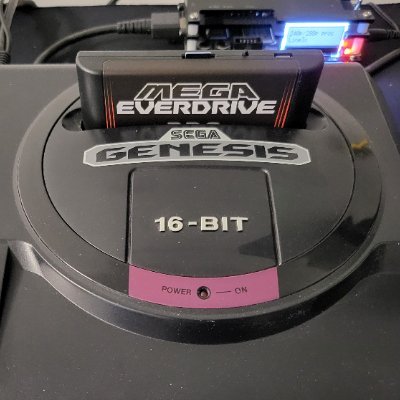
Sega Genesis Blast Processing MAXED OUT ??? Whats better than 660 sprites in 660 colors (prev demo) ??? 1013 sprites in 1013 colors !!! Demo starts at 117 sprites then adds 20 sprites per second every second until it reaches Max Blast Processing at ~ 46 seconds mark. Live...

105,027 Aufrufe • vor 2 Jahren •via X (Twitter)

9 Kommentare

Profilbild von Shannon Birt
Shannon Birtvor 2 Jahren

Thanks Pyron, happy to contribute to the Blast Processing in 2024 !!

Profilbild von Alexis Pantoja
Alexis Pantojavor 2 Jahren

This demo is something to stand up and applaud loudly, I think no one imagined how far MD can go and it is one of the reasons why it is my favorite platform, every day something comes along to surprise me in any aspect, be it graphics or audio.

Profilbild von Shannon Birt
Shannon Birtvor 2 Jahren

@AlexisynthPanto Thanks Alexis for the kind words. Blast Processing may not be a specific term but the community knows exactly what it means, and we're not even close to done 35 years later !!

Profilbild von _fabianodigital_
_fabianodigital_vor 2 Jahren

Now tell us which planet you come from 🥹😜 Gorgeous work! 👏👏

Profilbild von Shannon Birt
Shannon Birtvor 2 Jahren

Thanks Fabian !!! Haha, the very edge of this planet lol ..

Profilbild von D0N MIGUEL
D0N MIGUELvor 2 Jahren

cool!! i was trained by Sega Md games too much, so i'm on the right.😺💪

Profilbild von Shannon Birt
Shannon Birtvor 2 Jahren

Oh yeah, i'm crap with colors too lol. Luckily @Carsten1349 is the GFX expert and I'm just the coder ;-)

Profilbild von Stellar Babe
Stellar Babevor 2 Jahren

The Sega Genesis was ahead of its time despite its limitations I knew I chose the right 16-Bit console to own & love ❤️ Still being sold in Brzail today is a testament to its significance

Profilbild von Shannon Birt
Shannon Birtvor 2 Jahren

@PS4Revolution Thats amazing that it still being sold in Brazil, testament to the longevity of the system. Limitations are what attracts me to retro systems, make you work hard and flex your mind to be very creative. Unlimited power is of no interest to me - retro ftw.

Ähnliche Videos

** Sega Genesis 3D engine update 8.5 ** A smaller update - Scrolling left or right of the sprite based background is implemented along with X camera shifting of the 3d plane. The Exodus emulator has been used with sprite boxing enabled so you can see the background sprites making up the object ( their outlines ) and how they move to tilt the image . The background is made up of 112 sprites (51 are multiplexed in that number as the Genesis is limited to 80 without mulitplexing eg basically re-using sprite hardware as the screen is being drawn ) . In a 6 x 17 sprite grid of 16x32 pixel high sprites. If the tilt affect was not neccessary or only 1/2 the angle of tilt effect was needed, I could get away with 1/2 the number of sprites and just used 32x32 sprites instead. I think the tilt effect adds a bit to movement however. This is very similar to how a Neo Geo would build its backgrounds up - in 16 pixel strips however its sprites are tall as the screen or more but the concept of making backgrounds up in 16 pixel wide strips is similar. The NG uses sprites to build any background layers required. Here on the Genesis the reason is rendering is much faster using both the 3d planes and using a total sprite background for this engine. Initially i had a lot of things breaking when I tried to move the camera in the X dimension much , as i'd optimised the vertex transform path heavily and once beyond a certain camera offset the X value was wrapping around causing a lot of breakage in the rendering. Thankfully solved that issue without marginal impact to cpu . It still needs work , perspectives are a bit wrong etc but it won't be hard to fix. Also found some rendering speeds ups, about 8% by optimising fully onscreen quads and optimising the clearing of the frame buffers more efficiently. Toni Gálvez - Megastyle - BG. has been hard at work on HUD elements and more 3d models so will have something to show for that soon. #SGDK #SegaMegadrive #SegaGenesis

Shannon Birt

21,113 Aufrufe • vor 19 Tagen

*** SOTA RETROCON S.O.T.A UPDATE *** Whilst the Versao LTDA team is busy at Retrocon showing off our latest Sega Genesis SOTA update, here is a small snippet of how the game is progressing. This video has 3 parts, our menu screen, rain - wind sub section of level 1, then the boss. Everything is still wip including my gameplay skill lol ( and i thought the controller would help .. ) Some challenges overcome : The Menu screen uses shadow and highlight transparency modes in two ways, the background mode for the light rays and then the sprite mode for the mist - it has a nice overlapping effect too, due to using the forground plane for the light rays (s & h background mode) the entire forground is made up of sprites - all the words are sprites . SaviorMarks sent me a screenshot of an issue with boss leftover Mist sprites affecting the menu screen and I thought that looks really cool - lets do that haha . Sometimes bugs are keepers !! The rain section uses more than 80 sprites, a sprite multiplexor handles the rain whilst normal non plexed sprites make up the moon / clouds in the far background , the lamp posts and lamp light in the mid forground and Fences in the front forground . Without the multiplexor there was too much drop out on the rain at times. The rain is still blinked in alternating X positions due to the pixels per line limit , but it gives a great result still. The lamp lights use Shaded Active Dither as S&H here would not overlap the enemies / player . The Boss was a challenge with its size and full frame updates, up to 650 tiles are changed per animation frame into vram. Custom Dual priority DMA routines and extended DMA timings are used (still NTSC 224 pixels tall screen size but most of the vblank was used for updating tiles ) . These methods were used to update the bosses dual display buffers. I needed to have dual priority DMA buffers as the player / waterfall etc had to update their frames whilst the boss is constantly streaming tiles. There are also S&H transparent Mist sprites used for the boss sequence. It seems if you want everything to break at once target a demo for a retrocon event haha, we had lots of issues mainly with vram getting stomped and as all animating sprites need to be DMA streamed to fit into VRAM as the forgrounds and backgrounds take up a lot of tiles. Some new tools which show the VRAM allocation for the sprite engine on a frame by frame basis helped and a self defragging VRAM system helped quite a bit also. Thankfully things are in a good state now apart from a couple of small bugs that persist. Thanks to SaviorMarks and @MichelinFabio for putting up with and testing all the bugged updates haha !! #SegaGenesis #SGDK @MichelinFabio SaviorMarks #VersaoLTDA

Shannon Birt

10,319 Aufrufe • vor 1 Jahr

** Sega Genesis 3D Engine Update 8 ** Significant improvements all round as you can see and hear from the last update !! Foremost - A huge thanks to Toni Gálvez - Megastyle - BG. who has joined the project to create a bit of 16bit low poly magic. Toni's an Amiga fan but also crazy about game dev in general, he's worked on GBC, GBA, PC, MD, PSP, C64, CPC, MSX... and others. Gaming titles include War Times, Metal Gear, Rocketman, Tintin & Asterix to name a few. He's provided the great new ship model you see on screen - new striped buildings, all the backgrounds / palettes etc. There's a lot of models he's given me which need to be added, also he will be planning a lot of the level design. Very happy to have him help me turn this into something more than a tech demo as I have my hands tied pushing the MD as far as it can go haha - there is no cpu cycle to be spared. Also many thanks to my good friend CYBERDEOUS - Crouzet Laurent for the Music for this showing , I wanted to have the music load occurring so we have a realistic benchmark for performance and he was only too obliging. If you're into MD chiptunes check him out !! Since last update : New player model , substantially more detailed than the Arwing. Last update had a 23 triangle Arwing , this update has a 39 triangle custom model from Toni. We had several to choose from , others will be used for enemies . 3D Buffer size increased 25% to 256x160. This was quite tricky as I'm close to the DMA limit even with an extended vblank . Spent a few days thinking of how to do this as like anything retro every solution has a drawback, finally got a workable solution. It makes a big difference to have a bit more vertical height . Z Rotation added ( the screen tilting left to right ) , small hit to vertex transform on cpu thanks to look up tables doing the heavy lifting, saving 4 multiplies per vertex. Multiple speed ups in rendering code. Onscreen paths with no range checking used until Z is close enough to cause clipping , partial onscreen drawing pathes that need to check boundaries, quad rendering completely rewritten - was very very painfull to get right . I found out the hard way that things are great when they are not rotating in the Z axis haha . Partial buffer draw optimisations - which have helped with the massive dma load , sending up to a 20kb buffer in a single frame needs a lot of optimisation. Min / Max tile lines are analysed and only sent if dirtied , reducing most buffer swaps substantially. Still some issues to sort out , at times you can see the flicker near top of screen when frames are near full height . I need to optimise that a bit. Due to the onscreen buffer system a full Sprite background had to be implemented almost Neo Geo style. This flips the usual MD rendering system on its head as it uses both foreground and background layers for a foreground 3d plane and sprites for the background. This presents a few issues, one is to get a tilt effect on the background by using narrow sprites (16x32) we run out of sprites when trying to cover the screen. Thankfully the MD is not limited to 80 sprites, to fix this a 114 sprite multiplexor is used to draw the background, its completely made up of 16x32 sprites ! Why do things this way ? speed . Its the interleaved foreground/background layers that allow a double buffered ram system writing to write to vram using dma in a completely linear fashion - virtually no tile translation needed. The negative is you have no planes for the background, that's where the sprites come in . Thanks to H40 mode we still have a few sprites we can use for effects in the forground also . Thankfully we can implement a fairly good tilt still for the background using sprites, in future updates this will be able to move horizontally also and a bit of vertical movement. XGM1 music driver in use to simulate music cpu load, XGM2 unfortunately with the massive DMA needed to shift the 3d buffers would slow down at times rendering it unusable, XGM1 plays at full speed - albiet with a bit more of a cpu hit. Together with the sprite multiplexor and the music driver active theres a 10 % hit to cpu so I've had to play around with draw distances / object heights and other optimisations to offset that. Not to mention the larger buffer takes more cpu to fill also. Everything is placeholder so will be changed with proper stage design. We are averaging 20 FPS in the current video, I'll push for more as always !! Progress continues on my other projects , updates soon on those - retirement can't come quick enough . #SGDK #SegaGenesis #SegaMegadrive

Shannon Birt

33,971 Aufrufe • vor 28 Tagen

** SEGA GENESIS - LUFTHOHEIT - Tunnel Stage Preview ** We are pleased to show an early preview of part of our Tunnel/ Vortex Stage. Big shout out to Carsten666 for his gorgeous Graphics, CYBERDEOUS - Crouzet Laurent for the amazingly well matched Audio to this level, Stephane for creating SGDK in the first place and being very supportive with new features in SGDK also. Technically this stage was a bit of a challenge, some notes below re this. To drive the rolling texture of the background - 40 horizontal interrupts are used, executing 120 scanlines of color change, changing 5 colors per line = 600 color changes per frame. Variable spaced interrupts are used for expansion / compression effect. Four stages of brightness used for every texture / pattern , darkest in the center of screen , brightest top & bottom. New colors created by alternating two similar colors at 60 hz, for seams between brightness regions to increase the blending between regions. Co-operative Multi-threading system used to reclaim huge amounts of CPU within the color change interrupts. For example all rolling Cannon & Cannon bullets and Debris are moved using this technique - up to 25% of total CPU can be reclaimed ( its normally wasted polling for rhs/hblank ). Heatseeking missiles, these need trajectory's recalculated frequently and doing that at speed can be tricky - lots of missiles launched at Mid video and its the heaviest CPU load in the demo ( these are not using the Multi-threading technique yet ). Variable rate collision checking, as bullets gets very close to player the checking is done at 60 fps, as they get further away the checking drops off rapidly - this saves cpu. Runs 60 FPS at all times, works on real HW also but captured on emulator as my phone doesnt take 60hz video without getting out of sync. Intro & Foreground effects are coming, currently no foreground is present as its not quite baked enough yet, we have some cool things we will do with the extra plane yet. Lots of good stuff to come !! #SGDK #SegaGenesis #SegaMegadrive

Shannon Birt

23,873 Aufrufe • vor 1 Jahr

*** Mega Parodius Sega Megadrive Update *** Lately I've been having some fun seeing how far we can push the Parodius game engine . This is not arcade accurate - just for testing, decreased bullet timers and upped the bullet count to see what would happen re cpu usage when things are made a lot busier ! Maybe something like this could be insane mode in the options etc. Since last update we are a lot more optimised under the hood . The C based sprite engine, particularly visibility checking was speedup , overall 25 % faster. Then re-wrote the sprite engine completely in 68k assembly , 30% faster again. It took about 3 days and 1500 lines of assembly , thankfully the gains were worth it. All these gains will be back ported to S.O.T.A also as its using the same sprite engine. Usage is around 19% of cpu per frame with a full sprite load - 33 % cpu left in the busiest frame currently . Parodius is using a write the sprite list every frame type engine , so priority and meta-sprite objects can be handled with ease albiet its still a bit slower than static allocation sprite engines such as the one in lufthoheit but this is a bit easier to code for in the long run. All collision checks are been done , we are using a spatial grid system to get the collision checks done faster than a brute force approach . To get to maximum sprite count destruction is disabled in the video. We hit 80 sprites onscreen in this sequence , the sprite counter is one the Left side. We use about 16 sprites in the top hud and water line , about 21 for player attacks / missiles / shots / options . Up to 35 bullets + enemies . No lazer usage here as the Lazers use zero sprites thanks to the raster tricks , this video is all about the sprites ! Improved the water line when the Catboss is active , as he is Sprites + Forground we are doing some tile rotation tricks eg bit scrolling to give the impression of parrallax at that point . Vector Orbitex has updated the stage 1 music again and has made things even higher quality , hes mixed pcm and fm channels together to create higher quality orchestral hits for example . Pyron has started converting assets from stage 2/3 , some amazing work there . Hes well ahead of me at present which is a good thing. Still lots of incomplete animations missing logic etc , its slow going with RL getting in the way haha and 2 other projects !! Still its fun !! #SGDK #SegaMegadrive #SegaGenesis #Parodius

Shannon Birt

16,084 Aufrufe • vor 8 Monaten

** Mega Parodius Update ** The team have been busy over last couple of weeks , implementing more of the games engine. WIP since last update : White Bell power up ( this is the text attack ) Blue Bell power up ( full screen explosion ) Catboss & animating Trees Updated Lazers to work on the BGB layer ( Plane A updated to 64x64 tilemap ) . Pyron has been doing excellent work on Blue bell Explosion, Whitebell power up text gfx - the slogans are great !! Arcade quality tree animations have been added. Feeding me a lot of videos so we can replicate the arcade port more accurately. Vector Orbitex has updated the music to mark IV for stage 1 making it smaller yet again , he's also added the Orchestra Hit in , potentially more samples can be added back in now also as the song now is a miniscule 57 kb. I keep telling him its 2025 - not 1990 for rom sizes haha , a professional is always a professional though !! The Blue Bell power up uses the static large sprite class I made for SOTA where it supports unlimited amount of sprites per object and detects all the reverses / flips & uses the same tile pointers where it can and crunches it down into single sprite object. We use up to 40 sprites in the Explosion but only 147 tiles needed in vram thanks to clever use of mirroring. The Catboss is easily the hardest enemy in the level for a few reasons - we also had to free up Plane A so the boss could shift upwards onscreen, so lazer effects were shifted to Plane B. The bit that caused me the most issues was when he sits in the water line between the two islands. He is quite wide and also has overlapping palettes and animating parts , to do it solely with sprites would have lead to severe dropout at times. At the waterline we have to simulate 3 background planes and sprites at that point and we only have 2 background planes. Luckily the MD sprite engine is very flexible and we were able to recreate the arcade look at this point with some sprite trickery, the water-line is now sprites . So we use Plane A + sprites to recreate him and use a lot of plane animation to reduce the amount of sprites needed. For example the face, the tail the propeller are all plane A animations . I analysed the SNES/PCE versions and we use less sprites than those versions for him so that will help reduce the chance of sprite dropout when attacking. The Catboss is only about 1/2 done , all damage states, the onboard penguin factory, bullets from Cannons yet to added etc. He wraps around at the end of the vid as theres no destruction routine in for him yet . No extra enemies in at this stage , tackling the hard parts first etc. We took the arcade GFX for the Trees that sway around under the Catboss, all the animations are in. There were some DMA bandwidth issues originally I had to sort out as the Catboss has several animating parts + swaying Trees was leading to overload so after some load balancing it all is playing nicely !! We still have loads of stuff to add , collisions are not in - normal enemy waves etc but yeah a lot of future issues were sorting out just getting this far. So the team is very happy with the progress !! #SGDK #Parodius #SegaGenesis #SegaMegadrive #indiegame

Shannon Birt

19,284 Aufrufe • vor 10 Monaten

*** SEGA GENESIS/MEGADRIVE - SCALING PART 2 *** Whats better on a Friday than seeing some scaling effects on the Megadrive ? .. nothing, so read on ... In the previous part we were software scaling in either axis by a given factor, but I couldn't change the scale factor per scanline on the same frame, so I couldn't skew the base image for tilting into screen eg Mode 7 type effects. - One issue was it was scaling column by column which got wrecked for performance trying per scanline adjustments. So I converted to a row scaler rather than column, this allowed expansions and contractions on a per scanline basis. - Speed up the code significantly , now running a sprite load + music + scaling on cpu with ~50% cpu free. Relied heavily on Python scripts I wrote to generate the 68k assembly for this as it was mind numbing labourious. In doing so I got the scripts competing with each other to come up with the fastest method for each scale , I'm starting to like python ;-) - Tried all sorts to speed up the horizontal interupt - handles vertical scaling, exotic methods eg unsafe interupts / racing the beam & updating the vertical scroll every X cpu cycles, in the end the Z80 cpu (audio) stealing the 68k cpu bus intermittendly just killed these ideas as it would only be 95% stable, ended up just doing smarter interupts that saved a lot of cpu instead. - The good and the bad, spent too long on this is the bad, the good is we will need it in Lufthoheit in a few places to make up for that !! Carsten666 CYBERDEOUS - Crouzet Laurent #SGDK #SegaMegadrive #SegaGenesis

Shannon Birt

11,070 Aufrufe • vor 1 Jahr

** Sega Genesis - Mega Parodius Update ** Unfortunately introducing the Warmup pre-amble ( start of the level which starts in space ) into stage 1 really broke things for a while. I've taken the approach that its bascially two stages that are seamed together Warmup + general level and they both use different scrolling techniques / palettes / horizontal interupt (h-int) effects and need to change mid level without issue . Coinciding with that jumping into other coding rabbit holes then coming back rusty into something quite broken wasn't great either . The context change in my head took a while but got there in the end haha. The team have been busy also, Pyron has been busy working on latter level GFX which he has a substantial amount of the game converted now . He's done a great job on the stars and warmup enemies also ! Vector Orbitex is also far ahead of me with some latter level music already completed. Every time a revised song is smaller / better - Mega Parodius will be banging I can assure you. Technical bits added to the engine to support the warm-up stage : A 168 sprite multiplexor ( 96 sprite stars made up of 8 sprites re-used 12 times + 72 general purpose sprites ) implemented for the warm up stage. We wanted a substantial visual upgrade to the warmup level as its very plain on the arcade and this is Mega Parodius afterall so one way to get a lot of depth is to use multiplexed stars that all move at different speeds ( 96 different speeds ) . I have dabled with starfields before on the MD in a small way ;-) so this was second nature. The forground is a starfield itself of smaller stars that a line scrolled ( 32 different speeds ) to give more parallax effect. The line scrolling is changed to tile scrolling later for the main level part. The background is not used for the warmup as its pre-loaded with bits of the catboss and background for when the main level starts. The syringes were quite difficult to get right, basically they are homing missiles so they detect position to player and rotate accordingly however they all squirt which is another sprite attached with offsets that needs animating. Tedious is the word. Still to add red syringes and mulicolored enemies firing back . Had issues with the fading out of warmup / fading in of general level as mulitplexor ( star sprites ) needs disabling - fade out / fade in of Backgrounds to occur then color h-ints enabled at the end of the fade to get more colors onscreen. This sort of stuff needs to be timed well and is generally a little painfull to get right. I don't try to destroy all enemies in the vid to show load testing . Performance is strong as the engine is heavily written in 68k assembly with only the level sheduler in C. I think i will be glad to see the end of the Warmup part of the stage, luckily this can be re-used largely for other stages !! #SGDK #Parodius #SegaMegadrive #SegaGenesis

Shannon Birt

25,132 Aufrufe • vor 13 Tagen

*** Parodius Update - LAZERS !! *** How many sprites do we have to use on the Sega Genesis to make 4 x 160 pixel wide lazers ?? 10 ? 20 ? ZERO !! Which is really great as when the options overlap all with Lazers using sprites would have lead to sprite severe overload / dropout otherwise. So yes we have some raster trickery going on . I think this might take the cake for the most exotic effect Ive added just for a power up type haha. Breaking down the effect. 1.) Lazer tile rows ( the tile rows the lazers are currently on ) are copied to an offscreen area of the plane . I used the DMA VRAM to VRAM copy mode for this. You can see these offscreen rows just above the Game Videos window in the Plane A tilemap view. 2.) Then a solid block of Lazer colored tiles is drawn at the position of the Lazer horizontally in the offscreen buffer we just copied too - these are 8x8 tiles. 3.) Then onscreen when as the display is being drawn we change to the Lazers row at the correct pixel line offset for exactly 1 scanline then change back to the normal screens next row. I'm using the Horizontal interupt system developed in SOTA for handling the interupts for this. The technique used has been done before on the NES ( Salamander tech demo ) , as usual some of the best techniques come from the 8 bit systems , still it presented challenges getting it working on the MD. These irregular spaced interupts on the Genesis are a little bit of a problem too . All the height sorting has to be done on the frame before. Whats very interesting about the VRAM to VRAM copy DMA (Copy DMA) is it runs asynchronous to the CPU. Normally ROM/RAM to VRAM write DMA (Write DMA) halts the CPU during the send operation but with a Copy DMA I can pipeline one Copy DMA setup while the previous one is copying still . So even though the Copy DMA is 1/2 the speed of a Write DMA with the pipelining and no stalling its probably on par or better in some cases , where a copy makes sense to use. Theres still need some fine tuning , might make smaller lazers with more breaks etc. The Lazers can be full screen width , or narrow as we want so bit of fine tuning here to come. Pyron Vector Orbitex #Parodius #SegaMegadrive #SegaGenesis #SGDK

Shannon Birt

16,162 Aufrufe • vor 11 Monaten

*** Parodius Demo Update *** After seeing my good friend Pyron amazing Parodius artwork , I could not let that go to waste. Its a crying shame Konami's shooters did not make it to MD at the time , time to rectify that (in time). The video shows some of the progress so far. Stage 1 scrolling using the streaming scroller from lufthoheit to automatically manage the tile management for the scrolling rather than using different sets etc. Its great when I can grab bits of code and apply them to new projects, it speeds things up !! Lufthoheits new stage is coming along well also and has its first enemies in , hopefully show something of that soon. The VRAM view is to the right , we will have plenty of vram left for objects without resorting to much manual management it seems. ~ 1/2 vram left. It looks like the biggest challenge for this level is the Cat Ship mid boss - the end boss seems easier in comparison for a few reasons. I've analysed the way it was done on PCE and SNES and will come up with the best option for MD. More to come on that soon. At present we will target mainly assembly , so performance won't be an issue . I'm not sure we need a sprite multiplexor for > 80 sprites , but we will use one anyway just to not have regrets/changes later on and for the Hint color effects the multiplexor can do also. We have an A level musician volunteering also for those concerned about the audio side of things - it wont dissapoint I'm sure. As this is now my 3rd / 4th project it will be done as time permits so no gaurantees on timelines sorry - we are all hoping to do well by the community however. #SGDK #Konami #Parodius #MegaDrive #SegaGenesis

Shannon Birt

12,526 Aufrufe • vor 11 Monaten

** MEGA Parodius Scaling Effects Part 1 ** One of the big challenges with the Parodius Megadrive port is Stage 8's boss - The puffer-fish *Pooyan* with his full screen scaling effect. The goal is to be very close to the arcade (with extras on top ) so I thought lets tackle it head on to see how close we can get. I was also keen to jump into another scaling code rabit hole haha. Pyron pulled out all the stops and got me the source frames and reworked the BG tiles for this test - a big thankyou to him , Vector Orbitex is busy working on Stage 2 tracks so the team is working hard all round on this port. The MD has no sprite / background GFX scaling hardware , however the VDPs Vertical scroll can be updated per scanline to help vertical scaling on backgrounds, but there is a cpu cost to manage all the interupts so thats not free either. With the Horizontal scaling there is no help at all , apart from a semi-friendly packed pixel format for the cpu to work with, its not quite chunky format but better than planar format still for scaling. So its falls back to the 68k CPU to do all of the horizontal expansion which is the largest cpu cost. Basically drawing strips of either 1x, 2x, 3x or 4x wide columns at speed. So we are one week into this Boss's routine and you can see from the below video the horizontal scaling is implented ( vertical will be in the next update ) . We are scaling from 1x to 4x in the video below in 74 steps for testing . The column distributions are always a bit painfull to do - thankfully they are all worked out now. This is the third scaler I have built and the goal was with this one to make it really flexible for use in other projects also, sometimes when you optimise something to the last degree all the flexibility gets taken out of it. Currenty scaling at 12-25 FPS update here, I had some rules against some optimisations which I would use and some I wouldn't , thankfully we are a bit ahead of the Arcades animation frame rate here still and I may yet find optimisations that fit within the scope. We have vertical scaling and sprite spikes to add yet so Im hoping i can find a few more optimisations to offset things when they are implemented also. In a scale frame update we are processing close to 42000 pixels in ram before using DMA to send to VRAM . Using a 41x16 (656 tile scale buffer) - single buffered for now due to its size in VRAM. So thats nearly 21k in tiles ! I had to re-organise ram a bit to support a buffer of that size for the stage. The scaling function is written in 68k assembly , with a little C code handling the Vertical interupt code ( so the game logic can actually run & DMA updates etc ) . The DMA routines are in assembly also and customised for large chunk size ( big blocks of tiles ) which suits the scaler. I had some race conditions to sort out where the cpu was faster than DMA (sending tiles from RAM to VRAM ) and in some cases where it wasn't so it had to be balanced. We may be able to add more detail into the top and bottom of the background yet but its low priority for now until all the other bits are in !! #SGDK #SegaMegadrive #Genesis #Parodius

Shannon Birt

25,545 Aufrufe • vor 7 Monaten

So how is the Sega Dreamcast's very own native port of Mario Kart 64 coming along? Well, lets take a look at some footage I just captured directly from my DC of jnmartin's latest build! Minor texture corruption is still present on some of the sprites here and there, plus there's no audio yet, BUT MY OH MY! She's running like a dream and looks SHARP as hell at with progressive scan at twice the resolution! You'll immediately notice virtually all of the texture corruption on the text and UI sprites have been fixed. You can now actually see your item box, and clouds are drawn properly in the background, rather than over the top of the scene in the foreground. Somehow, along with fixing all of this in the past few days, jnmartin has also found the time to get the monitors in the backgrounds of Luigi's Raceway and Wario Stadium correctly projecting a view of the scene onto their screens. This somewhat-advanced effect (for the time) was actually done on the N64 (in this game) WITHOUT doing a secondary render-to-texture pass, which requires submitting the scene a second time to the GPU. Instead, the framebuffer was divided into small, tiled chunks (1/6 of its total size), with only a single small chunk getting updated per frame. This way, the amount of direct VRAM access from the CPU (which is typically slow as hell) is kept to a minimum within the duration of a particular frame, with multiple frames being required to update the entire screen. But anyway, she's starting to look and play incredibly well, and those of us with early access to the builds have been thoroughly enjoying revisiting this title on our favorite platform!

Falco Girgis

45,613 Aufrufe • vor 1 Jahr

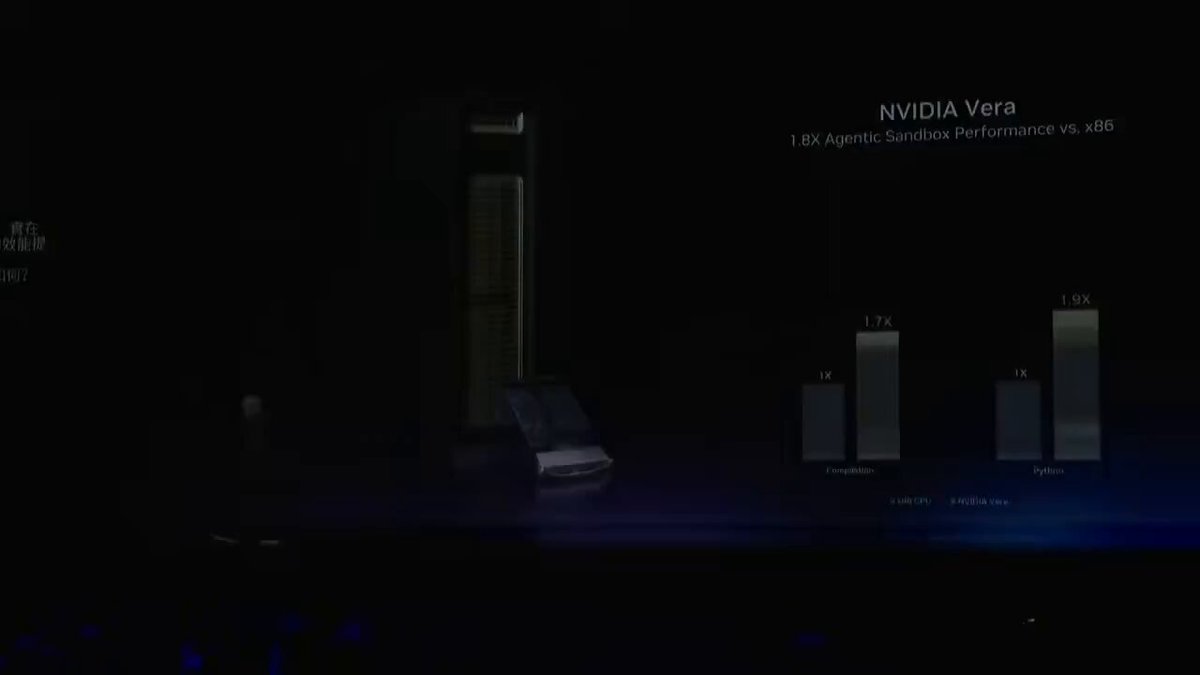
Jensen Huang just identified the next $200 billion market (Save this). The shift starts with a observation about agentic AI that changes everything about infrastructure. In the era of training and inference, the GPU was everything while CPU was a traffic cop, scheduling work, managing memory, dispatching tasks while the GPU did the heavy lifting. Agentic AI breaks that model entirely. An AI agent does not just run a single inference pass but rather it plans, calls tools, executes code in sandboxes, retrieves data from multiple sources and loops through complex multi-step reasoning sequences often thousands of times per second at scale. Every one of those operations runs through the CPU and the GPU sits idle waiting for the CPU to prepare the next task, supply the right context and execute the retrieval and tool calling logic fast enough to keep the accelerators fed. The CPU is now the conductor and the GPU is the orchestra and the bottleneck is the conductor falling behind. This is showing up in production AI factory utilization right now, which is exactly why Jensen built Vera from scratch rather than licensing x86. Vera achieves 40% lower peak memory latency than x86, 50% faster core to core communication, and 1.8 times the agentic sandbox performance of current x86 processors on a purpose-built architecture designed around the agentic loop. Now here is where the investment thesis gets interesting. The obvious beneficiary is Nvidia itself, and that thesis is real. Nvidia's CFO has guided for nearly $20 billion in Vera CPU revenue this fiscal year alone, a market Nvidia had zero presence in just three years ago. Intel held 60% of server CPU market share as recently as Q4 2025 and that transition is now happening at a pace Intel structurally cannot respond to. But the deeper question is, what architecture is Vera actually built on? Vera's Olympus cores are ARM compatible and every single Vera CPU deployed in every Vera Rubin rack in every data center in the world runs on ARM architecture. And ARM Holdings collects a royalty on every one of them. ARM does not make chips but rather licenses the instruction set architecture and CPU core designs that others build on top of. Every time Nvidia ships a Vera CPU, every time a hyperscaler deploys a Vera Rubin rack, every time an enterprise qualifies Vera for their AI factory, ARM earns a royalty. The secular tailwind here is almost perfectly constructed for ARM's business model. Amazon's Graviton, Microsoft's Cobalt, Google's Axion, Apple's silicon stack, and Qualcomm's data center push all run on ARM. And now Nvidia's Vera, which is projected to displace Intel as the largest server CPU supplier by revenue in a single fiscal year, is ARM. ARM's royalty rate on high end server chips is estimated at roughly 1 to 2% of chip selling price. At $5,000 per Vera CPU and 4 million units projected for FY2027, that is a royalty line growing from near zero to potentially $400 million to $800 million annually from Nvidia's data center CPU business alone before counting Amazon, Microsoft, Google, Apple, and Qualcomm. The total ARM addressable royalty base across all the silicon it already licenses is compounding at a rate that the current $130 billion market cap does not fully reflect. Jensen's CPU thesis is the most underappreciated catalyst in ARM's fundamental story, and the royalty compounding has barely started. Come join Milk Road Pro and get our full ARM royalty model and our entire AI trade thesis. Link below!

Milk Road AI

11,819 Aufrufe • vor 2 Monaten

send/receive update There are over 1000 tokens configured with a sprite and set to send and over 500 set to receive on the send/receive network. 8968 editions were minted for free over the claim window and I set the final edition size to a clean 10k. The remaining mints will be used as an onboarding mechanism to introduce on chain interactive and participatory art to new people as I continue on my mission to make what we do around here interesting and compelling to new audiences. Seeing this many people interact with the work has been super meaningful, and I'm excited to keep expanding on the project over time. I particularly enjoyed having my kids log into @Artblocks with an email which generates a Privy embedded wallet and guiding them through the process of purchasing a mint off secondary and configuring it (after I funded the wallet with a bit of ETH). Once they set it up they ran to the living room where we have a receiving token set up and watched and waited until their's appeared. We sit around and watch the live view often pointing out all the fun sprites but when they saw theirs they got REALLY excited and continue to do so as they walk past it and see their contribution every day. I think there's something really interesting about all this. Seeing yourself in a networked artwork like this seems to be compelling to folks, and I am excited to watch the network of sprites grow over time. I'm especially excited about the perpetual nature of the work, and the fact that all of the information and logic is on chain in a way where it should continue to operate as long as the Ethereum blockchain continues to produce blocks. Am also shocked at how cheap the customization of it is. You're storing a lot of info on chain for less than $1. Was always worried about this being on L1 and I know we can't count on this forever but really really pleased with the low cost to participate. If you have a token and haven't set it up yet just know it's super easy and smooth thanks to the Art Blocks UI that the team built. But if you're still intimidated maybe consider commissioning your favorite pixel artist to create a sprite for you. Anyways make sure and check into a live view every now and then to see all the sprites that have been created by the community. Change up your send/receive state or swap out your sprite when you're feeling it. I hope you're enjoying the experience of on chain participatory networked art as much as I am.

Erick / Snowfro / 🦩 / LAO / #️⃣ / 🔴

17,009 Aufrufe • vor 7 Monaten

FORGET MY PREVIOUS POST, LET ME BLOW YOUR MINDS! 🤯NEW METHOD! AI 2D SPRITES ARE SOLVED. PERIOD. Day 50 of building a webGL game engine using Cursor 🔽🔽🔽 I was wrong. The previous system had flaws. It wasn't the best. If you use it on VFX heavy sprites, it would start falling apart - either via grain/artifacts, or displacement. But I just couldn't give up. I knew I needed something more. This was the limit the models could give me. So I consulted science: Zheng et al., "Bilateral Reference for High-Resolution Dichotomous Image Segmentation" (CAAI AIR 2024, arXiv:2401.03407) - BiRefNet If any of the brilliant minds who wrote this paper read this post, I'm extremely thankful for your research. It made me solve a really big problem with 2D sprites, and I'm extremely grateful! Thank you! Please reach out if you see this! Now, how does this solution work: 1⃣ Generate your Kling animation (still king for anime 2D style). 2⃣ Run BiRefNet (HR-matting variant rocks) → get solid character alpha. 3⃣ Compute simple brightness/luminance alpha (luma → alpha curve, easy in any tool). 4⃣ Final alpha = max(BiRefNet_alpha, brightness_alpha) — that's it. No fancy weights needed. 5⃣ Feed to your engine / Comfy / whatever. Dynamic lights now play nice with zero artifacts. Mind you, this solution requires an nVidia GPU to run local inference. Alternatively, you can get it done on Colab likely with the free tier! You can try CPU, but no guarantees. Try a lighter model like BiRefNet_lite-2K. Demo is purposely in 30 fps even though I wouldn't run an anime 2D game above 12 fps - for both style and performance. Just wanted to show you the absolute results. Please bookmark this! ☑️ If you love 2D and sprite work, this is truly the best way, the best method I could find. Use it, steal it. Enjoy it! Repost if it saves your workflows too! I think I need a break... almost 40 hours straight solving this. Next are dynamic shadows, and I'm not looking forward to that...

Startracker 🔺

71,439 Aufrufe • vor 5 Monaten

** MEGA Parodius Scaling Effects Part 2 ** Well - this is the BIG one - literally !! Huge thanks to my team Pyron & Vector Orbitex for their efforts. Pyron has provided all the source frames for Puyon and his spikes / explosion and a lot of analysis video on how the spikes behave / move which was really helpful. Pyron also used his CRT setup for this video as we felt an emulator video would not do it justice - running on 100% real MD hardware FTW. Vector has provided the catchy boss music and its sounding great - as always ! The coding on this has been a bit insane - things done since part 1 post previous: Implemented dual buffering - Last video was single buffered - so VRAM is very tight now , we only have about 40/2048 tiles free. For the longest time I didn't think it would fit - I found a vram jigsaw puzzle that made it work in the end. Double buffering has cleaned up the stability of the animation and matches the arcade scaling effect now albiet costing 2x more VRAM . Vertical Scaling Implemented - the vertical scaler was taken from Lufthoheit ( my other shooter ) and its heavily optimised to reduce cpu usage. During the scaling the vertical scaler partitions the 68k processor registers into 2 sets, 4 registers are allocated to feeding the fast horizontal interrupt (h-int) that drives the vertical scaling , remaining 12 registers are for the horizontal scaler running in the background. This setup is much faster than normal backup / restore register methods, as we do not need to backup / restore registers in the h-int which would double CPU costs. The catch is the momment any background routine tries to use the H-ints registers it would break things so it has to be carefully timed. Added the spike projectiles - this was very tricky to get close to the arcade, they are semi heat seeking missiles basically and hence needed code that worked out angle differences to player at speed theres no time for arc-tan or similar so it uses faster lookup tables to work out the angles . They speed up over time and get larger and whats more we can't keep all the scales in VRAM - we have room for 2 spike buffers only. Also what was a real pain was working out scaled coordinates for the circular launch of the spikes . Added Fish Damage - Shock frame and Explosion frames from Arcade . Very proud of the fact we have the full arcade quality explosion is which is fully scaled also. Added Temporal Masking - which is fancy wording for don't draw nothing to buffer if nothing is there already there for the scaling . So empty Corners and edges can be optimised out to lower cpu costs and rom costs. I had to make some scripting for this and work out what areas did not need drawing at all in the frame, which should be force cleared by cpu and which areas should just be copied from rom. This reduced rom size by 30 kb and with a bit more work we could extend that to 60 kb & get a bit more speedup even doing so. Added a frame limiter . In the last video update we let the 68k burn hot and just pump out frames as fast as it could - here we match the arcade animation rate which does leave the cpu idling at times , particularly in the smaller frames - even at large though we could be running the animation 25 % faster , issue is though that would speed up the game logic and make it less arcade accurate. We had some real bullet / Spike hell simulations going without the limiter but yeah we had to tone it down a bit. Maybe in a hardcore mode we could let it run wild though ! Code is 95% 68k assembly with about 5% C code (v-int as its cold path ) driving things . This sort of thing needs all the speed it can get !! Well now after all that I can return to finish off Level 1 haha - just a wee sidetrack there . No doubt we will polish stage 8 boss some more in time too !! #SegaMegadrive #SegaGenesis #Parodius #SGDK

Shannon Birt

26,760 Aufrufe • vor 6 Monaten