Loading video...

Video Failed to Load

Go Home

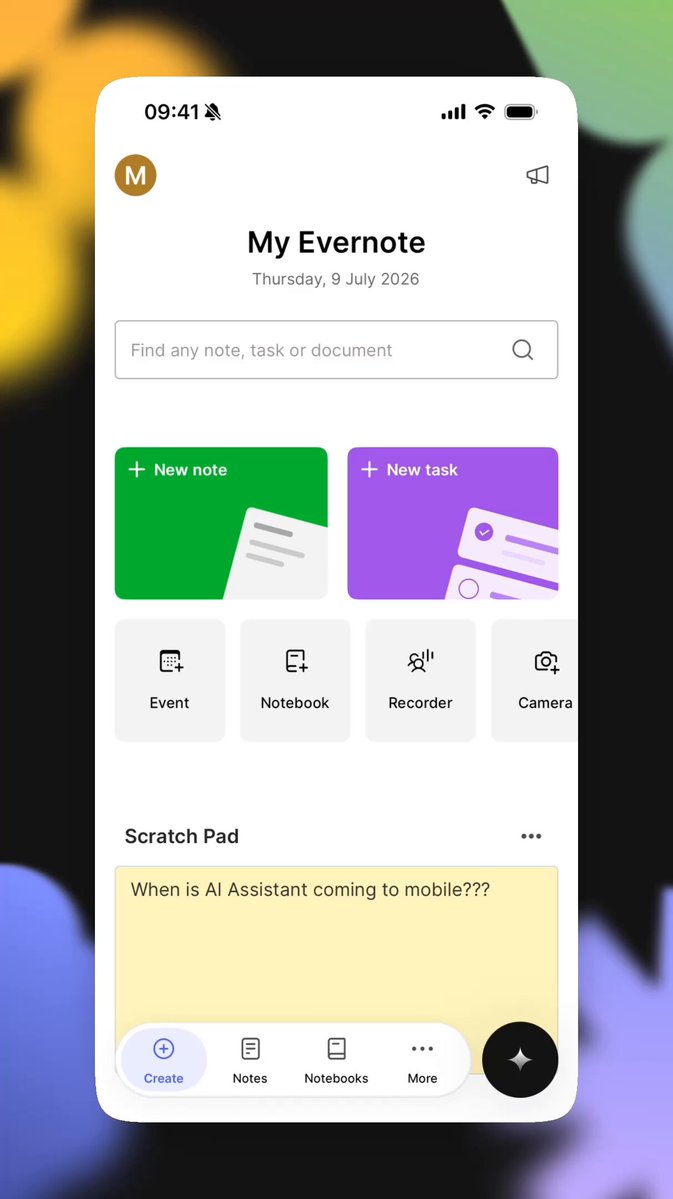
Something new to try this weekend or on your next flight! ☀️✈️ Starting today, you can download the smallest DeepSeek R1 model for free in Craft. This lets you use a basic AI reasoning model in Craft Assistant without the internet, keeping your data completely on your device. This...

173,755 views • 1 year ago •via X (Twitter)

10 Comments

ARK Electronics's profile picture
ARK Electronics2 years ago

Excited about the latest tech for your drone product? Our NDAA-compliant, US-made flight controllers are designed to accelerate your path to market and provide a solid platform for developing your autonomous software. Check them out! #Drones #UAV #UAS #Robotics #MadeInUSA

Dr. Tab's profile picture
Dr. Tab1 year ago

I will be trying this in about 10 days. Fantastic stuff guys

St.Hillz's profile picture
St.Hillz1 year ago

Perfect timing! I’ll be offline this weekend training my AI with PublicAI while pretending to be a tech wizard. Who needs Wi-Fi when you have creativity? ✈️✨

Roberto Salermo's profile picture
Roberto Salermo1 year ago

Exciting announcement. When can we expect the iPad version? It looks like it was launched on iPhone only.

szmr's profile picture
szmr1 year ago

Noticed that the little info tooltip doesn’t work for the DeepSeek model option (the little ? Button)

Craft.do's profile picture
Craft.do1 year ago

Thanks, we will fix it!

Ivan's profile picture
Ivan1 year ago

Are we going to be able to use it to query our notes by using natural language search?

Misha Perez's profile picture
Misha Perez1 year ago

I tried to use it but at least in Spanish it gives me back gibberish.

帕西's profile picture
帕西1 year ago

I tried it out, and as a Traditional Chinese user, I found that it responds in Simplified Chinese and contains a lot of garbled text.

robertpowell's profile picture
robertpowell1 year ago

Im serious,y concerned about the privacy here.. on device? Maybe but I bet it phones home at t some point.

Related Videos

Here are some tips for those who want to practice face acting: ➡️U motion: Move your head in a "U" Shape so it's never stuck in the same place. This will help your movements look more interesting. ➡️Key points: When practicing with your model, learn to get to a "Key point." This is when you can automatically get to an expression without using toggles. I use surprised and angry expressions a lot, so I know exactly how to move my face to achieve that look, mainly for clips or comedic effect. I practiced enough so I know what it will look like on the model. ➡️Head tilts: If you struggle with face acting, a simple head tilt will go a long way. Overall, the movement and face acting of your model does matter. It can help it look more interesting, but also, it's okay if you can't face acting all the time. Using just key animations when you're gaming will work perfectly. Example: You died in a game, and you go to the key point of surprise. You know, making this face will make your model look shocked, so you will do a dramatic eye open and mouth agape to achieve this, to reflect onto your model. Lastly. The way your model moves is usually 30% rigging artist,20% tracking (webcam/iPhone), and 50% you. Your rigging artist can give you the tools, but only you can make your models' results reflect your emotions. As always, DO YOUR PARAMETERS AND SETTINGS IN VTUBE STUDIO. It will not be perfect to your face and camera settings unless you adjust the model, (This is an old video I did on parameters) Holy Yapfest.

♥️Cutiepierin | L2D RIG ARTIST

94,177 views • 9 months ago

Here is how you can install an open-source, enterprise-grade RAG system on your server (with the best document understanding I've seen.) First, something obvious to anyone trying to sell RAG in the market: You are crazy if you think companies will let their data travel to a hosted model. No one wants to send their data anywhere (those who do haven't found an alternative.) Every single company would rather have an air-gapped system with no internet access. GroundX is an open-source RAG system that you can run on your servers (or any cloud provider, as long as you have access to GPUs) and works without a network. (If the military wants to do RAG, this is precisely what they will be looking for.) I installed GroundX on my AWS account and recorded a video to show you how to use it. There are two services you can use: 1. Ingest: This service uses a pretrained vision model to ingest and understand your knowledge base. 2. Search: This service combines text and vector search with a fine-tuned re-ranker model to retrieve information from your knowledge base. A quick note about the Ingest service: 99% of people think they need better "retrieval" mechanisms. I think they need better "ingestion." That's where this service comes in! Ingest "understands" your documents in a way I haven't seen before. After you try it, you'll realize why showing your LLM your raw documents is a bad idea. In the video, I use a free tool called X-Ray to test a document and understand how the Ingest service breaks it down. You can access this tool by signing up for a free GroundX cloud account and uploading your documents. You'll see a bit more about this in the video.

Santiago

89,664 views • 1 year ago

How can you solve complex tasks using a Large Language Model? Here is a 2-minute introduction to everything you need to know to 10x the quality of your results. Let's talk about three techniques, in order of complexity, starting with the easiest one: • In-Context Learning • Indexing + In-Context Learning • Fine-tuning In-Context Learning The team that trained GPT-3 found something they couldn't explain: You can condition a model using examples of how you want it to behave. I included an example prompt in the attached video. You can "teach" the model how you want it to interpret questions, select the correct answers, and format the results by giving a few examples. You can also give specific knowledge to the model that will be helpful when formulating answers. We call this approach "grounding the model." There's another example in the video. Indexing + In-Context Learning Unfortunately, there is a limit to how much data you can include in a prompt. We call this the "context size." One version of GPT-4 supports a context of approximately 6,000 words, while the other supports 25,000 words. Although this sounds like a lot, many applications need more than that. Imagine you wrote a book and want to build an application to answer any questions about your story. What happens if your book is longer than the context? That's where Indexing comes in. Using a model, you can turn every book passage into an embedding. These are vectors, numbers that "encode" the passage's text. You can then store these embeddings in a particular database that supports fast retrieval of these vectors. You can then turn any question into an embedding and search the database for the list of passages that are similar to that query. Instead of using the entire book to ask the model, you can now use the relevant passages as in-context information, effectively working around the context size limitation. Fine-tuning Fine-tuning can give you an extra boost to get reliable outputs from your LLM. It is, however, the most complex approach on the list. There are different approaches to fine-tuning a model with your data. A popular technique is to process your data with your LLM and use the outputs to train a new classifier that solves your specific task. Notice that here you aren't modifying the LLM. Instead, you are chaining it with your trained classifier. Another approach is to modify the parameters of the LLM using your data. Think of this as "rewiring" the model in a way that solves your particular task. The results and costs will vary depending on how many layers you want to fine-tune from the original model. Many companies think that fine-tuning is the solution to their problems. In my experience, many will benefit from exploring the other two approaches. I love explaining Machine Learning and Artificial Intelligence ideas. If you enjoy in-depth content like this, follow me Santiago so you don't miss what comes next.

Santiago

384,510 views • 3 years ago