Video wird geladen...

Video konnte nicht geladen werden

Zur Startseite

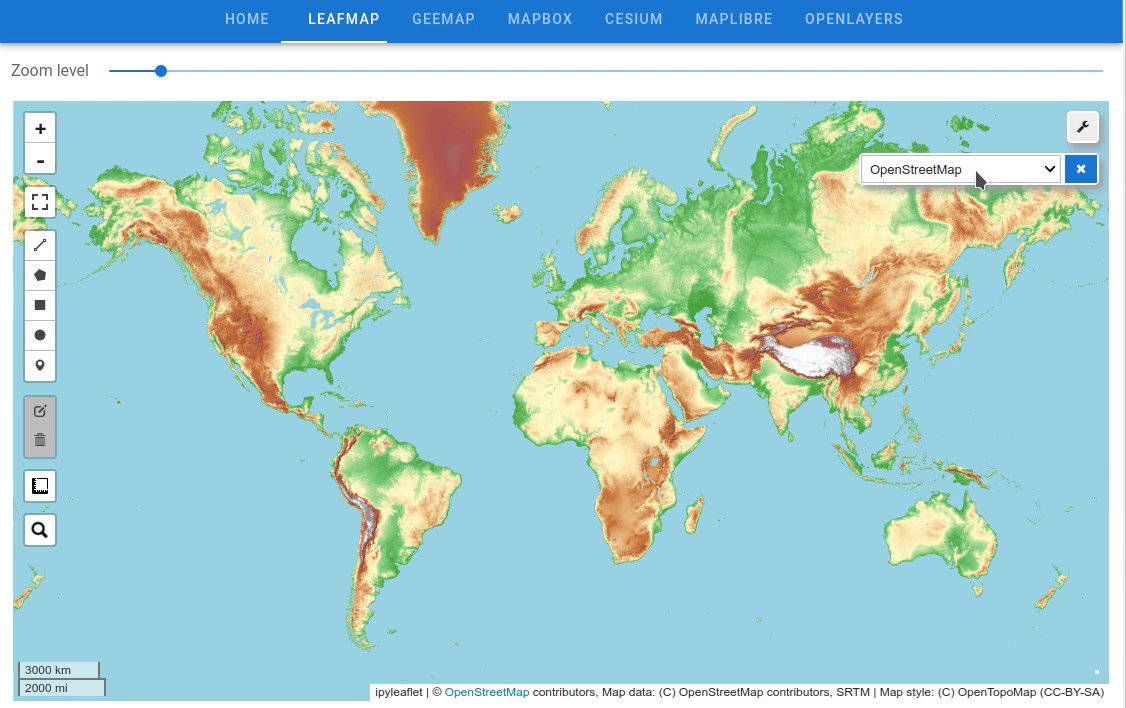
The anymap-ts Python package now supports creating choropleth maps from vector data with a few simple clicks! Give it a try: Web demo: Jupyter demo: GitHub: Documentation: #geospatial #opensource

12,496 Aufrufe • vor 8 Monaten •via X (Twitter)

0 Kommentare

Keine Kommentare verfügbar

Kommentare vom Original-Post werden hier angezeigt

Ähnliche Videos

RustGIS is now on PyPI: pip install rustgis RustGIS is a fast, free and open-source GIS in pure Rust for mapping, analyzing and sharing geospatial data. It runs natively on Windows, macOS and Linux, and in your web browser. Your data stays on your machine unless you send it to an AI model you choose, and every action is a command you can script. The new rustgis Python package brings the RustGIS engine into Python and the full RustGIS app into your Jupyter notebook, with no server to run and nothing else to install. What you can do - The engine in-process: open the same data the app opens, run any of RustGIS's commands and geoprocessing tools, style layers and render maps, all from Python. - GeoPandas in and out: turn any layer into a GeoDataFrame, or add a GeoDataFrame as a layer. - The whole app in a notebook cell: shows the ribbon, panes and map right below your code. - Two-way sync: what Python adds or styles appears in the app, and what you pan, edit or add in the app comes back to Python. - Projects that travel: save a .rgis project from Python and open it as it is in the desktop app or the web app. - Runs where you work: JupyterLab, Jupyter Notebook, VS Code and Google Colab, with prebuilt wheels for Windows, macOS and Linux. Get started in three lines: import rustgis m = m Try it out - Open the getting-started notebook in Colab: - PyPI: - Python guide: - Launch the web app: - GitHub: #GIS #Rust #Python #Jupyter #OpenSource #Geospatial

Qiusheng Wu

13,576 Aufrufe • vor 6 Tagen