Video wird geladen...

Video konnte nicht geladen werden

Zur Startseite

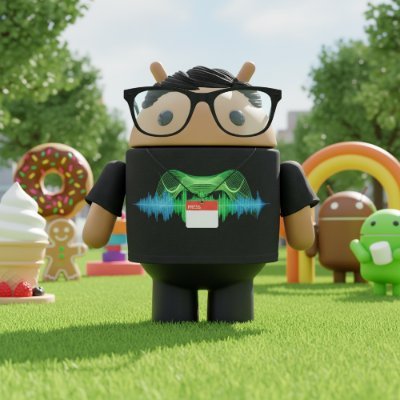
✨ This is huge 👀: We're launching Android MCP, powered by the AppFunctions API! This lets your app integrate with Google Gemini on Android so your users can ask questions that pull info from your app or take actions in it. To support this, we're also launching a preview...

64,590 Aufrufe • vor 18 Tagen •via X (Twitter)

0 Kommentare

Keine Kommentare verfügbar

Kommentare vom Original-Post werden hier angezeigt

Ähnliche Videos

This app uses AirDrop to send files from your Android phone to your Macbook! Yes, it actually uses AirDrop. That means you don't have to install ANYTHING on your Mac to send files from your Android phone! Here's a video of a Galaxy Z Flip 5 AirDropping a file to a Macbook running macOS Ventura 13.5.1. (Thanks to u/FragmentedChicken for testing this app for me and sharing the video!) A few months ago, Twitter user @Linus13499209 brought an app called WarpShare to my attention. WarpShare is an app made by the developers of MoKee, an AOSP-based custom ROM that was popular in China. Since MoKee wasn't as popular outside of China, it seems the existence of their WarpShare app slipped under the radar. I was skeptical about whether it would work at all. Grishka, the developer of NearDrop, an open source port of Google's Nearby Share to macOS, told me that they were under the assumption that AirDrop requires the use of AWDL (Apple Wireless Direct Link, Apple's proprietary WiFi-based protocol) to communicate both ways. However, it seems that AWDL is only required for your Android phone to be discoverable by your Mac (ie. to send files from your Mac to your Android phone) but not the other way around. Because of this, though, WarpShare only supports sending files from Android to Mac but not vice versa. Your Mac also needs to have AirDrop discoverability set to "everyone" for this to work, as "contacts-only" requires Apple-signed certificates. Plus, it also doesn't support sending files from Android to iPhones or iPads, even when "everyone" mode is enabled. Still, if you find other Android --> Mac file sharing options to be lackluster, give WarpShare a try! The fact that it works at all is incredible, which is why I'm sharing this news here. If you want to download WarpShare on your Android device, you'll need to compile the app from its source code. If you're a Patron/X subscriber, however, I will share my compiled APK with you. WarpShare source code:

Mishaal Rahman

1,291,109 Aufrufe • vor 3 Jahren

Android Car Radio refers to an in-car entertainment system that runs on the Android operating system. These systems are designed to replace traditional car stereos and provide users with a wide range of features beyond just music playback. Here are some key aspects and features of Android Car Radios: Android OS: Android Car Radios are equipped with the Android operating system, which means they can run Android apps just like a smartphone or tablet. This opens up a world of possibilities for users to customize their in-car experience. Touchscreen Display: Most Android Car Radios come with a touchscreen display, allowing users to interact with the system easily. This can be used for navigation, music control, making calls, and more. Navigation: Android Car Radios often have GPS navigation built-in, and users can use apps like Google Maps or Waze for real-time navigation and traffic updates. Media Playback: These systems support various media formats, including music, videos, and photos. Users can connect their smartphones or USB drives to play their own media content. Bluetooth Connectivity: Android Car Radios typically have Bluetooth support, enabling hands-free calling and audio streaming from smartphones. This helps in ensuring driver safety while on the road. Internet Connectivity: Many 10 inch Android Car Radios can connect to the internet via Wi-Fi or mobile data. This allows for app downloads, streaming, and other online services. App Compatibility: Users can download and install apps from the Google Play Store, such as music streaming apps, podcast apps, and even productivity apps, to enhance their in-car experience. Voice Control: Some Android Car Radios offer voice control functionality, allowing drivers to make calls, send messages, and control certain functions using voice commands, which can enhance safety. Car Integration: Android Car Radios can be integrated with the car’s existing systems, including steering wheel controls and backup cameras, to maintain a seamless user experience. Customization: Users can customize the look and feel of the interface, install custom launchers, and personalize their home screen with widgets. Compatibility: Android Car Radios are designed to fit into a variety of car models, but compatibility may vary. It’s essential to check if a specific Android Car Radio is compatible with your vehicle before purchasing. Updates: Like any other software, Android Car Radios may receive periodic updates to improve performance, security, and compatibility with newer Android apps.

254 Car Care || 0797 254254

63,100 Aufrufe • vor 3 Monaten