Загрузка видео...

Не удалось загрузить видео

На главную

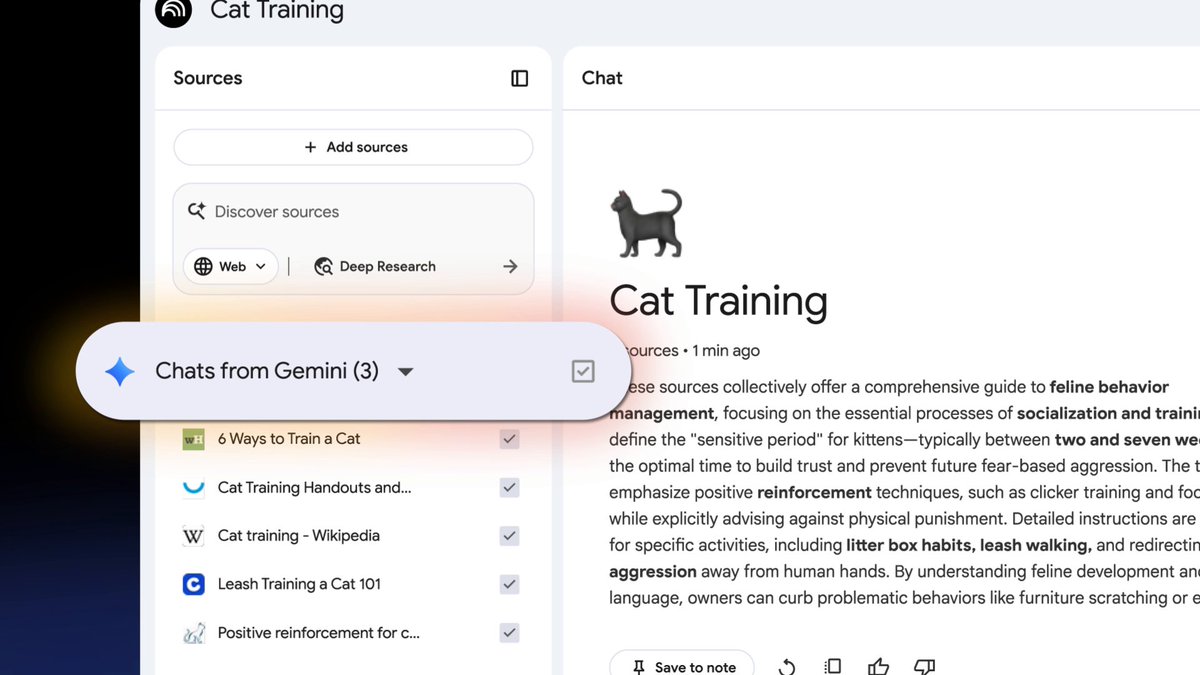
Two big steps towards our vision for @NotebookLM as the ultimate research platform: • Integrating Deep Research, with a set of only-at-Notebook features that let you explore the retrieved sources • Launching a series of Featured Notebooks curated by Google Research These developments are designed to enhance the full...

104,833 просмотров • 8 месяцев назад •via X (Twitter)

Комментарии: 0

Нет доступных комментариев

Здесь появятся комментарии из оригинального поста

Похожие видео

Claude Code cannot read 300 files at once. So someone built a system that lets it control NotebookLM from the terminal instead. The results are wild. Here is the full workflow nobody is talking about: The Setup → Claude Code connects to NotebookLM via a command line interface → Claude searches YouTube, finds relevant videos, uploads them as sources automatically → NotebookLM processes up to 300 sources simultaneously and returns cited, grounded answers → Everything syncs back into your Obsidian vault with passage-level citations you can click to verify Why This Changes Research Forever → No more 20 browser tabs you never close → No more copy-pasting outputs into random notes → No more hallucinated answers with no sources to back them up → 60% of citations verified as strong matches in accuracy audits - answers are grounded in real data What Claude Can Do From the Terminal → Search YouTube for relevant videos on any topic and rank by relevance → Create a new NotebookLM notebook and add 20 sources in parallel automatically → Ask questions and export cited answers directly into Obsidian with wikilinks → Set custom personas per notebook - concise, no filler, no preamble → Generate audio overviews and save them as MP3 files into your vault → Build mind maps, flashcard decks, and research dashboards from your sources → Search arXiv for academic papers and feed them directly into NotebookLM → Upload competitor blog posts, podcast episodes, PDFs, and your own vault notes The Obsidian Output → Every answer arrives with clickable citations that link to the exact passage in the source video or article → Graph view shows connections between all 20 sources and the topics they share → Q&A log tracks every question asked and the grounded response received → Source dashboard shows citation frequency, topics extracted, and which questions each source answered Use Cases Worth Building Today → Academic research with arXiv papers, full citation traceability → Competitor analysis from their YouTube channels and blog posts → Company knowledge base for onboarding, new employees ask NotebookLM instead of interrupting teammates → Podcast research, feed 4-hour Lex Fridman episodes and ask what's new in AI this week → Personal second brain, 300 daily notes uploaded and queryable in one notebook Before this system existed you needed 20 tabs, hours of manual reading, and no guarantee the answers were real. Now you type one prompt in the terminal and Claude does all of it for you. The research stack of 2026 is not a browser. It is a terminal connected to everything

Dami-Defi

252,693 просмотров • 2 месяцев назад

PhD Students – How to easily understand a complex research topic? Meet Ponder – a tool for understanding complex research. 𝐇𝐨𝐰 𝐏𝐨𝐧𝐝𝐞𝐫 𝐰𝐨𝐫𝐤𝐬? 1. Go to and log in 2. Enter your research topic or research question 3. Ponder will start building a knowledge map 4. This knowledge map breaks down complex ideas into structured cards 𝐖𝐡𝐚𝐭 𝐜𝐚𝐧 𝐲𝐨𝐮 𝐝𝐨 𝐰𝐢𝐭𝐡 𝐭𝐡𝐞𝐬𝐞 𝐜𝐚𝐫𝐝𝐬? → You can add your own thoughts, questions, and insights. → Ask follow-up questions and deepen your exploration. → You can color the cards for better understanding → You can drag & organize them freely across the infinite canvas. 𝐇𝐨𝐰 𝐭𝐨 𝐚𝐝𝐝 𝐫𝐞𝐬𝐞𝐚𝐫𝐜𝐡 𝐩𝐚𝐩𝐞𝐫𝐬 𝐭𝐨 𝐭𝐡𝐞 𝐜𝐚𝐫𝐝𝐬? — You can search for relevant papers with built-in discovery. — Ponder will identify all relevant papers — You can then add or upload research papers — You can also attach papers to specific cards. 𝐀𝐟𝐭𝐞𝐫 𝐲𝐨𝐮𝐫 𝐩𝐨𝐧𝐝𝐞𝐫𝐢𝐧𝐠 𝐢𝐬 𝐜𝐨𝐦𝐩𝐥𝐞𝐭𝐞𝐝: ➟ You can change the view to document, browser, or full screen. ➟ You can also download your knowledge map as a PDF ➟ You can ask further questions and refine with Ponder’s Agent. 𝐖𝐡𝐚𝐭 𝐮𝐧𝐝𝐞𝐫𝐬𝐭𝐚𝐧𝐝𝐢𝐧𝐠 𝐫𝐞𝐬𝐞𝐚𝐫𝐜𝐡 𝐭𝐡𝐢𝐬 𝐰𝐚𝐲 𝐢𝐬 𝟏𝟎𝐱 𝐛𝐞𝐭𝐭𝐞𝐫? ↳ It brings discovery and analysis of research into one workspace ↳ It makes ideas branch and evolve naturally, just like your brain ↳ It helps you to easily identify research gaps ↳ It connects knowledge from all sources such as papers and web ↳ It enables you to export knowledge as maps, reports, or data. ↳ Designed for PhD students & researchers, who think deeply. Try Ponder here: Anything you'd like to add?

Faheem Ullah

12,175 просмотров • 1 год назад

New short course: Collaborative Writing and Coding with OpenAI Canvas! Explore new ways to write and code with OpenAI Canvas, a user-friendly interface that allows you to brainstorm, draft, and refine text and code in collaboration with ChatGPT. In the short course, created with OpenAI, and taught by , a research lead at OpenAI, you’ll learn to use Canvas to enhance your workflows. Canvas lets you go beyond simple chat interactions. It provides a side-by-side workspace where you and ChatGPT can edit and refine text or code collaboratively. This makes brainstorming, drafting, and iterating as you write feel more natural and effective. As the first major update to ChatGPT’s visual interface since its launch in 2022, Canvas gives a new, innovative approach to collaboration with AI. For instance, after writing the first version of your code, Canvas can review it and give suggestions for improvement. It can also help with debugging by adding logging, identifying problems to fix, and writing comments. In addition, you'll also learn what it takes to train the model for an interface like Canvas. In this video-only short course, you’ll: - Learn how to ask for in-line feedback and control the iteration of your work by directly editing selected areas of your text or code from the model’s output. - Learn how to access quick automation tools in a shortcut menu that allows you to modify your writing tone and length, enhance your code, and restore previous versions of your work. - Learn how to use Canvas as a research assistant tool with an example of asking the model to reason through the screenshot of a plot to write a research report, in which you can ask questions within the created report. - Ask the model to write Python code to replicate the graph seen on a screenshot image. - Go behind the scenes of how you can create a video game, such as Space Battleship, from scratch, edit it, and display it in one self-contained HTML file. - Get a real-world application example of creating a SQL database from the image of its architecture. - Understand the model training and design processes that power Canvas! Please sign up here:

Andrew Ng

128,180 просмотров • 1 год назад

auto-research is starting to gain traction as a very viable paradigm for creating useful research discovery. now, that paradigm is still in its infancy and the infrastructure to hold all that trail of context as the agents blaze through experiments isn't well defined (to say the least). on that topic, I had the chance to chat with my boys francesco and giulio from paradigma about what underlying infra is needed to make this paradigm work. the paradigma's paradigm, which involves copious amount of DAGs, make this auto-research paradigm a paradigmatic case of essential infrastructure. here's the full video in full: - 0:00 - what is missing from auto-research? - 2:02 - giulio and francesco ai journey - 8:10 - research infra is the bottleneck? - 10:18 - paradigma vision of autonomous research - 13:17 - “important discovery per joules” - 17:15 - why is DAG the unit of research for auto-research? - 20:40 - is paradigma trying to replace the research publication? - 24:50 - how does knowledge is shared between experiments in the DAG? - 27:34 - what is even auto-research lol? - 33:53 - the value of the human mind in this auto-research future. - 37:00 - how do you reconcile hallucination in this auto-research paradigm? - 41:33 - the adoption of auto-research across varied fields? - 47:30 - ✨ introduction to the auto-research infrastructure. ✨ - 56:55 - where is the code? - 59:10 - full IDE next? - 1:03:20 - the place of the human in this DAG / code quality? manual node? token spent? - 1:16:02 - who’s the user for auto-research? - 1:18:13 - how to validate bad DAG? - 1:20:18 - ✨ auto-research agent results ✨ - 1:22:53 - ✨ how a big research DAG looks like? ✨ - 1:25:10 - how to get the canonical DAG for the final result? - 1:27:50 - the auto-research DAG being the new pre-print? - 1:30:05 - what’s next for paradigma and the auto-research infra? - 1:35:00 - what are they excited about research wise? enjoyyyyy my guys 🌹

Yacine Mahdid

12,091 просмотров • 2 месяцев назад