Loading video...
Video Failed to Load
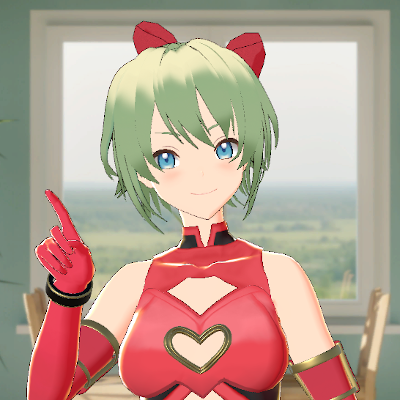
VRChat models are now supported in Early Access! Hand tracking using only a webcam in VRChat is coming soon! ベータ版でVRChatモデルが使えるようになりました! VRChat内でのカメラのみでハンドトラッキングも近日リリース予定です! [English Ver] [日本語版] #VRChat #Shinano
1,714,843 views • 3 months ago •via X (Twitter)
90 Comments

こんにちは AnimatorとVRC Avatar Descriptor(Script)のあるアバターを「.wmcwin」で書き出し、Beta版で読み込もうとしていますが反応しません。対応方法を教えていただけますか?

ユーザーの方からご指摘いただいた点をいくつか修正したものを再アップロードさせていただきました。 お手数おかけしますが、Webcam Motion CaptureとWMCTool.unitypackage両方を再ダウンロードしてテストしていただけますか? 問題が解決しない場合は、お手数おかけしますがまたお問い合わせください🙇♂️
両方再ダウンロードしました。 アバターは表示され、iFacialMocap経由でパーフェクトシンクさせると舌は出るようになりました。が、目のトラッキングがうまくいっていないようで閉じることやウインクができません。(他のトラッキングアプリではこのVRCアバターから出力してもウインクできています)
ご確認ありがとうございます。 パーフェクトシンクの「出力Blendshape」の項目はご自身で設定されていますか?
ご指定の個所を確認しましたが「出力Blendshape」は自分で変更できませんでした。 Webカメラ:プルダウンが機能しない(画像1枚目)、 iFacialMocap:iPhone側では接続成功と出ている(2枚目) 自動まばたき有効にしても瞼は動きませんでした(3枚目)
テストありがとうございます🙇♂️ もし差し支えなければ、出力した.wmcwin (macOSの場合は.wmcmac)ファイルをDMもしくは以下のアドレスまでご共有いただくことは可能でしょうか? [email protected] 共有いただいたモデルは問題の解決のみに使用し、問題解決後は削除いたしますのでご安心ください。
アバターや衣装の利用規約に抵触してしまう恐れがあるため、大変申し訳ございませんが、ファイルの送付は控えさせていただきます。ご希望に添えずすみません。
承知いたしました。 ログファイルから原因をお調べすることがもしかしたら可能かもしれませんので、モデルを開いた直後に以下のフォルダを圧縮して送っていただくことはできますか? C:\Users\[ユーザー名]\AppData\LocalLow\KWCL\Webcam Motion Receiver

Oh? This has my attention. Desktop's Selfie mode is pretty ass, and most don't know how to export a model into a VRM. My question is: Does this support custom shaders? Since most the 3D VTuber software out there is only VRM shaders, I'm curious if this is an evolution of that
Yes. Any shader attached to your VRChat model can now be directly used in Webcam Motion Capture! In this demo video, we are using Shinano ( and the model is using lilToon.

@GoddessChaos64 VRC 에서 사용중인 셰이더를 지원한다면 특수 기능인 스크롤이라던가 Fur 라던가 Dissolve 같은 기능이 지원되는지 궁금합니다 3년이상 사용중입니다 항상 감사합니다
@GoddessChaos64 Can you please test if it works for you? If it does not work, please let us know. We will work hard to add the missing features.

WMC Tool doesn't save / export outfit blendshapes and resets a blendshape from 100% to 0% on export (breaking the parts of the outfit that require it to be at 100%). I'm using Modular Avatar outfit from Booth on a popular VRChat avatar.
Can you re-download both the app and WMCTool.unitypackagen, and try it again? Other users reported the same problem, and we added a fix a few hours ago.
Redownloading the software fixed the issue. 🩶 Thank you!
Great! Enjoy!

@Mllkwalkee Hello! Can I export the avatar from the directory in unity? Or do I need to drag in an fbx with everything on it?
@Mllkwalkee Please drag and drop a Unity object with VRC Avatar Descriptor and Animator components, not fbx.
@Mllkwalkee Thank you!

isn't this just mediapipe? doesn't vrchat have hand tracking using a webcam as well?

お試し中にアプリを再起動したところ使用アバターや表情などの設定がリセットされるのですがサブスク登録したら保存されますか?(一応)
画面左下の「ユーザー設定」をご利用ください。 こちらは無料体験版でもご使用になれます。

ALCOMにも対応してほしい……!
ALCOMでもそのまま使用可能かと思いますが、もしうまくいない場合がありましたらお気軽にその旨お問い合わせください🙇♂️
導入手順読んでたら行けそうな気はしました…! わかりました…!ありがとうございます!

I'm confused, there already is webcam finger tracking built-in to VRC in desktop.

will their ever be a linux version?
Sorry the app is only for Windows and macOS for now.

Gracias!!! Son los mejores

Mira @Yinarimi ahora podras sacar tu modelo de VRCHAT , portarlo al programa y sacarle maximo provecho :O

VRCモデルのシェイプキーが全て0の状態でエクスポートされているように見えます。また、衣装を"Modular Avator"で"Setup Outfit"したとき、衣装がbodyに追従しませんでした。

こんにちは 動画上ではVRChatアバター使用時の視線追従ができていないよう感じるのですが目のブレンドシェイプ等を追加で作成しないと動かないのですか?
アバターがEye Boneを持っていれば、視線の追従もそのまま機能します。

That great! :) i tried made WMC Exporter all good work so cool. I want share to my friend file ".wmcwin" but he won't load it? when "Load Avatar File" So why? what wrong? (we use v1.12.0 version)
If your friend is sure that they are using Ver 1.12.0, they may be running the app on macOS. If that is the case, you need to select macOS when you export your avatar.
oh, we are Windows, Sorry i don't notice him about version was wrong not use beta. Now all good. :)

手だけLeepMotionなどを使用することは可能ですか?
現在対応しておりませんが、どのような使用方法を想定されていますか?
例えばですが、カメラからの認識を頭部のみとして 手の認識をLeepMotionで動かすという想定です どうしても気上で使うとなると USBカメラだけだと全身を映すことが難しく 手の認識が外れてしまうからです (体の角度は頭部に追従)
カメラの位置を離したり、またiPhoneをお持ちであれば公式アプリのiWebcamMotionCaptureもご利用になれますので、ご検討ください。

VRChat has already had this feature for while now btw... JUST SAYING

Really cool! Thanks for this!

I tested the app! It's an amazing software, happy to support you all ❤️

I wanna test this later! It would help so much as I do a lot of vr karaoke and it’s not always feasible to get in the headset every time

VRCmodelの適用方法を動画だけでなく説明ページをマニュアルとして別途作ってください
今後しばらく機能追加も予想されますので、正式リリースになりましたら作成させていただきます。しばらくお待ちください🙇♂️

Looking amazing!
You can try all the tracking feature for free. So, please feel free to try the app!

Question! Are Vnyan models planned to be added in the future?
Please let us check what is feasible. Thank you for your feedback!

This looks awesome! I wonder if there is a way for me to connect this to my VtubeStudio or directly to OBS?
Here is how to set up OBS for Webcam Motion Capture. You can try all the tracking features for free, so please feel free to try the app.
thank you so much, really appreciate it!

I hope you can support me in Korean, too
We are sorry for the inconvenience! We know many people from Korea use our app. We plan to add support for Korean and other languages very soon.

Will there be Twitch integration feature in the future?
We can implement it in the future. What kinds of event do you want to trigger via Twitch integration?
For example, channel points where it will trigger animations, toggle game object on/off or certain blendshapes
Thank you for the feedback. We will support those features some time soon!

再購入させて頂きましたありがとうございます

あ!今まで変換してから調整して読み込ませてましたがめっちゃ助かります。。本当に動くのかな問題はありますが。。
無料で体験できますのでお気軽に試してみてください!

any hopes for Linux Binary ?
Sorry the app is only for Windows and macOS for now.

Currently WMC's VRM output is not supported natively by VRC's OSC protocol. I'm trying to make my own solution to this problem and so far the result is... Suboptimal To what extend will WMC be used in VRChat? Will WMC ultimately support half-body tracking in VRChat in the future? Is there a development roadmap that you can share with us? Thank you
Yes, we are planning to release the feature in August.
Let’s gooooooo

とても興味があります!アバター変換時にVRChat用のギミック等をオフにする機能はありますか?変換前に、自分でギミックを非アクティブ・EditorOnlyに設定する必要がありますか?
基本的にはそのまま出力で問題ないかと思います。無料で試すことができるのでお気軽にご利用してみてください。 うまくいかない場合はお調べさせていただきますので、その際は改めてお問い合わせください。
先ほど試してみました。入力とは別のBlendShapeキーが反応しているようで、私が目を閉じてもアバターの目が閉じません。私の改変アバターは、"Face Tracking Addon"でBlendShapeを増やしています。
デフォルトでは、VRC Avator DescriptorのEyelids内にある、Blinkに設定されているBlendshapeをまばたきに使用するようになっています。こちらが設定されていない場合は、デフォルトでは瞬きは動きません。 その場合、パーフェクトシンクでまばたきやその他のBlendshapeを設定することをお勧めいたします。 表情の設定を開いて、「トラッキングモードの選択」でパーフェクトシンクを選択し、出力Blendsapeを設定してみてください。 使用方法の詳細はこちらをご覧ください。
VRC Avator DescriptorのEyelids内にある、Blinkに設定されているBlendshapeを設定したら瞬きをするようになりました。ですが、パーフェクトシンクを選択し、出力Blendsapeを設定を試しましたが、出力Blendshapeがグレーアウトし選択できない状況です。こちら解決策はございますか?
一部モデルがパーフェクトシンクに対応するBlendshapeを事前に持っているため、グレーアウトし選択できない状況になっていると思われます。 もし差し支えなければ、出力した.wmcwin (macOSの場合は.wmcmac)ファイルをDMもしくは以下のアドレスまでご共有いただくことは可能でしょうか? [email protected] 共有いただいたモデルは問題の解決のみに使用し、問題解決後は削除いたしますのでご安心ください。
ご連絡ありがとうございます。 アバターや衣装の利用規約上、モデルデータ(.wmcwin)の共有が許可されているか判断できないため、お力になりたい気持ちはあるのですが、こちらでは共有してよいか判断しかねます。 せっかくご提案いただいたにもかかわらず、ご協力できず申し訳ありません。
承知いたしました。 ログファイルから原因をお調べすることがもしかしたら可能かもしれませんので、モデルを開いた直後に以下のフォルダを圧縮して送っていただくことができましたらありがたいです。 C:\Users\[ユーザー名]\AppData\LocalLow\KWCL\Webcam Motion Receiver

え、VRゴーグルいらないってことですか?Webカメラがあればいいってこと?
はい、カメラかiPhoneのみでVRChat内で手指と表情のトラッキングができるツールを近日リリース予定です。
やった

こんにちは!フェイストラッキングがうまくいきません。VRMファイルは大丈夫ですが、wmcは口もマイクからしか反応せず、表情のトラッキングができていません。これは何が問題でしょうか?
お使いのモデルはVRMですか? それともVRChatのモデルでしょうか?
VRChatのモデルです。
ご利用のモデルはフェイストラッキングアドオンをご利用ですか? ご利用でない場合は添付画像を参照に、「表情の設定」から「パーフェクトシンク」を選択して、「出力Blendshape」を設定してみてください、
眉と目は少し動くようになりましたが、まばたきができないです。口はパーフェクトシンクではカメラ設定で動かないのですか?
もしよろしければどのような感じでパーフェクトシンクの設定をされているかスクリーンショットをDMか以下のアドレスまで送っていただけますか?確認させていただきます。 [email protected] またパーフェクトシンクを使わない単純な表情トラッキングでよろしければ、UnityでVRC Avatar Descriptorの、「Lipsync内のViseme」が設定されていれば口が動き、「Eyes内のEyeLidsにBlendshapes」を選択して、「BlinkにまばたきのBlendshape」が設定されているとまばたきが動きます。
画像の通りに設定されていましたが、簡易もできていない状態でした。メール送らせて頂きましたのでご確認お願い致します。

Got a question since this is for vrchat models, is there functionality to change outfits/accessories built in? I have a Shinano model of myself that has a few goth outfits and accessories on it, and it defaults to its standard outfit when i refresh/do anything to the model.
Do you mean you want to use a feature in VRChat's pie menu?
Yes and no, i have different outfits (a bikini for one, a bunny suit for the other) and id like to swap and change them for this, would i need to do anything for this? is the functionality built into this tool?
For now, you need to prepare two different models and swap them from a user setting.
inspector 의 BlendShapes 수치를 유지한채로 내보낼 수있게 할 수는 없을까요? 감사합니다
Related Videos
![Thank you so much for the huge response to our VRChat model support! We have now added VRCFaceTracking in Early Access! VRChatモデルのサポートに関する大きな反響ありがとうございました。ベータ版にVRCFaceTrackingのサポートを追加しました! [English Ver] - Please export your model using the latest WMCTool to use the new feature. [日本語版] - この機能を使うには、最新版のWMCToolでモデルをエクスポートする必要があります。 #VRChat #Shinano3D](https://image.24vids.com/tw-2081152521129828419/amplify_video_thumb/2081062071559745536/img/oNY2I4ZwX2Gvsm3I.jpg)
![We've added a feature to send Webcam Motion Capture hand tracking to VRChat! Please give it a try! VRChatにWebcam Motion Captureのハンドトラッキングを送信する機能を追加しました! ぜひ試してみてください✨ [English Ver] [日本語版] #VRChat #Shinano3D](https://image.24vids.com/tw-2106187482127868089/amplify_video_thumb/2106151847669145600/img/MoURojJW1DNSesG-.jpg)


Sensitive content
【お知らせ】BOOTHにて、VRChat向けアバター「Riggs」君をリリースしました。 5/17まで記念セール中で¥500OFFの¥3,500です! #shi_ha_chi さんによるデザインので改変可能なイケケモアバターです!ぜひどうぞ! #VRChat #VRChatアバター ▼BOOTHリンクはリプライ欄へ▼
ヨシぷ
54,796 views • 5 months ago


