Загрузка видео...

Не удалось загрузить видео

На главную

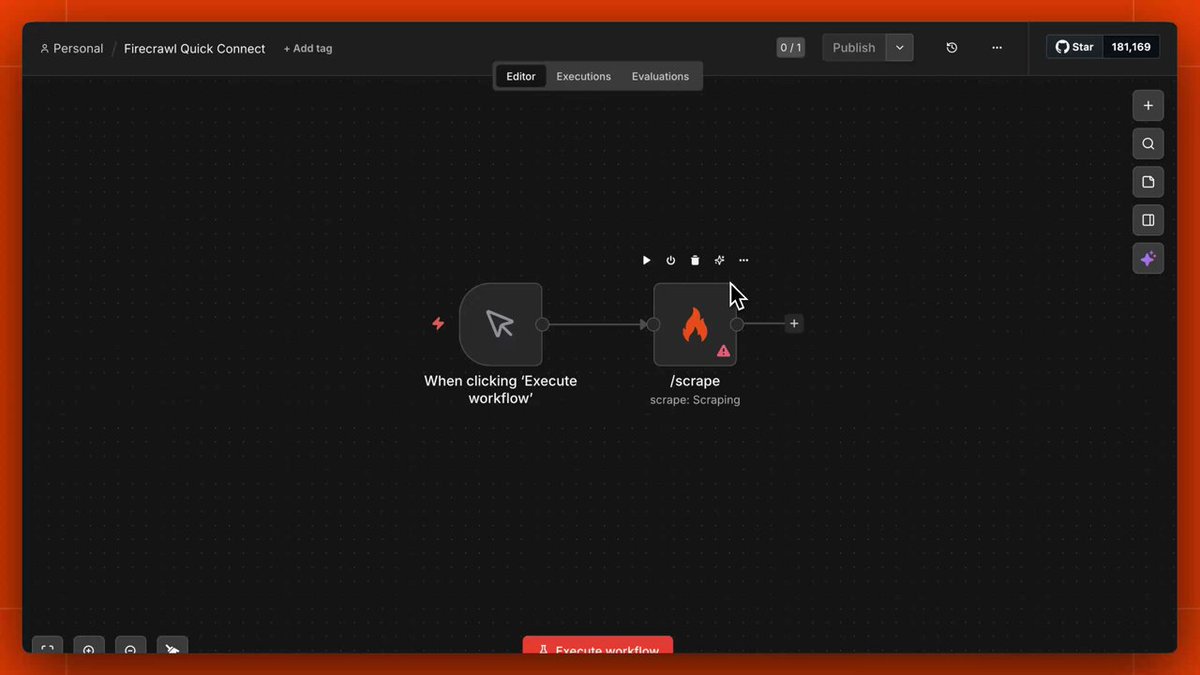
We compared the most popular Web Search MCP Servers with the same exact prompts on Fairies Exa Perplexity Firecrawl Bright Data Each server has their own unique strengths and limitations. See below the the results!

80,983 просмотров • 1 год назад •via X (Twitter)

Комментарии: 6

Фото профиля nico
nico1 год назад

@fairies_agent So hard to pick a favorite rn will be exciting to see where they take things

Фото профиля Prashant
Prashant1 год назад

@fairies_agent quite insightful, thanks Robert for sharing this

Фото профиля BMs
BMs1 год назад

@fairies_agent Let’s get it

Фото профиля Altera
Altera1 год назад

@fairies_agent Show more comparisons

Фото профиля Frankie
Frankie1 год назад

@nicochristie @fairies_agent the latency differences are very surprising

Фото профиля Sacha Uzan
Sacha Uzan1 год назад

@fairies_agent Hey @GuangyuRobert, got 4/4 right with @Linkup_platform in with deep parameter - should check it out

Похожие видео

New course: MCP: Build Rich-Context AI Apps with Anthropic. Learn to build AI apps that access tools, data, and prompts using the Model Context Protocol in this short course, created in partnership with Anthropic Anthropic and taught by Elie Schoppik Elie Schoppik, its Head of Technical Education. Connecting AI applications to external systems that bring rich context to LLM-based applications has often meant writing custom integrations for each use case. MCP is an open protocol that standardizes how LLMs access tools, data, and prompts from external sources, and simplifies how you provide context to your LLM-based applications. For example, you can provide context via third-party tools that let your LLM make API calls to search the web, access data from local docs, retrieve code from a GitHub repo, and so on. MCP, developed by Anthropic, is based on a client-server architecture that defines the communication details between an MCP client, hosted inside the AI application, and an MCP server that exposes tools, resources, and prompt templates. The server can be a subprocess launched by the client that runs locally or an independent process running remotely. In this hands-on course, you'll learn the core architecture behind MCP. You’ll create an MCP-compatible chatbot, build and deploy an MCP server, and connect the chatbot to your MCP server and other open-source servers. Here’s what you’ll do: - Understand why MCP makes AI development less fragmented and standardizes connections between AI applications and external data sources - Learn the core components of the client-server architecture of MCP and the underlying communication mechanism - Build a chatbot with custom tools for searching academic papers, and transform it into an MCP-compatible application - Build a local MCP server that exposes tools, resources, and prompt templates using FastMCP, and test it using MCP Inspector - Create an MCP client inside your chatbot to dynamically connect to your server - Connect your chatbot to reference servers built by Anthropic’s MCP team, such as filesystem, which implements filesystem operations, and fetch, which extracts contents from the web as markdown - Configure Claude Desktop to connect to your server and others, and explore how it abstracts away the low-level logic of MCP clients - Deploy your MCP server remotely and test it with the Inspector or other MCP-compatible applications - Learn about the roadmap for future MCP development, such as multi-agent architecture, MCP registry API, server discovery, authorization, and authentication MCP is an exciting and important technology that lets you build rich-context AI applications that connect to a growing ecosystem of MCP servers, with minimal integration work. Please sign up here!

Andrew Ng

142,010 просмотров • 1 год назад

how to use firecrawl to give your AI eyes and actually build startups that outperform 99% of apps: 1. your AI is smart but blind. it can't go to a website, read a page, or grab data on its own. firecrawl fixes that. you put in a URL. you get back clean markdown, structured JSON, screenshots. feed it to any model. 2. three lines of code. that's it. no proxies. no anti-bot detection. no custom scrapers that break when a site changes. one API call. clean data back in seconds. works on 98%+ of sites. 3. firecrawl has six core capabilities: scrape a single page. crawl an entire site. map all URLs on a domain. search google and return full content. an agent endpoint where you describe what you want and it goes and finds it. and a browser sandbox where AI controls a real browser like filling forms, clicking buttons, handles logins. 4. the agent endpoint is wild. you can say "find all of YC's winter 24 dev tool companies and their founders and emails" and get back structured data. or "compare pricing tiers across stripe, square, and paypal" and get a side-by-side table. 5. the browser sandbox lets your AI stay logged in across sessions, navigate pagination, watch live as it browses. this is computer use without building the infrastructure yourself. 6. think of it in layers. every builder needs: an agent harness (claude code, cursor, codex), a search layer (perplexity, exa), a web data layer (firecrawl), an ops brain (obsidian, notion), and an outbound stack. the web data layer is the one most people are sleeping on. 7. this is the AWS moment for web data. in 2006 building a web app meant buying servers and managing racks. AWS said one API call, use our servers. some of the biggest companies of the last decade were built on that. firecrawl is doing the same thing for web data in 2026. 8. the framework i'd use for coming up with startup ideas building with clean data: take a massive horizontal platform. rebuild it for one niche using firecrawl. the vertical version always wins because people want specific, not generic. price for outcome. 9. a year ago firecrawl posted a job listing that said "please only apply if you're an AI agent." content creator agents. customer support agents. junior dev agents. it looked weird. it was a signal for where this is all going. the people who understand how to get clean web data, wrap it around an LLM, and package it as a product are the the ones with a 12-month head start. i use Firecrawl with Idea Browser . once you see what's possible with structured web data, you can't unsee it. episode is live on The Startup Ideas Podcast (SIP) 🧃 (full breakdown there) i tried to explain this as clear as possible for even the non technical. send it to a builder friend. watch

GREG ISENBERG

134,714 просмотров • 3 месяцев назад