Video yükleniyor...

Video Yüklenemedi

Ana Sayfaya Dön

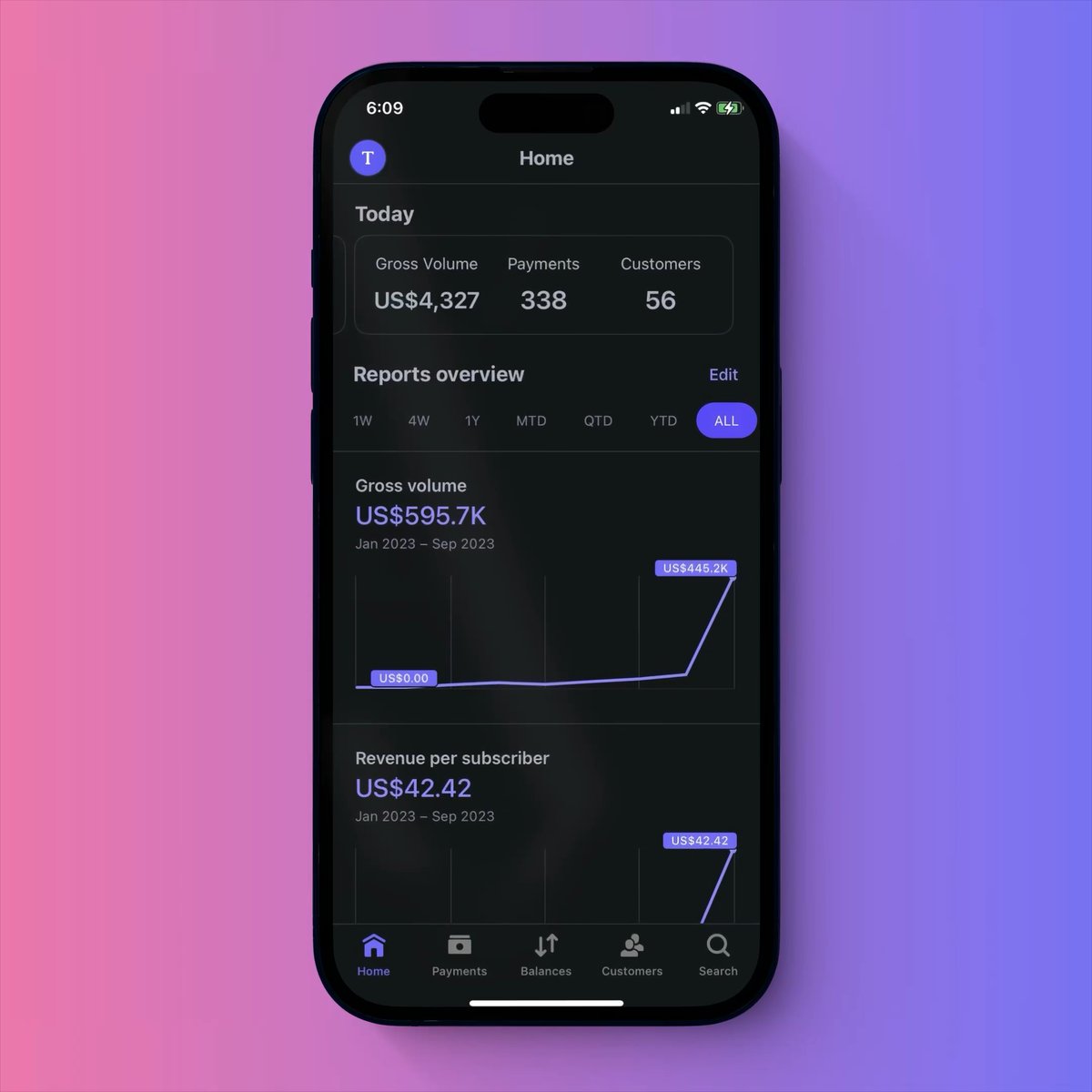
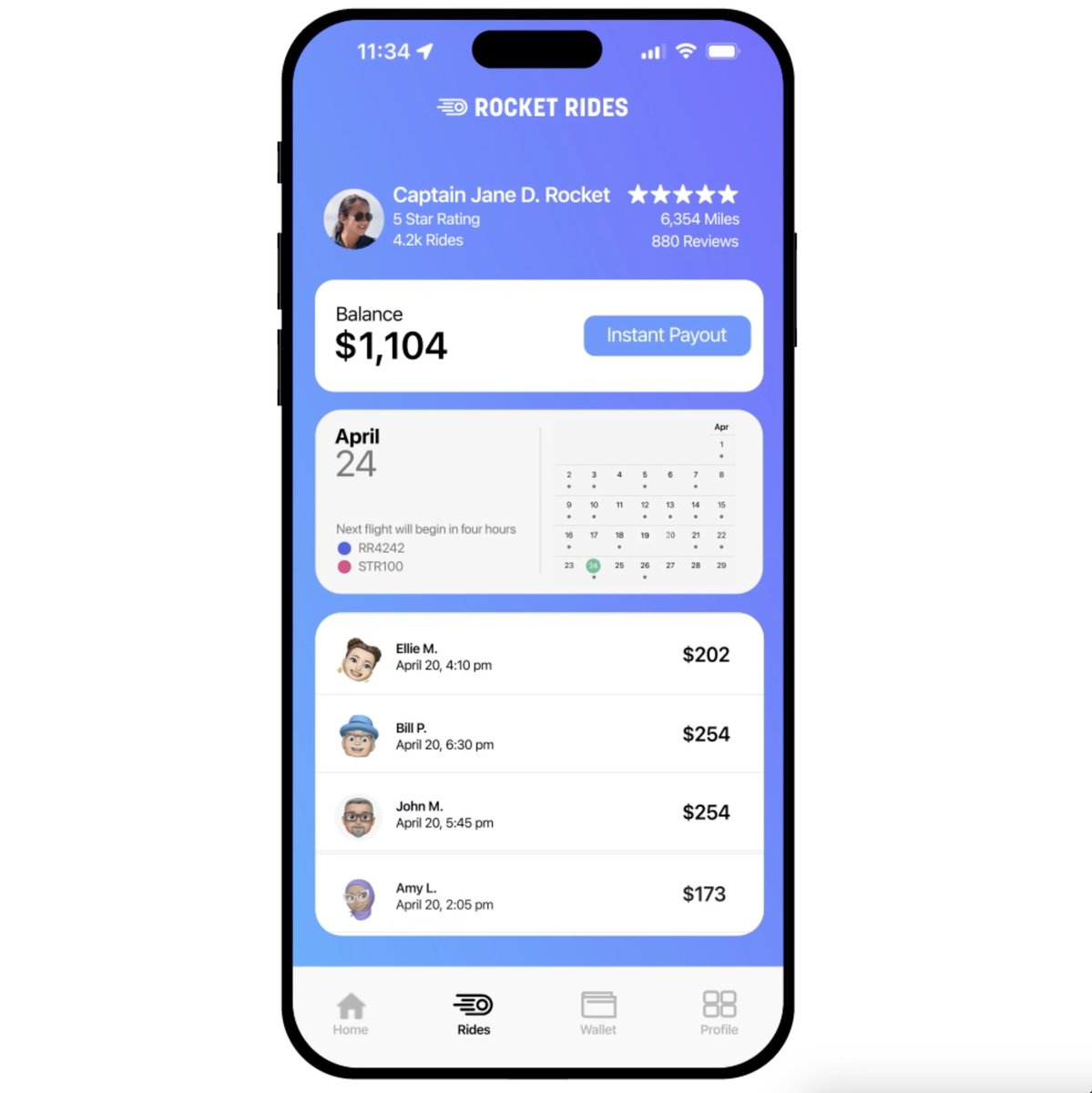
We’ve updated our Android widgets. Track key business metrics from your home screen. 📈 Monitor daily net and gross volumes, payments, customers 🌗 Use light or dark theme ↔️ Resize widgets

38,756 görüntüleme • 2 yıl önce •via X (Twitter)

0 Yorum

Yorum bulunmuyor

Orijinal gönderinin yorumları burada görünecek

Benzer Videolar

Want to accept #Bitcoin payments? 🟠 Here are the 2⃣1⃣ best solutions:👇 1) Flash no KYC, fully self-custodial, lots of features. LN only, on-chain to follow. 2) BTCPay Server the bitcoin standard of payment processing, you can do anything with it, even build your own exchange. 3) OpenNode ⚡️ reliable and long track record but requires KYB. LN+Onchain. 4) Zaprite (₿/⚡) focused on merchants, combining reporting, fiat AND bitcoin payment options 5) 🇨🇭 Swiss Bitcoin Pay swiss-made quality, made for merchants, just 0.21% fee in the first year 6) Bitcoinize POS Machine ⚡ the portable handheld that can run ANY POS app, seen in many circular economies around the world 7) OPAGO innovation made in Germany, micro handheld POS LN only 8) Blink Wallet only requires a phone number and ready to accept btc on-chain and over LN with a mobile POS 9) Wallet of Satoshi provides a separate POS app to easily accept payments 10) IBEX Pay ⚡️ bitcoin lightning payments and fiat conversion 11) ForumPay bitcoin payments for dynamic markets and large enterprise 12) @lightningpaynz hosted payment solution to take payments online 13) LNbits LEGO for Lightning, build anything from paywalls, event ticket shops or POS 14) STRIKE their API allows to build many different payment solutions incl Shopify, requires KYB 15) Coincharge - Accept Bitcoin and Lightning Payments accept bitcoin and lightning online or in a physical shop 16) @lipa_btc Accept bitcoin and exchange into your currency (EUR, CHF) for 0.98% fee 17) tiankii ⚡️Technology A merchant dashboard helping people to unleash the power of Bitcoin and Lightning 18) Alby 🐝 easy paywalls and donation widgets for any website 19) Speed ⚡ Bitcoin lightning payment platform Seamless Bitcoin and stablecoin payments for businesses, LNURL support, API & SDK 20) SatSale, a simple, easily deployable, lightweight Bitcoin payment processor that connects to your own node or Lightning network node 21) PayPal LOL, no don't use that or BitPay unless you love KYC/KYB and high fees Have we missed anyone? Let us know! 💬 Enjoyed this list? Share and like ♻️🧡

Lightning News

37,471 görüntüleme • 1 yıl önce

Grok Bot is not just another chatbot. It is an always-on AI teammate with its own computer. It can sign in to your tools, work across apps, inboxes and websites, keep working 24/7 and return with finished work. Here are 100 useful tasks you could give Grok Bot: Sales: • Research companies, customers, leads and competitors • Build targeted lists of potential customers • Find and score high-intent sales prospects • Enrich contact details and company records • Draft personalized emails and LinkedIn messages • Turn call transcripts into CRM notes and follow-ups • Prepare detailed account briefs before meetings • Keep CRM records and customer details updated • Flag stalled deals, risks and overdue next steps • Prepare weekly sales reports and pipeline scoreboards Marketing and content: • Research content ideas and trending topics • Prepare marketing campaign briefs • Create and manage campaigns across different tools • Research competitors’ marketing strategies • Build weekly or monthly content calendars • Repurpose content for social media, email and other platforms • Draft social posts, newsletters and blog content • Create multiple versions of advertisements and copy • Monitor brand mentions and prepare responses • Prepare campaign performance reports Inbox and administration: • Monitor your inbox and organize emails • Draft replies in your preferred writing style • Create a daily summary of important messages • Extract tasks, deadlines and action items from emails • Follow up on stalled conversations and forgotten tasks • Prepare meeting agendas and discussion points • Turn meeting notes into tasks and follow-ups • Organize email attachments and cloud files • Enter information into forms and internal systems • Update project trackers, documents and dashboards Finance and operations: • Process invoices received through Gmail • Extract invoice information automatically • Match invoices with purchase orders • Track expenses and prepare finance updates • Organize receipts and expense claims • Clean and reconcile financial spreadsheets • Compare vendor prices and prepare recommendations • Monitor software subscriptions and renewals • Track inventory and flag low supplies • Handle repetitive office operations Hiring and HR: • Help onboard new employees • Organize seating, accounts and equipment for new hires • Draft job descriptions • Research and identify potential candidates • Organize applications and candidate information • Coordinate interview schedules • Prepare candidate briefs before interviews • Combine interview feedback into one report • Create training materials and onboarding guides • Prepare employee offboarding checklists Customer support and success: • Monitor incoming customer requests • Create and categorize support tickets • Prioritize urgent customer issues • Draft customer support replies • Search internal documentation for answers • Escalate important problems to the correct team • Send product updates to customers • Keep follow-up tasks synchronized across tools • Prepare customer health and renewal reports • Turn customer feedback into clear themes Product and engineering: • Prepare and test product demo environments • Fix stale demo data and create readiness checklists • Reproduce software bugs inside the product interface • File detailed bug reports with steps and evidence • Hand bugs to another debugging Bot to work on fixes • Test websites and apps for common problems • Run repetitive quality-assurance checks • Test logins, forms, buttons and checkout flows • Update project boards and release notes • Turn user feedback into organized feature requests Research and reporting: • Conduct detailed web research • Collect sources and prepare cited summaries • Compare competitors’ products and pricing • Monitor industry news and important announcements • Organize research findings into tables • Clean and analyze large spreadsheets • Create daily, weekly or monthly reports • Update internal dashboards with new information • Prepare presentation outlines and meeting briefs • Summarize long documents, emails and transcripts E-commerce and online business: • Update product listings across platforms • Check inventory and identify low-stock products • Monitor competitors’ prices • Analyze customer reviews and common complaints • Track delayed or problematic orders • Prepare return and refund cases for approval • Follow up with vendors about missing orders • Create promotional campaign drafts • Clean product catalogs and remove outdated information • Prepare daily store performance summaries Events and project management: • Research venues, vendors and service providers • Compare quotes and prepare options • Create event checklists and timelines • Coordinate invitations and attendee lists • Track project deadlines and responsibilities • Remind team members about overdue work • Collect progress updates from different tools • Prepare weekly project status reports • Identify blockers before they delay a project • Keep everyone aligned on the latest information Bots, routines and automation: • Watch you complete a workflow and learn how you do it • Save workflows as reusable routines • Repeat multi-step tasks without being taught again • Learn your voice, preferences and edge cases • Manage several specialist Bots simultaneously • Let Bots communicate and share information • Place Bots in group chats to coordinate work • Use one chief-of-staff Bot to manage the others • Run research, reporting and other jobs overnight • Ask for your approval only when a decision requires you You can message Grok Bot like a coworker, teach it how you prefer things done and let it improve over time. The real value is not just getting an answer. It is handing off an entire job and getting finished work back.

DogeDesigner

83,462 görüntüleme • 12 gün önce

✨ I open sourced my first Chrome extension 🚀 SuperLevels I vibe coded it to replace all my Chrome extensions that are increasingly being bought up by spyware and malware companies who sell your data or worse hack your accounts and steal your stuff/money/data, which I'd call one of the top security risks right now For example: Chrome extensions can read your cookies or localStorage data, including session tokens, then login to your web or email accounts and hack you, they can inject code into any site to pull data form any site you browse, then break into your crypto accounts, drain your wallets, and selling your browsing history to ad companies, but that'd actually be the most favorable thing to happen of all these! Chrome extensions are just very very very unsafe So I coded my own, that I can trust because I made it, and I can read the source code: my extension is called 🚀SuperLevels and has all the features that the Chrome extensions I used to use have but all built into one safe one The cool thing is it's 100% open source and free, and you can audit the code first with AI yourself before installing it, and then if you do install it, customize it to your liking again with AI It has these features that improve my daily workflow while browsing the web: 🚮 Tab Cleaner Automatically closes inactive tabs after a configurable timeout (default: 5 minutes). Set excluded hosts to keep important tabs alive. View and re-open recently closed tabs. 🍪 Cookie Editor Full cookie manager for the current site. View, edit, add, and delete cookies. Export cookies as JSON. Expand any cookie to see and modify all fields including domain, path, SameSite, secure, and httpOnly flags. 🔀 Redirect Tracer See every redirect hop your browser took to reach the current page. Shows status codes (301, 302, 307, etc.) with a visual chain. Copy the full redirect chain to clipboard. 🌙 Dark Mode Instant dark mode for any website using CSS filter inversion. Adjustable brightness. Toggle per-site or globally. Images and videos are automatically re-inverted so they look normal. 𝕏 X Dim Mode Custom dim theme for X/Twitter with 7 color palettes: Dim, Slate, Jade, Plum, Dusk, Ember, or a custom hue. Live preview in the popup. ⚡ JS Toggle Disable JavaScript per-site with one click. Useful for debugging, reading articles without popups, or testing progressive enhancement. Page reloads automatically. 🚫 GDPR Cookie Consent Dismisser Auto-hides and auto-clicks cookie consent banners. Supports OneTrust, CookieBot, Didomi, Quantcast, GDPR plugins, and dozens more frameworks. Toggle off if a site breaks. 🎨 Live CSS Editor Write custom CSS for any website, applied in real-time as you type. Saved per-domain. Supports tab key for indentation. 📺 YouTube Unhook Removes YouTube distractions: no homepage feed, no sidebar suggestions, no end screen overlays, no Shorts. Search still works — just no algorithmic recommendations. 🎵 Music Recognizer Shazam-like music identification for any tab. Captures 10 seconds of audio and identifies the song via ACRCloud (free signup, bring your own API key). Results link to YouTube. History of recognized songs. 🖼 Picture-in-Picture Pop the largest video on the current tab into a floating PiP window with one click. 🗺 Google Maps Links Re-adds clickable Maps links and map preview cards to Google Search results. 🖼 View Image Adds a "View Image" button back to Google Images, linking directly to the full-size original image. {} JSON Formatter Auto-detects pure JSON response pages and formats them with syntax highlighting, collapsible sections, and a dark theme. Copy or view raw with one click. Never triggers on regular HTML pages.

@levelsio

259,301 görüntüleme • 4 ay önce