Loading video...

Video Failed to Load

Go Home

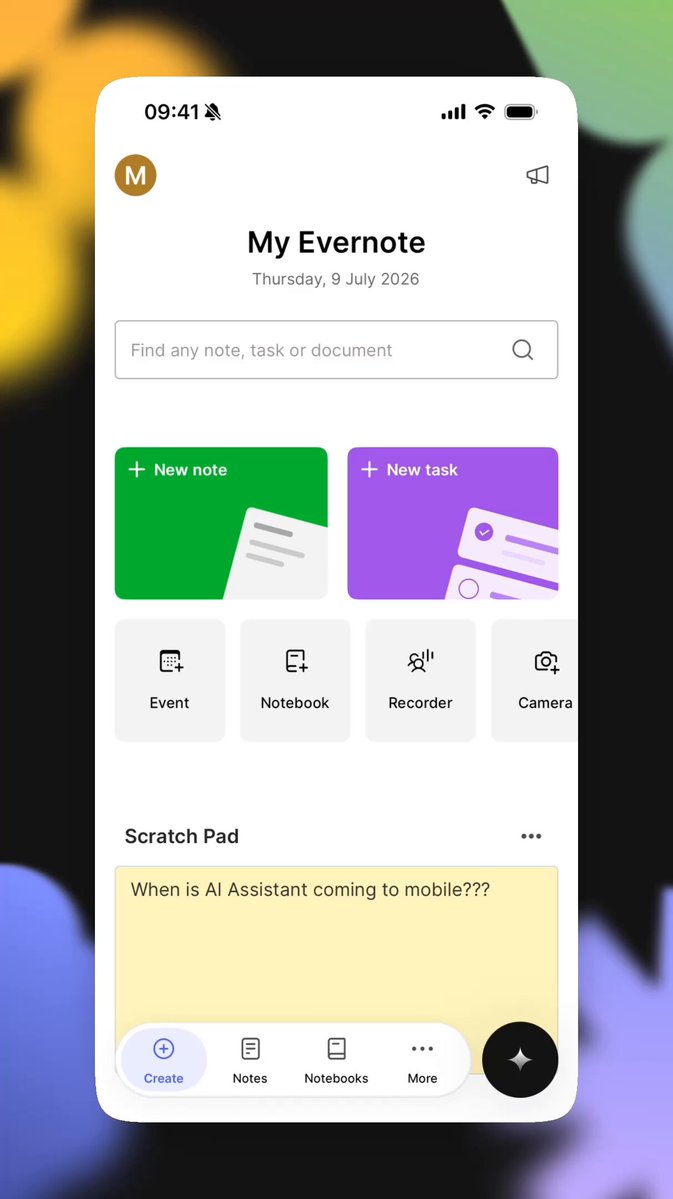
What if you could Google your own brain? 🧠 🦾 (Use code TAAFT25 for 25% off until September 1, 2025) Recall lets you instantly chat across everything you've ever read, watched, listened to, or noted down. ⁠ Here's how you can upgrade your memory: • Chat directly with your...

46,590 views • 1 year ago •via X (Twitter)

0 Comments

No comments available

Comments from the original post will appear here

Related Videos

Be Smart as Karpathy Andrej Karpathy with Teamily AI 🧠 Your Personal Knowledge Base: ✅ Built in One Chat. 📈 Compounded via Conversations. Karpathy’s insight is spot on ( It attracts 10 million views in a few days. The idea is simple: AI should build personal knowledge from everything you feed it, so it stops rediscovering things from scratch like a Retrieval-Augmented Generation (RAG). But here’s the reality — most people aren’t Stanford PhD-level geeks like Karpathy. For the rest of us, operating a hacky collection of scripts and tools (Obsidian Web Clipper, Marp, Dataview, etc.) as seen in Karpathy’s idea file is far too complex ( The Internet needs an intuitive product where a personal knowledge base is a persistent, compounding artifact — one that grows alongside the content you consume, the contexts you inhabit, and the questions you ask. Teamily AI ( is the answer. The conversation IS the knowledge base. It’s an AI-native messenger where AI teammates join your chats. They remember your past discussions, your preferences, and your team’s context — getting smarter the more you talk. No setup. No complicated workflows. Just text as you normally do. Whether you’re saving articles and videos, brainstorming at work, or collaborating with colleagues, your AI teammates are right there. They listen, remember, and help — not from scratch every time, but by building a personal knowledge graph of everything you’re involved in. In essence, your knowledge compounds automatically. ✨ The user experience is effortless. Whenever you need a well-organized view of your data, just ask the "Personal AI" at the top of the Teamily window: "Visualize my personal knowledge base" Want to customize the style or indexes? Just chat with it. You define how you manage your knowledge. Our co-founder Aiden has prepared a short video to show you just how easy it is. 📽️

Teamily AI

15,642 views • 4 months ago

HERMES AGENT SHIPS WITH A BUNDLED SKILL FOR ANDREJ KARPATHY'S LLM WIKI PATTERN. A SELF-IMPROVING KNOWLEDGE BASE THAT GROWS EVERY TIME YOU FEED IT. mentioned this briefly in the overnight workflow article. here is the full breakdown. what it is: a self-improving knowledge base built as interlinked markdown files. unlike RAG (which rediscovers knowledge from scratch every query), the wiki compiles knowledge once and keeps it current. cross-references stay linked. contradictions get flagged automatically. synthesis reflects everything ingested so far. why this matters for Hermes memory: Hermes built-in memory knows YOU. it remembers your conversations, your preferences, your business context across sessions. but it doesn't know your inbox. or your meeting transcripts. or that article you saved last week. or the expert framework you want it to learn. the LLM Wiki solves that. THE DIVISION OF LABOR human curates sources and directs analysis. agent summarizes, cross-references, files, and maintains consistency. you drop in articles, transcripts, notes. Hermes indexes them, links related concepts, flags contradictions, updates affected pages. your knowledge base grows itself. SETUP IS ONE COMMAND the skill ships with Hermes. enable it. set WIKI_PATH in ~/.hermes/.env: WIKI_PATH=/Users/you/wiki defaults to ~/wiki if unset. then drop anything into it: "index this article into my wiki: [paste URL or text]" Hermes reads it, builds a source page, updates related entries, flags contradictions. THE OBSIDIAN ANGLE set OBSIDIAN_VAULT_PATH to the same directory. now your wiki is visible in Obsidian's graph view. nodes, links, backlinks. all built by Hermes. for headless servers: install obsidian-headless. syncs vaults without a GUI. agent writes from the server, you read on your laptop. THE COMPOUND EFFECT Hermes knows you. the wiki knows your world. combine them and the agent answers questions using BOTH contexts at once. month 1: you explain things twice. month 3: the agent references the wiki on its own. answers get sharper because the knowledge base got sharper. AUTOMATIONS THAT FEED THE WIKI set cron jobs to ingest automatically: "every day at 9am, check Granola for new meetings. add any new transcripts to my wiki under meeting notes." "every morning, scan my Gmail starred items. add anything worth keeping to the wiki." "every week, check arXiv for new papers in [your niche]. summarize and file." your wiki grows while you sleep. Hermes never forgets what gets indexed. THE LIMITATION TO KNOW unlike Hermes memory (which is conversational and lives across sessions), the wiki is a separate knowledge layer. Hermes won't pull from the wiki automatically unless you reference it or save it as a skill. best setup: build an LLM Wiki personality that tells Hermes to consult the wiki when answering strategy questions or domain-specific queries. full HERMES AGENT OVERNIGHT WORKFLOW👇

YanXbt

30,734 views • 2 months ago

I built a Claude skill that turns Claude Code into your personal coding tutor. The core insight: Claude Opus 4.5 is already the best tutor in the world. Anthropic cooked with this model! It has incredible emotional intelligence and deep coding knowledge. What this skill does is just provide a harness—a way for Claude to agentically build the right context about YOU so it can personalize the tutoring experience in exactly the right way. Here's what makes it work: Learner profile from day one. The first time you use it, Claude interviews you. It asks about your programming background, your goal (where do you want this to take you?), and who you are as a person. This gets saved and informs every single tutorial it ever writes for you. From the very first interaction, everything is 100% personalized. Tutorials that use YOUR code. When you ask to learn something, Claude doesn't give you generic examples from some blog post. It finds examples in the actual codebase you're working in. This makes concepts stick in a way abstract examples never do. Quiz mode with spaced repetition. You can run "/quiz-me" and Claude will test you on concepts you've learned. It tracks your understanding score for each tutorial. Then it uses spaced repetition to prioritize the next quiz—concepts you're shaky on come back in 2 days, concepts you've mastered fade to 55+ day intervals. It literally builds retention into the learning process. One central knowledge base across all your projects. Whether you're joining a new company and want to understand their codebase, learning from an open source project, or leveling up on your own vibe-coded project—all your tutorials live in one place (~/coding-tutor-tutorials/). So your personal coding-tutor accompanies you across all your coding adventures. The whole thing is a feedback loop: learn → quiz → retain → learn more → quiz → retain. Your tutorials evolve, your knowledge compounds, and Claude gets better at teaching YOU specifically over time. To install it in Claude Code: • Run /plugin to open the plugin manager • Add marketplace nityeshaga/claude-code-essentials • Enable coding-tutor plugin Here's the Github: And here's 20-mins of me walking you through how to use this plugin and how it works 👇🏽 Let me know if you use it to teach yourself something cool!

Nityesh

64,563 views • 7 months ago

Claude Code cannot read 300 files at once. So someone built a system that lets it control NotebookLM from the terminal instead. The results are wild. Here is the full workflow nobody is talking about: The Setup → Claude Code connects to NotebookLM via a command line interface → Claude searches YouTube, finds relevant videos, uploads them as sources automatically → NotebookLM processes up to 300 sources simultaneously and returns cited, grounded answers → Everything syncs back into your Obsidian vault with passage-level citations you can click to verify Why This Changes Research Forever → No more 20 browser tabs you never close → No more copy-pasting outputs into random notes → No more hallucinated answers with no sources to back them up → 60% of citations verified as strong matches in accuracy audits - answers are grounded in real data What Claude Can Do From the Terminal → Search YouTube for relevant videos on any topic and rank by relevance → Create a new NotebookLM notebook and add 20 sources in parallel automatically → Ask questions and export cited answers directly into Obsidian with wikilinks → Set custom personas per notebook - concise, no filler, no preamble → Generate audio overviews and save them as MP3 files into your vault → Build mind maps, flashcard decks, and research dashboards from your sources → Search arXiv for academic papers and feed them directly into NotebookLM → Upload competitor blog posts, podcast episodes, PDFs, and your own vault notes The Obsidian Output → Every answer arrives with clickable citations that link to the exact passage in the source video or article → Graph view shows connections between all 20 sources and the topics they share → Q&A log tracks every question asked and the grounded response received → Source dashboard shows citation frequency, topics extracted, and which questions each source answered Use Cases Worth Building Today → Academic research with arXiv papers, full citation traceability → Competitor analysis from their YouTube channels and blog posts → Company knowledge base for onboarding, new employees ask NotebookLM instead of interrupting teammates → Podcast research, feed 4-hour Lex Fridman episodes and ask what's new in AI this week → Personal second brain, 300 daily notes uploaded and queryable in one notebook Before this system existed you needed 20 tabs, hours of manual reading, and no guarantee the answers were real. Now you type one prompt in the terminal and Claude does all of it for you. The research stack of 2026 is not a browser. It is a terminal connected to everything

Dami-Defi

252,693 views • 2 months ago

PhD Students – How to easily understand a complex research topic? Meet Ponder – a tool for understanding complex research. 𝐇𝐨𝐰 𝐏𝐨𝐧𝐝𝐞𝐫 𝐰𝐨𝐫𝐤𝐬? 1. Go to and log in 2. Enter your research topic or research question 3. Ponder will start building a knowledge map 4. This knowledge map breaks down complex ideas into structured cards 𝐖𝐡𝐚𝐭 𝐜𝐚𝐧 𝐲𝐨𝐮 𝐝𝐨 𝐰𝐢𝐭𝐡 𝐭𝐡𝐞𝐬𝐞 𝐜𝐚𝐫𝐝𝐬? → You can add your own thoughts, questions, and insights. → Ask follow-up questions and deepen your exploration. → You can color the cards for better understanding → You can drag & organize them freely across the infinite canvas. 𝐇𝐨𝐰 𝐭𝐨 𝐚𝐝𝐝 𝐫𝐞𝐬𝐞𝐚𝐫𝐜𝐡 𝐩𝐚𝐩𝐞𝐫𝐬 𝐭𝐨 𝐭𝐡𝐞 𝐜𝐚𝐫𝐝𝐬? — You can search for relevant papers with built-in discovery. — Ponder will identify all relevant papers — You can then add or upload research papers — You can also attach papers to specific cards. 𝐀𝐟𝐭𝐞𝐫 𝐲𝐨𝐮𝐫 𝐩𝐨𝐧𝐝𝐞𝐫𝐢𝐧𝐠 𝐢𝐬 𝐜𝐨𝐦𝐩𝐥𝐞𝐭𝐞𝐝: ➟ You can change the view to document, browser, or full screen. ➟ You can also download your knowledge map as a PDF ➟ You can ask further questions and refine with Ponder’s Agent. 𝐖𝐡𝐚𝐭 𝐮𝐧𝐝𝐞𝐫𝐬𝐭𝐚𝐧𝐝𝐢𝐧𝐠 𝐫𝐞𝐬𝐞𝐚𝐫𝐜𝐡 𝐭𝐡𝐢𝐬 𝐰𝐚𝐲 𝐢𝐬 𝟏𝟎𝐱 𝐛𝐞𝐭𝐭𝐞𝐫? ↳ It brings discovery and analysis of research into one workspace ↳ It makes ideas branch and evolve naturally, just like your brain ↳ It helps you to easily identify research gaps ↳ It connects knowledge from all sources such as papers and web ↳ It enables you to export knowledge as maps, reports, or data. ↳ Designed for PhD students & researchers, who think deeply. Try Ponder here: Anything you'd like to add?

Faheem Ullah

12,175 views • 1 year ago