Загрузка видео...

Не удалось загрузить видео

На главную

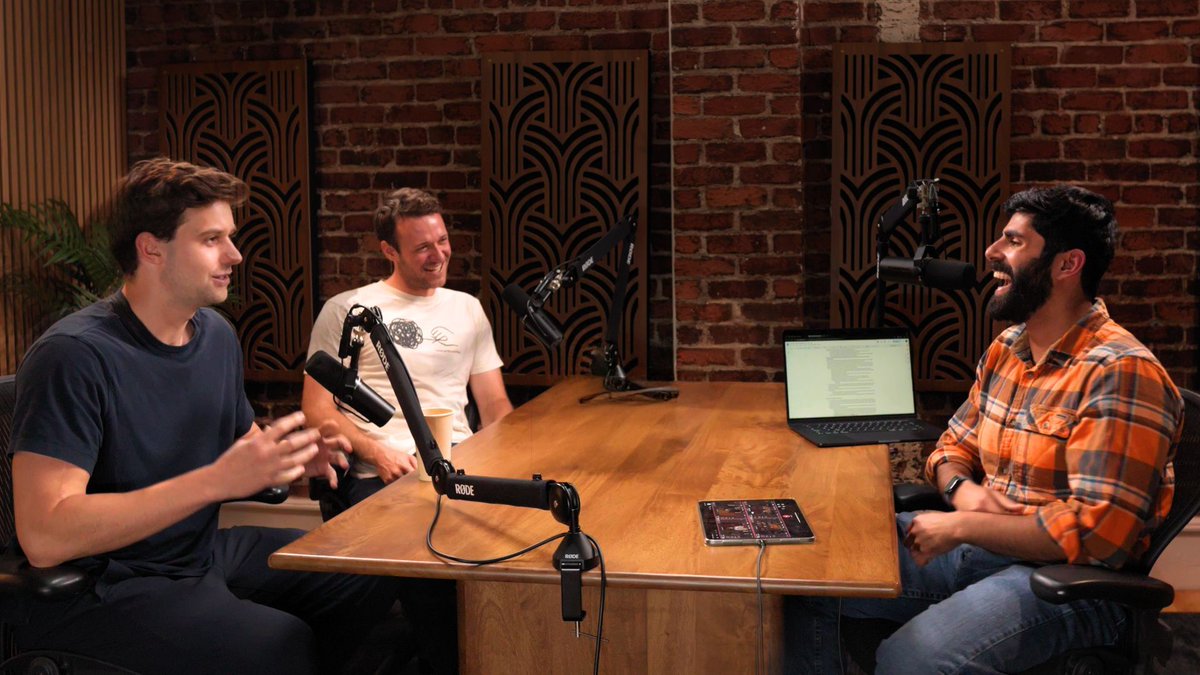
Why is even Google paying SpaceX for GPUs? 01:58 Cloudflare vs Vercel 13:03 Convex angle 19:59 SpaceX compute 35:49 AI self-improvement 44:45 Article reactions 50:28 Claude anxiety 57:42 Guardrails 01:08:21 Cursed image gen 01:19:18 Hermes agents

90,317 просмотров • 1 месяц назад •via X (Twitter)

Комментарии: 0

Нет доступных комментариев

Здесь появятся комментарии из оригинального поста

Похожие видео

#달돌즈 00:00 최애 00:15 타로 선배님 00:34 껌딱지 00:46 조깅 01:00 제가 했을리가 없잖아요 01:18 야 돌 01:26 정신 나갔습니다 [😮☝️] 01:43 01:55 [투닥투닥] 02:03 02:07 02:22 02:49 제대로 꾸미셨네 02:48 안 머거! 03:15 돌잡이 03:19 아부나이네 03:25 나처럼? 03:32 은석 -> 쇼타로 03:55 쇼타로 -> 은석 04:19 내가 뭐 개그맨이에요? 04:33 아무도 허락 안 했습니다? 04:42 원래부터 친구였지 04:50 ...야 04:57 스티커 사진 05:46 상황극 06:48 제헤가 언제요 07:10 선생님 그냥 가십쇼 07:19 곳간 털이범 08:01 버블티애교 08:42 약하군 08:54 용맹강아지 09:01 듣게 해줘? 09:12 살인미소 09:17 내가 그린 기린 그림 09:46 📸 10:08 이게 송은석입니다 10:23 그만 10:39 안마 11:21 돌꾸미기 11:23 말이 된다고 생각하세요? 11:43 고갱님 11:54 우리 여기 와본 적 있나? 12:18 CF가 광고야 12:28 녹초 12:37 콩 한 쪽도 나눠 먹는 사이 12:51 나도나도 13:03 마사지 13:21 펌핑 품앗이 13:34 둘만의 세상 13:41 다이어트 안 했어요? 13:49 무아지경 14:04 이상해지셨네 14:29 송애교 14:45 형보단 14:50 자기가 만들어 14:57 만들어줄거면서 15:33 어딜 15:40 핑크쉐도우 [비행메이트] 15:45 15:53 16:06 16:12 16:18 은석코어 16:29 염색하면 돼요 16:47 애기ㅠㅠ 16:56 🕺🕺 17:08 야 그게 말이 되냐 17:32 조언 17:46 그니까 왜 이런 걸 하셔서.. 17:55 은석씨 많이 나락 가셨네 18:10 밀어조 [릴스] 19:14 back it up ✋ 19:25 im addicted to... 19:40 🦾🤖 19:55 ☘️+💚=🍀 20:05 eh?

𝙟𝙚𝙩

216,532 просмотров • 1 год назад

State of AI compute 2026: my conversation with stephen balaban of Lambda on the neocloud boom, data centers, GPUs and what's ahead 00:00 — Cold open 01:21 — Why GPU compute was never a commodity 02:45 — The H100 price index and what it gets wrong 04:02 — The real moat: technology or financing? 05:57 — Winner-take-all, or room for many neoclouds 06:48 — Are we overbuilding or underbuilding AI compute? 09:26 — What if AI gets 10x more compute-efficient? 10:44 — The real bottleneck: land, power, and shell 11:38 — The backlash against data centers — and the misinformation 15:00 — Opening the hood: from photons to tokens 17:11 — Extracting more value from the same chip 19:26 — Frontier inference and distributed training, explained 23:26 — What actually drives compute cost 25:21 — Lambda's chip stack and the NVIDIA relationship 26:17 — A multi-silicon world? CUDA, CUDNN, and NVIDIA's real moat 28:59 — Networking, storage, and the one-click cluster 34:46 — Renting vs. owning, and full vertical integration 36:24 — How global is Lambda? Does location still matter? 38:44 — The financing stack: off-take agreements, SPVs, and credit 41:16 — Why a 2023 GPU leases for more today 42:36 — A futures market for compute? 43:54 — Origin story: facial recognition, Perceptio, and Apple 47:03 — The Lambda hat and Dream Scope 48:59 — The $60K bet that became a cloud business 52:00 — Holding the team together through the hard times 54:30 — Bringing on a new CEO; Stephen as CTO 57:33 — Matching xAI on high-velocity deployment 59:29 — "AI won't write software — it will become the software" 01:01:30 — Neural software vs. vibe coding 01:04:25 — Do agents change the compute layer 01:06:14 — Self-assembling software inside Lambda 01:08:18 — Gigawatt-scale AI factories 01:08:57 — One person, one GPU 01:12:04 — Hot takes: overrated and underrated in AI

Matt Turck

70,916 просмотров • 1 месяц назад

Everyone is talking about Vibe Coding (Using AI to Create Apps Only using AI) This is the most Comprehensive Guide for Vibe Coding with Cursor (By Far) 250 Minutes, All the vibe code basics of cursor, plus 4 Projects in one video! This is how I, as someone who has never written a line of code, approach building apps (every day). Part 1A Intro to Cursor, Composer, and some basics --------------------- 00:00 Intro 03:41 Downloading Cursor 06:09 What the hell is Composer? 10:47 A Note on Context and Keeping Composer Threads Small 11:38 Simple Desings with Cursor Composer From Blank Project 14:04 Editing a Simple Animation With Cursor Composer 16:35 Setting Up The Voice to Talk to Cursor Composer Whispr Flow 17:54 Lets an Early 2000's Landing Page Part 1B AI Image Generator --------------------- 23:59 Using the GitHub Template to Create a NextJS App 26:43 Template is Open, Let's Edit it 28:55 Drawing Out My Idea With Whimsical 30:11 First Prompt Using Place Holders For Image Generation 32:10 Accept All Vs Save All and Restoring in Composer (Saving your work) 33:54 Adding AI Feature (Brief Teaser, Deep Dive Later) 35:15 What is an API 37:22 Perplexity the best place to learn about API's 40:21 Api keys and running prompt for first AI Feature 42:48 Debugging, Woohoo! Learn to love this :) 43:20 Inspect - Console, In Browser Debugging Hack 48:02 AI Image Generation Works! Lets add more Part 2: Landing Page ---------------------- 51:03 Pause and Reflect, What have we done so far? 53:41 Plan for rest of video 54:34 Ok Let's Talk about (1) Designs 56:19 GitHub is like --sref for those who do image gen 58:20 Starting Cursor project from a GitHub Repo we found on Perplexity 01:00:48 Yolo Mode... Wtf is that? 01:02:38 Inspecting GitHub Repo's Examples, to use in our landing page 01:02:58 The Project We're making - A landing page 01:03:56 Landing Page from Screenshot 01:06:17 Making Changes to Landing Page 01:11:42 Making a more epic section 01:13:42 The Essence of Vibe Coding 01:15:17 Creating Cool Testimonials Section From Screenshot 01:18:18 Deploy to Vercel! But First New Repo on GitHub 01:20:45 Ok it's on GitHub... Now lets do vercel 01:21:17 Untechnical Explanation of what Vercel is Lol 01:24:18 Connecting Custom Domain (Bought on Name Cheap) To Vercel Deployment Part 3: App With Database and Authentication ---------------------- 01:27:59 Recap and Prep For The Bigger Project! 01:35:13 Getting Started from Template (Again) 01:38:52 Setting Up Database and Authentication (Firebase) 01:44:01 Back To Cursor, Let's Set up The Auth in the app 01:48:35 Switching to mermaid because compatibility issues 01:51:13 Using AI (Claude) to Generate Mermaid Diagrams 01:52:19 Adding Docs to Cursor to use AI Features over and over again 01:54:38 Let's Troubleshoot 01:56:10 Adding View Button and EDIT WITH AI 02:01:45 AI Diagram Edit Feature is DOPE 02:03:17 Using Search Feature on Cursor to find text in Codebase 02:05:55 Lets add ability to save these to Database 02:09:33 What does saved to Google Firebase even mean? 02:13:00 We can Export as PDF! 02:15:48 GitHub and Vercel Again! 02:17:27 Vercel with CLI From Cursor 02:20:52 Setting Vercel Domain as an Authorized Domain 02:27:34 How To Learn More

Riley Brown

368,141 просмотров • 1 год назад

Cursor Complete Guide for AI Coding... 1. The Basics, Composer, Cursor 2.0, Why use Cursor? 2. Multiple Agent Testing, Adding Database, Deploying to Vercel 3. Comparing the big 4: v0, Replit, Lovable, Cursor And more... with Senior Software Engineer Kehan Zhang TIME STAMPS --------------- 1. BASICS: 00:00 Introduction 01:01 Overview of Cursor and Its Features 01:47 Getting Started with Cursor 02:39 Understanding IDE and Vibe Coding 06:00 Cursor For Mobile Apps 10:26 Downloading and Installing Cursor 11:17 Creating and Managing Projects in Cursor 15:14 Building a Simple Game with Cursor 19:10 Advanced Features and Customization 40:28 Fixing Styling Rules 40:53 Redesigning the App 42:17 Exploring Cursor 2.0 Features 43:22 Setting Up the Project Structure 44:17 Adding and Testing Meme Templates 46:08 Debugging Text Issues 2. ADVANCED 49:46 Using Multiple Agents 01:10:40 Creating Custom Commands 01:14:15 Creating Commands in Settings Tab 01:15:11 Introduction to Instant DB 01:16:04 Setting Up Instant DB in Your Project 01:18:24 Building a Full Stack Application 01:19:04 Using the Agent to Plan and Build 01:26:06 Testing and Debugging the Application 01:53:02 Deploying the Application with Vercel 01:55:35 Setting Up the CLI 01:56:15 Understanding Command Line Interfaces (CLI) 01:57:32 Deploying Code to Vercel 01:58:07 Handling Environment Variables 01:58:44 Interacting with the Vercel Deployment 02:00:34 Exploring Cursor's Capabilities 3. COMPARING VIBE CODING TOOLS 02:09:48 Comparing Vibe Coding Tools 02:31:04 Final Thoughts and Recommendations

Riley Brown

65,392 просмотров • 8 месяцев назад

Updated: Vocals & Rap - #성화 #Seonghwa 00:00 Still Here 00:15 Wonderland 00:36 Halazia 00:47 Answer 01:21 Cyberpunk 01:27 Wave 01:37 Utopia 01:50 My Way 02:00 With U 02:16 Be With You 02:54 Star 1117 03:21 Turbulence (야간비행) 03:39 Days 04:26 Promise 04:38 Fever 04:54 Sunrise 05:19 Mist 05:43 Take Me Home 06:11 Better 06:34 All About You 06:43 Aurora 06:55 Blue Summer 07:23 Diamond 07:46 Time Of Love 07:58 Stay 08:07 Desire 08:21 WDIG 08:28 New World 08:35 Dreamers 08:53 Not Too Late 09:03 The Letter 09:19 One Day At A Time 09:28 Dazzling Light 09:40 Light 09:50 The Ring 10:04 Paradigm 10:18 This World 10:38 Bouncy 10:51 Not Okay 11:15 The King 11:23 Inception 11:52 Fireworks 12:03 Limitless 12:19 Precious 12:28 Rocky 12:41 Let’s Get Together 13:07 White Love 13:17 The Leaders 13:27 Crazy Form 13:43 Arriba 13:57 Silver Light 14:06 Dreamy Day 14:26 Matz 15:15 Outlaw 15:23 Twilight 15:31 Dune 15:38 Hala Hala 15:43 Deja Vu 15:50 Horizon 15:54 Say My Name 15:57 Sector 1 16:02 Good Lil Boy 16:09 Don’t Stop 16:12 Still Here (Acoustic Ver) 16:19 Siren 16:31 Guerrilla 16:45 We Know 17:00 Empty Box 17:28 Wake Up 17:40 Dancing Like Butterfly Wings 17:49 Work 18:09 Thanxx 18:26 If Without U 18:45 Shaboom 19:01 Outlaw 19:18 Treasure 19:33 Eternal Sunshine 20:03 Django 20:31 Turbulence Japanese Ver. 20:55 Blind 21:16 Pirate King 21:24 Forevermore 22:00 Birthday 22:11 Deep Dive 22:26 Ice On My Teeth 22:50 Man On Fire 23:10 Selfish Waltz 23:25 Enough

Hwanakin

62,764 просмотров • 1 год назад

The Codex Super-App (Full Beginners Guide) The All Purpose Interface for AI Agents Part 1: Codex Basics Install Codex, Projects, Chats, Documents, Plugins, Custom Skills, Automations Part 2: Multitasking with Codex - iOS App Designs - Build an iOS App - Landing Page - Launch Video - Investor Deck - Social Media Automation TIMESTAMPS: Part 1: Codex Basics 00:00 Intro 02:54 Downloading Codex 03:20 Overview of Codex interface 03:56 Chats, Prompting, & Built in Search 04:53 Creating Projects 07:37 Creating Spreadsheet 09:43 How Files are stored and mentioned within projects 10:42 Quick Codex Overview 12:47 Search (CMD G) and Folder Organization 14:29 Skills and Plugins 16:29 Using Calendar Plugin 18:07 Creating Automations on Codex 19:18 Learn about Plugins (Figma) 21:37 Built in Image Gen 22:37 MCP Example (Paper for Design) 24:17 Opening Chats in mini-window 25:26 Steering vs Queueing the Agent 27:35 Creating Own Skill with API's 31:34 Using YouTube Researcher Skill (That we created) 33:24 Creating Automation with your custom skill Part 2: Multitasking (More chaotic and fun) 35:27 Part 2 Multitasking: Building iOS App, Web App, Investor Deck, Launch Video, Mobile Designs, and Automated X Posts 37:54 Creating Project 38:31 Planning my 6 Projects 40:25 Mobile Design Skill 41:47 Setting up iOS App 45:08 Implementing Desings into Mobile app 46:13 Creating a landing page that collects user info 46:45 Tally for form submission (Great for lead magnets) 49:43 Organizing and Renaming Chats for multitasking 52:12 Database for Mobile App (Supabase) 53:19 Generating app icons 54:08 Launch Video (Remotion) 59:32 Remotion Video Timeline and Seeing the Video Editor 01:05:37 Editing instructions for Remotion (Gridlines) 01:07:11 Editing Web App 01:09:46 Using CLAUDE CODE Inside Codex for Design (Terminal) 01:17:20 Forking a Chat to create investor deck 01:19:09 Using Claude 4.7 Opus for Designing Deck 01:20:22 Testing Canva Export (It's good) 01:22:33 Running Mobile App on Actual Phone (Not Simulator) 01:28:58 Finishing up All Projects (Mobile App, Landing Page Launch Video) 01:31:56 Exporting Deck and making changes in Canva 01:33:13 Deploy to Vercel using the Vercel Plugin 01:33:44 Adding Song to Remotion Video 01:35:26 Setting up x Post automations (Typefully) 01:37:57 Our App is on Testflight! 01:39:58 Final Remotion Video 01:41:04 Final Thoughts, Reflections, Summary

Riley Brown

432,827 просмотров • 3 месяцев назад