

Google Flow
@FlowbyGoogle • 72,297 subscribers
Hi👋 We're Google Flow, your AI creative studio. Follow along for product news and creative tips to bring your cinematic stories to life.
Shorts


![This level of detail is honestly… *wild* 🦁 Create your own videos with fluid movements using this prompt: “High detailed macro shot, shot on movie camera, soft natural grading, contrasted lights, swift camera follow motion, chaotic. Lateral blurred macro shot following a [SUBJECT] running in [LOCATION]”](https://image.24vids.com/tw-2014775943773008078/amplify_video_thumb/2014775893462237184/img/Q212BcgcX3kRFb0B.jpg)

Videos

Flow just dropped an exciting update last week, so let’s dive in and explore what’s possible. In this tutorial, you will learn to seamlessly create, refine, and compose your stories. With Flow, you can generate and edit images and videos in a single workflow, allowing you to build cohesive narratives with consistency. Here’s a look at how you can create with Flow:
Google Flow20,038,980 görüntüleme • 7 ay önce

Introducing your agent & the all-new Gemini Omni model in Google Flow! Think of your agent as a creative partner that reasons, brainstorms, creates & edits under your direction. Gemini Omni brings a major leap in video, world understanding & multimodality. Try it Today!
Google Flow8,547,913 görüntüleme • 4 ay önce
Today we're expanding Flow into a full AI creative studio. We’ve redesigned the experience and powerful new tools so you can draft, visualize, and refine your stories in a single, unbroken workflow. What’s new: ✨ An updated interface for seamless workflows 🖼️ An easier way to create with images and videos, together 🗣 Seamless prompting and editing with natural language We can't wait to see what you create!
Google Flow13,962,021 görüntüleme • 7 ay önce

Your agent within Google Flow can be a helpful creative partner, guiding you from concept brainstorming to final creation. For example, your agent can help you explore storyboard directions based on your idea. This is great for both planning out key scenes and locking in details. Once you finalize your storyboard, use it as a reference and ask your agent to create your final video using Gemini Omni. Give storyboarding a try, and feel free to share any other tips you find helpful for maintaining visual consistency below!
Google Flow56,009 görüntüleme • 23 gün önce

Starting today for Google AI Ultra subscribers, creating with Nano Banana Pro in Flow means mastering the elements and the lens with precision and control. Watch Sanchit Sawaria break down how to transform a single static frame into a cinematic shot: ✅ Change focus to guide the viewer's eye ✅ Prompt "make it rain" for photo-accurate physics ✅ Animate using first and last frame while keeping the subject consistent. Control the weather. Direct the camera.
Google Flow641,821 görüntüleme • 11 ay önce

Image editors, video resizers, custom shaders… if you can think of it, you can now build it. Introducing Tools in Google Flow. Starting today, you can describe the tools you wish you had, and Google Flow will help build them for your workflows. Explore our Tools gallery for inspiration, including some from fellow creatives, share your own, or even remix existing Tools to fit your needs. Learn how to get started in the thread below #GoogleIO
Google Flow255,721 görüntüleme • 5 ay önce


Google Flow. Here’s the workflow: Image: Start with a "first-person perspective POV" prompt. Add specific visual style keywords like "early 2000s point and shoot" for a candid, textured look. Video: Set your image as the first frame using frames to video to lock perspective. Audio & Export: Prompt natural ambient audio, then export up to 4K. Check out the walkthrough to see it all in action.
Google Flow31,996 görüntüleme • 1 ay önce

Are you a creative who wants to learn more about how to use Google Flow? Applications for Flow Sessions are now open 🚀 We’re looking for the next wave of creatives across all mediums to join our 6-week residency and get: ✨ Unlimited access to Google Flow 💡 Mentorship & upskilling workshops 🚀 Early access to new features 🤝 A community of like-minded creatives
Google Flow79,955 görüntüleme • 3 ay önce

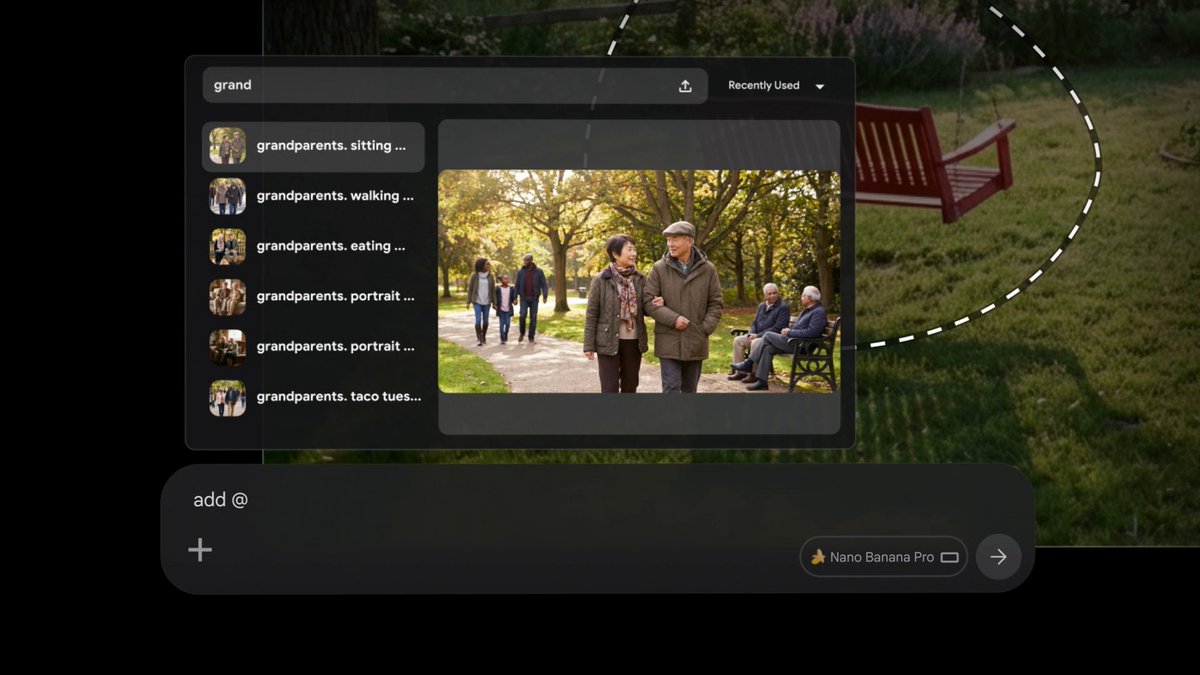
New Ingredient unlocked! 👩🍳🔓 You can now assign specific voices when selecting ingredients. Choose from 30 distinct options to keep your dialogue and characters consistent across every setting, scene, and action. This experimental feature is currently available to Ultra users. Test it out and let us know what you think!
Google Flow116,897 görüntüleme • 6 ay önce


Put Google Flow Tools in the hands of creatives, and what do you get? “Personalization at a global scale,” according to MetaPuppet. Alongside MetaPuppet, we partnered with five incredible creatives to build custom Tools for you to explore, including Kat ⊷ the Poet Engineer and @Maestasdesign. Tools for creators, by creators. Hear their stories below:
Google Flow57,718 görüntüleme • 5 ay önce

Props help set the tone of your scene. For example, a backpack can help emphasize the feeling of smallness a character experiences, highlight their journey ahead, or the feat they’ve conquered. Use Ingredients to perfect the props that will define your story.
Google Flow73,374 görüntüleme • 6 ay önce

Turn your images into high-quality ingredients in Flow. 🍌 Edit your images with Nano Banana to isolate your subject on a neutral background. This makes a focused, clean ingredient that’s ready to be refined, saved, and dropped seamlessly into the scenes you create. #FindYourFlow Here’s how we do it:
Google Flow107,501 görüntüleme • 11 ay önce

Our new state-of-the-art video upscaling allows you to download videos in 1080p and, for the first time, in 4K! 💡 Pro Tip: Want the absolute highest fidelity? Combine our upscaling tools. 1. Download a generated image in 4K 2. Upload it as an Ingredient 3. Turn it into a stunning 1080p or 4K video Better inputs = better outputs. The results have never been clearer. ✨
Google Flow87,862 görüntüleme • 9 ay önce

If you want your Google Flow creations to maintain the same look and feel, start by defining your visual style. Here’s a workflow to try: 1. DEFINE THE STYLE: First, establish the lighting, environment, mood, color palette, and texture. 2. BUILD THE IMAGE SYSTEM: Use that base style to generate your core assets, like hero shots and environments. 3. MOVE TO VIDEO: Once the image system looks good, use this as the foundation for your video clips. 4. EXPLORE VARIATIONS: Shift the framing, scene, or focus without losing the core look of your original generations. Show us how you lock in your look. Tag us so we can showcase the best examples of visual consistency!
Google Flow18,940 görüntüleme • 1 ay önce

The secret to character consistency with Google Flow: 👤 Create a saveable character using the Character tab (this is where you dial in the details!). 📸 Generate reference images to lock in the details. 🎬 Use those images in your prompt to build out your scene! Try it out and show us what you're building. 👇
Google Flow22,041 görüntüleme • 2 ay önce

Welcome to The Small Brief. 🎬 We gave three advertising legends, Susan Credle, Jayanta Jenkins, and Tiffany Rolfe, unlimited access to Google Flow to build campaigns for local small businesses they love. First up: let’s take a look into the creative process of Susan Credle, Former Creative Advisor at Omnicom, who worked with Google Flow to create an ambitious, heartfelt campaign for Stonewood Farm centered around the phrase "Just Farming". Discover Susan’s individual journey, challenges, and how she used her expert instinct to visually bring to life the farm's commitment to regenerative agriculture, showing how taking care of the soil ultimately takes care of the community.
Google Flow19,008 görüntüleme • 2 ay önce


This new feature... it's bananas 🍌 You can now edit and refine your images directly in Flow using prompts. Nano Banana 2 maintains the likeness of a subject or scene across different lighting, environments, artistic styles, and more. See the a-peel for yourself— try it today!
Flow by Google83,851 görüntüleme • 1 yıl önce

Google Flow Agent is your creative partner that can plan and reason through complex tasks with your inputs, under your control. In this video, you'll see how you can: ✅ Activate your agent ✅ Brainstorm and refine storylines ✅ Maintain character and setting adherence ✅ Generate and edit multiple assets at once ✅ Organize your assets with the help of your agent
Google Flow31,803 görüntüleme • 4 ay önce