shadcn's banner
shadcn's profile picture

shadcn

@shadcn233,921 subscribers

I own a computer. / @vercel

Shorts

Introducing shadcn/typeset. You know how you render markdown and get back plain, unstyled HTML? Headings, paragraphs, lists, tables. So you style the elements one by one: font sizes, line heights, spacing. You do it for your blog. Then you do it again for docs. Then again for the chat. Every time, you're fighting the same thing: sizing and spacing. To fix this, we created typeset.css: one file that styles everything inside a typeset container. It lives in your project, so you can change it directly when you need to. And we made it work beautifully with streaming markdown.

Introducing shadcn/typeset. You know how you render markdown and get back plain, unstyled HTML? Headings, paragraphs, lists, tables. So you style the elements one by one: font sizes, line heights, spacing. You do it for your blog. Then you do it again for docs. Then again for the chat. Every time, you're fighting the same thing: sizing and spacing. To fix this, we created typeset.css: one file that styles everything inside a typeset container. It lives in your project, so you can change it directly when you need to. And we made it work beautifully with streaming markdown.

543,211 views

Thank you to all my GitHub sponsors.

Thank you to all my GitHub sponsors.

56,869 views

We’ve added a new command: npx shadcn apply. Instantly apply a full preset across your project. Swap components, themes, colors, CSS variables, fonts, and icons all at once. Apply. Test. Repeat.

We’ve added a new command: npx shadcn apply. Instantly apply a full preset across your project. Swap components, themes, colors, CSS variables, fonts, and icons all at once. Apply. Test. Repeat.

137,300 views

You can now build translucent dropdown menus, selects, and comboboxes on shadcn/create. Mix in your custom styles, icons, fonts, and radii and build something different. Your own preset. All it takes is a few clicks.

You can now build translucent dropdown menus, selects, and comboboxes on shadcn/create. Mix in your custom styles, icons, fonts, and radii and build something different. Your own preset. All it takes is a few clicks.

153,562 views

I just published the full guide to building forms with the Field component: - TanStack Form & React Hook Form - Zod validation and displaying errors - Practical examples we’ll actually use - Inputs, Radios, Fieldset, Arrays & more Check it out. Link below.

I just published the full guide to building forms with the Field component: - TanStack Form & React Hook Form - Zod validation and displaying errors - Practical examples we’ll actually use - Inputs, Radios, Fieldset, Arrays & more Check it out. Link below.

253,734 views

Starting a new project shouldn’t mean rebuilding your setup from scratch. Experiment: init from an existing project (local or remote) and bring over components (including customizations), theme, fonts, deps, the whole setup and file structure. Works cross-framework: start a TanStack app from an existing Vite app.

Starting a new project shouldn’t mean rebuilding your setup from scratch. Experiment: init from an existing project (local or remote) and bring over components (including customizations), theme, fonts, deps, the whole setup and file structure. Works cross-framework: start a TanStack app from an existing Vite app.

63,820 views

Go to Click on ElevenLabs in the left sidebar. Press D to turn on dark mode. Then hit R and keep shuffling.

Go to Click on ElevenLabs in the left sidebar. Press D to turn on dark mode. Then hit R and keep shuffling.

109,708 views

Getting a few questions about the menu options. This is specifically for building inverted menus in light mode. Works for dropdown menu, select, combobox, context menu, menubar...etc

Getting a few questions about the menu options. This is specifically for building inverted menus in light mode. Works for dropdown menu, select, combobox, context menu, menubar...etc

75,655 views

Dark Mode and Focus Rings.

Dark Mode and Focus Rings.

137,259 views

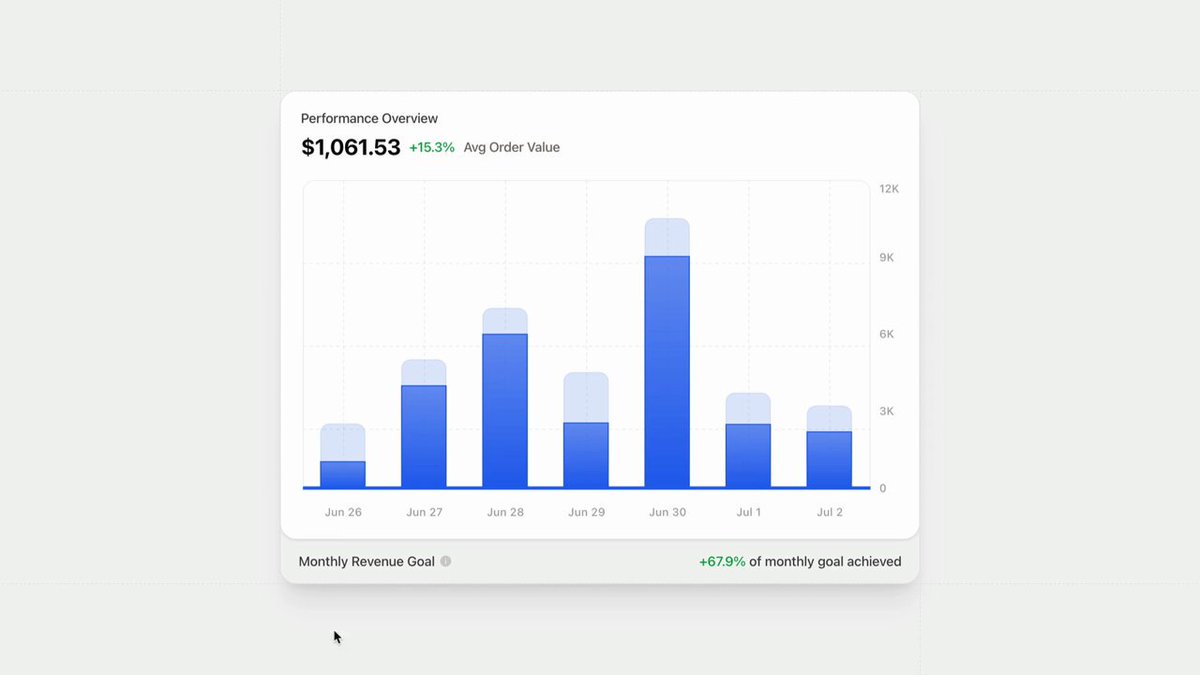
Built rico's chart. It has custom vectors, custom tooltip cursor, gradient, gaussian blur for hover effects, themes.. Whatever you throw at recharts, it just works.

Built rico's chart. It has custom vectors, custom tooltip cursor, gradient, gaussian blur for hover effects, themes.. Whatever you throw at recharts, it just works.

103,922 views

We've added universal item support to the registry. Any framework. Any language. Now you can distribute code, config, workflows, mcp, agent rules. Anything. Here's me adding better-auth to Nuxt: auth client, middleware, pages. "npm" for application & infrastructure code.

We've added universal item support to the registry. Any framework. Any language. Now you can distribute code, config, workflows, mcp, agent rules. Anything. Here's me adding better-auth to Nuxt: auth client, middleware, pages. "npm" for application & infrastructure code.

86,268 views

Installing Cursor rules with shadcn.

Installing Cursor rules with shadcn.

110,332 views

When you're working on a new app, it can takes a few tries to find something you like so we've made switching presets really easy. Run init --preset with a new code in your app, and the cli will take care of reconfiguring everything including components, theme & dependencies.

When you're working on a new app, it can takes a few tries to find something you like so we've made switching presets really easy. Run init --preset with a new code in your app, and the cli will take care of reconfiguring everything including components, theme & dependencies.

36,616 views

Introducing Themes. Hand-picked colors that you can copy and paste into your apps. This builds on top of the Styles API. Pick a style with some sane defaults, add your colors and make it yours.

Introducing Themes. Hand-picked colors that you can copy and paste into your apps. This builds on top of the Styles API. Pick a style with some sane defaults, add your colors and make it yours.

182,650 views

How I use v0 for UI development ⬇️ Exploration: I rely on v0 a lot for exploration. If you have an idea you want to visualize, type in your prompt & let v0 transforms it into components. For the 1st generation, I always want v0 to be creative. I use the Quality ✨ toggle.

How I use v0 for UI development ⬇️ Exploration: I rely on v0 a lot for exploration. If you have an idea you want to visualize, type in your prompt & let v0 transforms it into components. For the 1st generation, I always want v0 to be creative. I use the Quality ✨ toggle.

139,097 views

Shipped the new chart blocks. I’ve also added more examples on how to build advanced tooltips with custom label, icons and formatters. Next up: dashboards and cli updates.

Shipped the new chart blocks. I’ve also added more examples on how to build advanced tooltips with custom label, icons and formatters. Next up: dashboards and cli updates.

86,784 views

Working on a new Command Menu to surface more context where you need it: - Colors in all formats. Enter to copy oklch or cmd+c for other format - Shortcut to copy cli command for components - Remembers your color format & package manager Small UX wins. Huge impact for docs.

Working on a new Command Menu to surface more context where you need it: - Colors in all formats. Enter to copy oklch or cmd+c for other format - Shortcut to copy cli command for components - Remembers your color format & package manager Small UX wins. Huge impact for docs.

53,924 views

Videos

shadcn's profile picture

One more thing... 🤯

shadcn

208,286 views • 3 years ago