Creating professional content just got easier. Kling 3.0 Motion... Control had fully rolled out. It locks in facial identity consistency across angles, lighting shifts, and complex scene transitions. Even with occluded faces or fast camera movement, expressions remain stable and natural.show more

Miguel Ángel | Educador en IA
107,274 Aufrufe • vor 4 Monaten
Breaking: AI video enters a new era with Kling... 3.0 & Kling 3.0 Motion Control. Kling 3.0 and Kling 3.0 Motion Control feature have fully rolled out globally! With native 1080p and production-level reliability, Kling 3.0 is purpose-built for brand content and professional visual creation.show more

AI Frontliner
52,645 Aufrufe • vor 4 Monaten
Kling AI 3.0 is here And it’s a serious... step forward for AI video. This update isn’t about small tweaks. It’s about refinement, realism, and making AI video feel ready for real-world use. What stands out with Kling 3.0? Stronger visual quality. Movements feel smoother. Lighting looks more natural. Scenes feel intentional instead of generated. Better prompt understanding. You can describe complex scenes, moods, or camera directions, and Kling 3.0 interprets them with much more accuracy. Less trial and error. More usable results. Improved motion and consistency. Characters stay consistent. Objects behave logically. Shots flow more naturally from start to finish. Greater creative control. From product-style visuals to cinematic storytelling, Kling 3.0 gives creators the flexibility to move beyond simple clips and into structured, high-quality sequences. The difference is subtle until you see it, and then it’s obvious. AI video is evolving quickly, and Kling AI 3.0 shows how far the technology has come. It’s not just about generating video anymore. It’s about generating video that’s usable, polished, and ready for campaigns, storytelling, and branded content. If you’re building with AI, this is one of the tools worth paying attention to, best AI video model for pro & commercial productionshow more

Future Stacked
183,095 Aufrufe • vor 5 Monaten
Turning ocean motion into visual storytelling , Every frame... feels alive ❣️ Generated with GPT Image 2 + Seedance 2.0 on BudgetPixel AI Prompt : A highly realistic cinematic luxury lifestyle scene filmed like a professional Hollywood commercial. Opening shot: captured with a stabilized drone camera during golden hour over a calm deep-blue ocean. A beautiful young woman in her mid-20s naturally drives a modern white speedboat at medium-fast speed. Her hair flows realistically in the wind, sunlight softly reflects on her skin, and the water movement looks physically accurate with natural splashes and detailed wake trails behind the boat. Camera transitions smoothly between professional cinematic angles: — wide aerial drone tracking shot — side profile tracking shot close to the water — realistic handheld close-up of her adjusting the steering wheel — slow-motion splash shots with authentic lighting reflections — cinematic close-up of her relaxed confident expression wearing elegant sunglasses The boat movement feels realistic with proper wave interaction and balanced motion physics. Natural wind simulation, true-to-life ocean textures, realistic shadows, premium color grading, subtle lens flare, shallow depth of field, documentary-style realism mixed with luxury commercial aesthetics. Final shot: drone slowly pulls away as the speedboat moves toward the glowing sunset horizon, creating a premium emotional ending. Style: ultra photorealistic, professionally filmed, cinematic lighting, realistic camera motion, authentic human movement, luxury travel commercial, 4K HDR, smooth transitions, no CGI look, no artificial facial distortions, natural body proportions, highly detailed water simulation...show more

Ai Girllie
17,378 Aufrufe • vor 1 Monat
Made with kling 3.0 on Higgsfield AI 🧩 Video... Prompt : Use the uploaded reference image as the exact identity reference for the subject. Create a hyper-realistic live IPL television broadcast crowd-shot sequence during a high-energy playoff cricket match in a packed Indian stadium. The subject from the reference image must remain fully consistent throughout: same face, same hairstyle, same outfit, same skin tone, same lighting, same seating position, and same crowd environment. Preserve identity accuracy strongly across the entire sequence. The video should feel exactly like a genuine Star Sports IPL crowd cutaway captured during a real live match — NOT cinematic, NOT influencer-style, NOT vlog-style. Show realistic live broadcast camera behavior: quick crowd cutaways, natural stadium lighting, authentic TV zoom lens movement, slight camera shake, realistic audience reactions, energetic IPL atmosphere, LED advertisement boards, match scoreboard overlays, cheering fans around the subject. The subject should react naturally to the match: smiling, clapping, looking tense during close moments, celebrating boundaries/wickets, and occasionally looking toward the field. Maintain realistic Indian stadium ambience with thousands of spectators, team jerseys, flags, chants, floodlights, and authentic IPL playoff energy. Ultra realistic skin texture, natural motion, realistic hair movement, accurate facial consistency, broadcast-quality detail, shallow depth of field, true live sports telecast aesthetic, 4K realism, highly detailed crowd environment. Prompt: cinematic lighting, music-video style, slow motion, overacting, beauty filter, influencer aesthetic, vlog framing, AI face distortion, cartoon look, unrealistic expressions, fantasy colors, excessive blur, duplicate faces, identity drift, studio lighting, posed acting, fake crowd.show more

Shahid Wani
139,457 Aufrufe • vor 2 Monaten
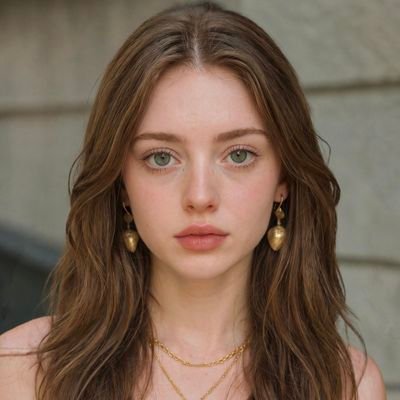
Alarm. Breakfast. Out the door. Just another morning chasing... bigger goals. Made with Seedance 2.0 Prompt: Ultra-realistic cinematic morning routine of a young professional waking up late after the alarm rings. He quickly gets out of bed, washes his face, brushes his teeth, prepares a simple breakfast with coffee and toast, eats in a hurry, grabs his backpack and keys, rushes out of the apartment, locks the door, and heads to work. Natural morning sunlight streams through the windows, cozy modern apartment, realistic body movements, subtle facial expressions, smooth camera transitions, handheld and tracking shots, shallow depth of field, soft warm color grading, realistic motion blur, highly detailed textures, premium commercial look, 4K HDR, cinematic lighting, dynamic pacing, documentary-style realism, no text, no logos.show more
Calira
15,271 Aufrufe • vor 29 Tagen
With Akool’s Image-to-Video and Character Swap features, your static... visuals don’t just sit there: they move, transform, and tell stories. Bring a single image to life with natural motion and dynamic scenes Instantly swap characters while keeping expressions and realism intact Create engaging, scroll-stopping video content in minutes Whether you're building marketing campaigns, social content, or creative storytelling pieces, Akool makes high-quality AI video creation faster and easier than ever. Your imagination sets the scene, we power the motion.show more

Akool Inc
58,186 Aufrufe • vor 5 Monaten
Turn Tom and Jerry in 4K reality using Seedance... 2.0 on Pollo AI Prompt: Use the uploaded reference video as the master reference. Recreate the entire scene in ultra-photorealistic live action while preserving the original video frame-by-frame. Maintain the EXACT camera movement, lens, framing, composition, timing, pacing, shot transitions, lighting direction, environment, props, object placement, character blocking, and every action from the reference video. ONLY replace the cartoon characters with realistic live-action animals while keeping everything else unchanged. ======================== CHARACTER CONSISTENCY ======================== Tom is a realistic British Shorthair cat with: • blue-gray plush fur • white chest, muzzle and paws • large amber eyes • pink nose • rounded face • thick tail • expressive eyebrows • identical appearance in every frame • identical fur pattern, facial proportions, eye color and body size throughout the video Jerry is a realistic golden Syrian hamster with: • soft golden-brown fur • cream belly • large rounded ears • black shiny eyes • tiny pink paws • small pink nose • realistic whiskers • consistent body proportions in every frame • identical appearance throughout the entire video If other Tom & Jerry characters appear, replace them with realistic animals that preserve their personality, colors, proportions and expressions while remaining identical throughout the clip. ======================== MOTION ======================== Preserve every movement exactly. The realistic animals must perform the exact same actions, walking cycle, head movement, eye movement, paw placement, facial expressions, timing and interactions as in the reference animation. No new actions. No altered timing. No changed poses. ======================== ENVIRONMENT ======================== Keep the original environment exactly the same. Do not modify: • furniture • decorations • room layout • colors • props • shadows • reflections • camera angle • camera path Everything except the characters must remain unchanged. ======================== QUALITY ======================== Hollywood-quality CGI. Photorealistic animals. Natural muscle movement. Physically accurate fur simulation. Realistic whiskers. Subsurface scattering. Realistic eye reflections. Natural breathing. Micro facial expressions. Ultra detailed textures. Soft cinematic lighting. Shallow depth of field. Global illumination. Ray-traced reflections. Macro photography realism. 4K HDR. Disney-level VFX quality. Live-action realism. Extremely stable temporal consistency. Perfect character identity consistency across all frames. Do not redesign the characters. Do not change the environment. Do not change the camera. Do not change the timing. Do not add new objects. Do not crop or zoom differently. No flickering. No morphing. No identity drift. No fur color changes. No eye color changes. No size changes. No anatomy deformation. No extra limbs. No duplicate animals. No cartoon textures. No low-quality CGI. No inconsistent lighting. No frame-to-frame variation. Maintain perfect temporal consistency and character consistency throughout the entire video.show more

Oogie
60,239 Aufrufe • vor 18 Tagen
currently experimenting with WAN 2.6 I2V on GMI Cloud... in this test, I’m comparing two audio workflows and honestly both perform really well. one scene uses audio generated directly from the prompt, while the other uses manually uploaded audio taken from the film 300. visually, both deliver strong motion and solid performance. however, the version with audio coming straight from the prompt feels slightly more refined, camera movement is smoother, transitions flow more naturally and the sync between voice, facial motion, and pacing feels more cohesive. lip sync, especially for Chinese dialogue also comes across a bit cleaner. you can choose single shot for a clean, focused moment or multi shot if you want more cinematic transitions, even when working from just one reference image. one important note: always turn on prompt extension. it makes a noticeable difference in how well the model understands motion, transitions and overall scene flow. both audio approaches are totally usable, but if you’re building dialogue driven or cinematic scenes, starting with audio from the prompt gives WAN 2.6 a bit more context to work with. I’ll be pushing this further with more dynamic camera movement and transitions next. more experiments coming soon ✨ Wanshow more

DStudioproject
96,950 Aufrufe • vor 7 Monaten
Kling 3.0 for AI UGC videos is absolutely insane... 🤯 I spent 25,000+ credits in Kling perfecting the ultimate prompting framework to get the best AI UGC outputs possible. And the 3.0 update just made everything even better. Perfect for DTC brands and agencies who want high-quality AI UGC without paying $500/video for actual UGC. Here's what Kling 3.0 unlocks for AI UGCL → "AI Director" system that understands full scripts and auto-schedules camera angles (shot/reverse shot) in one generation → 3 to 15 second cinematic clips with full temporal coherence → Improved character and element locking so your subject stays consistent across shots and angles → Native 4K output for both video and stills — actually usable for professional ad creative And best of all: perfect character consistency ACROSS different shots. What this means for AI UGC: - Multi-shot storytelling in a single generation cycle - Longer clips that actually hold together - Consistent characters across your entire ad - Output quality that's ready for paid media This is the closest AI video has gotten to replacing a real shoot for performance creative. I recorded a full breakdown of the prompting framework I built after burning through 25,000 credits. Want access to all the prompts I use to create AI UGC with Kling? > Like this post > Comment "KLING" And I'll send it over (must be following so I can DM)show more

Mike Futia
25,478 Aufrufe • vor 5 Monaten
🎬 Motion Control has arrived! Take full control of... your AI videos with 12 dynamic camera shots — from smooth Dolly moves to dramatic Cranes and VFX like Explosions and Disintegration. Perfect for adding cinematic flare, stock footage, product ads, or just experimenting with storytelling. ✨ How it works: 1️⃣ Head to the new Video creation tool 2️⃣ Enter your prompt 3️⃣ Pick your camera shot from the Motion Control panel 4️⃣ (Optional) Add a Style or inspiration image as a start frame 💡Want extra consistency? Train an Element, generate your key stills, and animate them for a fully guided scene. More features are coming soon — including End Frames 👀 So stay tuned, and let us know what you create! 🎥 Lights, camera... Motion! Try it now on the Video page 👉🏻show more
Leonardo.Ai
984,421 Aufrufe • vor 1 Jahr
The video smooth zoom on the Samsung Galaxy S26... Ultra is still the closest thing to a professional camcorder experience in the smartphone industry today. In fact, it’s even easier to control than the iPhone. On many other phones, video zooming requires constant finger movement and very precise control. The zoom speed can easily become inconsistent, suddenly speeding up or slowing down. Samsung works differently. You simply hold your finger at a certain position, and the phone continues zooming at a constant speed. The entire process feels extremely stable and linear. It genuinely resembles the powered zoom control of a professional video camera. This logic is fundamentally related to Samsung’s AI slow motion technology. They share the same core foundation: real time control over motion trajectories, speed transitions, and frame interpolation. What you’re seeing here was shot in very windy conditions using Samsung’s Pro Video mode, continuously zooming from 5x to 25x. Aside from some slight stutter during optical lens switching points, the continuous zoom transition within digital zoom ranges is arguably the closest thing to a professional camera currently available on a smartphone. So if the future Samsung Galaxy S27 Ultra really removes the 3x telephoto camera, it could actually improve the video zoom experience further. Fewer optical switching points would theoretically reduce transition jumps and stutters, making the entire zoom range feel even more natural and continuous.show more

Ice Universe
25,951 Aufrufe • vor 2 Monaten
Happy Horse 1.1 is finally here!! And HorsePower AI... Cinema Awards Submissions Are Now Open! The Golden Acorn Heist was generated entirely with HappyHorse 1.1. A two-scene, 5-second heist sequence featuring Barnaby — a hyper-expressive flying squirrel - descending through a laser grid before triggering a plasma lava trap. The film pushes HappyHorse 1.5's core upgrades hard: orbital spiral camera moves with stable mid-air wire physics, violent whip-pan transitions, and a goggle-snap panic expression that lands in a single frame. Character detail stays locked across every cut via R2V multi-image referencing. Complex prompt. Zero drift. Whats New with Happy Horse 1.1? — Fluid motion under complex camera choreography (orbital spiral, whip-pan) — Consistent character detail across rapid scene cuts — Expressive facial rendering under high-motion conditions — Accurate response to multi-camera shot scheduling in a single prompt See what it can do >. HappyHorse #happyhorse #HorsepowerAICinema #happyhorse1.1 #aishow more

ben.
21,377 Aufrufe • vor 1 Monat
Gemini Omni's motion control is f*cking cracked i just... figured out how to turn 1 reference video into 50+ AI videos with the exact same movements... you have a video of someone eating, dancing, using a product, doing whatever complex motion you need. you feed it to Gemini Omni and it recreates that exact motion with a completely new AI character in literally one prompt i've tested this against Kling motion control and it's not even close. Kling falls apart the moment you try anything complex. eating scenes look weird, hand movements get mangled, anything multi-step breaks down completely. Gemini Omni handles all of it if you're still using kling motion control or paying creators to split test your videos, this replaces that entire workflow here's the thing though. you can't just prompt this out of the box. if you try to do motion transfer with default prompting you're going to get errors or the motion won't transfer properly. there's a specific prompting method that makes it work every time so i packaged up the whole system.. here's what you're getting: > full step by step video breakdown > how to find the best reference videos to use > the exact prompting system that allows for motion control transfer so you never get errors > the workflow for batching this out at scale (1 video → 50+) RT + reply "MOTION" and i'll send it over (must follow so i can dm)show more

Miko
57,255 Aufrufe • vor 14 Tagen
Made with Seedance 2.0 Prompt [Create a fully realistic... cinematic 9:16 vertical video from this image, set at the Empire State Building, New York City. Keep the same high-rise urban background, the tall antenna mast, the two people standing on top, and the large black flag with the text clearly visible. The scene should look like a real drone-shot action sequence at the Empire State Building, not CGI. A realistic helicopter slowly circles around the antenna tower from left to right, flying at medium distance behind and beside the flag. The helicopter blades spin fast with natural motion blur, creating strong wind that makes the black flag wave harder. The flag should wave naturally and realistically in the wind, with authentic fabric movement, folds, and flow like a real flag. The people remain balanced on the mast, slightly reacting to the wind, with clothes moving naturally. Camera movement: start with a slow cinematic push-in from a distance, then smoothly orbit around the mast in a dramatic parallax motion. The camera should feel like a professional helicopter/drone camera, handheld but stable, with slight natural vibration from height and wind. Keep the flag as the main focus, with the text “Join Our Free Telegram Chhanel For Exclusive Content” and “Prompt Explore” staying readable as the fabric moves. Make the skyline and architecture feel like midtown Manhattan, with the recognizable setting and atmosphere of the Empire State Building. Lighting should be natural daylight with a premium cinematic tone, slight haze between buildings, realistic shadows, telephoto lens compression, high detail, real-world physics, realistic wind, realistic helicopter movement, no cartoon style, no over-animation, no extra people, no text changes, no distorted flag text, no camera cuts.]show more

Prompt Explore
15,751 Aufrufe • vor 23 Tagen
📖THE STEP MOST CREATORS SKIP IS WHY THEIR AI... ANIMATION LOOKS INCONSISTENT Consistency across clips doesn't come from prompting — it comes from the reference image. The pipeline, step by step: ▪ Start with ChatGPT Image 2 — generate a full character design sheet first, not just a single frame. Multiple angles, expressions, and outfit variations in one image keeps the character consistent across every scene ▪ Build a storyboard inside ChatGPT Image 2 as well — define each shot, camera angle, action, and mood before touching Seedance at all. This is the step most people skip and it's the reason clips look disconnected ▪ Define a color palette and lighting mood early — golden afternoon light, soft warm tones, dramatic shadows. Lock those values and repeat them across every prompt ▪ Take each storyboard frame into Seedance 2.0 as the reference image — one frame becomes one clip ▪ Write the Seedance prompt around the character action, not the scene description. The scene is already in the image. The prompt handles motion, camera behavior, and timing ▪ Keep clip duration between 4-6 seconds per shot — shorter clips give more control over pacing and reduce motion drift on character faces ▪ Match camera movement type across consecutive clips — if one shot dollies in, the next should hold or pull back, not dolly again The consistency across these frames comes from the character design sheet, not from luck. Seedance reads the reference image and the prompt together — if the reference is detailed enough, the output stays on-model. This video was created by ALOKXMEHTA 📥 tomorrow: the exact ChatGPT Image 2 prompt structure used to generate a multi-angle character design sheet like this one 🔖One article covers the entire workflow — it is pinned below, do not scroll past it.show more

Zentrix⌚️
12,846 Aufrufe • vor 26 Tagen
Formula 1 paddock video Made with GPT Image 2... + Seedance 2.0 on Lart AI You can also create it here: Prompt Ultra realistic cinematic Formula 1 paddock video of the woman from the reference image inside the Ferrari F1 garage during a live qualifying session. She is wearing a red Ferrari team headset with microphone while watching the race intensely. Realistic Sky Sports F1 broadcast atmosphere, warm red ambient lighting, glowing race monitors, Ferrari engineers moving naturally in the background. The camera captures her from multiple cinematic angles: close-up front portrait with direct eye contact, slow side profile shot while she watches the monitors, over-the-shoulder angle facing the race screens, smooth cinematic orbit camera around her face, subtle handheld broadcast camera movement, natural head turns, blinking, breathing, soft facial expressions, realistic hair movement. She looks focused, elegant, calm, and emotionally immersed in the race. Occasionally glancing at the screens and reacting subtly to the race action. Luxury model aesthetics mixed with authentic Formula 1 pit wall energy. Ultra realistic skin texture, detailed blue eyes, natural lips, blonde balayage hair with soft movement, realistic Ferrari uniform and headset materials. Shallow depth of field, cinematic bokeh, realistic shadows, depth and atmosphere, live sports broadcast realism. Style of Netflix Formula 1 documentary mixed with live Sky Sports F1 camera footage. Shot on 85mm lens, cinematic color grading, premium sports cinematography, realistic motion blur, immersive lighting, broadcast-quality realism. Camera movement: slow dolly shots, smooth handheld movement, cinematic push-ins, subtle focus pulls, natural broadcast zooms. Mood: luxury, exclusive Ferrari paddock access, high tension qualifying atmosphere, immersive Formula 1 experience. Negative prompt: cartoon, anime, CGI, fake motion, distorted face, unrealistic eyes, plastic skin, jittery movement, broken anatomy, low quality, overexposed lighting, stiff expressions, robotic motion, flickering, text artifacts, watermarkshow more

Sharon Riley
29,212 Aufrufe • vor 2 Monaten
I tried Hailuo AI (MiniMax) to see how it... handles real content creation. The workflow is simple. You just write a prompt or drop in an image, and it turns that into a dynamic video with motion, framing, and scene depth. No timeline to manage. No editing setup. No back and forth. What stood out to me: • Text to video and image to video both feel smooth. • It handles motion, camera angles, and flow on its own. • Output is fast, usually within seconds. • Works well for reels, quick ads, storytelling, and idea testing. It removes the hardest part: starting from scratch and turns your ideas into content in minutes. Instead of thinking, “How do I make this video?” You start with, “What do I want to create?” That shift alone makes it worth exploring. Try it here: #Hailuoshow more

Manish Kumar Shah
27,662 Aufrufe • vor 3 Monaten
Exploring the Beauty of the World Through an Unforgettable... 15-Second Journey Made with seedance 2.0 on WaveSpeedAI Prompt: A beautiful young female travel vlogger exploring a different destination in every scene, energetic and joyful, cinematic travel documentary style, ultra-realistic, 8K, HDR, natural lighting, smooth camera movements, vibrant colors, premium travel film aesthetic, photorealistic, masterpiece. Scene 1 (0–2s): Walking through a modern airport with a suitcase and backpack, smiling at the camera, ready for adventure. Scene 2 (2–4s): Riding a scenic train through lush green mountains, filming the breathtaking view from the window. Scene 3 (4–6s): Standing on a mountain viewpoint at sunrise, arms open, capturing the landscape with a vlog camera. Scene 4 (6–8s): Walking barefoot along a tropical beach, waves touching the shore, flying drone shot. Scene 5 (8–10s): Exploring colorful streets and a local market, tasting street food and interacting with locals. Scene 6 (10–12s): Visiting a majestic waterfall surrounded by a lush forest, cinematic slow-motion shots. Scene 7 (12–15s): Standing on a rooftop overlooking a glowing city skyline at sunset, waving at the camera with the text "Where should I travel next?", ending with a smooth cinematic fade-out. Style: Hyper-realistic, luxury travel vlog, smooth transitions, dynamic camera movement, cinematic color grading, volumetric lighting, realistic facial expressions, premium YouTube travel content, highly detailed, viral travel reel, masterpiece.show more

Noor
16,186 Aufrufe • vor 1 Tag
🚀 Update Next Scene V2 only 10 days after... last version, now live on Hugging Face 👉 🎬 A LoRA made for Qwen Image Edit 2509 that lets you create seamless cinematic “next shots” — keeping the same characters, lighting, and mood. I trained this new version on thousands of paired cinematic shots to make scene transitions smoother, more emotional, and real. 🧠 What’s new: • Much stronger consistency across shots • Better lighting and character preservation • Smoother transitions and framing logic • No more black bar artifacts Built for storytellers using ComfyUI or any diffusers pipeline. Just use “Next Scene:” and describe what happens next , the model keeps everything coherent. 🧩 Try it directly in ComfyUI, or check the thread to launch it on fal . Open-source, no restrictions, made for filmmakers, animators, and dreamers. ComfyUI #AIcinema #LoRA #Flux #Qwen #ComfyUI #AIart #GenerativeVideo you can test on comfyui or to try on you can go here : and use my lora link : start your prompt with "Next Scene:" and lets go !!show more

Lovis Odin
43,276 Aufrufe • vor 9 Monaten
Some moments don’t need grand gestures, just a candlelit... table, a single red rose and a smile that says everything. 🌹 Created entirely with GPT Image 2 + Seedance 2.0 on BudgetPixel AI Prompt : Style: cinematic, ultra-realistic, soft romantic tone, warm lighting, shallow depth of field, 4K, smooth motion Prompt: A cozy aesthetic café at night with warm golden candlelight and soft fairy lights. Elegant wooden table setup with candles, glassware, and subtle décor. A young couple sits across from each other, dressed in smart casual outfits. The atmosphere is intimate, calm, and romantic with soft instrumental background vibes. Scene Breakdown: 0–4s: Wide cinematic establishing shot of the café interior. Warm lighting, bokeh fairy lights in background. The couple sits at a candlelight dinner table, facing each other. Camera slowly pushes in. 4–8s: Medium close-up. The girl smiles softly, slightly shy. The boy looks at her with genuine warmth. Candle flame flickers between them. Subtle eye contact, natural expressions. 8–12s: Close-up slow motion. The boy gently takes out a fresh red rose from behind and presents it across the table. Soft glow highlights the rose petals. 12–15s: The girl accepts the rose with a gentle smile, slightly blushing. They share a quiet emotional moment, leaning slightly forward (no physical contact). Camera slowly pulls back, soft fade out. Camera & Effects: cinematic lens, shallow depth of field, soft focus, slow motion on key moments, smooth dolly in/out, warm color grading, natural skin tones Girls dressing bold romantic Negative Prompt: no kissing, no bold or inappropriate actions, no exaggerated expressions, no blur, no distortion, no extra limbs, no low qualityshow more
Ai Girllie
34,032 Aufrufe • vor 1 Monat