Revolutionize Video Editing with Kling O1 🚀 As someone... analyzing AI workflows, I can confidently say: Kling O1 is a game-changer. Traditional video editing eats up hours background swaps, lighting fixes, shadow recalculations all taking 2+ hours per short clip. Kling O1 does it in 2–3 minutes with a single prompt. That’s over 95% time saved!show more
Kelsey
72,225 Aufrufe • vor 8 Monaten
With Kling O1, I can input anything—text, images, videos,... or references—and it handles generation, modification, and consistency in one step. Characters, scenes, and shots stay aligned, complex edits happen instantly, and I can combine ideas in a single prompt. It’s an all-in-one creative pipeline that actually works.show more

Doreen
1,057,392 Aufrufe • vor 6 Monaten
Kling 2.6 Motion Control is absolutely insane 🤯 Take... any reference video and transfer the exact motion onto an AI character: full-body sync, facial expressions, hand gestures, everything. All with just a few clicks. Perfect for e-comm brands and agencies creating AI video ads that don't look like AI. Here's the problem: AI-generated video ads still look robotic. The movements are stiff, the expressions are flat. Your audience clocks it as AI instantly and keeps scrolling. Kling 2.6 Motion Control fixes it: → Start with any reference clip (stock footage, existing UGC, motion reference) → Upload to Kling → Map the exact movement onto any AI character → Full-body motion, hand gestures, facial expressions—all transferred → Generate up to 30 seconds of video No stiff AI movements, no uncanny valley, no instant "skip this ad" reaction. What this unlocks: - Use one winning UGC motion → swap in different AI creators - Pull reference clips from anywhere → generate branded variations - Create dynamic AI video ads with real human movement - Test multiple "creators" without filming anyone new I recorded a quick walkthrough showing how to do this step-by-step. Want access? > Comment "KLING" > Like this post And I'll send it over (must be following so I can DM)show more

Mike Futia
25,179 Aufrufe • vor 6 Monaten
This Kling 3.0 UGC workflow is absolutely insane 🤯... It generates hyper-realistic UGC-style ad videos from a single text prompt — talking heads, unboxings, testimonials, tutorials — in one shot. Perfect for DTC brands and agencies who need to scale UGC without paying $500 per UGC video. Here's the problem: You're either paying creators who take weeks to deliver, or you're stitching together janky 5-second AI clips that look obviously fake. Kling 3.0 solves it: → Write a prompt with character, scene, and dialogue → Get a 10-15 second UGC video with realistic facial expressions → Native voice control — tone, pacing, emotion per line → Multi-shot scenes in one generation (hook → demo → CTA) → Paste negative rules to kill AI artifacts instantly No creator fees. No stitching clips. No uncanny valley. What you get: → 6 copy-paste prompt templates for every UGC format →Voice & dialogue cheat sheet with tone keywords → Multi-shot ad structure (hook → problem → solution → CTA) → Image-to-video workflow for branded product shots → A "where it fails" section so you don't waste credits → ChatGPT template to convert any rough idea into a Kling prompt I built a full prompting guide for UGC ads on TikTok and Meta. Want the guide? > Like this post > Comment "KLING" And I'll send it over (must be following so I can DM)show more
Mike Futia
36,105 Aufrufe • vor 5 Monaten
this effect is all over tiktok right now and... nobody's explaining how to actually do it properly... the 3d balloon character thing. where someone turns into a shiny inflatable version of themselves that still moves and talks. looks pretty smooth in feeds. the workflow is stupid simple once you see it. step 1: take any photo. drop it into an image gen tool (nano banana pro). prompt it with something like "make the person in the photo a plastic blow up balloon character with a shiny surface. keep the face details as 3d balloon details including the person in the background. don't change background" that's it for the image. don't overcomplicate the prompt. shorter = more consistent results. (learned this after wasting like 2 hours trying to get "perfect" prompts that kept giving me garbage) step 2: take that balloon image + your original video and drop both into kling motion control. prompt: "turn the motion and detailed mouth movement of the video to the setting of the image" that's literally it. kling maps the motion from the real video onto the balloon character. mouth moves. head turns. expressions transfer. the whole thing renders in a few minutes. the result looks like a $500 custom animation and costs you maybe $0.30 in kling credits. people are getting 500k+ views with these because the scroll-stop factor is insane. nobody expects to see a shiny inflatable version of someone giving a real speech or doing a product review. the play here is obvious btw. run this for client content (mix with the hook and real body, check the results yourself) or use it on your own faceless channels as a hook pattern before the algo catches up...show more

KNOX
25,773 Aufrufe • vor 5 Monaten
Most video tools can generate clips. Very few can... maintain identity. That has been the real bottleneck in AI video creation. Kling O1 changes that. For the first time, creators can carry a character, style, and visual language across scenes without constant fixes. You can reference past clips, assets, or images and the output stays consistently on-model. No visual drift. No rework loops. No “this doesn’t look like the last shot” moments. It feels less like prompting a tool and more like working with a creative collaborator that remembers context. The impact is practical, not theoretical: → Faster production cycles → Lower iteration costs → Noticeably higher output quality This is what mature AI tooling looks like. Not louder features. Not bigger claims. Just reliability where it actually matters. Consistency is no longer the problem.show more

Darshal Jaitwar
141,038 Aufrufe • vor 6 Monaten
How I made the video below (17s): 1. Use... Nano Banana to generate keyframes (a consistent world + full environment) 2. Use Kling with first/last frame reference to generate the in-between shots (bring the keyframes to life) 3. Use CapCut for revisions and editing (pacing, transitions, SFX, subtitles) There are three main challenges: 1. Getting AI to produce story-driven visuals: you need to bake relationships and narrative intent into the prompt 2. Writing prompts in cinematic language: specify shot types, camera movement, and framing changes to make transitions smoother 3. Editing is the real “ceiling”: assembling shots, controlling rhythm, building emotion, and syncing sound with visuals all come down to editing Making AI shorts is basically a hybrid job: writer-director + editor. If you understand storytelling and camera grammar—and then cut it with the right rhythm—the results get dramatically better.show more

underwood
304,568 Aufrufe • vor 8 Monaten
Kling 3.0 for AI UGC videos is absolutely insane... 🤯 I spent 25,000+ credits in Kling perfecting the ultimate prompting framework to get the best AI UGC outputs possible. And the 3.0 update just made everything even better. Perfect for DTC brands and agencies who want high-quality AI UGC without paying $500/video for actual UGC. Here's what Kling 3.0 unlocks for AI UGCL → "AI Director" system that understands full scripts and auto-schedules camera angles (shot/reverse shot) in one generation → 3 to 15 second cinematic clips with full temporal coherence → Improved character and element locking so your subject stays consistent across shots and angles → Native 4K output for both video and stills — actually usable for professional ad creative And best of all: perfect character consistency ACROSS different shots. What this means for AI UGC: - Multi-shot storytelling in a single generation cycle - Longer clips that actually hold together - Consistent characters across your entire ad - Output quality that's ready for paid media This is the closest AI video has gotten to replacing a real shoot for performance creative. I recorded a full breakdown of the prompting framework I built after burning through 25,000 credits. Want access to all the prompts I use to create AI UGC with Kling? > Like this post > Comment "KLING" And I'll send it over (must be following so I can DM)show more
Mike Futia
25,478 Aufrufe • vor 5 Monaten
sora 2 pro is what sora used to be... on day 1/2 when it got released prompt "gen z woman showing her what I eat in a day with a 0 processed sugar diet in bali" sora 2 pro works short prompts and it comes up with cool formats in this non-edited video below there is a delay between what she says and what is shown on screen. yeah non-edited lol and the result in insane !!!! can easily be fixed with a video editing software ps: sora 2 pro comes with a chatgpt pro sub = $200 per month which is the fair price you'd pay for a big influencer with infuence to make this kind of videoshow more

David Attias
12,743 Aufrufe • vor 9 Monaten
This guy transforms into top OnlyFans models with one... click 6.4M views in 3 weeks. nobody can tell which face is real the workflow: -> Pinterest → 2 contrasting faces -> Nano Banana Pro → merge into one AI face -> Kling → transfer movement from a real reference video -> CapCut → remove the AI plastic look 30 minutes from zero to a viral AI girl the article below breaks down the exact prompts and settings 👇show more

Paone
225,949 Aufrufe • vor 2 Monaten
xAI isn't playing around. They just released the Grok... Imagine API, a unified video + image generation toolkit, and it's already sitting at #1 on the Artificial Analysis Video Arena for both Text-to-Video AND Image-to-Video. It's beating: ● Google's Veo 3.1 & Veo 3 ● OpenAI's Sora 2 ● Runway Gen-4.5 ● Kling 2.5 Turbo The Numbers Don't Lie: ● 64.1% win rate against Runway Aleph in blind human evaluations ● 57% win rate against Kling o1 ● Best-in-class latency. Sub-20 second generation for 720p, 8-second videos. (up to 15-second video) ● Native audio generation baked right into video output (dialogue, music, sound effects, all synced) What Makes It Different It's built for real creative workflows: ✅ Text-to-video AND image-to-video in one API ✅ Video editing with prompt-based controls (add/remove objects, restyle scenes) ✅ Camera controls: zoom, pan, timelapse, pull-back ✅ Style transfers: cyberpunk, watercolor, anime, you name it ✅ Performance animation: map your movements onto characters ✅ Native audio-video sync (no post-production needed) Why the focus on speed and cost? The partner feedback that shaped this: "Quality alone isn't enough if latency and cost make iteration painful." So xAI optimized for all three. Speed. Cost. Quality. Already Integrated With: ● fal. ai ● ComfyUI ● InVideo ● Flora ● HeyGen xAI went from underdog to chart-topper. The Grok Imagine API is fast, affordable, and genuinely production-ready. If you're building anything with AI video, this just became the one to beat.show more

tetsuo
18,325 Aufrufe • vor 5 Monaten
Kling 3.0 is out but Sora 2 is still... the GOAT when it comes to AI UGC 🤯 And this custom GPT turns your sh*tty Sora 2 prompts into scroll-stopping UGC 🤯 Tell it your product --> get a timeline-based prompt with shot composition, camera angles, lighting, and timing breakdowns. Copy, paste, generate. Perfect for DTC brands and agencies who are tired of AI video output that looks like garbage. Here's the problem: Most people prompt Sora 2 like "make a UGC video of someone using my skincare product" and wonder why the output is unusable. Sora 2 needs hyper-specific instructions—shot type, lighting, scene details, timing cues. Without that, you get slop. This GPT fixes it: → Input your product (supplement, skincare, SaaS, whatever) → It generates a detailed Sora 2 prompt with full scene breakdown → Includes shot composition, camera movement, and timing → Optimized for 9:16 TikTok/Reels format → Copy directly into Sora 2 and generate No 80,000 word "prompting frameworks", just results. What you get: > Professional UGC prompts in 10 seconds > Consistent output quality every time > Prompts built for vertical video formats > Works for any product type Want free access to the Sora 2 Prompt Generator GPT? > Like this post > Comment "UGC" And I'll send it over (must be following so I can DM)show more
Mike Futia
22,333 Aufrufe • vor 5 Monaten
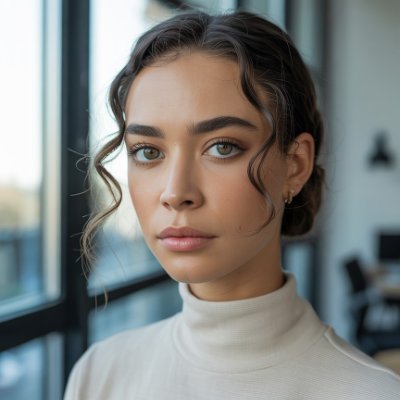
Testing GPT Image 2 + Kling Motion control Prompt... A close-up portrait of a young woman in her early 20s with messy curly dark brown hair, thick expressive eyebrows, warm hazel eyes, and light skin with natural texture. SHe has a small silver hoop earring in her left ear. She is wearing a plain black short-sleeve t-shirt and a thin gold chain necklace with a small pendant. SHe is looking directly at the camera with a slight playful smile, lips parted as if speaking. Her right hand is raised in front of her chest making a casual thumbs-up / pointing gesture. Soft natural indoor lighting, clean minimalist background with a light wall and faint mirror reflection. Realistic, high-detail, cinematic sharp focus, natural skin tones,show more

Sharon Riley
16,842 Aufrufe • vor 3 Monaten
CodeFast has 12 hours of video. It took 10... minutes to make 1 minute of content. That's 120 hours of deep work (planning, recording, editing, writing). There were moments when my software was buggy, my mic didn't work, or I repeated the same sentence 5 times. And that does not even count building the entire platform with user portal, chapters, lessons backup, etc... Making a course is super hard, even though mine is short. Kudos to all course creators out there 👏show more

Marc Lou
53,744 Aufrufe • vor 1 Jahr
seedance 2.0 + my v2 AI UGC prompting system... is giving insane results i spent the last 24 hours generating over 200 seedance 2.0 videos to figure out the best prompting framework system for AI UGC this video was made with 1 prompt and 1 tool, no editing was done to the video this was just a prompt to a video this is by far the best model i've ever used and the craziest part is that it can be fully automated this is the first time we can actually automate high quality ai ugc at this level bytedance owns tiktok so this model is trained on millions of high quality ugc videos. you just need to know how to extract that and call it in your prompt. we are so early... it's insaneshow more

Miko
81,141 Aufrufe • vor 5 Monaten
Gemini Omni's motion control is f*cking cracked i just... figured out how to turn 1 reference video into 50+ AI videos with the exact same movements... you have a video of someone eating, dancing, using a product, doing whatever complex motion you need. you feed it to Gemini Omni and it recreates that exact motion with a completely new AI character in literally one prompt i've tested this against Kling motion control and it's not even close. Kling falls apart the moment you try anything complex. eating scenes look weird, hand movements get mangled, anything multi-step breaks down completely. Gemini Omni handles all of it if you're still using kling motion control or paying creators to split test your videos, this replaces that entire workflow here's the thing though. you can't just prompt this out of the box. if you try to do motion transfer with default prompting you're going to get errors or the motion won't transfer properly. there's a specific prompting method that makes it work every time so i packaged up the whole system.. here's what you're getting: > full step by step video breakdown > how to find the best reference videos to use > the exact prompting system that allows for motion control transfer so you never get errors > the workflow for batching this out at scale (1 video → 50+) RT + reply "MOTION" and i'll send it over (must follow so i can dm)show more
Miko
57,742 Aufrufe • vor 17 Tagen
Last night, Elon Musk shared an AI music video... with 4 blatant and direct Q references. 1. “Someone said a storm is coming.” 2. Drop #4559 3. “Where we go one, we go all.” 4. Trump as a storm cloud. What does it all mean? Nothing can stop what is coming and the best is yet to come. Trust the plan, Patriots.show more

Yoshi The Patriot
19,265 Aufrufe • vor 25 Tagen
GPT-5.5 is MUCH more reliable on longer running tasks... - for the first time with any model. As we speak I have a migration running for over 7+ hours - this literally never happened before, the models would maybe run for 30 mins or of you really shout at them for 2-3 hours. Last night I went to sleep, set a long running task, then queued up 10 prompts to 'keep it going'. It did not stop after the first prompt and kept going for 8+ hours and I woke up to all the same prompts still queued up. The ability to run for a long time, in combination with ability to validate with computer use & other tools, makes it much more useful for building real applications.show more

Peter Gostev
105,642 Aufrufe • vor 3 Monaten
I’ve used all the recent GenAI video models extensively... & here’s my 2¢: 🎬 Runway Gen3 Alpha - best image quality & motion for text-to-video & embedded words. Great at prompt travel changes over the course of 10 sec. And I’m super bullish on how gen3 will evolve, hopefully adopting the features listed below. Kling - best quality for image-to-video with prompt control, like eating food. Great clip extension that accounts for character (ie walking stride) & camera movement (speed & angle), rather than just using final frame. But it’s limited availability & Chinese native language is limiting. Used for Spider-Man video below (via Midjourney). LumaLabs - best for keyframe start & end control (it can not be overstated how important this is. other services should add it ASAP!) and their high dynamic action movements are really fun. Luma was used in my viral Multiverse of Memes video. PikaLabs - they haven’t gotten as much attention as others lately. But they did update their video model a few weeks ago and it looks great. Also, they are notable for their unique & AWESOME features, like video in-painting & out-painting. My perfect AI video platform would have the following features: 1) Gen3’s quality, prompt control & text embedding. 2) KLing’s image-to-video quality, prompt control & clip extension quality. 3) Luma’s multi-keyframe control & dynamic movement ability. 4) Pika’s inpainting & outpainting ability. And a video-to-video (aka next-gen Runway gen1) could be a game changer, too. It’s an exciting time to be alive 🫶 Who will get there first? 🔉🔉show more

Blaine Brown
26,535 Aufrufe • vor 2 Jahren
SOMEONE GOT TIRED OF PAYING HIGGSFIELD AI'S SUBSCRIPTION SO... HE REBUILT THE WHOLE THING AND OPEN-SOURCED IT 200+ models. text-to-image, image-to-image, text-to-video, image-to-video all in one interface you configure a virtual camera in the Cinema Studio. pick the body, the lens, the focal length, the aperture and it writes the optimized cinematic prompt for you. completely in the background you never touch the camera keywords. you just set up the shot like a real cinematographer would Kling v3, Sora 2, Veo 3, Flux Dev, Midjourney v7, GPT-4o, Seedream 5.0, Runway Gen-3 all in there self-hosted. MIT licensed. runs on your machine. your data stays local the only thing you pay for is the model API calls themselves someone built this so you never have to pay Higgsfield AI againshow more

Rimsha Bhardwaj
101,058 Aufrufe • vor 3 Monaten
Dreamina Seedance 2.0 is Officially here! Dreamina Seedance 2.0,... ByteDance’s AI-powered creative platform, lets creators easily transform ideas into high-quality videos. You can now edit videos like images, using up to 4 reference modalities (video, image, audio, and text) with precise control over visual effects, camera movements, and more. Why is this revolutionary? - 🔥 One-Prompt Video Editing: Edit videos seamlessly as easily as editing images. - 🎬 Multimodal Creativity: Combine images, video, audio, and text—up to 12 files at once. - 🎥 Remake Viral Content: Create high quality, professional-level videos with intelligent AI. - 🔧 Full Creative Control: Keep consistency in shots, typography, camera flow, and more. This isn’t just another video editing tool, it’s a one-stop AI workspace for all your creative needs. Ready to level up your content? Explore Dreamina Seedance 2.0 and start creating today. 🔗 #dreamina #seedance2 #seedream5 #dreaminatutorial #ai #aitools #aidesign #ecommercedesign #digitalmarketing #startupbusinessshow more

GitHub Projects Community
18,440 Aufrufe • vor 4 Monaten