Video wird geladen...

Video konnte nicht geladen werden

Zur Startseite

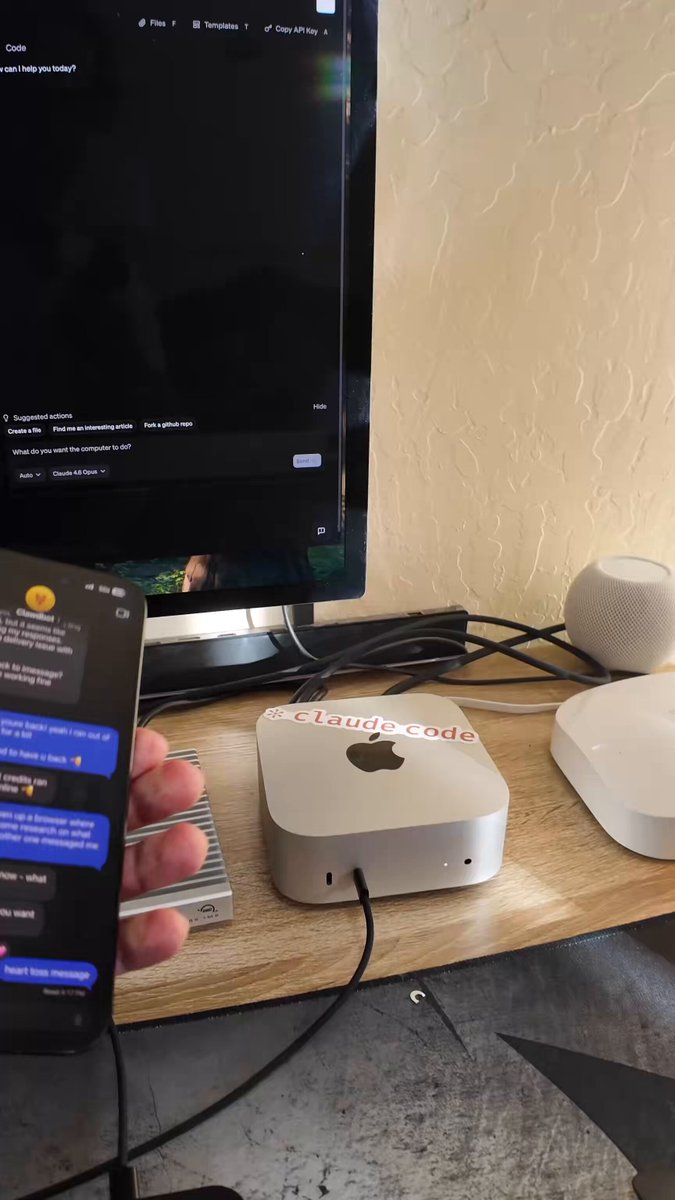
🚨 Announcing OpenClaw As A Service For Normies Stop installing OpenClaw on your personal computer or Mac Mini, it can be super in-secure. You also need to be fairly technical to get it right! We are excited for you to deploy Open Claw on our AI-native cloud in seconds!...

42,350 Aufrufe • vor 3 Monaten •via X (Twitter)

0 Kommentare

Keine Kommentare verfügbar

Kommentare vom Original-Post werden hier angezeigt

Ähnliche Videos

If you do not set up your OpenClaw correctly, it's going to SUCK It will do tasks poorly, not remember anything, and not be proactive Here are the 5 things you need to do right away to turn your OpenClaw into AGI (demos of each in the video below) 1. Brain dump: your OpenClaw won't know how to accomplish your goals for you, if it doesn't know your goals If you haven't yet, you want to tell your OpenClaw: • Your interests • Your career • Your goals • Your ambitions • Anything personal Do this, and your Claw will have the context to be SUPER powerful for you 2. Connect your tools Your OpenClaw can basically use almost every tool you use on your computer You just need to ask it to Ask your OpenClaw to connect to any tools you use daily, and it will just figure out how to do it. Then create a skill for it I have it check my Things 3 todo list every morning and complete any tasks it can 3. Build a Mission Control Your mission control is just a hub for your OpenClaw to build custom tooling Ask your OpenClaw to build a Mission Control using NextJS Then anytime your bot doesn't have the tool available to do a task, have it build it in your Mission Control 4. Mission Statement Your OpenClaw needs a mission statement This is the one sentence statement that will be the north star for every single thing it does It should be based on your goals and ambitions. My Claw's mission statement is "“An autonomous organization of AI agents that does work for me and produces value 24/7” Make your own and have your Claw put it at the top of your Mission Control. Now every task your Claw does will take you closer to this statement 5. Make it proactive Your OpenClaw won't be proactive unless you set those expectations with it Tell your Claw you want it to do a task every night at 2am that brings you one step closer to your mission statement Now every morning you'll wake up and it will do something that surprises you and helps bring you closer to your goals Do these 5 things and your OpenClaw will be 10000x more powerful

Alex Finn

320,945 Aufrufe • vor 4 Monaten

Introducing Open Source AI CRM, that runs on your OpenClaw. A few weeks ago, we launched Ironclaw (An Open Source OpenClaw CRM Framework) which now has around 1.4k stars. A lot of people confused us with NearAI’s Ironclaw, so we changed our name to DenchClaw. OpenClaw today feels a lot like early React: the primitive is incredibly powerful, but the patterns are still forming, and everyone is piecing together their own way to actually use it. What made React explode wasn’t just React itself, but the emergence of frameworks like Gatsby and Next.js that turned raw capability into something opinionated, repeatable, and easy to adopt. That is how I think about DenchClaw. We are not just building on top of OpenClaw; we are trying to make it one of the clearest, most practical, and most complete ways to use OpenClaw in the real world. We are an OpenClaw Framework, we are aiming to be the most correct way to use OpenClaw. We entered Y Combinator with Merse (AI Audio Comic), it was an app that I personally never used. Michael Seibel confronted us on it, and said, “if you aren’t the best user of your consumer app, then who is?”. I now use DenchClaw daily for everything I do, it also works as a coding agent like Cursor, DenchClaw built DenchClaw. I am addicted to DenchClaw now that I can ask it, “hey in the companies table only show me the ones who have more than 5 employees” and it updates it live than me having to manually add a filter. On Dench, everything sits in a file system, the table filters, views, column toggles, calendar/gantt views, etc, so OpenClaw can directly work with it using Dench’s CRM skill. The CRM is built on top of DuckDB, the smallest, most performant and at the same time also feature rich database we could find. It creates a new OpenClaw🦞 profile called “dench”, and opens a new OpenClaw Gateway… that means you can run all your usual openclaw commands by just prefixing every command with `openclaw --profile dench` . It will start your gateway on port 19001 range. You will be able to access the DenchClaw frontend at localhost:3100. Once you open it on Safari, just add it to your Dock to use it as a PWA. Think of it as Cursor for your Mac which is based on OpenClaw. DenchClaw has a file tree view for you to use it as an elevated finder tool to do anything on your mac. I use it to create slides, do LinkedIn outreach using MY browser. DenchClaw sees what you see, does what you do. It’s the everything app, that sits locally on your mac. All yours. Just ask it “hey import my notion”, “hey import everything from my hubspot”, and it will literally go into your browser, export all objects and documents and put it in its own workspace that you can use. P.S. It comes with Garry Tan's GStack built in.

Mark Rachapoom

19,411 Aufrufe • vor 3 Monaten