Video wird geladen...

Video konnte nicht geladen werden

Zur Startseite

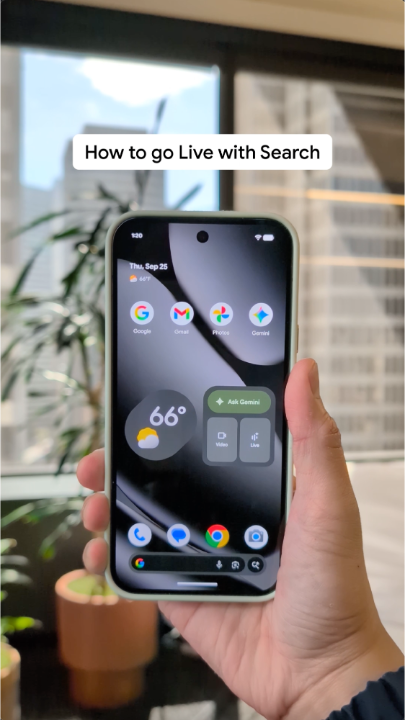
Another bug in Stable Android 17 QPR1: after turning off the "Swipe to access Google app" in Home settings, the Google app still shows up when swipe right. Android Developers

11,979 Aufrufe • vor 12 Tagen •via X (Twitter)

20 Kommentare

Profilbild von Prince Oscar
Prince Oscarvor 12 Tagen

@AndroidDev I have the bug but I've never thought of turning off the Google app. It's kinda cool for aesthetics

Profilbild von nah
nahvor 12 Tagen

@AndroidDev So many bugs in this update. I don't know what they're doing

Profilbild von bnn
bnnvor 12 Tagen

@AndroidDev I turned it off before the update and now I can't turn it on.

Profilbild von Daniel Ballarino
Daniel Ballarinovor 12 Tagen

@AndroidDev Yep,have to restart phone to apply/ turn off Restarting phone also removes my data tile from quick settings😂🤦

Profilbild von Matthew Garbett
Matthew Garbettvor 12 Tagen

@AndroidDev I'm still waiting for them to let me give the stupid search bar.

Profilbild von Edwin Mendoza Raico
Edwin Mendoza Raicovor 12 Tagen

@AndroidDev In my case it did deactivate, but when I reactivated it, it didn't appear when I swiped.

Profilbild von Jeffrey Medwin
Jeffrey Medwinvor 11 Tagen

@AndroidDev I can't adjust the intensity of flash light on Android 17 was that a bug?

Profilbild von Pixel UI by Google
Pixel UI by Googlevor 11 Tagen

@AndroidDev It could be. It's working just fine for me.

Profilbild von Ben Satterthwaite
Ben Satterthwaitevor 12 Tagen

@AndroidDev Does anyone have QPR 1 on an 11 series yet?

Profilbild von F1BF90
F1BF90vor 12 Tagen

@AndroidDev Google wouldn't be Google without doing this kind of stuff

Profilbild von raffy
raffyvor 12 Tagen

@AndroidDev After the recent update. I got this slider which i did not enabled. Now i can't remove it. Please help

Profilbild von Pixel UI by Google
Pixel UI by Googlevor 12 Tagen

@AndroidDev Settings → Accessibility → Turn off the active Accessibility service (TalkBack, Sound Amplifier, etc.) to remove the Accessibility volume slider.

Profilbild von Kyle Leiblein
Kyle Leibleinvor 12 Tagen

@AndroidDev It takes effect after restarting your phone.

Profilbild von Tovié
Toviévor 12 Tagen

@AndroidDev What if I say thats not a bug 😂

Profilbild von Rei 🇺🇸🇮🇱🐍
Rei 🇺🇸🇮🇱🐍vor 12 Tagen

@AndroidDev Stable qpr1 btw

Profilbild von wasiq iqbal
wasiq iqbalvor 12 Tagen

@AndroidDev Haven't received the update yet? What should I do? I had opt out a month ago? Is it right?

Profilbild von antek 🇪🇺🌹
antek 🇪🇺🌹vor 12 Tagen

@AndroidDev Every single update lately is making this OS worse I don't know if Gemini is now doing all of coding or what but it's really starting to be unusable

Profilbild von Jiří Skryja
Jiří Skryjavor 12 Tagen

@AndroidDev I noticed, weather on lockscreen is showing like this 1... (Instead of 19 °C) and notifications on AOD do not show all, but just first one and then dot.

Profilbild von nah
nahvor 12 Tagen

@AndroidDev All of the lock screen to home screen are pretty fucked

Profilbild von Armando Balandrán
Armando Balandránvor 11 Tagen

@AndroidDev I'm having problems with USB debugging after this update and while using Shizuku.

Ähnliche Videos

Recorded my first walkthrough video for App Publishing via Manus 👉👈✨ You can now package and share your app for testing on Google Play Store and the Apple App store without setting up Xcode, Android Studio, or wrestling with build configurations. Supported platforms: • Android → Google Play (Internal Testing) • iOS → App Store (TestFlight) Ready to try it? Here's how 👇 ➡️Google Play: Prerequisites: Google Play Developer account ($25 one-time fee) Steps: 1. In Manus, click Publish → select the Android tab 2. Click Build APK — Manus packages your app in AAB format 3. Go to your Google Play Console and navigate to Internal testing 4. Click Create new release and upload the AAB file 5. Under Testers, add your email address (or create an email list for your team) 6. Copy the opt-in link 7. Open the link on your Android device, accept the invite, and install ➡️App Store: Prerequisites: • Apple Developer account ($99/year) • iPhone with TestFlight installed Steps: 1. In Manus, click Publish → select the iOS tab 2. Click Create app and follow the prompts to connect your Apple Developer account 3. Manus will package and upload your app to App Store Connect automatically 4. Wait for Apple to process your build 5. You'll receive an email from TestFlight when it's ready 6. Open the email on your iPhone, tap the link, and install via TestFlight 🔗 Full guide: Let me know what else you'd like to see next!

Natalie 🇸🇬

313,056 Aufrufe • vor 8 Monaten