Video wird geladen...

Video konnte nicht geladen werden

Zur Startseite

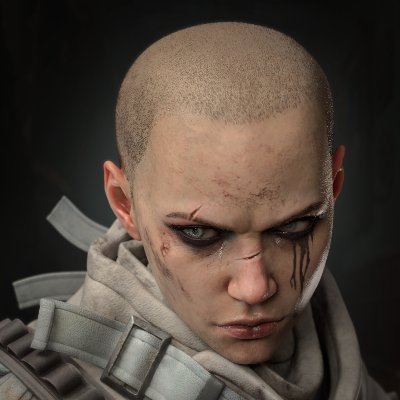
Apex performance issue • Rampart's cover is causing a 25 FPS drop when standing behind it • Activating the 'Infinite Ammo' perk also reduces FPS by 20 (clip via u/Other-Entrance5312)
172,844 Aufrufe • vor 5 Monaten •via X (Twitter)

0 Kommentare

Keine Kommentare verfügbar

Kommentare vom Original-Post werden hier angezeigt

Ähnliche Videos

In my previous post about the #Nioh3 demo, I mentioned that when the game isn’t consistently holding 60 FPS or 120 FPS, several issues can show up. Here’s a clearer breakdown of what's going on. The main reason is that the game speed and physics are tied to the frame rate. When you enable the 120 FPS cap, the engine start overreacting and pushes CPU usage very high, even if the game is still running at around 60 FPS (as shown in the first example). In the second clip, you can see the uneven, jittery camera movement I mentioned before. Notice how much smoother 60 FPS and 120 FPS look compared to the unlocked side. Also, camera movement at 60 FPS is slightly faster than at 120 FPS. In the third clip, player movement is slower when the frame rate is unlocked. This doesn’t happen all the time, but it shows up often enough to be noticeable. Because of how the Katana Engine behaves, the game is clearly designed around 60 FPS. Running at 120 FPS is possible, but it’s only recommended if your system can maintain that target almost all the time, which isn’t easy to achieve. There’s also an alternative workaround where you select the 60 (locked) option and enable Frame Generation (DLSS or FSR 3), as shown in the last clip. The downside is that DLSS Frame Generation tends to show the same stuttery look as when the frame rate isn’t holding a fixed target, likely due to Reflex keeping the frame rate slightly below target. FSR Frame Generation, on the other hand, looks much smoother and works better here.

BenchmarKing

17,820 Aufrufe • vor 6 Monaten

Raw Patterson-Gimlin footage, October 20, 1967, Bluff Creek, California. No edits — what stands out to you when you watch it? Roger Patterson described the moment they came around the bend in a 1968 interview: “This particular day we had started up Bluff Creek and had gotten about four miles or so from our camp and we had started to come around a bend. I was riding this little horse here, his name’s Peanuts. And he shied and jumped backwards and reared up and as he did I tried to pull him down and as I did so I pulled too hard and we both fell to the ground. I was able to get up and as I held the horse by the reins and come around him, I then looked over to my left and I seen this creature and it was standing by the creek there about 120 feet away from us. And then it started moving away from us. Walked up the bank and turned around, looked at us again and I was able to get into my saddlebags and get my camera out and start shooting pictures. I yelled at Bob to cover me in case the creature did turn and attack us…” Date & Location: October 20, 1967, Bluff Creek (a tributary of the Klamath River), Del Norte County, Northern California (Six Rivers National Forest area). Filmmakers: Roger Patterson (operating the camera) and Bob Gimlin (on horseback, rifle ready). Camera: Cine-Kodak K-100, a 16mm hand-wound movie camera. It had a variable speed dial (marked at 16, 24, 32, 48, 64 fps) with no click stops. Patterson said he typically used 24 fps but didn’t check the setting in the moment. Film Stock: Kodachrome II daylight-balanced color reversal film (rated ~25 ASA). Length & Duration: The creature footage is ~23.85 feet of film (954 frames). At the common 16 fps playback, it runs about 59.5 seconds. Some analyses argue it was likely shot closer to 18 fps. #PattersonGimlin #PGF #Bigfoot

Bugs Finds Bigfoot 👣🪶

116,686 Aufrufe • vor 14 Tagen

BO7 Bug Report - Multiplayer [April 3] Deadeye Drone Scorestreak awards incorrect score values when Extended Ammo Overclock is active. [Developers! I have reproduced a separate exploit with the Deadeye Drone that allows it to become invincible. If you need more context on this issue, contact me via DMs.] Environment: Tested on April 3, on ATVI ID: ChadOfDuty#3409721, PC/BattleNet, Patch 3.6.0, Changelog 26331976. Description: The Deadeye Drone Scorestreak in Multiplayer is intended to award +35 score per kill. However, when the Extended Ammo Overclock is enabled, kills made with the Drone instead award full standard kill values (+100 for regular kills, +125 for objective kills, etc.), as if the player were not using a Scorestreak. This creates an inconsistency in score attribution, and allows players to gain unintended score values and utilize the Looper perk to cycle through multiple drones and potentially earn a Nuke with minimal effort. Reproduction Steps: 1. Load into Multiplayer. 2. Equip the Deadeye Drone Scorestreak. 3. Enable the "Extended Ammo" Overclock. 4. Activate the Deadeye Drone. 5. Get kills using the Drone. 6. Observe score values awarded per kill. Expected Result: Kills made with the Deadeye Drone should consistently award the intended +35 score per kill, regardless of Overclocks. Actual Result: Kills made with the Deadeye Drone while Extended Ammo Overclock is active award full standard kill score (+100/+125) instead of the reduced Scorestreak value. Note: Issue appears tied specifically to Extended Ammo Overclock interaction. Tags: CallofDutyCM TreyarchCM Call of Duty

ChadOfDuty

23,690 Aufrufe • vor 4 Monaten