Загрузка видео...

Не удалось загрузить видео

На главную

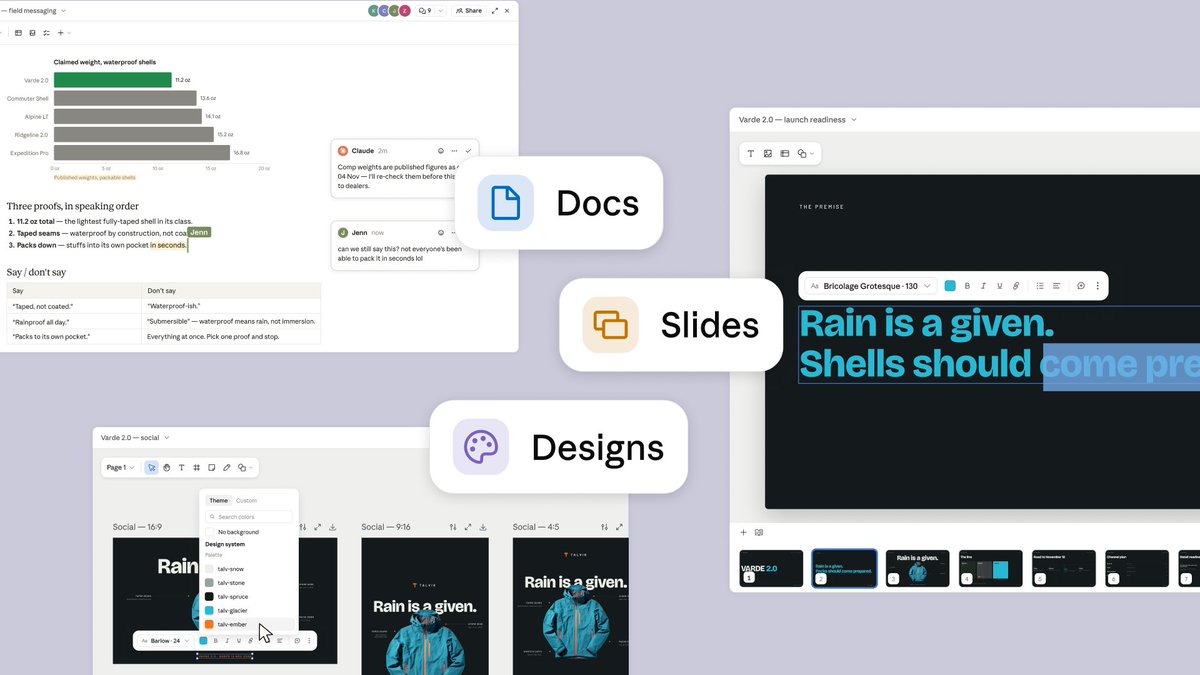
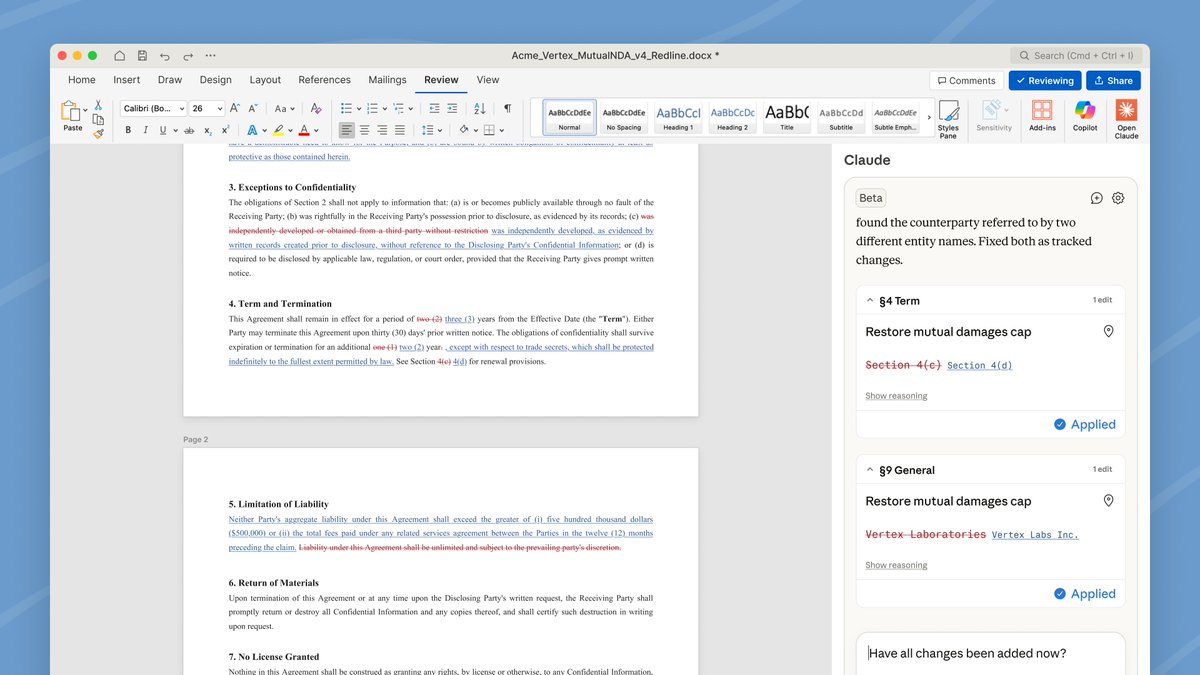
Claude now works inside Google Docs, Sheets, and Slides, and those files also open inside Claude. In Google Workspace, Claude sits in a sidebar next to your file, reads what you have open, and edits it in place. You can approve each edit before it lands.

3,921,068 просмотров • 8 часов назад •via X (Twitter)

Комментарии: 31

Фото профиля Claude
Claude8 часов назад

In Claude, paste a Google file link or ask for a new doc, sheet, or deck, and it opens beside the chat for you and Claude to edit together. Access follows your Google sharing permissions. In beta on all paid plans. Give it a try:

Фото профиля Felis
Felis8 часов назад

claude just moved into gemini’s apartment and started rearranging the furniture

Фото профиля Coinbase Predict
Coinbase Predict8 часов назад

People who refused to learn Excel and PowerPoint:

Фото профиля yata
yata8 часов назад

now Claude wont be creating millions of excel spreadsheets on the pc

Фото профиля kage
kage8 часов назад

how Google look at Claude using his things better then his Gemini:

Фото профиля Parallax
Parallax8 часов назад

So claude can do better job inside Google docs that google itself?

Фото профиля Jennifer's Tech World
Jennifer's Tech World8 часов назад

"you can approve each edit before it lands" is the politest possible way of saying "we don't fully trust it either, so here's a button"

Фото профиля Artur Nowocin
Artur Nowocin8 часов назад

Have you open your refrigerator today?

Фото профиля Dan McAteer
Dan McAteer8 часов назад

This is really going to help me plan my wife's 40th birthday party.

Фото профиля Nima
Nima8 часов назад

installing this today and pointing it at my worst spreadsheet

Фото профиля Nandkishor
Nandkishor8 часов назад

Justice for Gemini

Фото профиля Sem Day
Sem Day8 часов назад

Google should be worried about this... Claude working directly inside Workspace could make the AI layer more important than the apps themselves.

Фото профиля Repojournal
Repojournal8 часов назад

Just give us a personal agent at this point. We know you’ll cook. No need for a new name, keep it as Claude And copy ChatGPTs sign in with Claude feature so we can use our tokens everywhere. Whatever you do, leave the decision model space to Jev Thanks

Фото профиля Dhanush N
Dhanush N8 часов назад

We already have Google Gemini doing this very well

Фото профиля Yashas
Yashas8 часов назад

Can y'all fix the startup bug??

Фото профиля Shift Predicts
Shift Predicts8 часов назад

Google Workspace bros been waiting on this one🔥finally

Фото профиля Yann Kronberg
Yann Kronberg8 часов назад

This is much closer to how agents should fit into real work. Having Claude work directly inside the file you're already working in without having to copy something, take it to the chat, prompt the LLM and go back to the file is exactly what saves us time.

Фото профиля Sem Day
Sem Day8 часов назад

This is a really strong integration... having Claude edit Docs, Sheets and Slides directly could make AI much more useful for actual workflows

Фото профиля Khushi
Khushi8 часов назад

another skill just became a feature

Фото профиля Sem Day
Sem Day8 часов назад

Wow, it's really nice updating

Фото профиля AI Pulse
AI Pulse8 часов назад

notice the screenshot. "Gemini" is literally sitting in the menu bar while Claude edits the doc google built the house, anthropic just moved into the best room. people won't pick a model anymore, they'll pick whichever one is already open next to their file

Фото профиля Ayush
Ayush8 часов назад

Sundar ain't gonna like this

Фото профиля Kaleb Campbell
Kaleb Campbell8 часов назад

Usual Claude W

Фото профиля MONKE2525E
MONKE2525E8 часов назад

When Claude @bot clone?

Фото профиля Simo | ai-costguard
Simo | ai-costguard8 часов назад

Agents inside your tools isn't automation. It's a new attack surface

Фото профиля Viber · fireply.ai
Viber · fireply.ai8 часов назад

approve each edit before it lands is the right call, i'd still leave it on auto for slides and see what happens

Фото профиля Tushar Mishra
Tushar Mishra8 часов назад

Finally. The tab-switching tax is the real productivity killer.

Фото профиля Kimi | Crypto & AI
Kimi | Crypto & AI8 часов назад

Amazing work, team! Claude inside Docs, Sheets, and Slides is a huge win 🔥 Respect ✊

Фото профиля Ku
Ku8 часов назад

White collar workers are gonna be extremely productive right before they're replaced

Фото профиля Muhammad Imran
Muhammad Imran8 часов назад

The battle for the desktop workspace sidebar is heating up! Seamless execution across Docs and Sheets turns Claude into a full-fledged productivity copilot.

Фото профиля tmuxvim
tmuxvim8 часов назад

Revise did it first heheh

Похожие видео

THIS MIGHT BE THE #1 OPEN-SOURCE REPO FOR CLAUDE CODE RIGHT NOW. IT GIVES CLAUDE A MEMORY AND SLASHES YOUR TOKEN COST ON EVERY QUESTION The repo is safishamsi/graphify, a free open-source skill that turns any codebase into a knowledge graph Claude Code can read instantly. Instead of grepping through your files every session, Claude gets a map of how everything connects The problem it fixes: Every time you ask Claude Code about a big repo, it does the same thing, greps through dozens of files like a brute-force Ctrl+F, blows through your context window, and sometimes still misses the answer hiding in a file nobody searched. Claude Code has no memory of how your project is structured. Every session starts from zero What it does: It maps your entire codebase into a knowledge graph, capturing not just which files exist, but which functions depend on which, which modules are central, and which files cluster around the same concern. Claude queries the map instead of scanning files How it works, three passes: 1. Code structure, free and local. Tree-sitter parses your files and pulls out classes, functions, imports and call graphs. No LLM, no tokens, just your actual code mapped deterministically 2. Audio and video, if you have them. Transcribed locally and folded into the graph 3. Docs, papers, images. Here an LLM does semantic analysis, figuring out what each document means and where it fits. Only the meaning gets sent up, never your raw source It saves you money: Normally a question about a big repo makes Claude spawn explore agents that scan file after file, eating your context window and your token budget before you get an answer. With the graph already built, Claude queries the map instead of re-reading the codebase every time. Same answer, a fraction of the tokens. The graph only gets built once, then a hook rebuilds it after each commit for free, so you never pay that scanning cost again. The bigger the repo, the bigger the gap The best parts: it's a skill, so once installed Claude knows when to use it without you memorizing commands. It works on non-code folders too, point it at docs or notes and it can spin up an Obsidian vault How to add it to your Claude: 1. Install Claude Code if you haven't: npm install -g Paul Jankura-ai/claude-code 2. Add the skill: claude skill add safishamsi/graphify 3. Open your project folder and run /graphify . to build the graph 4. Optional, make it automatic: graphify hook install so the graph rebuilds after every commit That's it. Ask Claude about your repo and it reads the map instead of burning tokens on a file hunt Bookmark this

Yarchi

56,502 просмотров • 3 месяцев назад

I got curious how compaction works as a PM, so I did some brain surgery on Claude Code: (Anthropic's been doing really interesting work on context editing - they showed Claude Opus playing Settlers of Catan for 75+ minutes in a single thread by constantly editing the context instead of starting fresh. When I saw that Claude Code has a compaction command with optional custom instructions, I wanted to understand what's actually happening.) Abhishek Katiyar and Aman Khan gave me the key tip: Claude Code stores all your conversation history as text files on your computer. Open a new directory and give Claude Code a task. Here's how to watch compaction happening: 1. Go to your user's root directory 2. Press Command+Shift+Period (Mac) to show hidden folders 3. Navigate to ~/.claude/projects/ 4. Find your project folder and use Cursor/VSCode to open it (there's a reason) 5. Install the JSONL Gazelle plugin (open source, thank you Gabor Cselle!) 6. Open the most recent JSONL file - each row is a message in your conversation 7. Run the compact command in Claude Code with custom instructions 8. Watch what happens in the file What I learned: When you compact, Claude Code doesn't just summarize and delete everything. It creates a "compact boundary" in the conversation file, writes a summary of what happened before, but keeps the full original conversation (!!!!) The new thread can still retrieve any details from before compaction if needed. That is so damn cool. Why this matters: What you're getting in Claude Code is similar to what Anthropic ships in their developer SDK - so inspecting your daily tools is how you build real product intuition. The best way to understand AI systems is to open them up and look inside. Everything is text files.

Tal Raviv

57,910 просмотров • 8 месяцев назад