Video wird geladen...

Video konnte nicht geladen werden

Zur Startseite

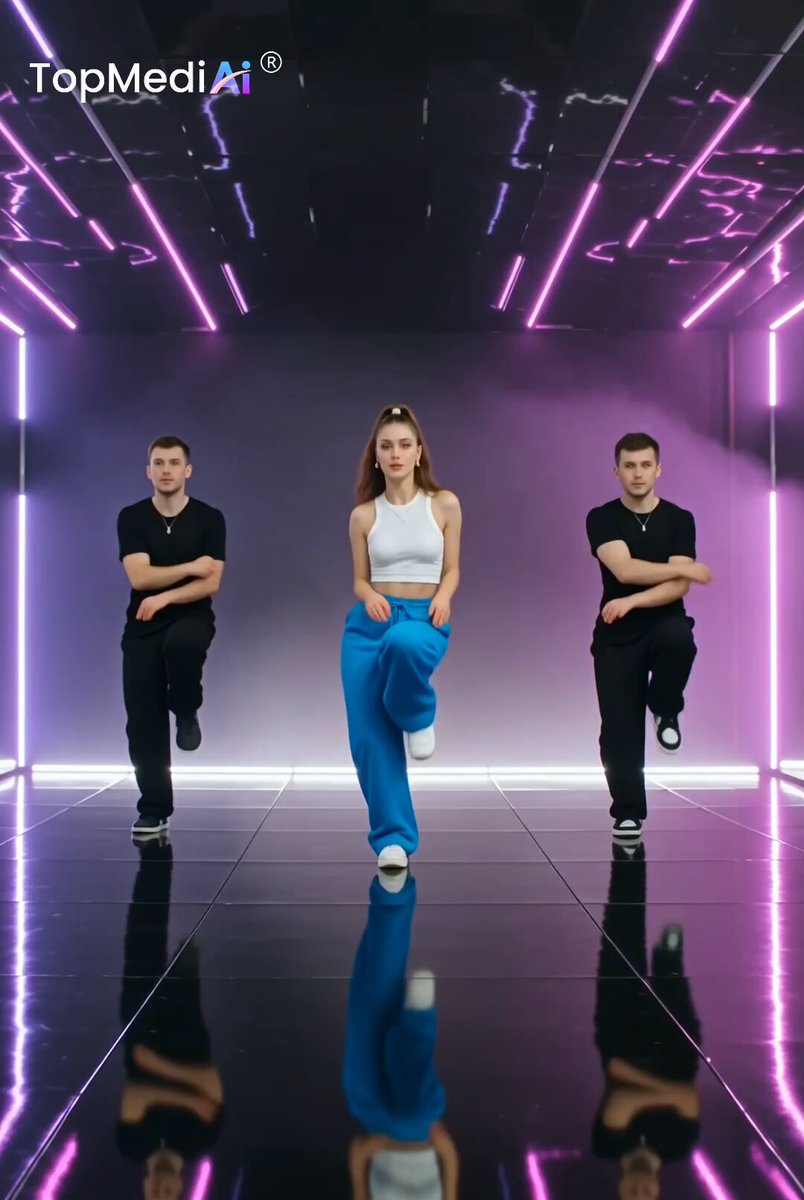
currently experimenting with WAN 2.6 I2V on GMI Cloud in this test, I’m comparing two audio workflows and honestly both perform really well. one scene uses audio generated directly from the prompt, while the other uses manually uploaded audio taken from the film 300. visually, both deliver strong motion...

97,086 Aufrufe • vor 8 Monaten •via X (Twitter)

0 Kommentare

Keine Kommentare verfügbar

Kommentare vom Original-Post werden hier angezeigt

Ähnliche Videos

A cinematic AI-powered visual experience showcasing how imagination can be transformed into stunning digital worlds From futuristic environments and creative fashion visuals to seamless character transformations every scene blends technology creativity, and storytelling into one immersive piece. Made with MiniMaxH3 on WeryAI Wery Prompt: A stylish young South Asian woman with long dark hair, natural glamorous makeup and an elegant modern outfit. Keep her face, hairstyle, outfit and appearance consistent throughout the entire video. Scene 1 — 0–4s: She sits at a sleek modern workstation in a futuristic studio. She looks directly into the camera and says naturally: “What if you could turn your ideas into reality in just a few clicks?” Natural facial expressions and hand gestures. Slow cinematic camera push-in. Perfect lip-sync. Scene 2 — 4–7s: She turns to her computer and opens WeryAI. She types a creative idea and says: “That’s exactly what I love about WeryAI.” The interface responds with elegant AI processing animations and glowing digital effects. Scene 3 — 7–11s: Her simple idea transforms into stunning AI-generated visuals: a fashion scene, futuristic city, cinematic character, premium product advertisement and social-media video. She looks impressed and says: “Give it an idea, and watch it come to life.” Use smooth cinematic transitions and dynamic camera movement. Scene 4 — 11–15s: She turns back toward the camera with a confident smile and says: “WeryAI. Your imagination, powered by AI.” The camera slowly pulls back as the WeryAI brand reveal appears with a clean futuristic glow. Audio: Natural confident female voice, warm energetic delivery, subtle futuristic background music and soft cinematic sound effects. Keep dialogue clear and prominent. Lip-sync: The woman must visibly speak every line with accurate lip synchronization, natural mouth movement, blinking and facial expressions. Visual quality: Photorealistic, cinematic 4K, realistic skin, smooth camera movement, premium lighting, shallow depth of field, consistent character. No subtitles, no distorted face, no warped hands, no extra fingers, no flickering, no random text, no watermark.

Calira

12,635 Aufrufe • vor 11 Tagen

WATCH THIS VIDEO CAREFULLY. FORENSIC ANALYSIS OF A VIDEO CURRENTLY BEING CIRCULATED AND SPREAD ON ARAB TELEGRAM CHANNELS (Mor Edge Insight in conjunction with GAZAWOOD - The Pallywood Saga - BACKUP - July 6) What you are about to see is raw footage of an active arrest operation and genuine footage. This clip is currently circulating on Palestinian Telegram channels and is being prepared for wider distribution on X. It follows a familiar pattern of real footage with heavy manipulation and inauthentic audio to create a perception and narrative that doesn’t exist and is not what the footage actually shows. Here is the step-by-step forensic breakdown. The audio track contains multiple sharp “gunshots.” However, frame-by-frame examination shows no muzzle flashes at any point, even in bright daylight where unsuppressed firearms would produce clear, visible bursts. There is also no visible recoil or weapon movement on the individuals holding rifles. The barrels show no suppressors, yet the sounds are relatively clean “pops” rather than the overwhelming cracks expected from unsuppressed fire at that range. The audio of the shots fired are more reminiscent of a children’s toy than a real gunshot. More critically, the visual action is happening at a clear distance across the road, at a distance of an estimated 60-100m away from the camera, yet the gunshots and shouting sound as if recorded right next to the camera. Real distant gunfire would be thinner, more muffled, and accompanied by environmental echoes. This audio was added in post-production. How distance was determined: The white car in the immediate foreground (partially visible on the left) is only 5–10 meters away. The road width and the position of the parked vehicles and people with guns put the core action clearly in the mid-ground, across the full width of the street and shoulder. Reference objects: Standard car lengths (4.5–5m), average adult height (1.7m), and the spacing of streetlights/power poles all support a distance in that 60–100 meter range for the shooters and the SUV. The black SUV drives a noticeable distance across the frame without appearing overly large or close, further confirming it’s not right next to the camera. This distance makes the audio mismatch even more obvious. Real gunfire at 60–100 meters would sound significantly more distant and muted, with clear delay and environmental filtering. The overlaid “cracks” sound like they were recorded (or synthesized) much closer. Summary 1. Real gunshots, especially in an open outdoor environment like this, produce a sharp initial crack (supersonic bullet) followed by a broader report/echo, with significant low-frequency rumble, reverberation off the ground/cars/objects, and environmental decay. These sound more like clean “pop/crack” samples layered on top. 2. They lack the natural variations in volume, timing, or distortion you’d expect from actual firearms in a real chaotic scene (muzzle blast, echoes, distance differences) even with silencers which from that distance you wouldn’t even hear. They feel “pasted in” during editing. 3. The overall audio mix (ambient road noise, car sounds, voices) doesn’t interact naturally with the “shots”, there is no proper masking, reverb bleed, or mic overload you’d get from real loud events captured on the same recording device. Always examine the audio against the visuals, check for continuity errors, and watch how people actually behave when they think no one is watching the performance. Share if you value this kind of detailed verification.

Mor Edge Insight

23,394 Aufrufe • vor 1 Monat

how to prompt undetectable ai shots while designing a running scene, first think about these 3 basic questions: how does the camera move? what is it looking at? where does it stop? a good motion prompt is really just a timeline it needs to follow real-world physics, and it needs to carry story at the same time 1. start with the narrative goal of the shot camera movement is not just movement it is the storytelling so before writing the prompt, define what the shot is trying to do for example, in a 15-second one take, the goal could be: follow the female lead laterally while she runs, to build speed and tension then briefly reveal the people chasing her then let the camera hesitate for a moment and find her again that small “lose and recapture” moment adds spatial depth and makes the chase feel more intense 2. build a clear space for the camera to work in if the space is vague, the shot gets messy very fast i like breaking the scene into layers so the model knows where everything belongs foreground: passing objects, environmental motion main subject layer: the woman running midground: cafe tables, pedestrians, the people chasing her background: the vanishing point of the street, and the entrance to the pedestrian area once the space is clear, the camera has a stage to move through 3. describe motion like a physical process a good moving shot has to respect inertia if the movement feels weightless or too perfect, it instantly feels fake so instead of using broad words, describe a chain of actions the camera can actually perform what accelerates what slows down when it adjusts when it slightly overshoots when it catches itself again that little bit of imperfection is usually what makes it feel real 4. use focus as part of the storytelling in a one take, focus is one of the best ways to guide attention you can design moments where focus shifts with intention for example: focus briefly drifts from the chasers’ faces, passes beyond them, lands on the woman in the distance, then quickly pulls back again it feels like a small mistake, but that’s exactly why it works it simulates a camera operator re-evaluating the subject in the middle of a fast-moving shot that kind of temporary focus loss and recovery adds a lot of immediacy and documentary feeling 5. build the sound space with the camera sound should move with the shot when the camera turns toward the chasers, the woman’s breathing should fall deeper into the sound field, while the chasers’ footsteps and breathing move to the center when the camera finds the woman again, her breath becomes the main sound again that shift in audio perspective helps the scene feel much more immersive it’s not just about what we see it’s also about where we feel the scene from 6. use negative constraints to stop common ai mistakes this part matters a lot i usually add clear “don’ts” at the end to stop the model from breaking the shot for example: no cuts no teleporting zooms no sliding characters no body fusion no floating props the travel bag must keep believable weight and inertia these negative constraints act like guardrails they help keep the result inside a believable physical world for me, the core of a strong motion prompt is simple: organize space, camera, focus, action, and sound into one executable timeline that’s really the difference instead of prompting a vague feeling, you’re designing a physical process and that’s usually what helps ai generate a moving shot that feels coherent, grounded, and full of tension

el.cine

14,433 Aufrufe • vor 16 Tagen

MiniMax H3 Character Introduction Prompt: Use @[char ref] as the sole character reference. Preserve the exact identity, face, body proportions, hairstyle, outfit, colors, materials and overall silhouette of the character throughout the entire video. Do not redesign, simplify or replace any defining visual features. Create a cinematic character introduction focused on presence, silhouette, attitude and controlled motion. 0–4s Begin with a close shot of a defining lower-body or detail element such as boots, shoes, feet, hands, clothing hem or an important accessory. The character enters frame or settles into position. The camera slowly tracks upward while hair, clothing and secondary elements move naturally in the wind or environment. 4–8s Reveal more of the body with a medium or medium-wide shot from the back, side or three-quarter angle. The character stands in a calm, composed way inside the environment. The camera makes a smooth orbit, arc or lateral move to gradually reveal the character’s face and silhouette. 8–12s Move into a tight cinematic portrait or upper-body shot. The character performs one subtle signature action that fits their personality, such as lifting the chin, turning the head, adjusting clothing, brushing hair aside, opening a hand, looking toward camera, or shifting posture. Keep the motion minimal and intentional. The expression should match the character’s vibe. 12–15s End with a strong full-body hero shot that clearly presents the entire design and silhouette. Use a low-angle, eye-level or slightly dramatic framing depending on the character’s personality. The character settles into a natural final pose and holds it confidently for a clean final reveal. VISUAL DIRECTION Premium cinematic presentation. Match the visual medium and rendering style of @[char ref]. Emphasize clean silhouette, elegant staging, subtle secondary motion, believable hair and cloth movement, strong composition, atmospheric depth and polished lighting. The scene should feel like a high-end anime, game or film character introduction. CAMERA Use a clear progression from detail reveal to partial reveal to face reveal to full-body hero reveal. Camera movement should be smooth, controlled and intentional. Avoid chaotic motion. ENVIRONMENT Place the character in a fitting environment that supports their identity and mood. The background should enhance the character without distracting from them.

Kōda

105,909 Aufrufe • vor 19 Tagen